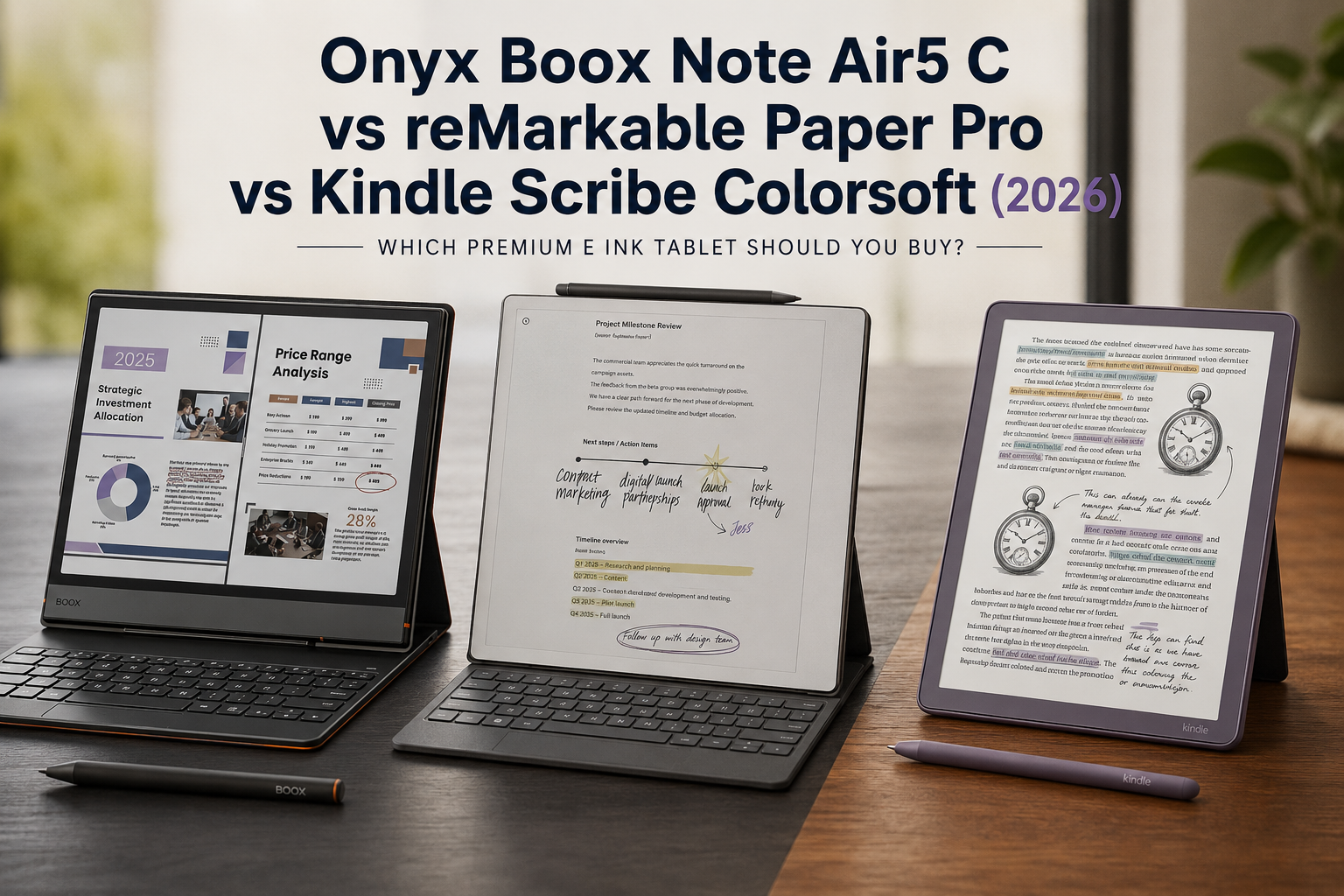
Three tablets, three philosophies, and almost the exact same price tag. That’s the strange situation shoppers run into the moment they start researching premium E Ink tablets in 2026. The Onyx Boox Note Air5 C, the reMarkable Paper Pro, and the Kindle Scribe Colorsoft all land within about a hundred dollars of each other, all promise a paper-like writing experience, and all now do it in color. From a spec sheet, they can look almost interchangeable.
They aren’t.
Spend an hour with each device and the differences become obvious fast. One is an open Android tablet that happens to have an E Ink screen. One refuses to run a single app and considers that a feature, not a limitation. One is built entirely around Amazon’s reading ecosystem and just quietly became a serious writing tool for the first time. Picking the wrong one doesn’t mean buying a bad product. It means buying a genuinely good product that fights your workflow instead of supporting it.
That’s the dilemma this guide aims to solve. If you’ve narrowed your shortlist down to these three names, you’ve already done the hard part. What’s left is matching the device to how you actually read, write, and work, rather than to whichever one has the flashiest launch video.
Who this comparison is for: anyone deciding between a large-format color E Ink tablet for note-taking, PDF markup, or serious reading, roughly in the $500 to $700 range. That includes students annotating lecture slides, professionals who need to sign off on documents without opening a laptop, writers who want a distraction-free drafting surface, and readers who’ve simply outgrown a standard Kindle or Kobo.
What you’ll learn: how each device actually performs on the things that matter day to day (writing feel, reading comfort, software, AI features, and battery life), what each one costs once you factor in accessories and subscriptions, and which specific type of buyer each device is genuinely built for.
At Einkopedia, we track E Ink hardware and firmware updates as they roll out throughout the year, not just at launch. The specs and pricing below reflect where each device stood in mid-2026, after several firmware cycles had already smoothed out the rough edges every one of these tablets shipped with. Let’s get into it.
Quick Answer: Who Should Buy Which?
If you only read one section of this guide, make it this one. Here’s the short version of everything that follows.
| Category | Winner | Why |
|---|---|---|
| Best Overall | Boox Note Air5 C | Most versatile, cheapest of the three, runs everything the others can’t |
| Best for Reading | Kindle Scribe Colorsoft | Full Kindle library, Audible, and by far the longest battery life |
| Best for Writing | reMarkable Paper Pro | Most paper-like pen feel, purpose-built writing surface |
| Best for Students | Boox Note Air5 C | Google Play access, hyperlinked PDF support, lowest price |
| Best for Professionals | Boox Note Air5 C | Keyboard cover, split-screen, native OneNote/Notion support |
| Best for Researchers | reMarkable Paper Pro | Distraction-free PDF annotation with zero notification pull |
| Best for Artists | reMarkable Paper Pro | Uniform 229 PPI color rendering, most natural pen texture |
| Best for PDF Annotation | reMarkable Paper Pro | Purpose-built PDF workflow, no app clutter |
| Best Value | Boox Note Air5 C | $100 cheaper with a comparable feature set |
| Best Android Experience | Boox Note Air5 C | The only one of the three that’s actually Android |
| Best Distraction-Free Device | reMarkable Paper Pro | No apps, no browser, no notifications, by design |
| Best Kindle Ecosystem Fit | Kindle Scribe Colorsoft | Native Kindle store, Audible, and Goodreads sync |
| Best Color Rendering | Kindle Scribe Colorsoft | Oxide-based Colorsoft panel produces the most vivid, accurate color |
👉 Boox Note Air5 C — Check Today’s Price on Amazon | View at the Official BOOX Store
👉 reMarkable Paper Pro — Check Today’s Price on Amazon | View at the Official reMarkable Store
👉 Kindle Scribe Colorsoft — Check Today’s Price on Amazon | View at the Official Amazon Store
Meet the Three Contenders
Before diving into specs, it helps to understand what each company was actually trying to build. These devices look similar because they’re roughly the same size and price. But they are not built for the same job.
Boox Note Air5 C: The Android Tablet That Happens to Use E Ink
Onyx built the Note Air5 C to be flexible above everything else. It runs Android 15 with full Google Play access, which means it can install the Kindle app, the Kobo app, Libby, OneNote, Notion, Gmail, and pretty much anything else you’d find on a phone. Onyx isn’t trying to convince you to abandon the apps you already use. It’s trying to give those apps an E Ink screen to live on. That flexibility comes with a Boox-specific trade-off: more setup, more menus, and occasional software quirks that a closed system simply doesn’t have to deal with.
reMarkable Paper Pro: The Digital Notebook That Refuses to Be a Tablet
reMarkable’s entire pitch is subtraction. No app store. No browser. No social media, no email client, no games, no notifications. The Paper Pro is built to be the single most focused writing surface on the market, and the company has stuck to that philosophy since the original reMarkable launched in 2017. The Paper Pro adds color and a front light on top of that same idea. It’s a notebook, first and always, with reading and PDF markup layered in as secondary functions.
Kindle Scribe Colorsoft: Amazon’s Reading Ecosystem, Finally Built to Write
The Kindle Scribe Colorsoft is the most significant Scribe yet, not because it added color, but because it’s the first Scribe where writing doesn’t feel like an afterthought. It still leans hard into what Kindle does best: an enormous store, Audible integration, and a reading experience that’s been refined for over a decade. What changed is that the pen, the surface, and the note-taking software finally feel like they were designed together instead of bolted on.
Specs at a Glance: Full Comparison Table
| Spec | Boox Note Air5 C | reMarkable Paper Pro | Kindle Scribe Colorsoft |
|---|---|---|---|
| Price | $529.99 | $629 (Marker included) | $629.99 (32GB) / $679.99 (64GB) |
| Screen size | 10.3″ | 11.8″ | 11″ |
| Display tech | Kaleido 3 (Carta 1200) | Canvas Color (E Ink Gallery 3) | Colorsoft (oxide-based) |
| Resolution (mono / color) | 300 PPI / 150 PPI | 229 PPI / 229 PPI | 300 PPI / 150 PPI |
| Colors rendered | 4,096 | 20,000 | Not officially disclosed; reviewers rate it the most accurate of the three |
| Operating system | Android 15 (open) | reMarkable OS (closed) | Kindle OS (closed) |
| RAM / Storage | 6GB / 64GB (expandable) | 2GB / 64GB (fixed) | Not disclosed / 32GB or 64GB |
| Front light | Yes, adjustable warm/cool | Yes, adjustable | Yes, mini-LED array |
| Pen included | Boox Pen3 (EMR) | Marker (passive) | Premium Pen (EMR) |
| Writing latency | ~15–18ms | 12ms | ~12ms |
| Battery life (claimed) | ~1 week mixed use | Up to 2 weeks | Up to 8 weeks reading / 2 weeks writing |
| Weight | ~430g | ~544g | ~400g |
| Water resistance | None | None | None |
| App store | Full Google Play | None | None |
| Required subscription | None | Optional Connect ($3.99/mo) | None |
| Warranty | 1 year (2 years, EU store) | 1 year (3 years with Connect) | 1 year (Amazon standard) |
👉 Compare live prices before you decide:
Design and Build Quality
Pick any of these three up and the build quality difference from a typical Android tablet is obvious immediately. All three feel considered rather than mass-produced, but they express that in different ways.
The Boox Note Air5 C uses an asymmetrical bezel with extra width on one edge that doubles as a grip while writing, though its aluminum back slides around on a desk more than the other two. At 5.8mm thick, it’s the slimmest of the three, and the keyboard cover’s pogo-pin connection is a nice piece of engineering if you plan to type as much as you write.
The reMarkable Paper Pro goes for a minimalist, architectural look. The aluminum unibody has a distinctive grooved edge inspired by the spine of a physical notebook, and the fit and finish feels closer to premium consumer electronics than anything else here. It’s also the heaviest and largest device of the three, which matters if portability is a priority.
The Kindle Scribe Colorsoft splits the difference: evenly sized bezels, a rubberized back that resists sliding, and the lightest overall build at roughly 400g. Amazon clearly optimized this one for long one-handed reading sessions.
None of the three tablets carry a water-resistance rating, which surprises some buyers coming from a standard Paperwhite or Kindle Colorsoft, both of which are IPX8 rated. If you read in the bath or by the pool, none of these premium writing tablets are the right fit; a standard waterproof Kindle is a smarter purchase for that use case.
Did You Know? The original Kindle Scribe launched in 2022 without any color option at all. It took Amazon three years and two hardware revisions to bring color and a genuinely improved writing surface together in the same device.
Display Technology: How the Screens Actually Compare
This is where the three devices diverge the most, and where the marketing gets the most confusing. All three claim “color E Ink,” but they’re using different underlying technology to get there.
The Boox and the Kindle both use variations of Kaleido 3, which works by placing a color filter layer over a standard monochrome E Ink panel. It’s a proven, widely used approach, but it comes with a built-in trade-off: resolution drops from 300 PPI in black and white down to roughly 150 PPI once color is displayed. Text and line art stay razor-sharp; book covers and colored diagrams get noticeably softer.
The reMarkable Paper Pro takes a different route with Canvas Color, built on E Ink’s Gallery 3 platform. Instead of a filter layer, colored ink particles physically move within the display itself. The upside is that resolution stays identical at 229 PPI whether you’re looking at black text or a full-color PDF chart. The trade-off is that 229 PPI sits below the Kaleido panels’ peak mono sharpness, so plain text on the reMarkable is very slightly less crisp than on the Boox or Kindle.
Amazon’s Colorsoft panel on the Kindle Scribe is its own custom build, using oxide thin-film transistors rather than the standard Kaleido stack. Reviewers consistently rate it as the most vivid and accurate color of the three, and the mini-LED front light system is genuinely a generation ahead of what’s on the Boox or reMarkable, producing noticeably more even lighting with fewer shadows near the edges.
For outdoor visibility, all three perform the way E Ink always has: excellent in direct sunlight, since none of them rely on a backlit LCD panel that washes out. Indoors, the Kindle’s brighter, more even front light gives it a slight edge for late-night reading.
On eye comfort, this is genuinely one area where all three devices outperform any LCD or OLED tablet. E Ink doesn’t flicker and doesn’t emit the same blue-light-heavy backlighting that phone and iPad screens do, which is a big part of why people move to devices like these in the first place. None of the three should be treated as a substitute for professional advice if you have a diagnosed vision condition, but for general eye strain during long reading or writing sessions, all three are meaningfully easier on the eyes than a standard tablet.
👉 See the Colorsoft display in person: Check Kindle Scribe Colorsoft Price
The Writing Experience: Pen Feel, Latency, and Palm Rejection
If note-taking is your primary reason for buying one of these devices, this section matters more than any other.
The reMarkable Paper Pro is still the benchmark the other two get compared against. Its textured glass cover lens produces genuine friction against the pen tip, closer to a pencil dragging across paper than anything else here, and reviewers consistently call it the most “real” of the three. Latency is rated at 12 milliseconds, and ink appears essentially the instant the pen touches the screen.
The Kindle Scribe Colorsoft closes the gap considerably from the original Scribe. The included Premium Pen needs no charging and now feels controlled and precise rather than slippery, a common complaint about the first-gen Scribe. Latency is close to reMarkable’s, and some reviewers rate it as the most immediate of the three, though the surface is smoother and less textured.
The Boox Note Air5 C uses the Pen3, an EMR stylus with 4,096 pressure levels and tilt support, capable for both handwriting and sketching. Its magnetic cap doubles as storage for spare nibs, a thoughtful touch. Where it falls slightly behind is latency, a few milliseconds slower than the other two, enough that fast cursive writers may notice a touch of lag.
Palm rejection is solid across all three and shouldn’t be a deciding factor either way. Pressure sensitivity peaks at 4,096 levels on both the Boox and reMarkable pens; Amazon doesn’t officially publish a number for the Kindle Scribe Pen, but reviewers describe it as comparable in practice.
Pen accessories matter here too. reMarkable’s Marker Plus adds a built-in eraser for roughly $30 more than the base Marker. Boox’s Pen3 already includes a nib storage compartment. Amazon includes its Premium Pen standard, with replacement tips running $5 to $10 a year as they wear down through normal use, which happens on all three devices over time.
Marker support for third-party pens is where the Boox pulls ahead. Because the Note Air5 C uses a standard EMR implementation, it’s compatible with certain third-party ceramic-tipped styluses from other E Ink brands. Neither reMarkable nor Kindle support third-party pens at all; you’re locked into their proprietary stylus.
Expert Tip: If you write primarily in fast cursive under time pressure (think live meeting notes), prioritize the reMarkable or Kindle over the Boox. The extra few milliseconds of latency on the Boox is subtle, but noticeable specifically in fast, continuous strokes rather than deliberate handwriting.
The Reading Experience: Books, PDFs, Manga, and More
Writing feel gets most of the attention in reviews, but for a lot of buyers, reading is actually the more frequent use case.
For books, the Kindle Scribe Colorsoft is the clear winner if your library already lives on Amazon. Native access to the full Kindle store, Audible, Goodreads sync, and years of font and layout refinement add up to a reading experience the other two simply can’t match for Kindle-format content. The Boox can install the Kindle app itself, which gets you most of the way there, but it’s still an app running on top of Android rather than a purpose-built reading system.
For PDFs, this flips. The reMarkable Paper Pro was built around PDF markup from day one, and its uniform 229 PPI resolution means diagrams and colored charts stay just as crisp as black text. The Boox, running full Android, supports hyperlinked PDF navigation exceptionally well through its NeoReader app, which matters a lot if you work with heavily cross-referenced documents like legal contracts or academic papers with footnotes.
For academic papers, the ability to install specific citation and annotation apps gives the Boox an edge for researchers who rely on tools like Zotero or specific university library apps. The Kindle’s Send-to-Kindle feature handles personal PDF uploads well but won’t run any third-party research software.
For manga and comics, opinions genuinely diverge. The Kindle’s Panel View feature automatically zooms into individual comic panels, which is a small but genuinely useful feature for manga readers. The reMarkable’s larger 11.8-inch screen displays full pages without needing to zoom at all, which some readers actually prefer. The Boox supports native CBZ/CBR files and, again, can simply run whatever comic reader app you already use.
For newspapers and web articles, the Boox is the only one of the three with a genuine advantage, since it can run a browser and RSS/OPDS apps directly. Neither reMarkable nor Kindle offer meaningful web browsing.
Software Experience: User Interface, Learning Curve, and Stability
Software philosophy is really the core decision buyers are making here, more than any individual spec.
Boox’s interface has come a long way. The 4.2 firmware update, rolled out through much of 2026, added meaningful refinements: app-specific display optimization, a Calendar Memo feature with searchable handwritten entries, and better split-screen behavior. That said, it’s still Android underneath, which means occasional stutters navigating menus and a genuine learning curve for anyone who’s never customized an Android device before. Firmware updates are frequent and free for at least three years from launch, which is a meaningfully longer commitment than some competitors offer.
reMarkable’s software is, by a wide margin, the simplest to learn. There’s very little to configure because there’s very little there. That simplicity is the entire point, and for a lot of buyers coming from paper notebooks, it’s exactly what makes the transition feel manageable instead of overwhelming. Stability is excellent; there’s comparatively little that can go wrong when the software doesn’t run third-party code.
Kindle’s interface sits in between. It’s more constrained than Android but has more going on than reMarkable’s minimalism, mixing a familiar Kindle store front-end with an increasingly capable notebook section. Long-time Kindle owners will feel at home instantly; the learning curve is really just in the new note-taking tools layered on top.
Android vs. Closed Ecosystem: What You Can Actually Install
This is the single biggest fork in the road between these three devices, so it deserves its own section.
The Boox Note Air5 C runs full Android 15 with unrestricted Google Play access. That includes the Kindle app, the Kobo app, Libby for library loans, Notion, OneNote, Gmail, and essentially any Android app you already rely on. It’s the only one of the three that can consolidate multiple reading services and productivity apps onto a single E Ink device.
The reMarkable Paper Pro runs no app store at all, by design. You get notebooks, PDF import and markup, and reMarkable’s own reading and writing tools, full stop. Third-party apps are not coming to this platform, and reMarkable has been consistent about that stance since 2017.
The Kindle Scribe Colorsoft sits in Amazon’s walled garden. You get the Kindle store, Audible, and Send-to-Kindle for personal document uploads, but no ability to install Kobo, Libby, or any other reading app. If your books live somewhere other than Amazon, you’re working around the device rather than with it.
If you already subscribe to services beyond Amazon, whether that’s a library through Libby, a Kobo account, or work tools like Notion, the Boox is the only device here that can actually consolidate all of that onto one screen.
AI Features in 2026
Every manufacturer in this space has been racing to add AI tools over the past two years, with genuinely different results.
The Kindle Scribe Colorsoft ships with two headline AI features. ‘Story So Far’ generates a spoiler-free summary of a book up to your current reading point, useful for picking a novel back up after a break. Similarly, ‘Ask This Book’ lets you ask natural-language questions about a book’s content and returns answers with page references. Both need an internet connection and are, by Amazon’s own admission, still expanding through 2026 rather than fully complete. The notebook side adds AI-powered search across handwritten notes and summarization tools, plus direct export to Microsoft OneNote.
The Boox Note Air5 C offers Smart Scribe, an AI system for converting messy handwriting into cleaner digitized text, along with AI-assisted shape and lasso recognition for sketches and diagrams, and Crop OCR for pulling text out of images. Because it’s Android, users aren’t limited to Boox’s own AI tools; downloading a separate AI assistant app is always an option too.
The reMarkable Paper Pro offers handwriting-to-text conversion built on the MyScript engine, supporting more than 60 languages, with numbers and printed handwriting converting most reliably, and fast cursive or specialized notation like code converting less reliably. Basic conversion works without a subscription; the Connect plan unlocks conversion from the desktop app and handwriting search across your full notebook library.
Bottom line on AI: none of these three are “AI-first” devices the way a phone assistant is. They’re reading and writing tools with AI layered on to make search and conversion easier, not to replace the core writing experience.
Battery Life and Charging
This is one of the starkest differences between the three, and it’s worth weighing carefully if you travel often or dislike carrying chargers.
The Kindle Scribe Colorsoft dominates here. Amazon rates it at up to 8 weeks of reading or 2 weeks of heavy writing on a single charge. Real-world testing tends to land a bit under that marketing number, closer to 6 weeks of daily reading and 10 to 11 days of heavy note-taking, but that’s still dramatically longer than either competitor. Full charging takes under 3 hours over USB-C.
The reMarkable Paper Pro is rated for up to 2 weeks on its 5,030mAh battery, backed by fast charging that hits 90% in about 90 minutes. That’s a perfectly reasonable runtime for a dedicated writing device, just nowhere near Kindle territory.
The Boox Note Air5 C trails both, generally landing around a week of typical mixed use on its smaller 3,700mAh battery. That’s the direct cost of running a full Android OS in the background; more flexibility comes with more power draw. For anyone who travels for extended periods without reliable charging access, this is a real practical consideration.
Price, Value, and Hidden Costs
On paper, all three land in a tight $529 to $680 band. Once you factor in the accessories most buyers actually end up purchasing, the real gap widens.
The Boox Note Air5 C starts at $529.99, the cheapest of the three by a meaningful $100. A folio case adds roughly $30 to $75 depending on where you buy, and the optional magnetic keyboard cover runs about $100 more. There’s no required subscription of any kind, and Onyx provides 10 GB of free cloud storage per account.
The reMarkable Paper Pro costs $629 with the Marker included, though it launched at $579 and has since gone up. Folio cases run $69 to $149 depending on material. For instance, the Type Folio costs an additional $229. The optional Connect subscription costs $3.99 a month (or $39.90 a year), a price that rose from $2.99 in March 2026, and it unlocks unlimited cloud sync, handwriting search across notebooks, and a 3-year extended warranty instead of the standard 1-year coverage. The device is fully functional without it; Connect is a convenience layer, not a requirement.
The Kindle Scribe Colorsoft starts at $629.99 for 32 GB and $679.99 for 64 GB, making it the most expensive option at its top storage tier. A protective folio is close to essential for daily carrying given the glass-and-aluminum build, adding another $30 to $60. No subscription is required for core functionality, though Amazon’s broader ecosystem naturally nudges Kindle Unlimited and Audible memberships, which are optional purchases layered on top rather than requirements.
Subscription services, taken together: only reMarkable has an ongoing optional cost built into the core product experience. Boox and Kindle are both effectively one-time hardware purchases, aside from whatever content or storage services you choose to add separately.
👉 See Current Deals:
Real-World Buying Scenarios
Specs only tell part of the story. Here’s how each device fits into specific, real workflows.
College and university students generally get the most out of the Boox Note Air5 C: hyperlinked PDF textbooks, automatic Google Drive sync, and the lowest price of the three.
Teachers benefit from the Boox’s split-screen mode for grading alongside a rubric, though the reMarkable’s distraction-free surface appeals to those who specifically want to avoid email between assignments.
Journalists tend to prefer the reMarkable Paper Pro for focused interview notes and reliable handwriting conversion, though those needing to look things up mid-interview lean towards Boox instead.
Lawyers reviewing contracts lean toward the Boox for hyperlinked PDF navigation and document apps, though reMarkable’s distraction-free markup suits focused review sessions just as well.
Doctors documenting notes across a full shift often favor the Kindle Scribe Colorsoft for its battery life, since charging access isn’t always convenient in clinical settings.
Engineers and architects benefit from the reMarkable’s uniform color PPI, keeping colored schematics as sharp as line work, an advantage neither Kaleido-based device matches.
Researchers should pick the Boox if they need dedicated citation and reference apps, or the reMarkable for pure reading and annotation without extra software.
Writers drafting long-form work gravitate toward the reMarkable Paper Pro for the same reason journalists do: nothing on the device can interrupt a session.
Business professionals signing documents and taking meeting notes do best with the Boox, thanks to the keyboard cover and app flexibility.
Travelers should weight battery life heavily; the Kindle Scribe Colorsoft’s multi-week runtime beats both competitors by a wide margin.
Book lovers invested in Kindle purchases have an easy call: the Kindle Scribe Colorsoft. Those mixing Kindle, Kobo, and library loans should look at the Boox instead.
Manga and comic readers can weigh the Kindle’s auto panel-zoom against the reMarkable’s larger, zoom-free page display; both are legitimate choices.
Minimalists who want a device that genuinely cannot distract them should buy the reMarkable Paper Pro without hesitation.
Android power users wanting their whole app library on an E Ink screen have exactly one real option: the Boox Note Air5 C.
Pros and Cons
Onyx Boox Note Air5 C
Pros:
- Full Android 15 with unrestricted Google Play access
- Cheapest of the three at $529.99
- Expandable storage via microSD (up to 1 TB+)
- Runs Kindle, Kobo, and Libby apps natively
- Optional keyboard cover for genuine productivity use
- No subscription required
Cons:
- Shortest battery life of the three (roughly 1 week)
- Occasional Android-related lag and menu jank
- Slightly higher pen latency than the other two
- No native bookstore of its own
reMarkable Paper Pro
Pros:
- Best-in-class, most paper-like writing feel
- Uniform 229 PPI resolution in both color and mono
- Genuinely distraction-free by design
- 20,000-color Canvas Color display
- Fast charging (0–90% in 90 minutes)
Cons:
- No app store of any kind, including no native bookstore
- Ongoing subscription needed to unlock full feature set
- Heaviest device in this comparison
- Most expensive accessories (folios up to $149)
Kindle Scribe Colorsoft
Pros:
- Best-in-class battery life (weeks, not days)
- Vivid, accurate Colorsoft display and best-in-class front light
- Deep Kindle and Audible ecosystem integration
- Lightest device in this comparison
- Pen included, requires no charging
Cons:
- Locked entirely to Amazon’s ecosystem
- No water resistance, unlike other Kindle models
- Most expensive option at the 64 GB tier ($679.99)
- AI features still expanding through 2026, not fully mature at launch
Side-by-Side Verdicts
| Category | Winner |
|---|---|
| Feature Winner | Boox Note Air5 C (broadest feature set) |
| Performance Winner | Kindle Scribe Colorsoft (fastest page turns, most immediate latency) |
| Writing Winner | reMarkable Paper Pro |
| Reading Winner | Kindle Scribe Colorsoft |
| Software Winner | reMarkable Paper Pro (most stable, simplest) |
| Value Winner | Boox Note Air5 C |
| Battery Winner | Kindle Scribe Colorsoft (by a wide margin) |
| Overall Winner | No single universal winner — see buying scenarios above |
Common Mistakes Buyers Make
Assuming color E Ink looks like an LCD tablet. All three devices render color in a noticeably muted, paper-like way compared to an iPad or phone screen. That’s a deliberate trade-off for E Ink’s readability and battery benefits, not a flaw in any single device. Go in with the right expectations and none of the three will disappoint you here.
Buying the Kindle Scribe Colorsoft while primarily using library loans or Kobo books. If your reading habit doesn’t live inside Amazon’s ecosystem, the Boox will serve you far better, since it can run those apps natively.
Assuming the Kindle Scribe Colorsoft is waterproof. Unlike the standard Kindle Colorsoft or Paperwhite, none of the Scribe models carry any water-resistance rating. Keep it away from the pool and the bathtub.
Underestimating the reMarkable subscription over time. At $3.99 a month, Connect doesn’t look like much upfront, but it adds up to roughly $48 a year if you don’t take the annual discount. Decide up front whether you actually need desktop-app conversion and cross-notebook search before assuming you’ll need it.
Not budgeting for a folio case. All three of these devices have glass or aluminum builds that genuinely benefit from a protective case for daily carry. Add $30 to $150 to your real budget depending on which device and material you choose.
Choosing based on spec-sheet numbers alone. A few milliseconds of pen latency or a PPI difference matters far less in daily use than which ecosystem actually holds your books and documents already.
Expecting Boox’s flexibility to come with zero learning curve. Full Android access is a genuine strength, but it also means genuine Android-style setup and occasional troubleshooting that a closed system like reMarkable or Kindle simply doesn’t require.
Frequently Asked Questions
Is the Onyx Boox Note Air5 C better than the reMarkable Paper Pro? Depends on your priority. Boox wins on flexibility, app support, and value; reMarkable wins on writing feel and distraction-free focus.
Is the Kindle Scribe Colorsoft worth $630? For Kindle-ecosystem readers who also want a real writing surface, yes. For mono-text readers who rarely write, the $399 base Kindle Scribe is the more honest purchase.
Can you install the Kindle app on a reMarkable Paper Pro? No. reMarkable runs a closed OS with no app store of any kind.
Can you install the Kindle app on a Boox Note Air5 C? Yes, via Google Play, exactly as it would run on any Android tablet.
Does the reMarkable Paper Pro require a subscription? No, the device is fully functional without one. The optional $3.99/month Connect plan adds unlimited cloud sync, desktop handwriting conversion, and an extended warranty.
Which device has the best battery life? The Kindle Scribe Colorsoft, by a wide margin, rated for up to 8 weeks reading or 2 weeks heavy writing.
Which device has the best handwriting recognition? All three are competent. reMarkable’s MyScript-based engine (60+ languages) is generally considered most mature; Boox’s Smart Scribe and Kindle’s built-in conversion are close behind.
Are any of these three tablets waterproof? No. None carries an IP water-resistance rating.
Can the Boox Note Air5 C replace an iPad? For reading, note-taking, and light productivity, largely yes. For video, gaming, or color-critical creative work, no.
Which device is best for PDF annotation? The reMarkable Paper Pro, purpose-built around PDF markup, with the Boox close behind thanks to hyperlinked navigation.
How much storage does each device offer? Boox: 64 GB, expandable via microSD. reMarkable: 64 GB fixed. Kindle: 32 GB or 64 GB, neither expandable.
Which is the quietest to write on? The Kindle and Boox both feel closer to felt-tip pens. reMarkable’s textured glass produces more audible tapping, which some writers like and others find distracting.
Does the Boox Note Air5 C have a bookstore of its own? Not really; reading content comes through installed apps like Kindle or Kobo rather than a proprietary store.
Can I use these devices for manga or comics? Yes. Kindle auto-zooms individual panels; reMarkable’s larger screen shows full pages without zooming; Boox natively supports CBZ/CBR files.
What’s the warranty on each device? Boox: 1 year (2 years via the EU store). reMarkable: 1 year, extended to 3 with Connect. Kindle: Amazon’s standard 1-year limited warranty.
Is the reMarkable Paper Pro Move a better buy than the full-size Paper Pro? Only if portability matters more than screen space. The Move is smaller and cheaper at $449; the full Paper Pro has far more writing room.
Does the Kindle Scribe Colorsoft support ePub files? Yes, alongside Amazon’s native formats, plus Send-to-Kindle for personal PDF and ePub uploads.
Which device is best for a first-time E Ink tablet buyer? reMarkable has the shortest learning curve, since there’s simply less to configure. Boox has the steepest, given its full Android interface.
Can these devices type documents, not just handwrite them? Only the Boox and reMarkable, via an optional keyboard cover. The Kindle Scribe Colorsoft does not support a physical keyboard.
Do these tablets work well for accessibility needs, like low vision? All three support adjustable font sizes and front-light brightness. Kindle’s more mature accessibility settings give it a slight edge, though none replace dedicated assistive technology.
How often do these devices receive software updates? Boox commits to at least 3 years of free firmware updates. reMarkable and Amazon both update regularly without publishing a fixed support window.
Is the 64 GB Kindle Scribe Colorsoft worth it over the 32 GB model? For most note-taking and reading, 32 GB is plenty. The 64 GB tier mainly helps users storing large PDF libraries or offline audiobooks.
Expert Buying Advice
Who should buy the Boox? Anyone who wants one device to replace several. If you read across multiple services, need to reference apps like Notion or OneNote, or simply want the most feature-dense option for the lowest price, the Note Air5 C is the smartest buy of the three.
Who should buy the reMarkable? Anyone whose primary need is focused writing, PDF annotation, or drawing, and who values a device that genuinely cannot distract them. If your biggest complaint about tablets in general is that you get pulled into email or social media, this is built specifically to solve that problem.
Who should buy the Kindle? Anyone already invested in Amazon’s ecosystem, particularly heavy readers and Audible listeners, who also wants a writing tool without switching platforms. The battery life alone makes it the easiest of the three to live with day to day.
Who should avoid each? Skip the Boox if you specifically want a distraction-free device; Android’s flexibility is the opposite of that. Skip the reMarkable if you want a native bookstore or app support of any kind. Skip the Kindle Scribe Colorsoft if your reading library lives outside Amazon.
Which offers the best long-term value? The Boox, given its lower upfront price, expandable storage, and no ongoing subscription, though its shorter battery life adds a real cost in convenience over time.
Which is the smartest investment in 2026? For most general buyers, the Boox Note Air5 C offers the best balance of price, flexibility, and future-proofing. Buyers with a clear, specific use case, distraction-free writing or deep Kindle integration, will likely be happier paying the same or slightly more for the device purpose-built around that exact need.
Final Verdict
There’s no single best device here, and that’s genuinely the honest answer, not a cop-out. The Boox Note Air5 C wins on flexibility and price. The reMarkable Paper Pro wins on writing feel and focus. The Kindle Scribe Colorsoft wins on reading, ecosystem, and battery life.
If you’re still undecided, ask yourself one question: what will you actually be doing on this device most days? If the answer is “reading books I already own on Kindle,” buy the Colorsoft. If the answer is “writing without getting distracted,” buy the Paper Pro. If the answer is “a bit of everything, across apps I already use,” buy the Note Air5 C.
All three are genuinely well-built, well-supported devices from companies that have been refining this category for years. Whichever one matches your actual daily habits will serve you well.
👉 Compare current prices before you buy: