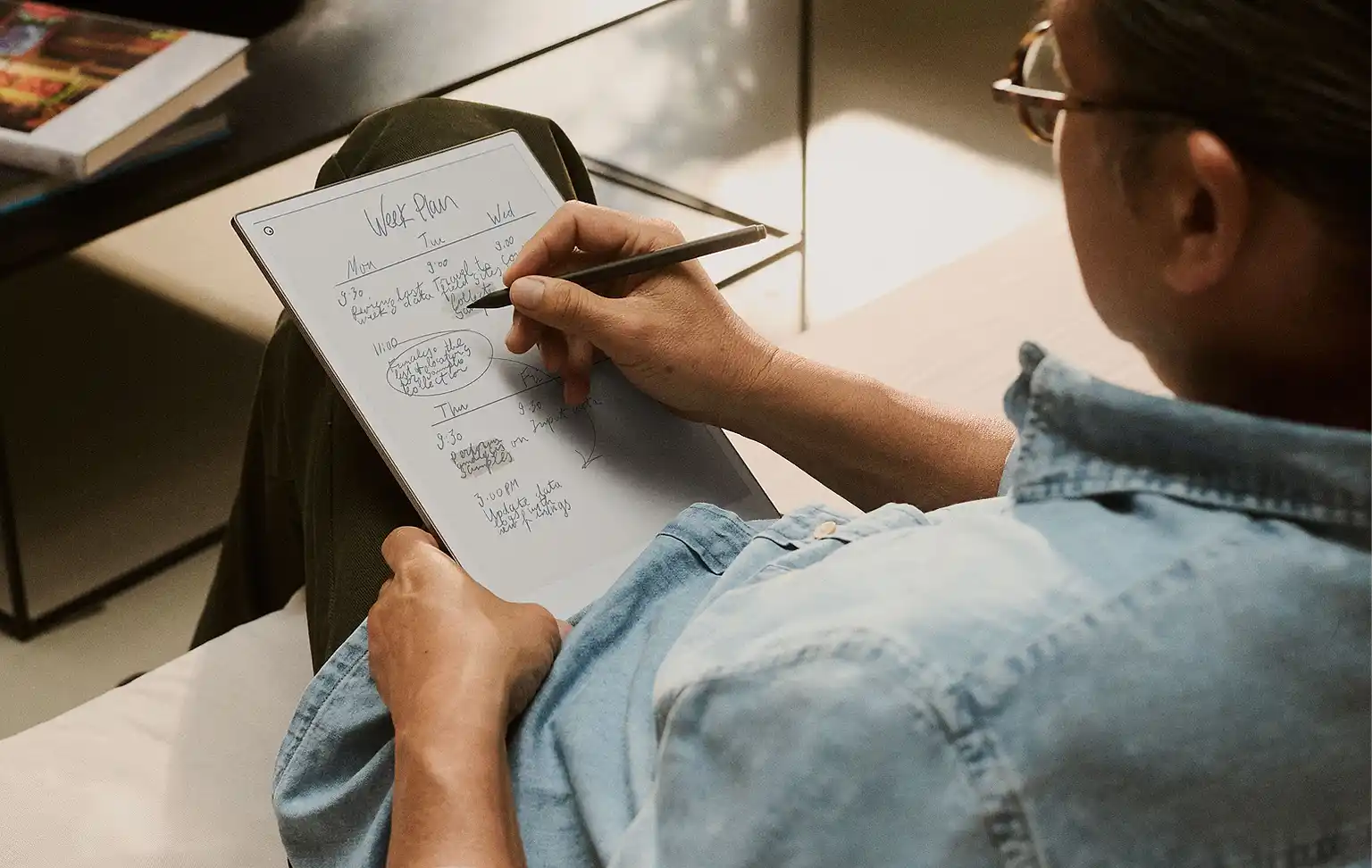
It’s late at night. You sit down to write, but your screen feels harsh. Notifications creep in. Tabs multiply. Focus slips.
This is where an E Ink tablet stops being just a device—and starts becoming a workspace built for thinking.
But here’s the reality: not every E Ink tablet is actually good for writing.
Some are excellent for handwritten notes but frustrating for typing. Others handle PDFs well but break your writing flow with slow response times or limited editing tools. And a few promise distraction-free writing, but restrict your workflow too much.
Before you buy, you need to understand what truly matters—not just on paper, but in real-life writing situations.
This guide breaks that down clearly, so you can choose a device that fits how you actually write.
Not every writer needs a powerful laptop or a distracting tablet filled with endless apps and notifications. Sometimes, the best writing tool is the one that helps you focus the most.
That is exactly where E Ink tablets stand out.
With their paper-like displays, excellent battery life, and distraction-free environment, E Ink tablets have become a popular choice for writers, students, journalists, bloggers, researchers, and even novelists. Whether you are drafting your first novel, taking lecture notes, writing research papers, or simply organizing ideas for your next article, the right E Ink tablet can make the process smoother and far more enjoyable.
But not all E Ink tablets are built the same.
Some are excellent for handwriting and note-taking, while others are better for serious long-form typing with a keyboard. Some offer advanced app support and cloud syncing, while others focus purely on minimalism and deep work.
Before spending your money, it is important to understand what actually matters.
In this guide, we break down the most important things to look for in an E Ink tablet for writers so you can choose a device that truly fits your workflow—not just the one with the biggest marketing claims.
All “Writers” Are Not All the Same
Before we begin, the thing to keep in mind is that not all writers are the same, and that their requirements, too, can vary widely.
Different types of writers need completely different things from an E Ink tablet. And, if you don’t account for this, you risk picking up the wrong device.
Long-Form Writers (Novelists, Bloggers, Journalists)
- These are writers who write an average of around 1,000–5,000 words in a session.
- For this, their primary need is reliable keyboard support.
- For them, any type of typing lag and interruptions is going to be frustrating.
- They’d also prefer distraction-free drafting.
For them, the priority is typing experience + focus
Handwriting-First Writers (Journalers, Creative Thinkers)
- These are writers who brainstorm, outline, or draft by hand.
- For them, a natural writing feel is more important than anything else.
- They resort to converting notes to text.
For them, the priority is writing feel + stylus experience
Research-Heavy Writers (Students, Academics)
- Such writers work with PDFs, papers, references, and such.
- They annotate extensively.
- For them, structured note management is of prime importance.
For such writers, the priority is PDF performance + annotation tools
Hybrid Writers (Most People)
- Writers of this type do a little bit of all, that is typing, handwriting, and reading.
- They need flexibility across workflows.
For them, the priority is balance + app support + export options
Find out in which category of writers you belong to, which will help decide which type of E Ink tablet is going to be best for you. Read on to find out what other features are a must-have in an E Ink tablet meant for use by writers.
Best E Ink Tablet for Writers (2026 Edition): Features That Truly Matter
Let’s have a look at how they affect real writing.
Eye Comfort (Yes, But It’s Not the Whole Story)
E Ink screens reduce eye strain because they don’t emit harsh light like LCD or OLED displays.
But here’s the nuance:
- Eye comfort matters most during long drafting sessions.
- It is less relevant if your workflow involves frequent switching between devices
The bottom line is, E Ink helps you write longer—but it doesn’t automatically make you more productive. Workflow still matters.
Distraction-Free Writing (With a Trade-Off)
E Ink tablets are great at removing distractions. But here again, there are limitations.
- Fewer apps may translate to more focus, but that means less flexibility.
This makes E Ink tablets great for drafting but less ideal for editing, formatting, or multitasking.
So, if your writing process involves heavy editing, a completely “distraction-free” device may still feel limiting.
Keyboard Support (This Can Make or Break the Experience)
Many E Ink tablets support Bluetooth keyboards, thereby transforming them into notebook devices of sorts.
But keyboard support does not always guarantee a good typing experience.
Rather, here’s what actually matters:
- Typing latency. This refers to the delay between keypress and screen update, which is often an issue with E Ink displays owing to their slow screen refresh rates.
- Bluetooth connection stability, as there have been reports of disconnections or lag spikes with some devices. (Engadget, Trusted Reviews)
- Presence of extensive text editing capabilities.
In the real-world scenario, E Ink tablets are often well-suited to slow and deliberate writers but not quite so for fast typists or “burst writers” who may find the experience frustrating.
This makes E Ink tablets generally better for drafting than for rapid editing or rewriting.
Typing Latency (The Hidden Deal-Breaker)
This refers to the delay between an actual keypress and when the element appears on the display. This is instantaneous on traditional displays, but that might not be the case with E Ink. This is because E Ink typically has screen refresh rates of around 12 Hz when set to high-performance settings. Some manufacturers, such as Dasung, have achieved screen refresh rates of up to 60 Hz – 75 Hz on some devices using custom controller technology. However, that is more of an exception than the norm.
What this means:
- Short bursts of typing are going to be okay.
- Rapid typing can feel slightly out of sync.
- Editing, which involves moving the cursor and selecting text, can feel slower than expected
So, latency might not act as a hindrance to your writing—but it changes your rhythm. Some writers adjust easily, while it might be frustrating to others.
Handwriting Experience (More Than Just “Feels Like Paper”)
Most E Ink tablets offer a good writing feel. However, differences still exist.
Differences show up in:
- Stylus precision
- Screen texture
- Palm rejection reliability
In reality, on-screen handwriting is best for these scenarios:
- Outlining, brainstorming, journaling
- Less efficient for long-form structured writing
This makes handwriting serve best as a thinking tool, but not always as a final writing method.
PDF Reading & Annotation (Critical for Many Writers)
The ability to process PDF files is important if you read and annotate content such as research papers, drafts, reference material, and such.
However, not all E Ink tablets are equally adept at handling PDF files.
Performance can vary widely:
- Some devices are able to handle large PDFs smoothly.
- Others lag during zoom in/out, or during page turn operations.
In the end, what can be said is that poor PDF handling can quietly destroy your workflow—even if everything else is good.
App Compatibility (Flexibility vs Stability)
Some E Ink tablets are open systems and support apps like:
- Google Docs
- OneNote
- Notion
- Obsidian
Others are closed systems.
Here is how the two systems differ:
- Open systems translate to enhanced flexibility but suffer from potential lag
- A closed system means a more stable system, but suffers from limited features.
Make your choice based on your workflow, and not on the number of apps available.
Cloud Sync & Export (Where Many Devices Fail Quietly)
This matters more than most buyers realize.
Key questions to answer here are:
- Are you able to export easily?
- Are formats usable (DOCX, PDF, Markdown)?
- Is syncing reliable?
The thing is, a device can feel great while writing, but it becomes frustrating when you try to transfer your work to another device or to the cloud.
Battery Life (Good—But Not a Deciding Factor)
Yes, E Ink devices last days or weeks.
But:
Almost all modern devices already perform well here or have improved over the last few years.
So, this shouldn’t be your main deciding factor unless you travel heavily and need an exceptionally long battery backup time.
Build Quality & Portability (Depends on Your Lifestyle)
If you have the habit of continuing with your writing even at cafés, while commuting, or during travel, then factors such as weight and durability matter.
In that case, you’d want a sturdy yet lightweight device, one that can stand the rigours of travel while being light enough not to tire you during long sessions.
Front Light (Underrated for Night Writers)
If you prefer to commence your writing at night, as many famous writers do (notable names include F. Scott Fitzgerald, Maya Angelou, Robert Frost, Charles Dickens, and T.S. Eliot, all of whom often wrote late into the night or early morning hours), then you have to pay special attention to ambient lighting. For instance:
- Adjustable warm light can be extremely useful during nighttime usage
- Poor lighting can reduce contrast and comfort
So, the front light feature may not be a deal breaker as such, but it is invaluable for late-night workflows.
Storage (Usually Underestimated)
Most writers don’t need massive storage. But that might not be the case if you:
- store large PDFs
- maintain research archives
Cloud sync often matters more than raw storage.
AI Features (Useful, But Not Essential)
Some devices now offer advanced AI features that can simplify several of your routine tasks. Those include:
- handwriting-to-text conversion
- note summarization
- organization tools
In reality, this can be helpful for students and researchers, but less critical for pure writing.
So, it is best to treat AI features as a bonus rather than the ultimate deciding factor.
Long-Term Software Support (Often Ignored, But Important)
Some brands update devices regularly, but others don’t. There are several benefits when updates are made available at regular intervals. Those include:
- Periodic bug fixes
- Performance improvements
- New feature addition
The bottom line here is that a well-supported device ages much better over time.
Common Mistakes Writers Make When Buying an E Ink Tablet
Avoid these:
- Choosing based only on specs
- Ignoring typing latency (this is very important)
- Assuming all E Ink devices feel the same
- Overvaluing features they won’t use
- Not thinking about the export workflow
How to Choose Based on Your Workflow
Go through this to make an informed decision if you’re unsure which to choose:
Choose a keyboard-focused device if:
- You write long drafts regularly
- You prefer typing over handwriting
- You want a distraction-free drafting tool
Choose a handwriting-first device if:
- You brainstorm or journal by hand
- You enjoy a paper-like experience
- You don’t rely heavily on typing
Choose a research-focused device if:
- You read and annotate PDFs frequently
- You manage large amounts of reference material
- You need structured note organization
Choose a flexible (hybrid) device if:
- You switch between typing, reading, and note-taking
- You need app support and export flexibility
Final Thoughts
The best E Ink tablet for writing is not the one with the most features. Rather, it’s the one that comes closest to the way you think and work. While it is true E Ink devices can help you focus, they also aren’t without their share of shortcomings. Those include:
- Slower screen refresh times compared to LCD or LED.
- They have limited flexibility
All of this leads to a different writing rhythm compared to traditional devices.
That said, those trade-offs can still be worth it for the right writer even if they may feel restrictive for others. The key is to make an informed decision on which device to buy. That’s because when the device matches your workflow, it stops being a tool—and becomes a space where your ideas can actually take shape.
In our next guide, we will look at the best E Ink tablets for writers in 2026 and help you choose the right model based on your budget and writing needs. Meanwhile, share this guide with a fellow writer drowning in distractions.