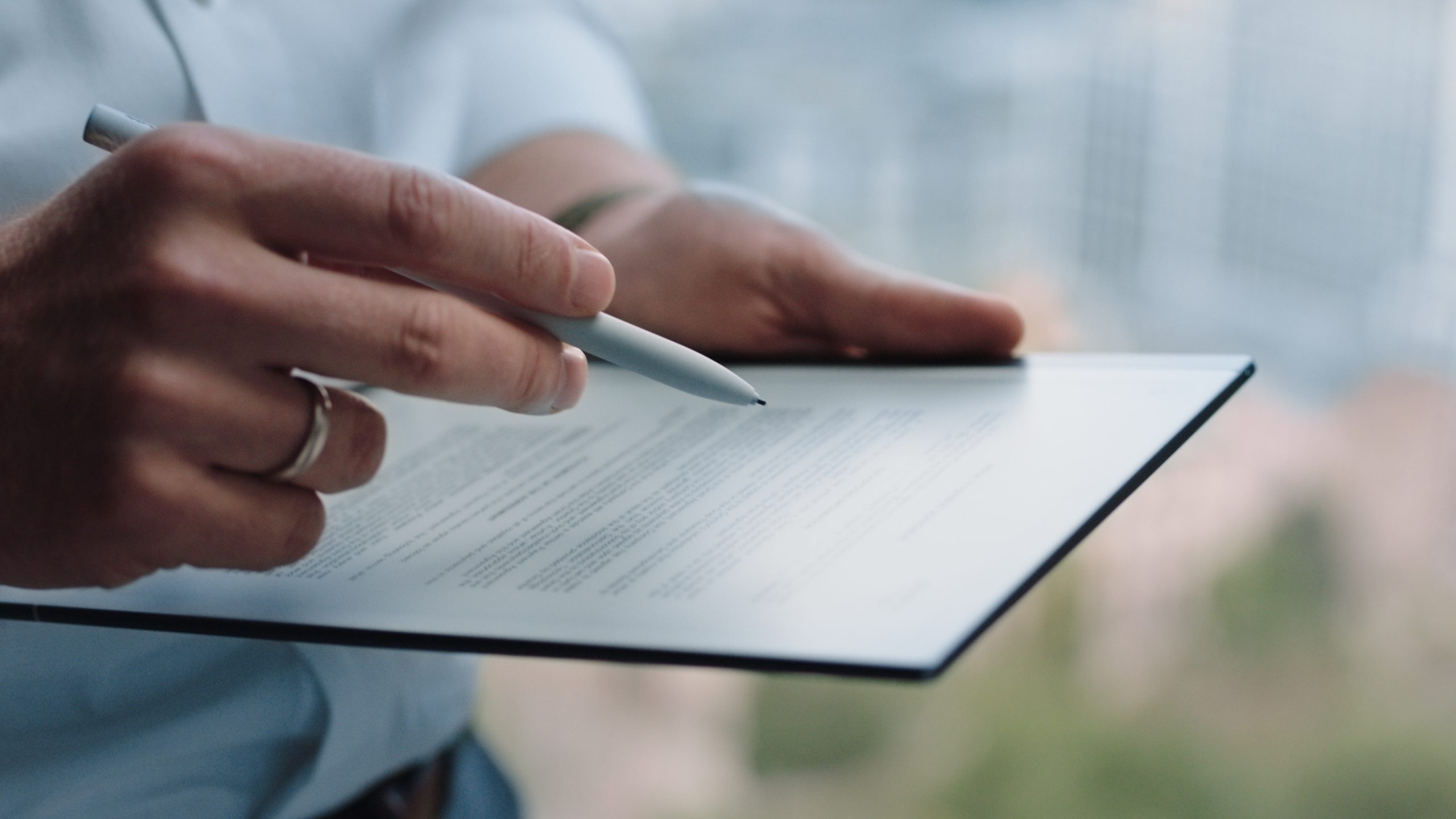
For today’s students, the real struggle isn’t just keeping up with lectures—it’s managing the endless flood of PDFs, research papers, and notes that pile up faster than they can be organized. In this race against academic overload, E Ink tablets under $500 have quietly emerged as lifesavers. With zero social media distractions, paper-like reading comfort, excellent visibility even in bright sunlight, and battery life that lasts for days—not hours—an E Ink tablet helps students study with more focus and far less digital fatigue.
Disclosure: This article contains affiliate links. If you buy through these links, I may earn a small commission at no extra cost to you. This helps support Einkopedia and allows us to continue publishing honest, in-depth reviews and guides. Here is how it works
For students today, studying is no longer just about carrying textbooks and notebooks. Lecture slides, PDFs, research papers, handwritten notes, revision plans, and assignment drafts all compete for space—both in your bag and in your mind.
That is where E Ink tablets have become surprisingly useful.
Unlike traditional tablets like the iPad, E Ink devices are built for focus. They reduce distractions, cause less eye strain during long reading sessions, and create a paper-like writing experience that feels far more natural for note-taking. For many students, they offer something more valuable than speed: clarity.
Whether you are preparing for competitive exams, managing university coursework, reading research-heavy material, or simply trying to better organize your academic life, the right E Ink tablet can be a valuable study companion.
But choosing one is not easy.
Some devices are better for pure note-taking. Some are stronger for reading and PDF annotation. Others offer Android apps, color displays, and full productivity tools—but at a higher price.
In this guide, we look at the best E Ink tablets for students under $500, based on real-world usability, trusted expert reviews, and actual student feedback. We focus not just on features, but on what genuinely helps during study sessions, revision weeks, and exam pressure.
For students, the best device is not the most expensive one—it is the one that helps you learn better.
If you are still unsure what actually makes an E Ink tablet student-friendly—whether display size matters more than note-taking quality, or whether a front light is truly necessary—you should first read our complete guide on choosing the right device – How to Choose the Best E Ink Tablet for Students (Complete Guide). In that article, we break down the exact features students should prioritize before spending money on any tablet.
How We Chose These E Ink Tablets
Not every E Ink tablet is suitable for students. Some are excellent for reading but weak for note-taking, while others offer powerful features that may not justify the price.
For this guide, we evaluated each device based on the things that matter most to students:
- Note-taking quality and writing feel
- Display size and reading comfort
- Front light availability for late-night studying
- PDF annotation and textbook handling
- Battery life and portability for campus use
- App support and productivity features
- Overall value for money under the $500 range
- Long-term usability based on trusted reviews and real student feedback
We also referred to expert reviews from sources like Tom’s Guide, TechRadar, Android Authority, and Reddit discussions from actual student users to understand how these devices perform in real academic life—not just on paper.
|
Device |
Best For | Front Light | Color | Price |
| reMarkable 2 | Pure note-taking | No | No | ~$399+ |
| Kindle Scribe | Reading + notes | Yes | No | ~$339+ |
| Kobo Elipsa 2E | Library-heavy students | Yes | No |
~$399 |
| BOOX Note Air 4C | Power users + STEM | Yes | Yes | ~$499 |
reMarkable 2
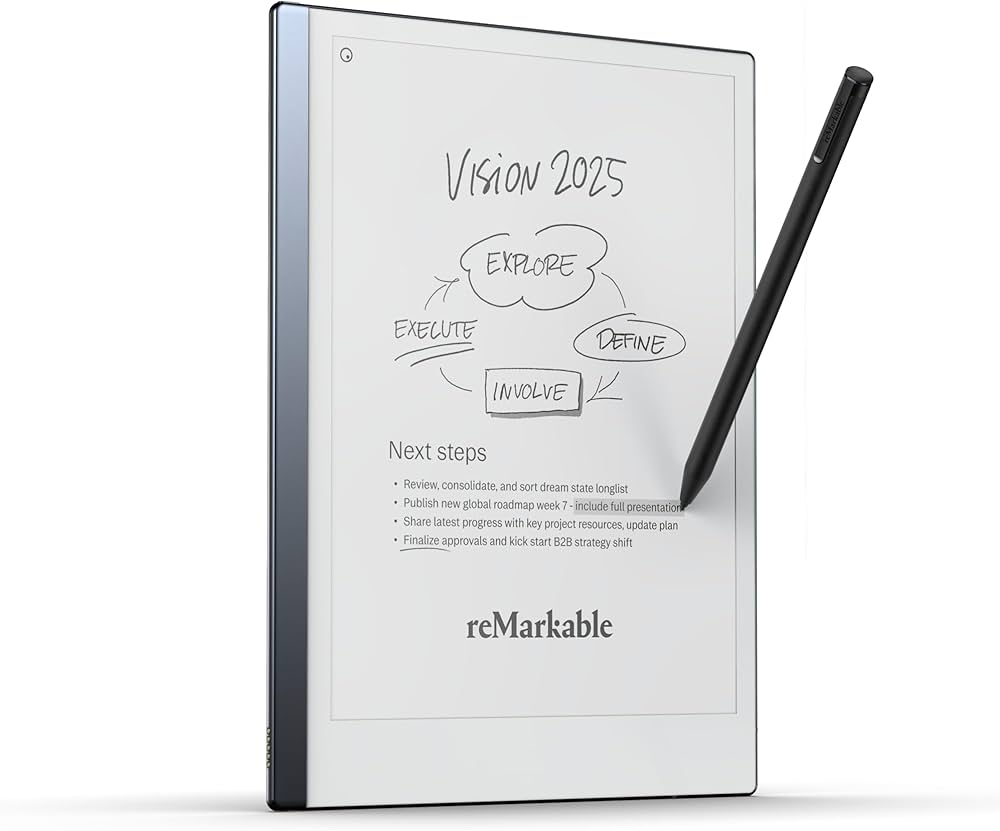
For the right student, the reMarkable 2 is perhaps more of a study companion than a gadget. It is nowhere near any traditional tablet, such as the iPad. Rather, it can be considered a digital notebook that is designed almost exclusively for reading, writing, and above all, thinking. And it is this difference that matters the most.
Its biggest strength is focus. There are no social media apps, no YouTube distractions, and no constant notifications. For students preparing for exams, writing lecture notes, annotating PDFs, or organizing research papers, you can have an unwavering focus on the task at hand rather than anything else.
Apart from this, the remarkable 2 allows for excellent note-taking experiences. Both Tom’s Guide (updated February 16, 2024) and TechRadar (updated May 8, 2024) praised its paper-like writing feel, calling it one of the best note-taking experiences available on E Ink.
The 10.3-inch display, handwriting-to-text conversion, and cloud syncing make it especially useful for humanities, law, literature, and research-heavy students who handle long reading sessions and handwritten notes daily.
There is also an emotional benefit students often overlook: reduced mental clutter. Instead of carrying five notebooks and loose papers, everything stays in one place. Many Reddit users in 2025–2026 mentioned exactly this—having all notes organized without losing pages felt like the real value, not the hardware itself.
However, a real drawback with the device is the lack of a front light feature. This makes late-night studying quite inconvenient. Some student users on Reddit also complained about weak searchability for old notes and the absence of color, which can be frustrating for STEM students who rely on diagrams, highlights, and color-coded revision.
Also, it surely isn’t the cheapest around, more so once you add the Marker Plus pen and folio.
So, if your main goal is deep focus, clean note-taking, and replacing paper notebooks, you won’t have to look beyond the reMarkable 2. But if budget matters—and for most students it does—an iPad, Kindle Scribe, or a BOOX device may offer better overall value. The reMarkable 2 is best for students who want less technology, not more. That is its beauty, and also its limitation.
Pros of reMarkable 2 for Students:
- Exceptional paper-like writing feel.
- The included pen offers smooth handwriting for lecture notes, revision summaries, and brainstorming.
- Excellent PDF reading and annotation for textbooks, research papers, and class notes.
- Handwriting-to-text conversion helps students turn handwritten notes into editable text for assignments and reports.
- Very slim, lightweight, and premium design.
- Good battery life that can last several days to a week.
Cons of reMarkable 2 for Students:
- No front light.
- No color display.
- Can be expensive for students.
- Very limited functionality outside note-taking.
Note: While the reMarkable 2 base price fits under $500, the real student setup often goes beyond that once you add the Marker and accessories.
Amazon Kindle Scribe
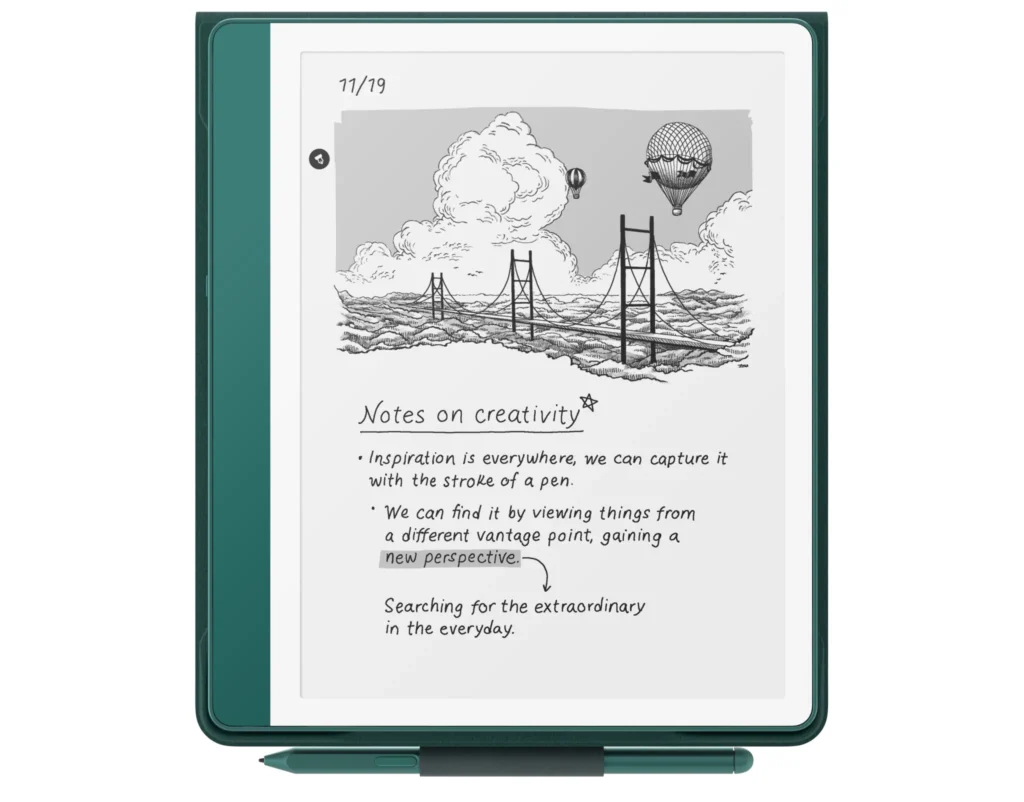
The Kindle Scribe is Amazon’s flagship Kindle device. And true to the Kindle lineage, the Kindle Scribe is an e-reader first and a note-taking device later. That said, it excels in both roles and is as good a device for e-book reading as it is for note-taking. The large 10.2-inch display is ideally suited for both purposes.
It can be an excellent choice for students who have to read a lot, be it textbooks, PDFs, research papers, class notes, and so on. The included pen allows students to write notes, brainstorm ideas, summarize chapters, and annotate documents. Its built-in front light is a major advantage for late-night study sessions in hostels or dim rooms.
The large 10.2-inch E Ink display of the Kindle Scribe (slightly larger 11-inch on the Kindle Scribe Colorsoft) is tuned for focused reading and handwritten note-taking, with zero distractions of social media or gaming apps. The lightweight yet durable build is another reason to opt for the Kindle Scribe, making it easy to carry to your classes regularly.
The Kindle Scribe also translates to less clutter, less fatigue, and fewer excuses to procrastinate. Instead of carrying heavy notebooks plus printed PDFs, everything stays in one device. Student reviewers also repeatedly mention how the Scribe helps create a cleaner study system and makes revision less stressful.
However, on the flip side, the Kindle Scribe does not come cheap. Tom’s Guide noted that it “costs as much as an iPad Air but does less.” Students on a budget may struggle to justify paying this much for a device that cannot run full productivity apps like Google Docs, Notion, or Microsoft Office.
TechRadar’s review also points out a major limitation: annotation inside books is still restricted. You often add sticky notes instead of writing directly in the margins, which can frustrate students used to marking up textbooks heavily. They also noted that journaling templates and notebook features are weaker than competitors like reMarkable or BOOX.
So, if your primary goal is deep reading, distraction-free studying, and handwritten notes, the Kindle Scribe is excellent. But if you need a full academic workstation for multitasking, assignments, and apps, it may feel too limited for the price.
Pros of Amazon Kindle Scribe for Students:
- Large E Ink display.
- The included pen offers smooth handwriting for lecture notes, revision summaries, and brainstorming.
- Excellent PDF reading and document signing for assignments and academic papers.
- Distraction-free environment with no gaming or social media apps.
- Strong battery life means students do not need constant charging.
- Works especially well for literature, law, humanities, and research-heavy subjects.
Cons of Amazon Kindle Scribe for Students:
- The high price makes it difficult for budget-conscious students to justify.
- Limited note-taking features compared to reMarkable and BOOX, especially for advanced annotation.
- Cannot run full productivity apps like Google Docs, Zoom, or Notion.
- Writing directly in textbook margins is still limited; sticky-note style notes can feel restrictive.
- The best experience depends heavily on being inside Amazon’s Kindle ecosystem.
Kobo Elipsa 2E
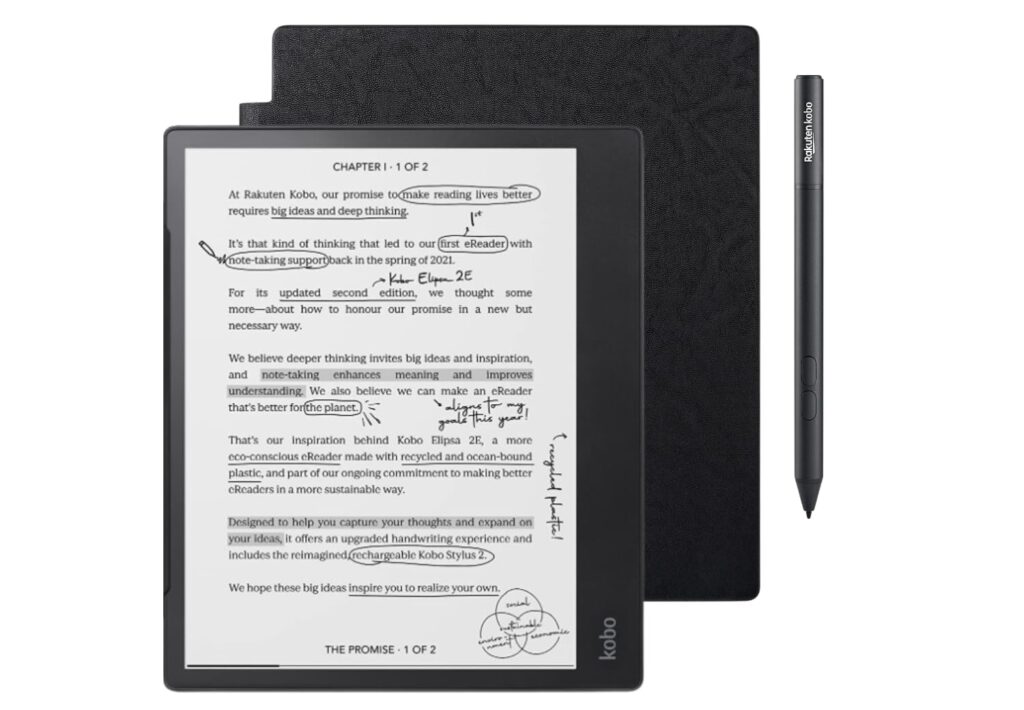
The Kobo Elipsa 2E can be a surprisingly practical study companion for those students who have to do a lot of reading and jot down notes. It sits in an interesting middle ground between the Kindle Scribe and the reMarkable 2: it is first an e-reader, but with stronger notebook features than most standard e-readers.
Its biggest advantage for students is flexibility. The 10.3-inch E Ink Carta display is large enough for textbooks, lecture slides, research papers, and handwritten notes without feeling cramped. Unlike the reMarkable 2, it includes a front light (ComfortLight Pro), which makes late-night studying much easier in dorm rooms or libraries.
It lets students read, annotate margins, write notes, borrow books through OverDrive, and transfer files via Dropbox—all valuable for university students managing multiple sources. They also highlighted its wider file format support and stronger writing tools compared to the Kindle Scribe.
OverDrive support can be a major plus, as this enables students to borrow e-books from many public libraries directly. This, in turn, can reduce textbook and reading costs significantly. Kobo’s open EPUB support is also more flexible than Amazon’s closed Kindle ecosystem, which matters if professors share EPUBs or PDFs instead of Kindle files.
Another huge advantage of the Elipsa 2E is that it leads to less digital fatigue. One Reddit university student in 2025 described switching from an iPad because of distraction and eye strain, while another said it was the “best purchase” for reading large PDFs and easier on the eyes than an iPad. That experience feels very relatable during exam season.
All said and done, the fact is, the Kobo Elipsa 2E is not without its share of shortcomings. To begin with, at around $399.99 in the US, it isn’t exactly cheap. The writing experience is also not as refined as the reMarkable 2 or even the Kindle Scribe. While the handwriting recognition is excellent, the pen feel and refresh speed lag behind Amazon’s device. Battery life is also described as only average, not exceptional.
So, if your main need is reading academic PDFs, annotating documents, borrowing library books, and keeping study notes organized, the Kobo Elipsa 2E is a strong choice. However, it is going to disappoint you if pure handwriting quality is your top priority. Kobo Elipsa 2E is best for students who need balance—reading first, writing second.
Pros of Kobo Elipsa 2E for Students:
- The large 10.3-inch screen is excellent for textbooks, lecture notes, PDFs, and research papers.
- The front light (ComfortLight Pro) makes night reading much easier than on the reMarkable 2.
- Supports EPUB, PDF, Dropbox transfer, and OverDrive library borrowing—very useful for students in the US and elsewhere.
- Strong notebook templates and handwriting-to-text conversion help with revision and organization.
- Stylus included, which improves overall value compared to devices where the pen costs extra.
- Usually priced around $399, making it more realistic for students than many premium E Ink tablets.
Cons of Kobo Elipsa 2E for Students:
- Still expensive for students on a tight budget.
- Writing feel is weaker than the reMarkable 2 and slightly behind the Kindle Scribe.
- Lower 227 PPI display compared to Kindle Scribe’s sharper 300 PPI screen.
- Battery life is average.
- Slightly bulky and heavier for everyday campus carrying.
- Some long-term users report software bugs and pen glitches during note-taking.
- Does not offer water resistance.
Boox Note Air 4C
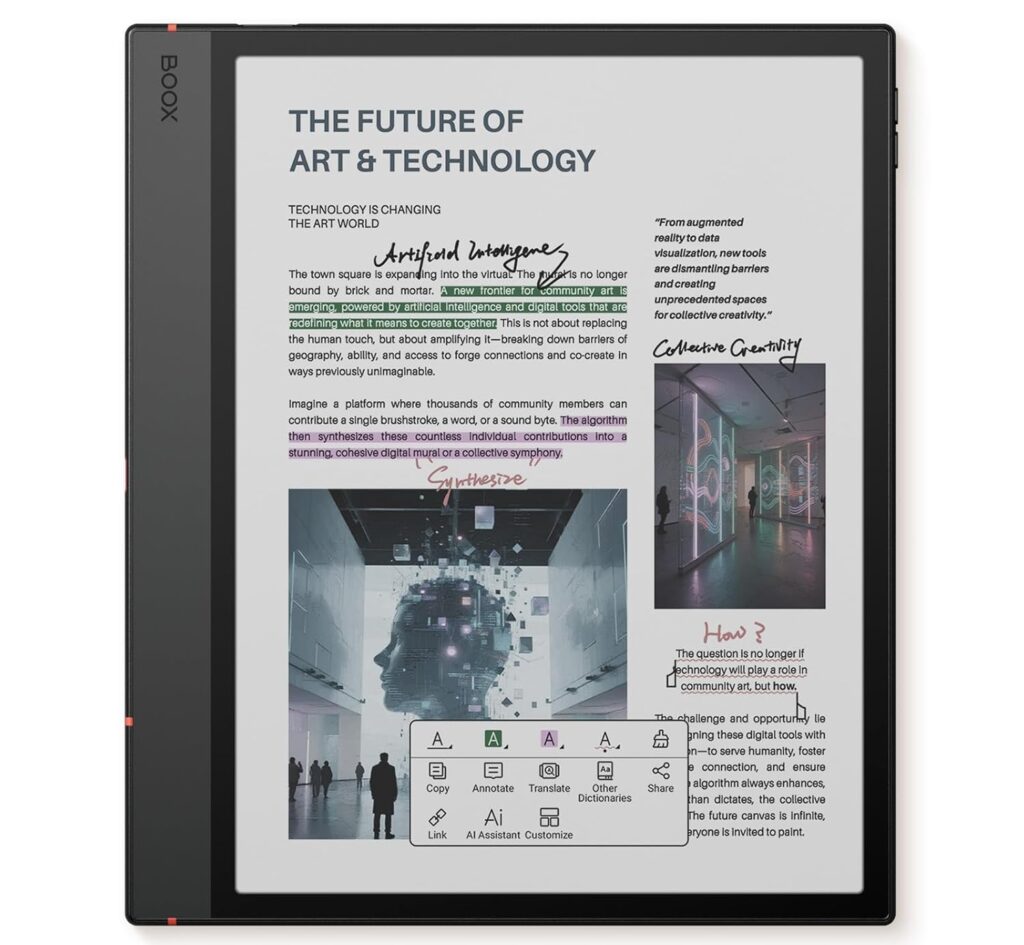
The BOOX Note Air 4C offers the best of both worlds, an E Ink tablet which is as good an e-reader as it is for note-taking. It combines the eye comfort of E Ink with the flexibility of Android, making it one of the most versatile study devices under $500 that students can really depend on.
Its biggest advantage is versatility. Unlike Kindle Scribe or reMarkable 2, the Note Air 4C runs Android 13 and supports the Google Play Store, so students can use apps like Kindle, OneNote, Google Drive, Dropbox, Evernote, and even light email or calendar apps. That means one device can handle reading textbooks, annotating PDFs, taking lecture notes, and syncing study material across laptop and phone.
Another huge advantage of the Note Air 4C is its color display, which matters more than many students expect. STEM students reviewing graphs, biology diagrams, highlighted lecture slides, and research papers often find color E Ink far easier than black-and-white alternatives. Split-screen reading and note-taking is another major benefit.
If you want to understand why note-taking quality, front light, and display size matter so much for students, our complete student buying guide explains this in detail.
But then, the Note Air 4C is not without its negatives. It is expensive. At around $499.99, it sits right at the upper edge of what most students can justify. Android Authority also noted that while Android’s flexibility is excellent, performance can feel sluggish, and the interface takes time to learn.
If you want the most flexible student-friendly E Ink tablet device under $500, the BOOX Note Air 4C is one of the best choices. But if your budget is tight and you mainly need simple reading and note-taking, Kindle Scribe or Kobo Elipsa 2E may offer better value.
Pros of BOOX Note Air 4C for Students:
- Color 10.3-inch E Ink display.
- Full Android 13 with Google Play Store allows apps like Kindle, OneNote, Google Drive, Dropbox, and Evernote.
- Strong note-taking system with split-screen support for reading and writing at the same time.
- The front light makes late-night study sessions much easier than on the reMarkable 2.
- Stylus included and strong PDF annotation tools help with research-heavy subjects.
- Better productivity balance than a Kindle, but less distracting than an iPad.
Cons of BOOX Note Air 4C for Students:
- Expensive at around $499.99, which is the upper limit for most student budgets.
- The interface is more complex than Kindle or reMarkable and can feel overwhelming.
- Slower refresh rate than normal tablets, so some apps feel laggy.
- Battery life is good, but weaker than simpler E Ink devices like the Kindle Paperwhite.
- Color E Ink is useful, but colors appear muted compared to LCD tablets.
- Some users worry about screen fragility during daily campus travel.
Best Overall Recommendation
For most students, the Kindle Scribe offers the best balance of price, reading comfort, note-taking, and long-term value. It is not the most powerful device, but for the majority of students, it solves the real problem: distraction-free studying without becoming too expensive.
Check Latest Price of the Kindle Scribe on Amazon
| Device | Best For | Screen Size | Front Light | Note‑Taking Quality | Library/Apps | Price (approx.) | Key Pitfalls |
| Kobo Elipsa 2E | Library‑heavy students, PDF reading | 10.3″ Carta | Yes (ComfortLight Pro) | Decent, but weaker than rivals | OverDrive, Dropbox, EPUB | $399 | Average battery, 227 PPI, heavier, not waterproof |
| Kindle Scribe | Reading + notes, Amazon ecosystem | 10.2″ (11″ Colorsoft) | Yes | Smooth, but limited margin annotation | Kindle Store only | $339+ | Restricted annotation, expensive vs. features |
| reMarkable 2 | Pure note‑taking, distraction‑free | 10.3″ | No | Excellent, paper‑like | Cloud sync only | $399+ | No light, no color, accessories add cost |
| BOOX Note Air 4C | STEM + productivity, Android apps | 10.3″ Color | Yes | Strong, with split‑screen | Google Play Store | $499 | Complex UI, muted colors, fragile screen |
Final Verdict
There is no single “best” E Ink tablet for every student—only the one that fits your study style best.
If your priority is pure focus and the best handwriting experience, the reMarkable 2 remains one of the strongest choices. If reading textbooks and research papers matters more, the Kindle Scribe offers excellent value with a front light and strong reading comfort. The Kobo Elipsa 2E sits nicely in the middle, especially for students who borrow library books and work heavily with PDFs.
But for students who want maximum flexibility—especially those in STEM, research, or productivity-heavy workflows—the BOOX Note Air 4C may be the most complete option under $500, thanks to Android apps, color E Ink, and strong multitasking features.
That said, price matters.
An E Ink tablet should not become an academic luxury that creates financial stress. It should solve a real problem—better note-taking, less distraction, easier revision, or lighter bags—not just look impressive on your desk.
The best student purchase is always the one you will actually use every day.
Choose for your workflow, not for marketing.
That is what makes an E Ink tablet truly worth it.