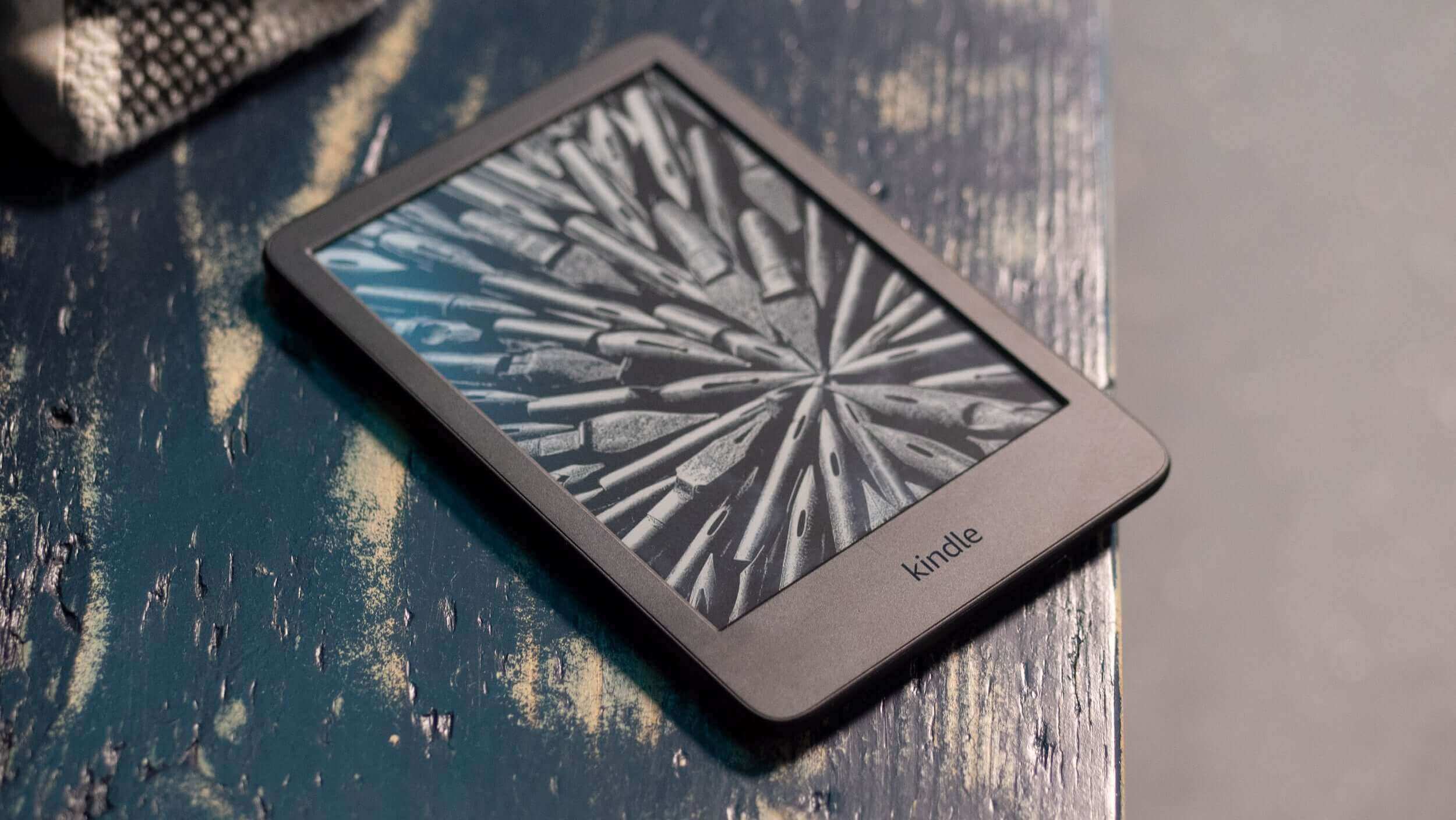
Have you ever wondered why a Kindle screen looks so much like real paper? Or why the page stays visible even after you turn the device off? Most screens go black the moment you power them down. Kindles, Kobos, and other e-readers don’t.
The secret is E Ink technology. It’s a unique type of display built to look and behave like printed paper, not like a typical phone or computer screen. In this guide, you’ll learn what E Ink is, how it works, where it’s used, and why millions of readers prefer it for long reading sessions.
By the end, you’ll understand the basics well enough to make sense of any E Ink device you come across, whether it’s an e-reader, a digital notebook, or a price tag at a grocery store.
What Is E Ink Technology?
E Ink is a type of digital display technology designed to mimic the appearance of ink on paper. It is also known as electronic paper, or e-paper for short. Unlike the screens on your phone or laptop, E Ink doesn’t produce its own light. Instead, it reflects light the same way a printed page does.
This is why people often call it “digital paper.” It looks less like a screen and more like a page from a book or magazine. Many users say their eyes feel more relaxed reading on E Ink for long periods, compared to a backlit phone or tablet.
Here’s a simple way to picture the difference between three types of surfaces:
- Printed paper: Light from the room bounces off the page and into your eyes. The paper itself produces no light.
- LCD screen: A backlight shines through the screen at all times, pushing light directly toward your eyes.
- E Ink display: Like paper, it reflects ambient light instead of producing its own. There’s no backlight blasting light at your face.
Think of it this way. Holding a phone up to read is a bit like staring into a small flashlight. Holding an E Ink device is more like holding a printed page under a lamp. The light source is the same that is illuminating the room around you, not the device itself. The “E” in E Ink stands for “electronic.” The technology was named E Ink because its inventors wanted to recreate the experience of real ink on paper, just in digital form.
A Brief History of E Ink
E Ink technology didn’t appear overnight. It came out of years of research into how digital displays could mimic paper.
The earliest ideas date back to the 1970s, when Xerox researcher Nick Sheridon developed a concept called “Gyricon,” an early form of electronic paper. The idea was promising, but the technology of the time wasn’t ready to make it practical.
Real progress came in the 1990s at the MIT Media Lab. Researchers there, including Joseph Jacobson, began developing the microcapsule technology that modern E Ink still relies on. Their goal was simple: create a display that used almost no power and looked like real paper. (Wikipedia)
This research led to the founding of the E Ink Corporation in 1997. The company focused entirely on commercializing electronic paper technology. Early products included small displays for signage and simple electronic devices, but the technology was still expensive and limited.
The turning point came in 2007, when Amazon released the first Kindle. It used an E Ink screen, and it introduced millions of readers to electronic paper for the first time. The Kindle’s success proved that people wanted a reading device that felt like paper, not a glowing screen.
Since then, E Ink technology has continued to evolve. Refresh speeds have improved, screens have gotten sharper, and color E Ink has become a real option. Companies like Kobo, BOOX, reMarkable, and PocketBook have all built devices around the same core technology.
Why Was E Ink Invented?
To understand why E Ink exists, it helps to look at the problems with traditional displays.
LCD screens, the kind found in most laptops and smartphones, rely on a backlight shining through layers of glass and liquid crystal. This produces a sharp, colorful image, but it also creates a few problems for reading:
- Eye fatigue: Staring at a backlit screen for hours can leave your eyes feeling tired or strained.
- Poor outdoor visibility: Bright sunlight often washes out LCD and OLED screens, making them hard to read outside.
- High power consumption: Backlit screens need a constant supply of power just to stay on, which drains batteries quickly.
Researchers wanted a display that solved these problems and worked more like a printed page. Paper doesn’t strain your eyes the way a glowing screen can. It’s perfectly readable in sunlight. And it never needs a power source just to remain visible.
E Ink was the answer. It borrows the best qualities of paper, like its reflective, glare-free surface, and combines them with the convenience of a digital device that can display thousands of books. (E-Ink-Info)
What Makes E Ink Different?
E Ink stands apart from other display types because of a few core characteristics. Let’s go through them one at a time.
Reflective Display
E Ink is a reflective display, which means it relies on ambient light rather than producing its own. When you read a printed book, you need a light source in the room, whether that’s the sun or a lamp, because the book itself doesn’t glow. E Ink works the same way.
This is the opposite of how your phone or TV works. Those screens emit light directly toward your eyes. E Ink simply bounces existing light back at you, just like paper does.
Bi-Stable Technology
This is one of the most important concepts to understand about E Ink. “Bi-stable” means the display can hold an image without using any power at all.
Picture a chalkboard. Once you write something on it, the words stay there until someone erases them. No electricity is required to keep the writing visible. E Ink works in a similar way. Once a page is drawn on the screen, it stays there even if you remove the battery.
This is why a Kindle can sit on a shelf for weeks, still showing the last page you read, without using any power to maintain that image.
Ultra-Low Power Consumption
Because of bi-stable technology, E Ink only uses power when the image actually changes. Turning a page requires a small burst of energy. Simply looking at the current page requires none.
Compare this to a smartphone screen, which constantly redraws the image many times per second, even if nothing on the screen is moving. That ongoing process is a major reason phone batteries drain so quickly compared to e-readers.
Paper-Like Appearance
E Ink screens have a matte, non-reflective surface, which helps reduce glare. Combined with high contrast between black text and a light background, this makes text look crisp and comfortable, much like ink on a printed page.
There’s no shiny glass layer bouncing light back into your eyes, which is part of why E Ink feels closer to reading a physical book than a typical screen.
Where Is E Ink Technology Used?
E Ink isn’t limited to just e-readers, as many believe. It shows up in a surprising number of places. Here’s a breakdown by category.
e-Readers
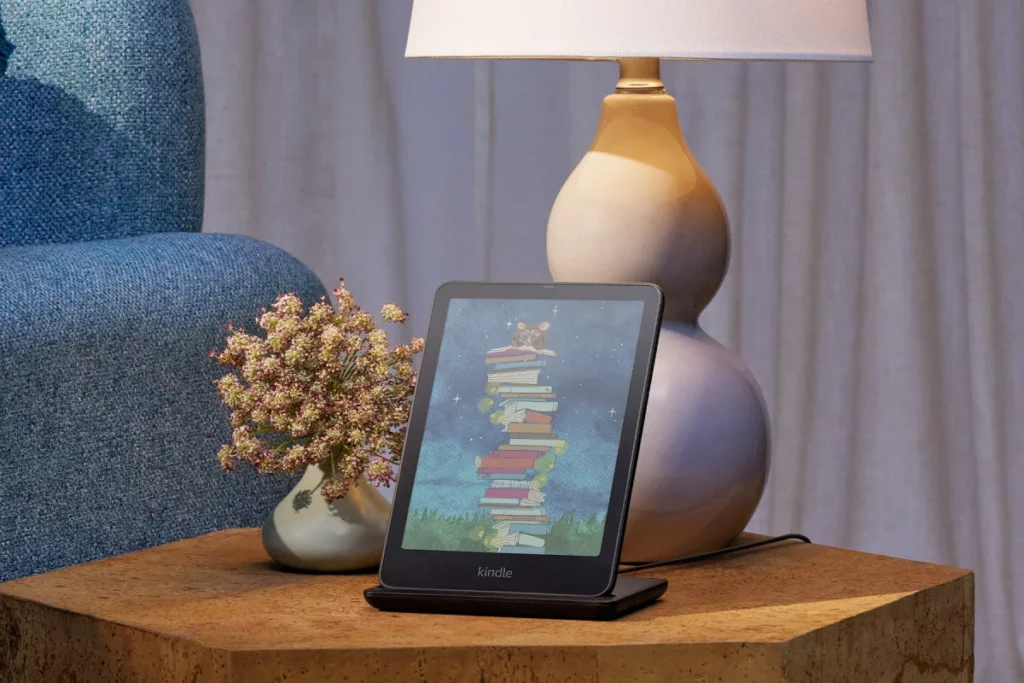
This is the most familiar use. Devices like the Kindle, Kobo, and BOOX use E Ink because it’s easy on the eyes and offers exceptional battery life, both important for people who read for hours at a time.
Digital Notebooks
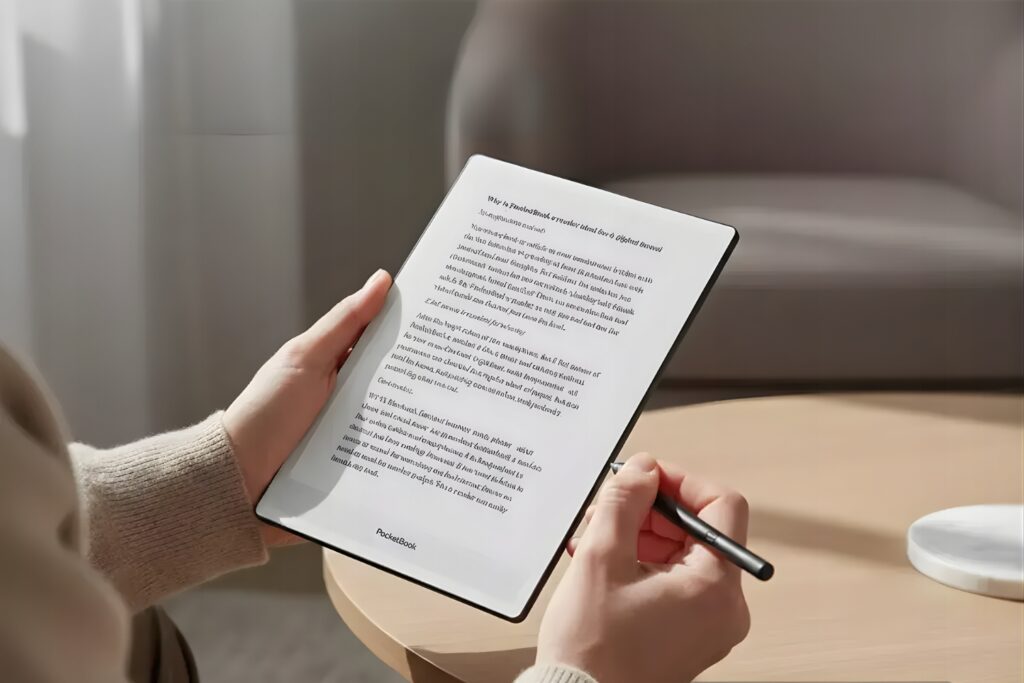
Devices like the reMarkable tablet use E Ink to simulate writing on paper. The matte surface and stylus support make handwriting feel natural, unlike writing on a slippery glass screen.
Electronic Shelf Labels
Many grocery stores and retailers now use E Ink price tags. These labels can be updated remotely and run for years on a single battery, since they only use power when the price changes.
Smart Signage
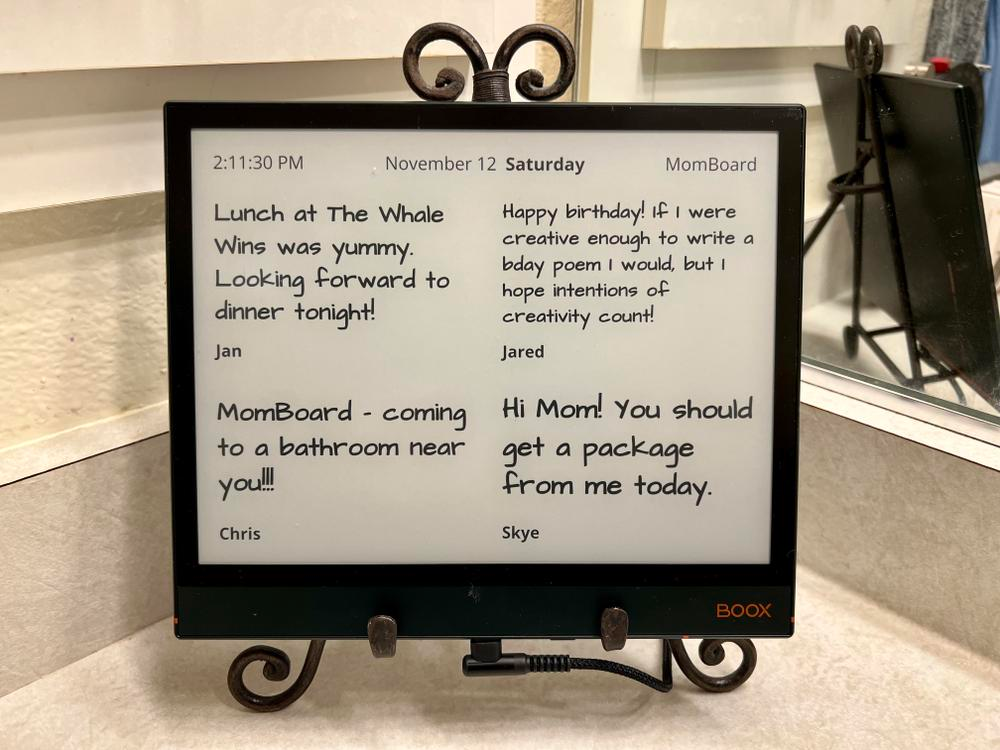
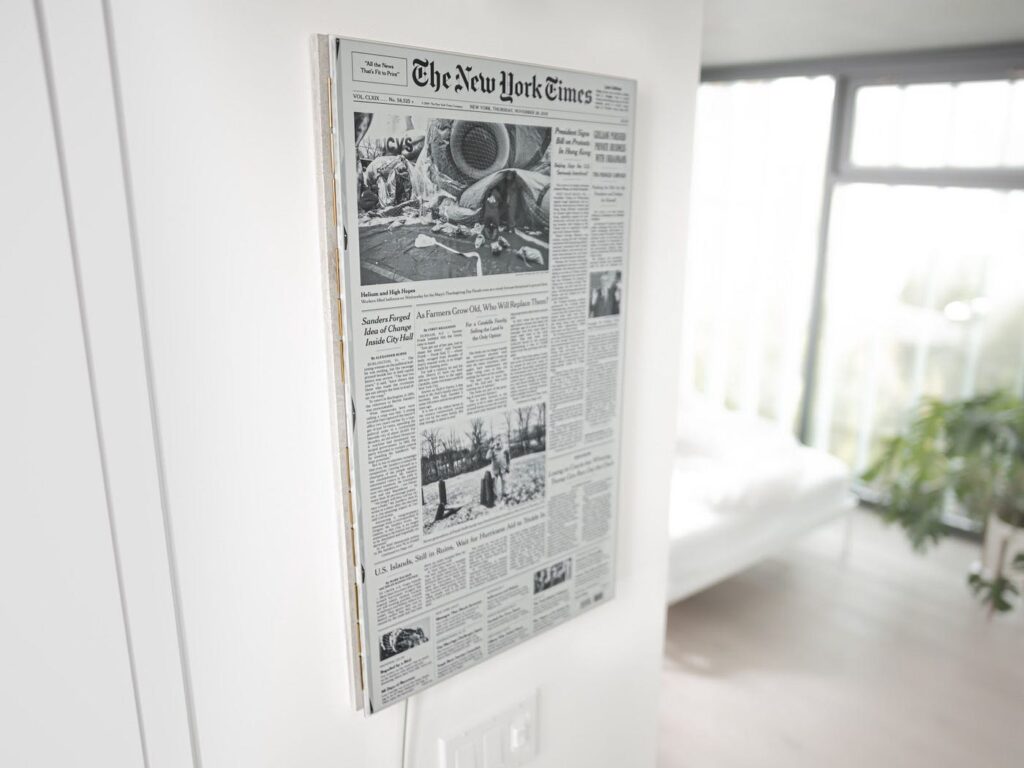
Restaurants, offices, and public spaces use E Ink signage for menus, directories, and notices. The screens stay legible under bright lighting and don’t need to be powered constantly.
Public Transportation Displays
Bus stops and train platforms increasingly use E Ink for schedule boards. These displays are readable in direct sunlight and require very little maintenance.
Smartwatches
Some smartwatches use E Ink for their always-on display. Since the screen barely uses power between updates, it helps stretch battery life across several days instead of just one.
Smartphones
A handful of phone makers, including Hisense and Mudita, have experimented with E Ink phone screens aimed at reducing screen time and eye strain.
Information Kiosks
Airports, hospitals, and office buildings sometimes use E Ink kiosks for directories and wayfinding, since the screens stay readable under harsh fluorescent or sunlit conditions.
Healthcare
Hospitals use E Ink for patient room signage and medication labels. The low power use and clear readability make it practical for round-the-clock environments.
Industrial Devices
Factories and warehouses use E Ink displays for inventory tags and equipment labels, where durability and battery life matter more than fast-moving graphics.
Education
Some schools use E Ink tablets and digital textbooks to give students a paper-like reading experience without the weight of physical books.
IoT Devices
Smart home gadgets, like weather displays and small status panels, often use E Ink because they need to show information continuously without draining a battery.
Types of E Ink Displays
E Ink technology comes in a few different families, each suited to different uses.
Black-and-White E Ink
This is the most common and most affordable type. It’s used in the vast majority of e-readers, including most Kindle and Kobo models. It offers the sharpest text and the fastest page turns among E Ink display types.
Color E Ink
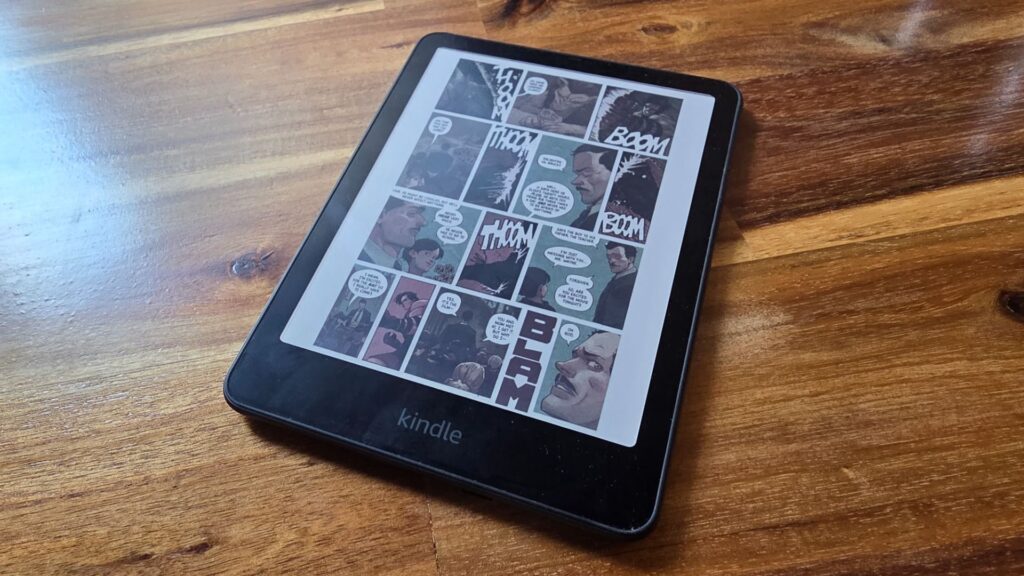
Color E Ink adds a layer of color filters or particles on top of the standard black-and-white system. It has improved a lot in recent years, though it still can’t match the vibrancy of an LCD or OLED screen.
There are a few notable color technologies worth knowing:
- Kaleido: Adds a color filter layer over a standard black-and-white E Ink panel. It’s commonly found in budget-friendly color e-readers and tablets.
- Gallery: Designed for more vivid, paper-like color, often used in digital art frames and devices meant to display illustrations or photos.
- Spectra: Built specifically for signage and shelf labels, since it can show multiple colors quickly and is well-suited to retail environments.
Color E Ink is becoming more common in devices like the BOOX Note Air and certain Kobo models, but black-and-white remains the standard choice for most reading-focused devices.
Why Is E Ink So Comfortable for Reading?
Many readers say E Ink feels easier on their eyes than a phone or tablet screen, especially during long reading sessions. A few factors contribute to this.
- No constant backlight: Since E Ink doesn’t shine light directly at your eyes, there’s less of the strain associated with staring at a glowing screen.
- Less glare: The matte surface scatters light instead of reflecting it sharply, which reduces the glare you’d get from a glossy phone screen outdoors.
- Stable image: Because the screen doesn’t refresh constantly, there’s no flickering or shifting to distract your eyes.
- Outdoor readability: E Ink actually looks better in bright sunlight, since more ambient light makes the page easier to read, the opposite of how LCD and OLED screens behave.
- Natural appearance: The combination of matte texture and high contrast creates a look that’s closer to a printed page than a digital screen.
It’s worth noting that E Ink doesn’t necessarily eliminate eye strain altogether. Reading for hours on any device can tire your eyes. But many users find E Ink more comfortable than backlit alternatives for extended reading.
Advantages of E Ink Technology
| Advantage | Why It Matters |
| Long battery life | Since power is only used when the page changes, E Ink devices can last weeks on a single charge instead of hours. |
| Excellent sunlight readability | E Ink reflects ambient light, so it actually becomes easier to read in bright outdoor conditions. |
| Comfortable reading experience | No constant backlight and a matte surface make long reading sessions feel less tiring for many users. |
| Lightweight devices | E Ink panels don’t require the bulky backlighting components found in LCD screens, allowing for thinner, lighter devices. |
| Always-visible display | Thanks to bi-stable technology, the screen stays visible even when the device is powered off. |
| Low heat generation | Because E Ink uses very little electricity, it produces minimal heat compared to constantly lit screens. |
| Energy efficiency | Lower power use means smaller batteries are needed, which is good for both cost and the environment. |
These advantages are why E Ink remains the preferred choice for devices built around reading, rather than fast-moving video or interactive apps.
Limitations of E Ink Technology
E Ink isn’t perfect for every situation. It’s worth understanding its limitations too.
- Slow refresh rate: E Ink takes longer to redraw an image than LCD or OLED screens. This is the trade-off for its low power use and paper-like look.
- Less suitable for video: Because of the slow refresh rate, E Ink struggles to display smooth motion, making it a poor fit for watching videos.
- Limited color compared to LCD/OLED: Even the best color E Ink screens can’t match the brightness and range of colors you’d see on a phone or TV.
- Ghosting: Sometimes faint traces of a previous image remain visible after the screen updates. This is a known quirk of the technology, though manufacturers have reduced it significantly over the years.
- Higher cost: E Ink panels are generally more expensive to manufacture than basic LCD screens, which is part of why e-readers can cost more than you’d expect for their simple appearance.
- Lower refresh speed: Scrolling through menus or typing can feel less responsive than on a smartphone, since the screen wasn’t designed for rapid updates.
For reading, that trade-off makes sense. For video or fast gaming, it doesn’t.
Common Myths About E Ink
There’s a lot of confusion about what E Ink actually is. Let’s clear up a few common myths.
Myth: E Ink is just black-and-white LCD. E Ink and LCD work in completely different ways. LCD relies on a backlight and liquid crystals to filter light. E Ink uses tiny microcapsules that physically rearrange to form an image, with no backlight involved at all.
Myth: E Ink damages eyesight less because it emits no light. E Ink doesn’t emit light directly, which many users find more comfortable. However, there’s no strong scientific evidence that any screen technology causes permanent eye damage. The comfort benefit is real, but it’s not the same as a medical claim.
Myth: E Ink screens never need electricity. E Ink does need power, just much less of it. It uses energy to change the image on screen, but uses none to simply display a static page.
Myth: E Ink cannot display color. This was true for many years, but it’s no longer accurate. Technologies like Kaleido, Gallery, and Spectra have brought color to E Ink, even though it’s still less vibrant than LCD or OLED.
Myth: E Ink is only for Kindles. Kindle is the most famous example, but E Ink is used far beyond e-readers, including shelf labels, signage, smartwatches, and digital notebooks.
Popular Devices That Use E Ink
E Ink shows up across a wide range of brands and device types. Here are some of the most recognizable names.
- Amazon Kindle: The most popular e-reader line, widely credited with bringing E Ink into the mainstream.
- Kobo: A major Kindle alternative known for supporting more file formats and library borrowing.
- BOOX: Known for Android-powered E Ink tablets that support apps, note-taking, and reading.
- PocketBook: A European e-reader brand offering both budget and premium E Ink devices.
- reMarkable: A digital notebook focused on handwriting and sketching rather than general reading.
- Bigme: A brand offering E Ink tablets and even E Ink smartphones.
- Fujitsu Quaderno: A business-focused digital notepad built around E Ink for document annotation.
- Hanvon: A Chinese manufacturer producing E Ink tablets and reading devices.
- Dasung: Known for large E Ink monitors aimed at reducing eye strain during computer use.
- Mudita: A brand that has experimented with E Ink phones designed to minimize distractions.
- Electronic shelf labels and signage systems: Used widely in retail stores to display prices and product information efficiently.
Each of these devices uses E Ink for the same core reason: low power use and a comfortable, paper-like viewing experience.
Frequently Asked Questions
Is E Ink the same as e-paper? Yes. E Ink and electronic paper (or e-paper) refer to the same general type of reflective display technology.
Does E Ink emit blue light? E Ink itself doesn’t emit light, including blue light. However, many E Ink devices include a front light for reading in the dark, and some of those lights include a small amount of blue light, similar to a warm reading lamp.
Can E Ink display videos? Not well. The slow refresh rate makes smooth video playback difficult, so E Ink devices are not designed for watching movies or shows.
Why is E Ink slow? The microcapsules used to form an image take a moment to physically rearrange. This process is inherently slower than how an LCD or OLED pixel changes color.
Does E Ink work in the dark? Not on its own, since it relies on reflected light. Most modern e-readers solve this with a built-in front light that illuminates the page without using a traditional backlight.
Why does a Kindle battery last so long? Because of bi-stable technology, the screen only uses power when you turn a page. The rest of the time, no electricity is needed to keep the image on screen.
Can E Ink break? Yes. E Ink panels are durable but not indestructible. Dropping a device or applying heavy pressure can crack the display, similar to a phone screen.
Is E Ink waterproof? The E Ink panel itself is not inherently waterproof, but many devices, like certain Kindle models, include waterproofing built into the overall design.
Is color E Ink worth it? It depends on your needs. If you read comics, manga, or illustrated content, color E Ink can be worthwhile. For text-only reading, black-and-white E Ink remains sharper and more affordable.
Can you browse the web on an E Ink screen? Some devices support basic web browsing, but the slow refresh rate makes scrolling and loading pages feel sluggish compared to a phone or laptop.
Why is E Ink more expensive than LCD? E Ink panels are more complex to manufacture and are produced in smaller volumes than LCD screens, which keeps production costs higher.
Can E Ink displays show photos? Yes, especially with color E Ink technology, though photos appear less vivid and detailed than they would on an LCD or OLED screen.
Conclusion
E Ink technology isn’t just another type of screen. It’s a fundamentally different approach to displaying digital content, one built around the comfort, efficiency, and readability of real paper.
From its early research roots at MIT to its breakthrough moment with the Amazon Kindle, E Ink has reshaped how millions of people read. Its reflective display, bi-stable technology, and ultra-low power use set it apart from LCD and OLED screens, while its growing presence in shelf labels, signage, and notebooks shows it has applications well beyond e-readers.
Like any technology, E Ink has trade-offs. It isn’t built for video or fast-moving graphics, and color E Ink still has room to grow. But for reading, note-taking, and anywhere a paper-like display makes sense, E Ink remains in a category of its own.