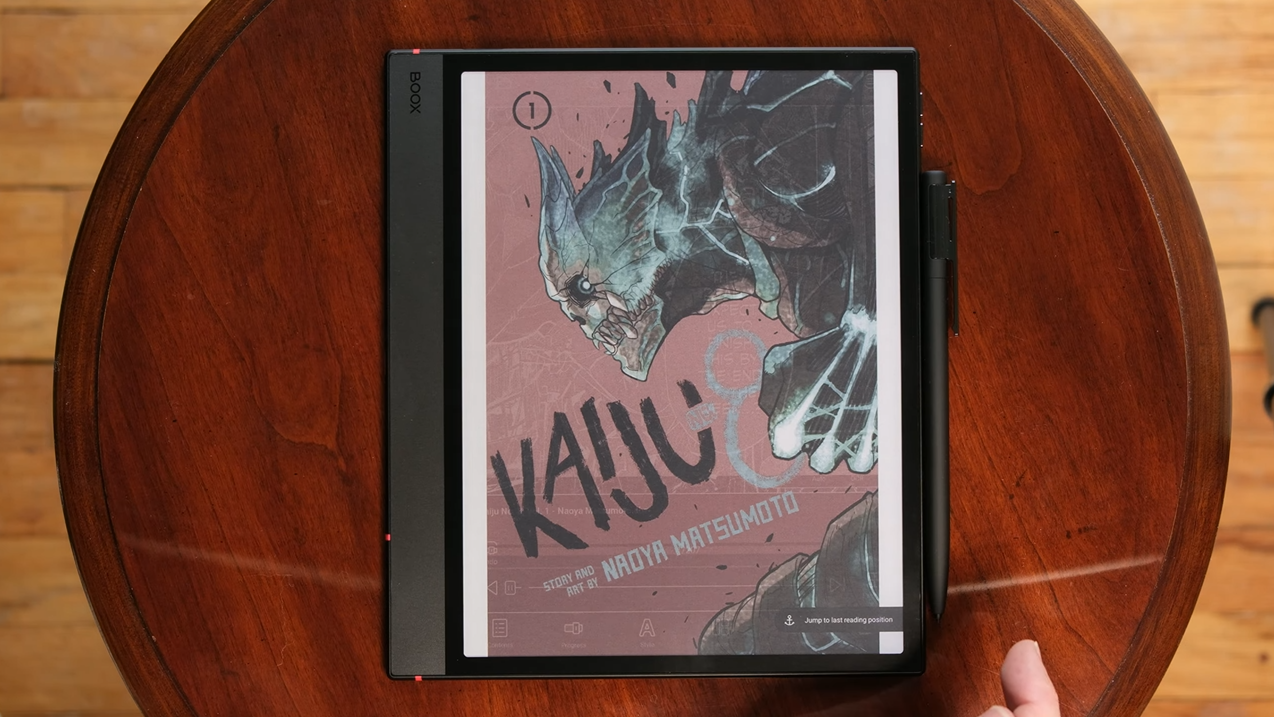
Most people assume that if an E Ink device can display a book, it can handle manga. Then they load a favorite volume onto a six-inch screen, zoom into a tiny dialogue bubble, and wonder why the experience feels so frustrating.
Manga demands more from an E Ink reader than ordinary books do. Fine linework, screentones, dense dialogue, full-page artwork, and double-page spreads can expose the limitations of a device very quickly. Screen size, resolution, refresh performance, color, storage, and even the software used to open your manga can make the difference between a relaxing reading session and constant pinching, zooming, and waiting.
Disclosure: This article contains affiliate links. If you buy through these links, I may earn a small commission at no extra cost to you. This helps support Einkopedia and allows us to continue publishing honest, in-depth reviews and guides. Here is how it works
Most people assume any e-reader can handle manga. Then they download their favorite series, zoom into a tiny speech bubble, and discover that the six-inch device they use for novels wasn’t designed with manga in mind. Text becomes difficult to read, artwork loses detail, and two-page spreads no longer feel like they do in print.
Reading manga isn’t the same as reading a novel. Manga depends on visual storytelling, detailed artwork, dynamic layouts, and pages that are often meant to be viewed together rather than one at a time. A device that feels perfect for books can become surprisingly limiting once panels, screentones, and complex page layouts enter the picture.
Choosing the right manga reader involves much more than simply buying an e-reader with a larger screen. Screen size, resolution, refresh speed, storage capacity, file format support, color capabilities, and your own reading habits all play important roles. Get the balance right, and an E Ink tablet can offer a reading experience that’s easier on the eyes than a smartphone while remaining far more portable than carrying around an entire collection of printed volumes. Get it wrong, and reading quickly starts to feel more like a chore than a fun hobby.
This guide walks through every one of those factors and ends with specific tablet recommendations for 2026, so readers can figure out exactly which device suits the way they actually read.
Quick Recommendations
If you want… Buy Best overall manga reader Boox Note Air5 C — Check Price Best budget option Boox Go Color 7 (Gen II) — Check Price Best color reading experience Kobo Libra Colour — Check Price Best premium pick Boox Note Max — Check Price Best Kindle for manga Kindle Colorsoft — Check Price Best Android Manga Reader Boox Go 10.3 — Check Price Best large-Screen Option Boox Tab X C — Check Price
Why Reading Manga is Different From Reading Books
Text novels are linear; manga is visual storytelling
A novel unfolds through words. Manga tells its story through artwork, composition, panel layouts, and visual pacing. An e-reader designed for novels mainly needs to display text clearly. Manga adds another layer of complexity, requiring the device to reproduce fine linework, screentones, and intricate panel details without losing clarity.
Tiny dialogue bubbles create unique readability challenges
Dialogue in manga is often crammed into small bubbles with dense, fine print. On a low-resolution screen, that text can turn into a blur. Readers are forced to constantly pinch and zoom, which defeats the very point of a calm reading experience that E Ink stands for.
Artwork quality matters as much as text clarity
A novel reader rarely thinks about line weight or screentone density. A manga reader encounters those details on almost every page. Sharpness isn’t a nice-to-have feature here. It’s the difference between appreciating an artist’s work and struggling to make out important visual details.
Two-page spreads completely change the reading experience
Many manga artists treat two-page spreads as a single, continuous composition. Viewing those pages on a small display often requires either shrinking the artwork or separating the pages, both of which diminish the intended effect. That’s why screen size and aspect ratio play a much larger role in manga than they do in traditional e-book reading.
Why manga readers often need larger displays
A typical manga volume is considerably larger (usually closer to 5×7.5 inches) than the screen on a six-inch e-reader. While that difference may not seem significant on paper, it becomes immediately noticeable when detailed artwork and densely packed dialogue enter the equation. That’s one reason many dedicated manga readers prefer devices with 7-inch, 7.8-inch, or even 10.3-inch displays.
Understanding the Different Types of E Ink Displays
Traditional black-and-white E Ink
Standard monochrome E Ink panels, often called Carta displays, are what most people picture when they think of a Kindle or Kobo. They’re sharp, typically offer a 300 PPI resolution, and remain the most mature and widely adopted form of E Ink technology.
Advantages: Excellent contrast. Full 300 PPI resolution. Faster refresh rates. Better battery life. Lower device costs.
Disadvantages: No color, which matters for cover art, colored volumes, and full-color manga.
Color E Ink technology explained
Color E Ink currently comes in two main varieties. Kaleido 3, used by manufacturers such as Boox, Kobo, and many others, adds a color filter array on top of a conventional monochrome E Ink panel. This approach is less complex and delivers a reading experience that remains very similar to traditional E Ink. However, while black-and-white content retains the panel’s full 300 PPI resolution, color content is effectively rendered at 150 PPI.
Gallery 3, the technology behind reMarkable’s Canvas Color display, takes a fundamentally different approach. Rather than relying on a color filter layered over a monochrome E Ink panel, it uses electrically controlled cyan, magenta, yellow, and white pigment particles within each pixel to produce color. Because the display doesn’t rely on a separate color filter, it maintains the same native pixel density for both color and grayscale content. This results in more accurate color reproduction and higher contrast, although full-color screen refreshes are noticeably slower.
Is color actually necessary for manga?
Most manga, including landmark series such as One Piece, Naruto, and Attack on Titan, are published in black and white. Color is typically limited to the cover, a handful of introductory pages, and the occasional special edition or fully colored release. For most readers, a color display is a welcome bonus rather than an essential feature.
Full-color manga, digital-first webtoons, and Western comics are the exceptions. If your library consists primarily of webtoons, officially colored manga, or graphic novels, a color E Ink device can dramatically improve the reading experience.
Why higher contrast can be more important than color
Color always involves trade-offs in the world of E Ink. Whether the display relies on a color filter or colored pigment particles, adding color generally reduces reflectance and contrast compared with a comparable monochrome panel.
For readers who primarily consume black-and-white manga, that trade-off matters. A high-contrast monochrome display often produces sharper line art, cleaner screentones, and more legible text than a color display showing the same content.
Screen Size Is the Most Important Decision You’ll Make
7-inch displays
Who should buy them: Readers who prioritize portability and prefer reading one-handed while commuting or traveling.
Advantages: Portability, one-handed reading, lower price tag.
Disadvantages: Dense artwork can feel cramped, and dialogue may require occasional zooming.
7.8-inch to 8-inch displays
7.8-inch to 8-inch displays strike a balance between portability and comfort. They’re compact enough to travel easily while offering noticeably more space for artwork and dialogue than a 7-inch device. For many readers, this category delivers the best compromise between screen size and portability.
10.3-inch displays
Many enthusiasts consider 10.3 inches the sweet spot for manga. It’s close to the size of a small magazine, large enough to show full pages with all details intact, and still light enough to hold in one hand for extended sessions. Most of the flagship color E Ink tablets on the market are built around this exact screen size.
13.3-inch displays
A 13.3-inch screen is the closest an E Ink device gets to matching an actual open manga volume, or even a two-page spread. Who actually needs one? Readers who prioritize two-page viewing, those working with oversized manga collections, art books, or scanned editions, and anyone who finds smaller text genuinely straining. It’s a niche size, and it comes with a niche price tag.
Which screen size most closely matches a physical manga volume?
A standard manga tankōbon runs roughly 5 by 7.5 inches. A 7-inch E Ink screen is close in width but shorter in height. A 10.3-inch screen, particularly one with a similar aspect ratio, tends to be the closest single-page match to holding the real thing.
A standard manga tankōbon typically measures around 5 × 7.5 inches. No E Ink device perfectly replicates those dimensions, but larger screens generally come closer to reproducing the proportions and scale of the printed page. In practice, 10.3-inch devices tend to offer the most natural single-page reading experience.
Single-page versus double-page manga reading
Single-page mode works well on virtually any screen size. Double-page mode, which displays two facing pages side by side to replicate the layout of a printed volume, generally works best on 10.3-inch and larger displays. On smaller screens, two-page spreads often reduce text and artwork to the point that reading becomes less comfortable, prompting many readers to switch back to portrait-oriented, single-page viewing.
| Screen size | Best for |
|---|---|
| 7 inches | Commuters and casual readers |
| 7.8–8 inches | The best balance of portability and readability |
| 10.3 inches | The best overall choice for manga |
| 13.3 inches | Enthusiasts and collectors |
Resolution, Pixel Density, and Image Sharpness
What does 300 PPI actually mean?
PPI stands for pixels per inch, or the number of pixels packed into every inch of a display. The higher the number, the sharper the image.
For manga readers, 300 PPI is important because it preserves fine details in line art, screentones, and small text. Most modern monochrome E Ink devices offer a native resolution of 300 PPI, which is one reason manga often looks surprisingly close to the printed page.
Why resolution affects dialogue readability
Small dialogue text relies on sharp edges to remain legible. As pixel density decreases, text begins to lose definition, making speech bubbles harder to read. Readers often compensate by zooming into panels that were originally designed to be viewed as part of the full page.
How low-resolution screens ruin artwork
Fine linework, hatching, and screentone patterns are among the most detailed elements on a manga page. Lower-resolution displays can soften those details, causing delicate textures and shading to blend together. The difference becomes especially noticeable in black-and-white artwork with heavy screentone use.
Does color reduce effective resolution?
In many current color E Ink devices, yes. Kaleido panels place a color filter over a standard 300 PPI monochrome layer, which means color content is effectively displayed at around 150 PPI. Black-and-white text and line art, however, continue to use the panel’s full native resolution.
How to compare display specifications correctly
Always check the black-and-white PPI and the color PPI separately, since manufacturers sometimes lead with the higher number. Also, check screen size alongside resolution. A higher PPI on a smaller screen doesn’t always mean more visible detail than a slightly lower PPI on a larger one. A larger display with the same pixel density can make artwork and dialogue easier to appreciate simply because the content is displayed at a larger physical size.
Refresh Rates and Why They Matter More Than You Think
What is ghosting?
Ghosting is the faint shadow of a previous page that lingers even after the display updates. It occurs when some pixels don’t completely transition to their new state. It’s common on fast refresh modes and mostly disappears with an occasional full-screen refresh. Most modern E Ink devices reduce ghosting by periodically performing a full-screen refresh that completely redraws the page.
Why manga page-turning can feel sluggish
E Ink panels physically move charged pigment particles to change what’s on screen, which takes measurably longer than refreshing an LCD or OLED screen. On slower devices or slower refresh settings, that lag becomes noticeable during quick page-flipping sessions, which is common when skimming through action sequences.
Understanding E Ink refresh modes
Most modern E Ink tablets provide multiple refresh modes that allow users to prioritize either image quality or responsiveness. The exact names vary by manufacturer, but most devices offer at least one mode optimized for image quality and another designed for faster updates. Choosing the right mode can significantly affect ghosting, page-turn speed, and overall reading comfort.
Fast mode versus quality mode
Fast modes trade some contrast and a touch of ghosting for speed. Quality modes trade speed for cleaner, richer detail. Manga readers often benefit from switching between modes: a faster setting for rapid chapter navigation and a higher-quality setting for appreciating detailed artwork and full-page illustrations.
The ideal refresh settings for manga
For traditional black-and-white manga, a balanced or faster refresh setting usually provides the best experience because it minimizes page-turn delays without significantly affecting image quality. When viewing colored pages, cover art, or webtoons, switching to a higher-quality refresh setting can improve color reproduction and reduce visual artifacts.
Partial refresh versus full refresh
Most E Ink devices use partial refreshes during normal reading because they update only the portions of the screen that change. This improves responsiveness and reduces the distracting full-screen flashes associated with complete redraws. After several page turns, the device typically performs a full refresh to eliminate accumulated ghosting.
Storage Requirements: How Much Space Do Manga Collections Actually Need?
Average manga file sizes
File size depends heavily on format and scan quality:
- CBZ/CBR: A typical 180- to 220-page manga volume usually falls somewhere between 100 and 300 MB, although higher-quality scans can be substantially larger.
- PDF: File sizes vary widely. PDFs are often larger than equivalent CBZ files because they may preserve higher-resolution images, embed additional data, or use less aggressive compression.
- EPUB: EPUB files can be similar in size to CBZ archives, but the final size depends on image compression, formatting, and publisher implementation.
How many manga volumes fit into common storage sizes?
Using roughly 200 MB as an average volume size, and accounting for the operating system’s own storage footprint:
| Storage | Approximate manga volumes |
|---|---|
| 32 GB | ~100–150 volumes |
| 64 GB | ~250–300 volumes |
| 128 GB | ~500–600 volumes |
| 256 GB | ~1,000–1,200 volumes |
Color manga, higher-resolution scans, and large PDF collections can reduce those estimates dramatically.
Is expandable storage necessary?
For casual readers who buy books from an official storefront and keep only a handful of series on their device, expandable storage isn’t essential. For collectors who sideload large CBZ or CBR libraries, however, a microSD slot can be a major advantage. Adding a high-capacity memory card is often much cheaper than upgrading to a device with significantly more built-in storage.
Local storage versus cloud libraries
Local storage means faster access and full offline reading, which matters for commutes and travel. Cloud libraries reduce pressure on local storage but typically require an internet connection when browsing or downloading content. Most serious manga readers use a hybrid approach: a working local library on the device, with a larger archive backed up elsewhere.
Do you really need 256 GB for manga?
Most readers dramatically overestimate how much storage they need. Even a 64 GB device can hold hundreds of manga volumes, enough for years of reading. Unless you maintain a massive offline collection, storage capacity is usually less important than screen size and display quality.
Understanding Manga File Formats
CBZ files explained
CBZ is simply a ZIP archive containing sequential image files that has been renamed with a .cbz extension. It’s one of the most common formats for scanned manga collections and is widely supported by comic-reading applications available on Android-based E Ink devices.
CBR files explained
CBR works almost exactly like CBZ but uses RAR compression instead of ZIP. While many readers still support it, CBZ has gradually become the preferred archival format because ZIP is open, widely supported, and easier to work with.
EPUB manga
EPUB is the publishing standard used by many official digital bookstores. Unlike CBZ and CBR archives, EPUB files support rich metadata, including information such as the title, author, publisher, and table of contents. Many e-reader applications use that metadata to organize libraries more effectively.
PDF manga
PDF preserves a fixed page layout, which makes it useful for documents that need to maintain their original formatting. That same characteristic can become a disadvantage on smaller screens because pages don’t automatically adapt to the display. Manga stored as PDFs often requires more zooming and panning than equivalent CBZ or EPUB files.
Image archives
Some manga collections are distributed as folders containing sequential image files rather than a packaged archive. Many comic-reading applications can open these folders directly, although a single CBZ archive is usually easier to organize, transfer, and back up.
Which file formats provide the best experience?
CBZ: The best choice for large manga collections and sideloaded libraries.
EPUB: The best choice for readers who prioritize metadata and library organization.
PDF: The best choice for documents and fixed-layout content that must preserve their original formatting.
Why Software Support Can Make or Break the Experience
Android versus closed ecosystems
An E Ink tablet running Android can usually install a wide range of comic readers, manga applications, and cloud storage clients through the Google Play Store or other app sources. In contrast, devices such as the Kindle and reMarkable restrict users to a more tightly controlled software environment, limiting which applications and file formats can be used.
Why Android-based E Ink tablets dominate manga reading
Manga readers tend to pull content from more than one source: an official app, a personal CBZ archive, maybe a library app for licensed digital lending. Android support means all of that can live on one device. That flexibility is one of the biggest reasons BOOX devices have developed such a strong following among manga readers, even though Amazon and Kobo continue to dominate the broader e-reader market.
Manga apps worth considering
Manga Plus is Shueisha’s own official app, offering free and paid access to series like One Piece and My Hero Academia, with many new chapters released simultaneously with their Japanese publication. It’s a strong first stop for legal, current-chapter reading.
VIZ Manga provides access to a large catalog of officially licensed English-language manga, while other publisher-specific applications offer similar services for different titles and regions.
Comic and CBZ reader apps such as Perfect Viewer, ComicScreen, KOReader, and other dedicated CBZ/CBR readers provide features designed specifically for comics, including page scaling, reading direction controls, library organization, and support for large image archives.
Library management apps can automatically organize collections by series, track reading progress, and simplify backups. These features become increasingly valuable as collections grow from a few volumes into hundreds.
Readers should stick to officially licensed sources and their own purchased or ripped files. Piracy-focused apps and sites carry real legal risk and don’t pay the creators whose work made the medium worth reading in the first place.
Sideloading manga collections
On an Android-based E Ink tablet, sideloading is as simple as connecting the device to a computer over USB and copying files into a folder, or using a cloud drive app to sync a library remotely. Closed ecosystems often require additional preparation before manga files can be transferred successfully. Kindle users, for example, frequently rely on tools such as Kindle Comic Converter to optimize CBZ and CBR files for smaller screens and improve compatibility.
Offline reading
Locally stored CBZ, CBR, EPUB, and PDF files all work without an internet connection once they’re on the device. The exception is app-based subscription content, like a publisher’s official reader, which sometimes requires a connection to unlock or refresh licensing on certain chapters.
Syncing libraries across devices
Cloud storage services such as Google Drive and Dropbox make it easy to synchronize files across a tablet, phone, and computer. Reading progress, however, depends entirely on the application being used. Many dedicated comic readers store progress locally unless they include their own cloud-syncing features.
Why Kindle users should think twice before buying for manga
Kindle devices can absolutely handle manga purchased through Amazon’s bookstore. Problems begin when readers want to install third-party applications, sideload large CBZ collections, or combine content from multiple sources. That’s where Android-based E Ink tablets gain a significant advantage.
Understanding Different Reading Ecosystems
Amazon’s ecosystem
Kindle devices, including the color Kindle Scribe Colorsoft, offer a huge official manga catalog through the Kindle Store and a genuinely good page-turning comic mode called Panel View, which crops and zooms into individual panels automatically. The catch is format support: Kindle devices can’t open CBZ or CBR files natively. Getting a personal collection onto a Kindle requires converting files first with a free tool like Kindle Comic Converter.
Open Android ecosystems
BOOX tablets are the clearest example of the Android approach. They allow readers to install third-party applications alongside the manufacturer’s own software, making it possible to combine official manga apps, cloud storage services, library apps, and dedicated comic readers on a single device.
Kobo occupies a middle ground. Its ecosystem remains more controlled than Android, but Kobo devices can read several common file formats, including CBZ archives, without requiring additional conversion.
Which ecosystem gives manga readers the most flexibility?
Readers with large personal libraries or subscriptions spread across multiple services will usually find Android-based E Ink tablets to be the most flexible option. Kindle devices, on the other hand, remain an excellent choice for readers who purchase most of their manga through Amazon’s storefront and prefer a simpler, more tightly integrated experience.
The Best E Ink Tablets for Manga in 2026
Best overall E Ink tablet for manga
Boox Note Air5 C — $529.99
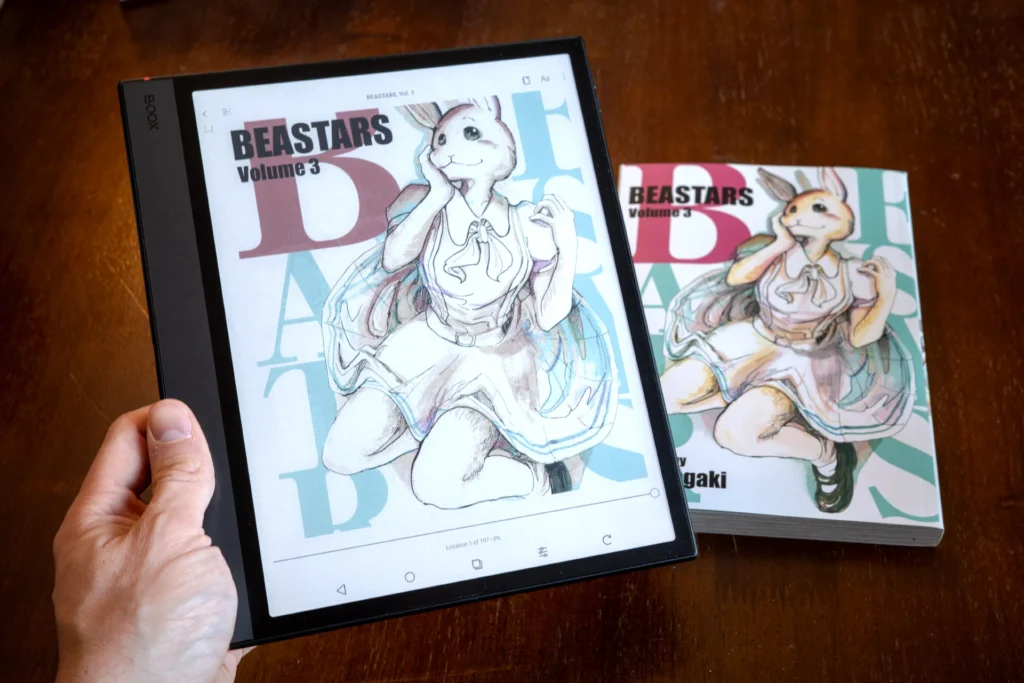
The Note Air5 C hits the sweet spot of screen size, color, and software freedom. Its 10.3-inch Kaleido 3 display runs 300 PPI in black and white and 150 PPI in color. It ships with Android 15 and full Google Play access, so Manga Plus, a CBZ reader, and a cloud drive app can all sit on the same home screen. A Snapdragon 750G chip and 6 GB of RAM keep page turns responsive, and 64 GB of built-in storage expands to up to 2 TB with microSD card support.
Pros: Excellent screen size for manga, full Android flexibility, expandable storage, excellent support for CBZ/CBR files.
Cons: Color is dimmer than a printed page, and the price is a step above entry-level readers.
Ideal for: Readers who want one device that handles both a personal CBZ library and official apps without compromise.
Best Kindle for Manga
Kindle Colorsoft (16 GB) — $249.99
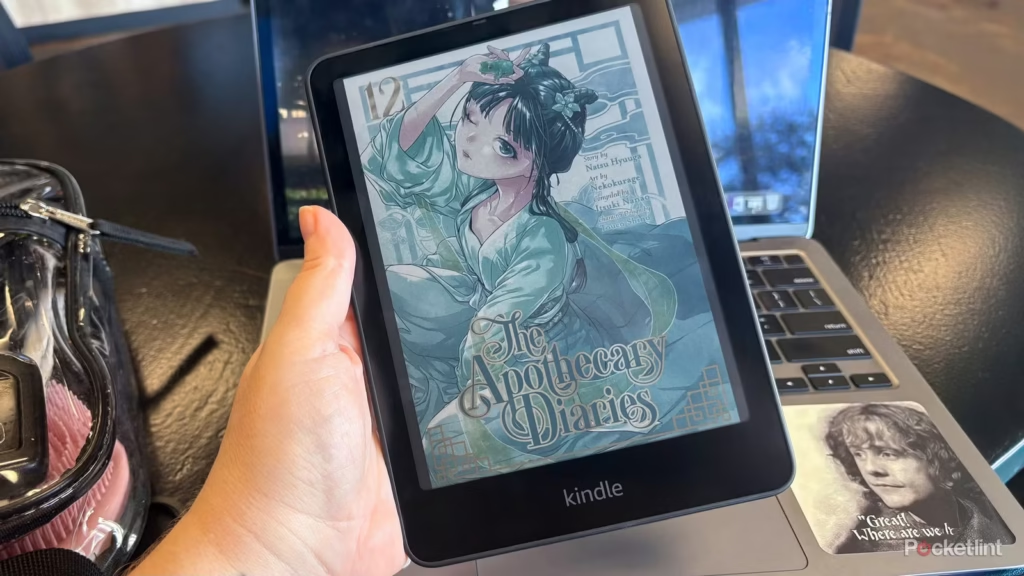
The Kindle Colorsoft is the easiest recommendation for readers who already live inside Amazon’s ecosystem. Its 7-inch color E Ink display brings manga covers, introductory color pages, and fully colored volumes to life while preserving the paper-like reading experience that Kindle devices are known for. Fast page turns, pinch-to-zoom support, and Amazon’s Panel View feature make navigating dense artwork and small dialogue bubbles much more comfortable. Amazon also specifically highlights comics, graphic novels, and manga as key use cases for the device.
The biggest advantage, however, is convenience. Readers get immediate access to one of the largest official manga catalogs available through the Kindle Store, along with support for Kindle Unlimited and Comixology Unlimited titles. Unlike Android-based E Ink tablets, there’s no need to install third-party apps or spend time configuring the device before starting a new series.
Pros: Excellent integration with the Kindle Store, Panel View for guided manga reading, color support for covers and colored volumes, waterproof design, and up to eight weeks of battery life.
Cons: The 7-inch screen can feel cramped with highly detailed pages and two-page spreads. Plus, CBZ/CBR files aren’t supported directly. Color remains more subdued than on a conventional tablet display.
Ideal for: Readers who already buy most of their manga from Amazon and want the simplest, most streamlined manga-reading experience available on an E Ink device.
Best budget option
Boox Go Color 7 (Gen II) — $289.99
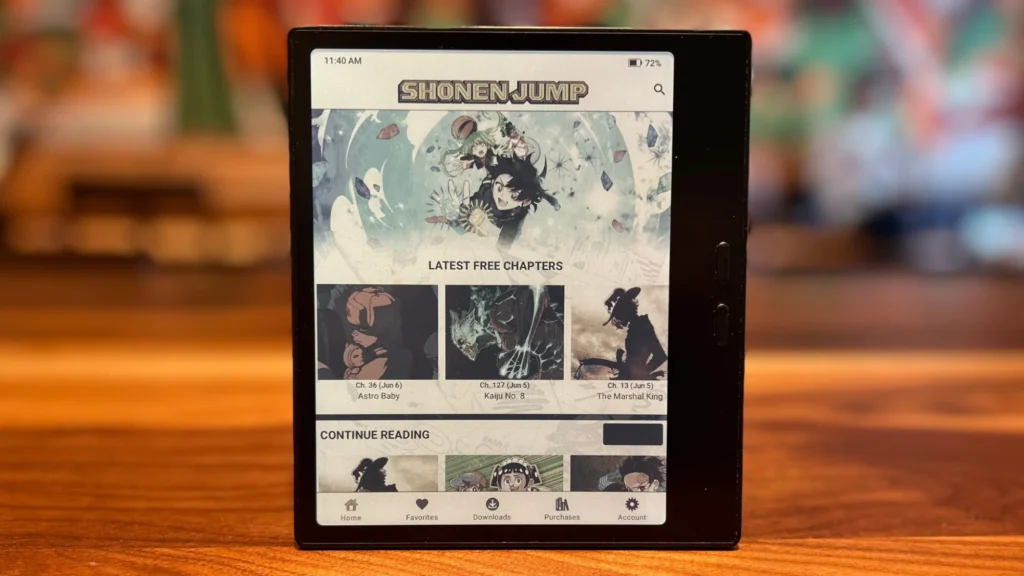
This 7-inch reader packs the same Kaleido 3 panel found in Boox’s pricier tablets into a smaller, lighter, and considerably cheaper body. It runs Android 13 with Google Play built in, supports CBZ and CBR natively, and weighs under 200 grams, making it an easy one-handed read.
Pros: Real color E Ink and full Android for under $300, native comic format support, pocketable. Cons: No stylus included, and the smaller screen shows its limits with dense two-page spreads. Ideal for: Readers who want their first color Android e-reader without spending flagship money.
Best large-screen option
Boox Note Max — $649.99
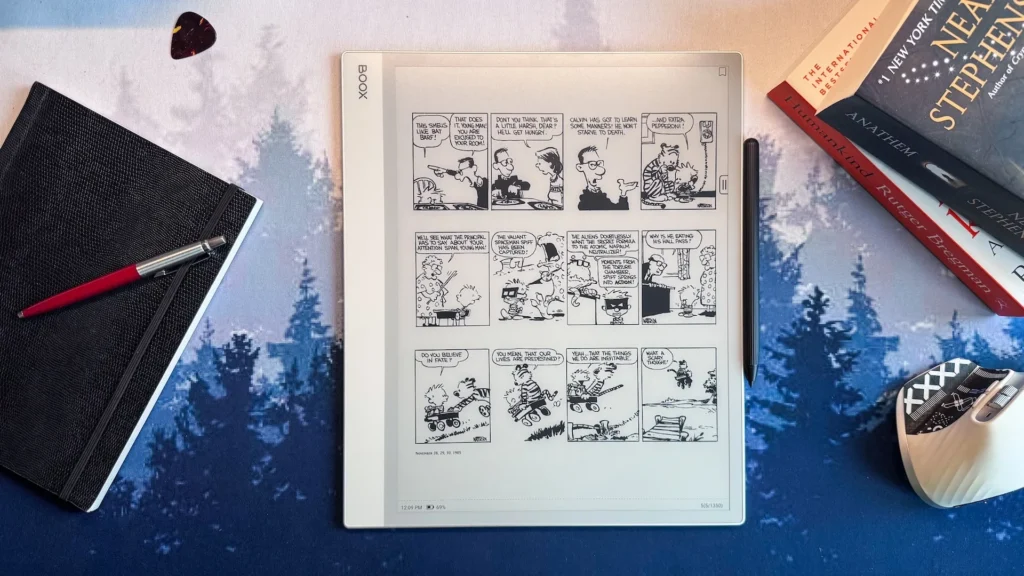
A 13.3-inch 300 PPI monochrome display changes the experience in a way that a faster processor simply can’t. Full-page artwork becomes easier to appreciate, dialogue bubbles remain comfortably readable, and two-page spreads finally look the way the artist intended. The 128 GB of storage along with Android support, and access to third-party manga apps, makes it one of the strongest premium choices available for serious manga readers.
Pros: Fastest performance in the Boox lineup, largest included storage, keyboard, and camera support.
Cons: Quite expensive.
Ideal for: Power users with large sideloaded libraries who also want a note-taking and productivity device.
Best color E Ink tablet
Kobo Libra Colour — $259.99
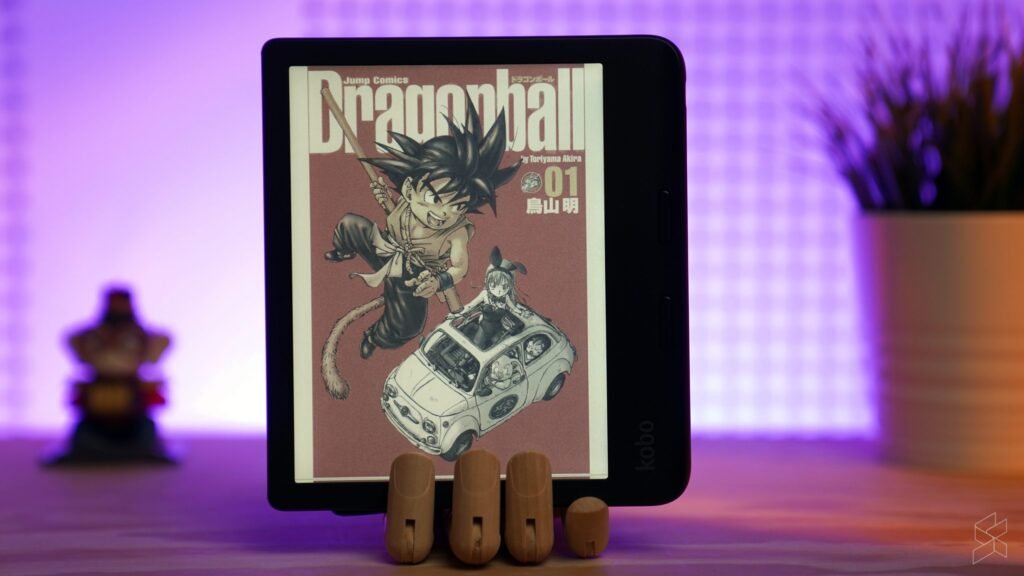
The Libra Colour takes a simpler approach than the Boox lineup: a 7-inch Kaleido 3 screen, physical page-turn buttons, IPX8 waterproofing, and direct support for CBZ files copied onto the device, no conversion required. It isn’t an open Android tablet, so it won’t run Manga Plus or other apps. However, for readers who want color without managing a full tablet’s worth of software, it’s one of the simplest color E Ink devices currently available.
Pros: Native CBZ support, physical page buttons, waterproof, Libby integration for library reading.
Cons: Closed ecosystem, no app store, smaller screen than the tablet-class options here.
Ideal for: Readers who want a dedicated, no-fuss color reader rather than an Android tablet.
Best large-screen option
Boox Tab X C — $819.99
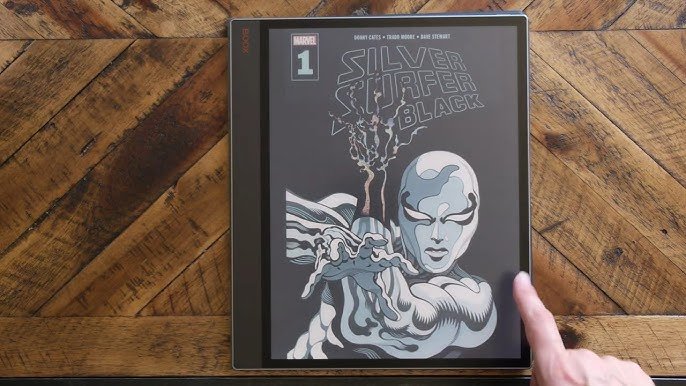
At 13.3 inches, the Tab X C offers one of the largest E Ink displays currently available. That makes it the closest a digital device can get to reproducing an open manga volume or a full two-page spread without scaling anything down. It runs Android 13, supports CBZ and CBR natively, and comes with 128 GB of storage.
Pros: Unmatched screen real estate for spreads and large panels, native format support, strong specs.
Cons: Large, heavy, and priced well above every other device on this list.
Ideal for: Readers who prioritize spread-accurate viewing over portability and price.
Best Android-powered manga reader
Boox Go 10.3 (Gen II) Lumi — $449.99
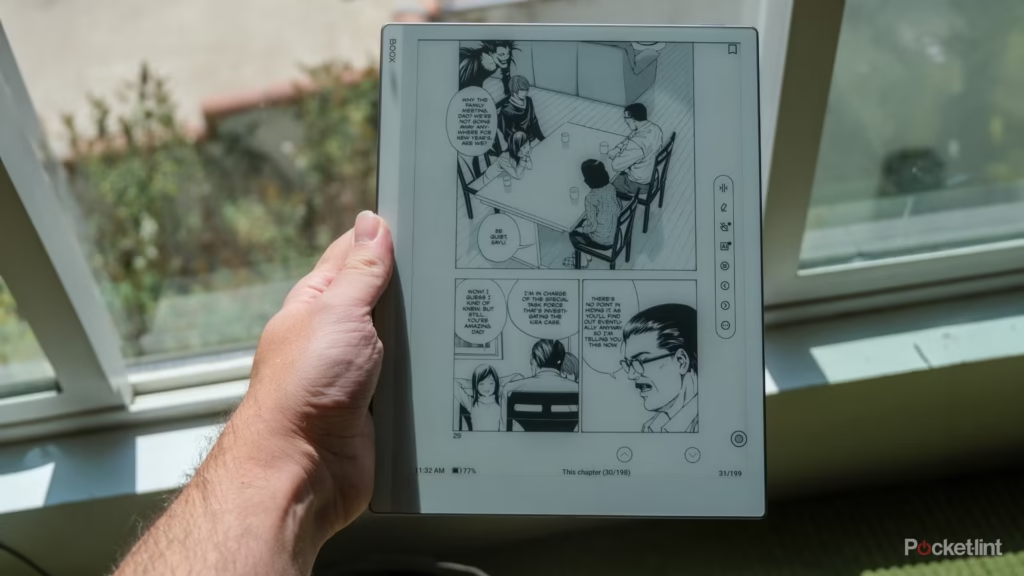
For readers who care more about software freedom than color, the Go 10.3 pairs a 10.3-inch, 300 PPI monochrome screen with full Android 15 and Google Play access. Without a color filter to manage, black-and-white manga looks as sharp as this technology gets, and most manga apps, comic readers, and cloud storage clients can be installed just as they would be on a conventional Android device.
Pros: Maximum monochrome sharpness, full Android flexibility, adjustable front light.
Cons: No color, which rules it out for colored volumes and cover art lovers.
Ideal for: Readers who read almost exclusively black-and-white manga and want the sharpest possible text and linework.
Comparison Table: Which E Ink Tablet Should You Buy?
| Feature | BOOX Note Air5 C | Kindle Colorsoft (16 GB) | BOOX Go Color 7 (Gen II) | BOOX Note Max | Kobo Libra Colour | BOOX Tab X C | BOOX Go 10.3 (Gen II) Lumi |
| Screen size | 10.3″ | 7″ | 7″ | 13.3″ | 7″ | 13.3″ | 10.3″ |
| PPI (B&W / Color) | 300 / 150 | 300 / 150 | 300 / 150 | 300 / — | 300 / 150 | 300 / 150 | 300 / — |
| Color | Kaleido 3 | Colorsoft | Kaleido 3 | Monochrome | Kaleido 3 | Kaleido 3 | Monochrome |
| Android | Android 15 | No | Android 13 | Android 13 | No | Android 13 | Android 15 |
| Storage | 64 GB | 16 GB | 64 GB | 128 GB | 32 GB | 128 GB | 64 GB |
| Expandable storage | microSD | No | microSD | No | No | No | No |
| Weight | ~440 g | 215 g | 195 g | ~615 g | ~199.5 g | ~625 g | ~364 g |
| Battery | 3,700 mAh | Up to 8 weeks | 2,300 mAh | 3,700 mAh | Long battery life* | 5,500 mAh | 3,700 mAh |
| Best for | Best overall | Best Kindle option | Best budget/portable | Best large monochrome | Best dedicated color reader | Best large color | Best monochrome Android |
E Ink Tablets vs LCD Tablets for Manga
Eye comfort
E Ink is a reflective display technology, much like paper, so it doesn’t need a backlight to remain visible. Many E Ink devices do have adjustable front lighting for reading in the dark, but the light is directed across the surface of the display rather than shining through it from behind. For many readers, that paper-like presentation feels more comfortable during long reading sessions than a bright LCD or OLED screen.
Battery life
An E Ink screen only draws power when the page changes. An LCD tablet redraws constantly, even displaying a static page. That’s why E Ink devices routinely last weeks on a charge, while an LCD tablet needs charging every day or two under similar use.
Color reproduction
This is where LCD has a clear advantage. An iPad or Android tablet can display vivid, saturated color, while even the best current color E Ink panels look more muted and print-like by comparison. Readers who prioritize vibrant color above everything else will be happier on LCD.
Reading outdoors
E Ink has a distinct advantage here. Its reflective screen actually gets easier to read in direct sunlight, while an LCD screen washes out and becomes difficult to see in the same conditions.
Performance
LCD tablets handle animations, scrolling, and page transitions far more smoothly than E Ink devices. Even the fastest E Ink refresh modes introduce some delay and can produce occasional ghosting. For manga, however, the difference matters less than it does for video or web browsing because most reading happens one page at a time rather than through continuous scrolling.
Which technology should you choose?
Choose E Ink for long reading sessions, eye comfort, and battery life. Choose LCD for vibrant color, faster performance, and general-purpose tablet use beyond reading. Serious manga readers might consider owning both and reaching for whichever fits the moment.
Common Mistakes People Make When Buying a Manga Reader
Choosing a device that’s too small
A 6-inch screen designed primarily around novels can feel cramped for manga. Dialogue bubbles, fine artwork, and dense panel layouts often require more zooming, so most manga readers will be happier starting at 7 inches and moving up from there if their budget allows.
Prioritizing color over contrast
Color is less important than many buyers assume because most manga is published in black and white. Contrast and resolution do more daily work than a color panel does.
Ignoring storage limitations
A large personal library can consume storage surprisingly quickly. Buyers who plan to sideload hundreds of volumes should consider expandable storage from the start, particularly if they want to keep their entire collection offline.
Buying into a restricted ecosystem
A closed ecosystem can work well for readers who buy everything from one store. It can become frustrating for readers who already own a mixed collection of CBZ, CBR, EPUB, and other files.
Assuming all E Ink tablets are identical
Screen technology, refresh performance, software access, and file-format support can vary significantly between brands and even between models from the same brand. Similar specifications on paper don’t always translate into the same real-world reading experience.
Who Should Avoid Buying an E Ink Tablet for Manga?
Readers who primarily consume full-color comics
Superhero comics, full-color webtoons, and image-heavy graphic novels often depend heavily on vivid, saturated color. Even the best color E Ink displays remain more muted than LCD or OLED screens, making a conventional tablet the better choice for readers who want the fullest possible color experience. An iPad or Android tablet will generally serve these readers better.
Readers who want gaming and entertainment features
E Ink tablets are primarily designed around reading, writing, and relatively static content. They’re a poor choice for readers who also want a device for video streaming, fast-paced games, or other activities that depend on smooth, continuous motion.
Readers who prioritize speed over eye comfort
Anyone who expects instant response, fluid scrolling, and zero refresh delay will likely find even the fastest E Ink tablet less responsive than an LCD or OLED tablet. If speed matters more than E Ink’s reflective, paper-like display and excellent outdoor readability, a conventional tablet is probably the better fit.
Expert Buying Recommendations Based on Different Reader Profiles
Casual manga readers
A 7-inch color e-reader such as the BOOX Go Color 7 or Kobo Libra Colour is a good fit for casual manga reading without the cost or bulk of a larger tablet.
Hardcore collectors
A 10.3-inch Android tablet with expandable storage, such as the Note Air5 C, is a strong choice for readers with large sideloaded libraries. The combination of a spacious display, Android apps, and expandable storage makes managing hundreds of manga volumes much easier.
Travelers
A compact 7-inch e-reader such as the BOOX Go Color 7 or Kobo Libra Colour offers a better balance between portability and manga readability. They’re small enough to carry easily while providing just the right screen real estate to read manga comfortably.
Students
An Android tablet such as the Note Air5 C can pull double duty as a manga reader and study device, with support for PDFs, note-taking, cloud storage, and educational apps alongside manga-reading applications.
Comic enthusiasts
Readers who split time between manga and full-color Western comics should prioritize a large color E Ink display, such as the Tab X C, if screen size is the priority. However, readers who demand vivid, saturated color may still be better served by pairing an E Ink device with an LCD tablet.
Readers who prefer a more paper-like display
Prioritize a high-contrast monochrome screen or a color E Ink device with good front-light controls. The BOOX Go 10.3 is particularly appealing for black-and-white manga because its 300 PPI monochrome display maximizes fine detail and contrast, while the Note Air5 C offers the added flexibility of color.
Frequently Asked Questions
Is an E Ink tablet good for manga? Yes. E Ink’s reflective, paper-like display, excellent outdoor readability, and long battery life make it well-suited to manga, particularly for readers who spend long periods reading. The main trade-offs are slower screen updates and, on color models, less vibrant color than LCD or OLED.
What is the best screen size for manga? For most readers, 10.3 inches is an excellent sweet spot for manga, offering substantially more room for artwork and dialogue than a 6- or 7-inch reader without the bulk of a 13.3-inch device. Readers who prioritize portability can go smaller, while those who frequently read double-page spreads may prefer a 13.3-inch display.
Is color E Ink worth it? It depends on what you read. Color E Ink is worthwhile for fully colored manga, webtoons, Western comics, and readers who want color covers and introductory pages. For predominantly black-and-white manga, a high-contrast 300 PPI monochrome display can provide a sharper-looking image.
Can Kindle devices read manga? Yes, through the Kindle Store and the built-in Panel View mode, though CBZ and CBR files need to be converted first with a tool like Kindle Comic Converter.
Yes. Kindle devices can display manga purchased through the Kindle Store, and compatible comics can use features such as Panel View/Guided View. Personal CBZ and CBR collections are less straightforward because Amazon’s current Send to Kindle documentation lists formats such as EPUB and PDF but not CBZ or CBR. Readers with personal comic archives may therefore need to convert or otherwise repackage them before transferring them.############
Can I read CBZ files on an E Ink tablet? Yes, on many E Ink devices. BOOX tablets support CBZ and CBR, while Kobo e-readers also officially support both formats. Kindle devices don’t list CBZ or CBR among their supported Send to Kindle file types, so personal comic archives require additional preparation.
How much storage do I need? Casual readers are usually fine with 32 to 64 GB. Readers building large sideloaded collections should consider 128 GB or more, or a device with expandable storage.
Which Android apps work best? Manga Plus is a strong option for officially licensed current chapters, while dedicated comic-reading apps are better suited to personal CBZ and CBR collections. The best app depends on where your manga comes from and how you organize your library.
Are E Ink tablets better than iPads? Neither is universally better. E Ink is better suited to distraction-free reading, outdoor use, and long battery life, while an iPad offers much more vibrant color, faster performance, and a far broader range of entertainment and productivity features. For readers who primarily want a manga-reading device, E Ink can be the better fit; for an all-purpose tablet, an iPad is more versatile.
Do manga apps work offline? Downloaded chapters and locally stored files can generally be read offline. Some subscription and store-based apps may require an internet connection for downloading, authentication, licensing checks, or syncing.
Is a 7-inch display too small? Not necessarily. A 7-inch display can be comfortable for casual manga reading and offers much better portability than a 10.3-inch tablet. Readers who want to minimize zooming or frequently view detailed spreads will generally prefer 10.3 inches or larger.
Are two-page spreads supported? Yes, provided the reading app supports two-page or landscape viewing. Larger screens make this much more practical because two facing pages can remain large enough to read comfortably. On smaller displays, two-page mode often makes text and artwork too small, so single-page viewing is usually preferable.
Can I transfer manga from a PC? Yes. Android-based E Ink tablets can generally receive manga files over USB or through cloud-storage applications. Kobo e-readers also support transferring compatible files from a computer, while the exact process varies by device and ecosystem.
Does refresh rate really matter for manga? It affects how quickly pages update and how much ghosting appears. Faster refresh modes make rapid page turns and navigation feel more responsive, although they may sacrifice some image quality or introduce more ghosting.
What’s the difference between CBZ and CBR? Both are comic-book archive formats that package sequential image files. CBZ uses ZIP compression, while CBR uses RAR. CBZ is generally the more broadly supported choice, particularly for new collections.
Do I need a stylus for a manga reader? No. A stylus is useful for note-taking and annotation, but it adds little to the manga-reading experience itself.
Can I read manga on a monochrome E Ink tablet? Yes. In fact, for predominantly black-and-white manga, a 300 PPI monochrome E Ink display can look sharper than a Kaleido-based color display because the monochrome layer retains its full resolution without the color-filter layer used for color rendering.
What’s the ideal PPI for manga? 300 PPI in monochrome is the benchmark for crisp text and linework. On Kaleido-based color E Ink displays, color imagery is effectively rendered at around 150 PPI, while black-and-white content retains the underlying panel’s 300 PPI resolution.
Is Wi-Fi required for a manga reader? No. Locally stored manga files can be read entirely offline. Wi-Fi is primarily needed to download new books or chapters, access online stores and apps, synchronize libraries, or perform occasional authentication or licensing checks.
Conclusion
The scenario from the beginning of this guide, a reader repeatedly zooming into a blurry dialogue bubble on the wrong device, comes down to one thing: mismatched expectations. Not every E Ink tablet is built the same way, and not every reader needs the same features.
The best manga reader isn’t necessarily the most expensive one on the shelf. Screen size, software flexibility, display quality, and storage often matter more than a marketing spec sheet. A reasonably priced Android reader that fits a personal CBZ library and runs official manga apps may be a better choice for many readers than a much more expensive tablet whose extra features never gets used.
A simple framework for the decision:
- Choose 7 inches or so if portability and one-handed reading come first.
- Choose 10.3 inches for the best balance of manga readability, portability, and price.
- Choose 13.3 inches if double-page spreads and maximum page size matter more than portability.
- Choose Android for maximum software and file-format flexibility.
- Choose color only if colored manga, webtoons, comics, or cover art genuinely matter to your reading habits.
Editor’s Recommendation
BOOX Note Air5 C — $529.99
Its 10.3-inch Kaleido 3 display, Android 15, Google Play access, CBZ/CBR support, and expandable storage give it an unusually strong combination of screen size, software flexibility, and storage for manga. For most readers, that balance makes it the best all-around choice in this guide.
Compare the recommended devices above and check current prices before making a final decision. The right choice ultimately comes down to how much you travel, how large your manga library is, whether you need Android and sideloading, and how much you actually value color on the page.