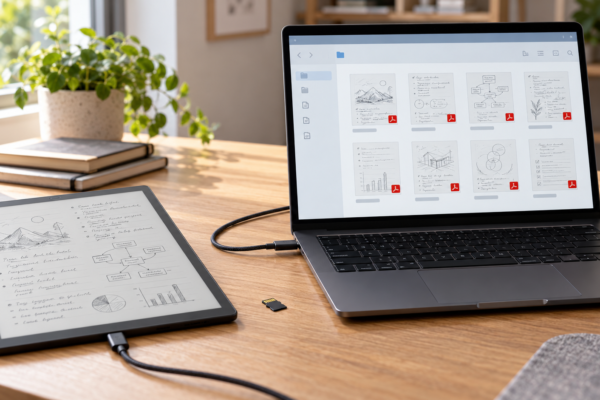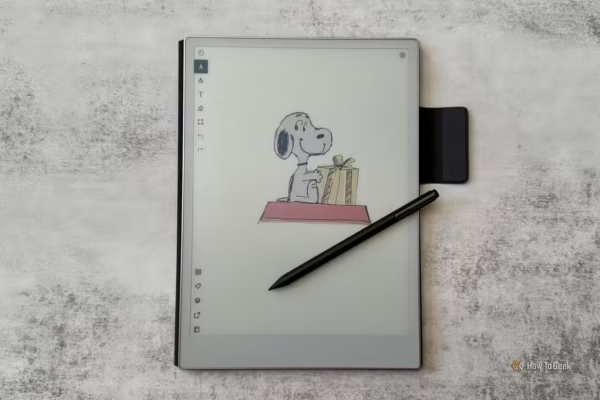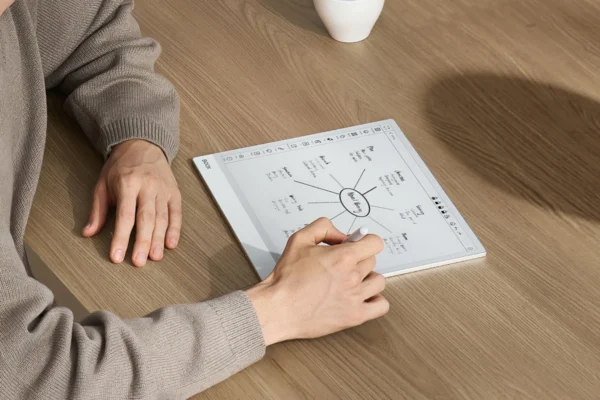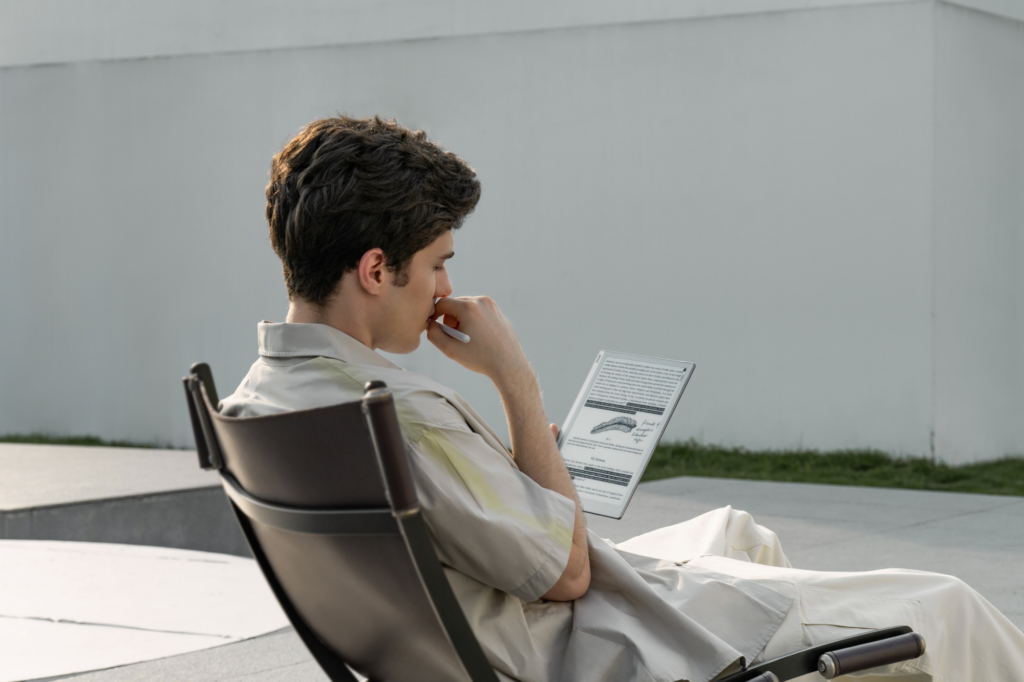
You probably spend hours reading every day—but are you doing it on the wrong screen? Whether it’s novels, PDFs, research papers, or manga, reading on an LCD or OLED display often means dealing with glare, eye fatigue, constant notifications, and shorter battery life. E Ink tablets promise a very different experience: a paper-like display that’s easier on the eyes, lasts for weeks on a single charge, and lets you focus entirely on what you’re reading. But with dozens of models available in 2026, choosing the right one isn’t as straightforward as it seems.
Staring at a phone or laptop screen for hours leaves many readers with tired, dry, or aching eyes. This is because LCD and OLED panels emit light directly at the reader’s face. That constant glow adds up over a long reading session. For many readers, the strain becomes evident after just an hour or two of reading a novel on a tablet or phone.
You have none of it with an E Ink display simply because E Ink is emissive in nature. What that means is it does not emit any light of its own. Instead, an E Ink screen reflects light the way a printed page does. There is no backlight glow hitting your eyes, no flicker, and no harsh blue light unless the reader turns on a front light. The result feels closer to reading paper than reading off a screen.
That comfort is why E Ink tablets have become so popular in 2026. Readers now use them for reading:
- e-Books and novels
- PDFs and technical manuals
- Magazines and newspapers
- Research papers and academic journals
- Manga and comics
- Handwritten notes taken directly on top of what they are reading
However, not every E Ink tablet handles these jobs equally well. Screen size matters in how comfortable a PDF or manga page feels. Software determines whether a device can open a library app or an EPUB from any store. Speed determines whether turning a page feels instant or sluggish. Display technology decides whether color is worth the extra cost.
This guide – Best E Ink Tablets for Reading – is built for Kindle owners ready to upgrade, students juggling PDFs and lecture notes, professionals annotating contracts, researchers marking up papers, and casual readers who just want their eyes to feel better at the end of the day. It also covers manga and comic readers, and anyone replacing a phone or LCD tablet with something gentler on the eyes. Below is a full breakdown of the best E Ink tablet for reading in 2026, organized by exactly what each reader needs.
In this guide
- Quick Recommendations Table
- How We Selected These Tablets
- Best Overall E Ink Tablet for Reading
- Best Premium Reader
- Best Value for Money
- Best Large-Screen Reader (13-inch Class)
- Best for PDFs
- Best for Academic Reading
- Best for Students
- Best for Research Papers
- Best for Manga
- Best for Comics
- Color vs. Monochrome: When Does Color Actually Help?
- Best Color E Ink Tablet for Reading
- Best Compact Reader
- Best Budget Option
- Best Android-Based Reader
- Best Kindle Alternative
- Best for Note-Taking While Reading
- What Makes a Great Reading Tablet?
- Best E Ink Tablet for Different Reading Scenarios
- Screen Size Guide
- E Ink Tablet vs. Kindle
- E Ink Tablet vs. iPad
- Common Mistakes Buyers Make
- Frequently Asked Questions
- Final Verdict
Quick Recommendations Table
| Device | Screen Size | B&W or Color | Software | Best For | Pros | Cons | Rating |
|---|---|---|---|---|---|---|---|
| Boox Note Air 5C | 10.3″ | Color | Android | Best Overall | Full Google Play Store; strong note-taking; reads almost any format | Shorter battery life than dedicated readers | 9.3/10 |
| reMarkable Paper Pro | 11.8″ | Color | Linux (proprietary) | Best Premium Reader | Best-in-class writing feel; rich color; zero distractions | No e-book store; no apps at all | 9.0/10 |
| Boox Go 10.3 (Gen II) | 10.3″ | B&W | Android | Best Value for Money | Large screen, Android flexibility, low price | Base model skips the front light | 8.8/10 |
| Boox Note Max | 13.3″ | B&W | Android | Best Large-Screen Reader | Huge page for PDFs; fast chip; keyboard case available | Heavy; expensive; no camera | 8.7/10 |
| Boox Tab Ultra C Pro | 10.3″ | Color | Android | Best for PDFs | Keyboard and trackpad option; strong multitasking | Heavy PDF use drains the battery faster | 8.6/10 |
| Supernote Manta A5 X2 | 10.7″ | B&W | Linux (proprietary) | Best for Academic Reading | Distraction-free; repairable design; excellent pen feel | No front light; no app support | 8.9/10 |
| Kobo Elipsa 2E | 10.3″ | B&W | Linux (proprietary) | Best for Students | Library lending built in; stylus included; fair price | 227 PPI is softer than rival panels | 8.5/10 |
| Kindle Scribe | 11″ | B&W | Linux (proprietary) | Best for Research Papers | AI-powered notebook search; huge Kindle library; fast page turns | Locked to Kindle-friendly formats | 8.8/10 |
| Boox Go Color 7 | 7″ | Color | Android | Best for Manga | Pocketable; Google Play Store; physical page button | Color resolution is soft at 150 PPI | 8.4/10 |
| Kindle Scribe Colorsoft | 11″ | Color | Linux (proprietary) | Best Color Kindle | Vivid color for a Kindle; same fast new chip | Most expensive Kindle on the market | 8.6/10 |
| Supernote Nomad (A6 X2) | 7.8″ | B&W | Linux (proprietary) | Best Compact Reader | Extremely portable; repairable; great pen feel | Cramped for full PDF pages | 8.3/10 |
| Kobo Clara BW / Colour | 6″ | B&W or Color | Linux (proprietary) | Best Budget Option | Low price; waterproof; no lock-screen ads | Small screen; modest storage | 8.2/10 |
| Boox Palma 2 Pro | 6.13″ (phone-sized) | Color | Android | Best Android Pocket Reader | Full Android in a phone-sized body | Too small for serious PDF work | 8.3/10 |
| Kobo Libra Colour | 7″ | Color | Linux (proprietary) | Best Kindle Alternative | Physical page buttons; no ads; library support | Stylus is a separate purchase | 8.7/10 |
| reMarkable Paper Pro Move | 7.3″ | Color | Linux (proprietary) | Best for Note-Taking While Reading | Same writing feel as the Paper Pro, in a pocket size | Small canvas; premium price; no apps | 8.5/10 |
How We Selected These Tablets
Choosing a reading-focused E Ink tablet is not the same as choosing a general-purpose tablet. The following factors carried the most weight in this guide:
- Display quality and text sharpness. How crisp does small text look, and how clean are lines and curves on the page?
- Reading comfort. Does the device feel natural and comfortable to hold for a 40-page reading session, or does it tire the wrist and eyes?
- Frontlight quality. Can the light shift from cool to warm, and does it stay even across the whole panel?
- Software and responsiveness. Does the interface feel snappy, or does every tap involve a delay?
- PDF performance. Can the device reflow, crop, and zoom a PDF without turning the page into a blurry mess?
- Annotation features. Can a reader highlight, underline, and write in the margins directly on the page?
- Library support. Does the device connect to services like OverDrive, Libby, Google Play Books, or a personal library through Calibre?
- Battery life. Does it last for a week of regular reading, or does it need daily charging?
- Ecosystem and long-term software support. Will the manufacturer keep updating the device two or three years from now?
- Value for money. Does the price match what the device actually delivers?
Every recommendation below was measured against these standards rather than specs alone.
Best Overall E Ink Tablet for Reading
Boox Note Air 5C — $499.99–$529.99
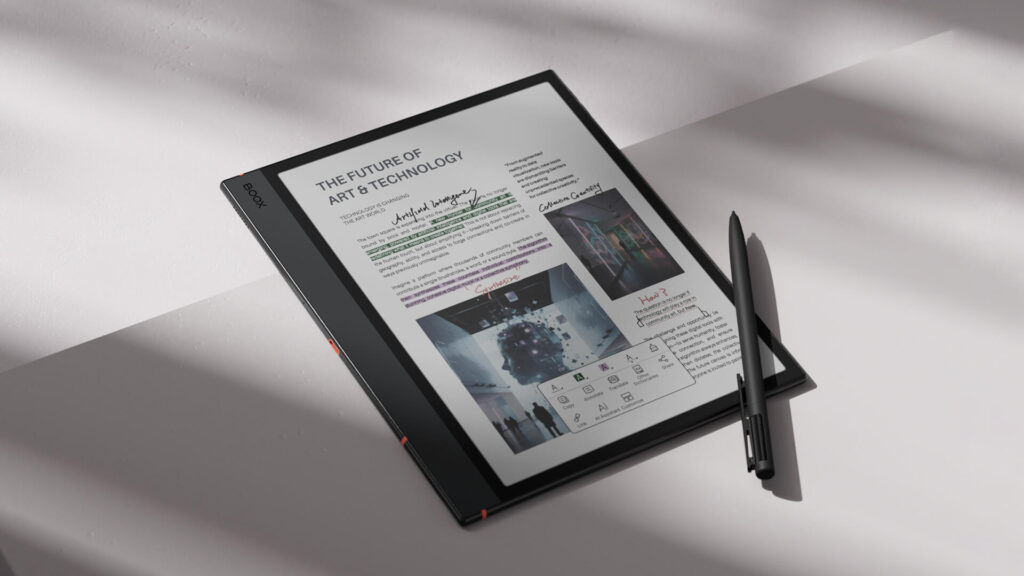
The Boox Note Air 5C earns the top spot because it does almost everything well. It runs full Android 15 with unrestricted access to the Google Play Store, so readers can install the Kindle app, Kobo app, Libby, and a dedicated PDF reader on the same device. The 10.3-inch Kaleido 3 color screen handles novels, PDFs, and comics without forcing a compromise, and the included Pen3 stylus makes margin notes and highlighting simple.
Why it wins here:
- Full Google Play access means no e-book store is off-limits
- Color Kaleido 3 panel works well for comics, magazines, and highlighted PDFs
- Stylus is included, not sold separately
- Strong processor keeps page turns and app switching quick
Where it falls short:
- Battery life trails dedicated e-readers because Android runs in the background
- Color is softer than on a phone or tablet with a traditional screen
Best for: Readers who want a single device to do it all, which includes reading everything and taking notes, while being compatible with most apps or file formats.
Check Latest Price of Boox Note Air 5C on Amazon
Best Premium Reader
reMarkable Paper Pro — $629
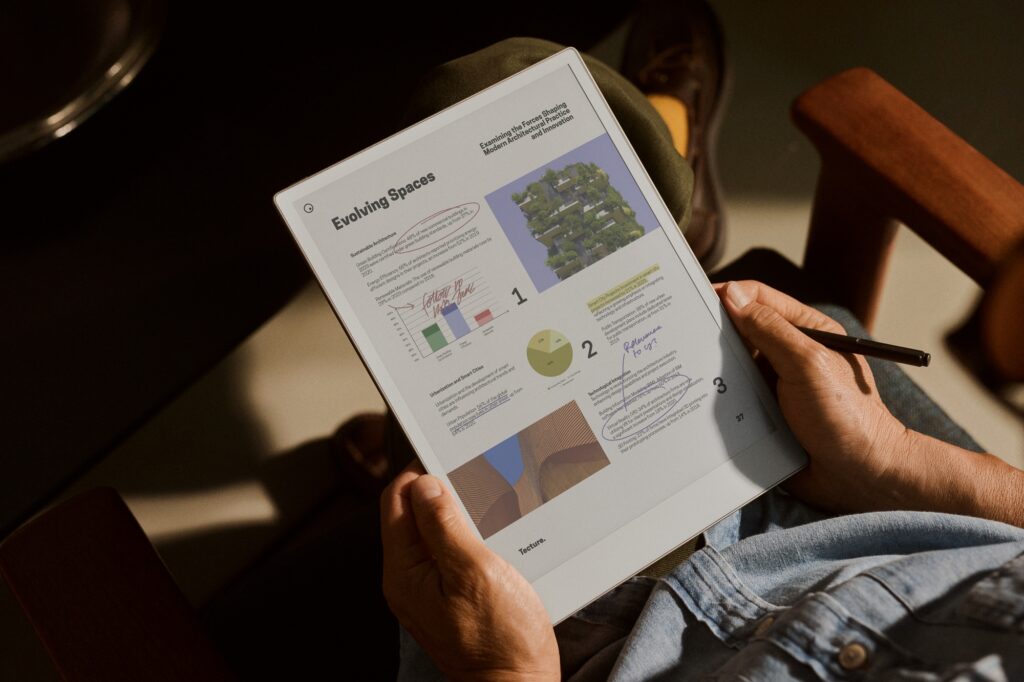
The reMarkable Paper Pro is built for readers and writers who want the closest thing to real paper. Its 11.8-inch Canvas Color display uses a different color technology than Kaleido panels, producing richer, more natural-looking color with a textured, print-like quality. reMarkable strips away everything else: no browser, no app store, no notifications.
Why it wins here:
- Best writing latency of any E Ink tablet tested for this guide
- Canvas Color produces noticeably richer color than Kaleido 3 rivals
- Distraction-free by design, with nothing pulling attention away from the page
Where it falls short:
- No Kindle app, no Kobo app, and no native e-book store
- A reMarkable Connect subscription is needed for full cloud features
Best for: Readers who mainly work with their own PDFs and documents and want the most premium, paper-like experience money can buy.
Check Latest Price of reMarkable Paper Pro Bundle on Amazon
Best Value for Money
Boox Go 10.3 (Gen II) — around $399
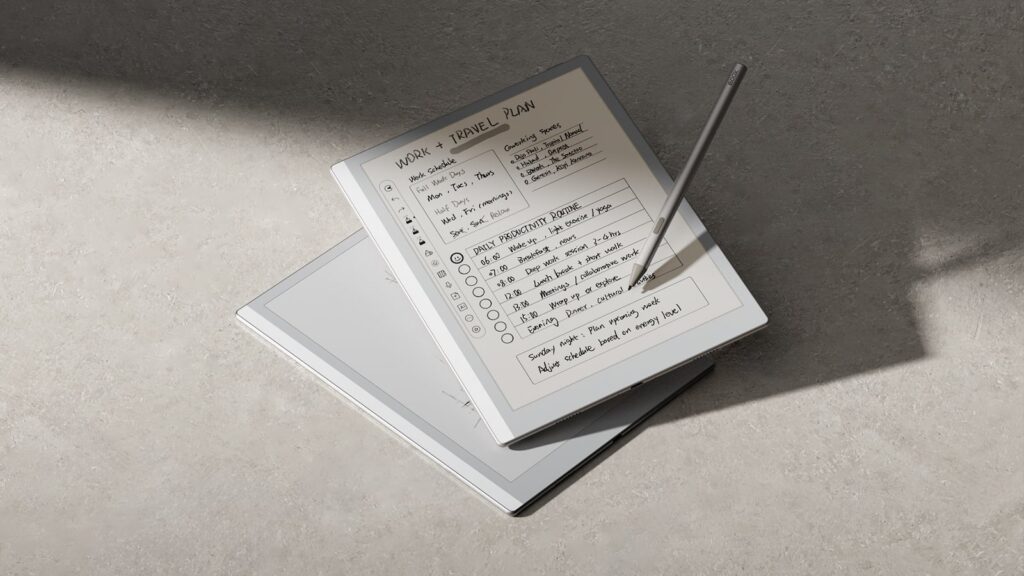
The Boox Go 10.3 delivers a large 10.3-inch monochrome screen, full Android with Google Play access, and a genuinely thin, premium-feeling body for a price well under most Android-based rivals. It runs on an octa-core processor with 4 GB of RAM, which keeps the page-turning speed and app performance smooth.
Why it wins here:
- Large screen and Android flexibility at a fraction of premium pricing
- 300 PPI Carta panel keeps text sharp
- Supports EMR styluses for handwriting on top of PDFs and e-books
Where it falls short:
- The base Gen II model skips the front light (the Lumi version adds one for more)
- Non-expandable storage on some configurations
Best for: Budget-conscious readers who still want a big screen and full app support rather than a stripped-down e-reader.
Check Latest Price of Boox Go 10.3 (Gen II) on Amazon
Best Large-Screen Reader (13-inch Class)
Boox Note Max — $649.99
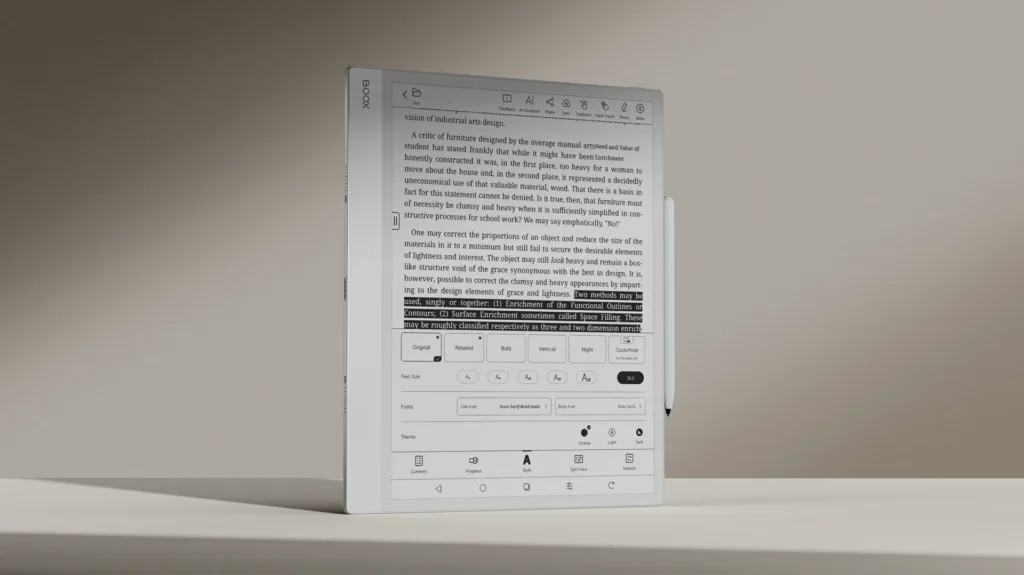
Some documents simply need more room. The Boox Note Max stretches to a 13.3-inch Carta 1300 monochrome display, roughly the size of a sheet of printer paper, which makes dense PDFs, sheet music, and technical drawings far easier to read without constant zooming. A 2.8 GHz octa-core processor and 6 GB of RAM keep the larger canvas responsive, and an optional magnetic keyboard turns it into a lightweight writing station.
Why it wins here:
- The largest mainstream screen in this guide, ideal for full-page PDFs
- Fast processor prevents the lag that often plagues bigger E Ink panels
- Optional keyboard case adds productivity features
Where it falls short:
- Noticeably heavier and less pocketable than 10-inch options
- No rear camera for quick document scanning
Best for: Readers who spend most of their time in PDFs, engineering drawings, or sheet music and want maximum page real estate.
Check Latest Price of Boox Note Max on Amazon
Best for PDFs
Boox Tab Ultra C Pro — around $549.99
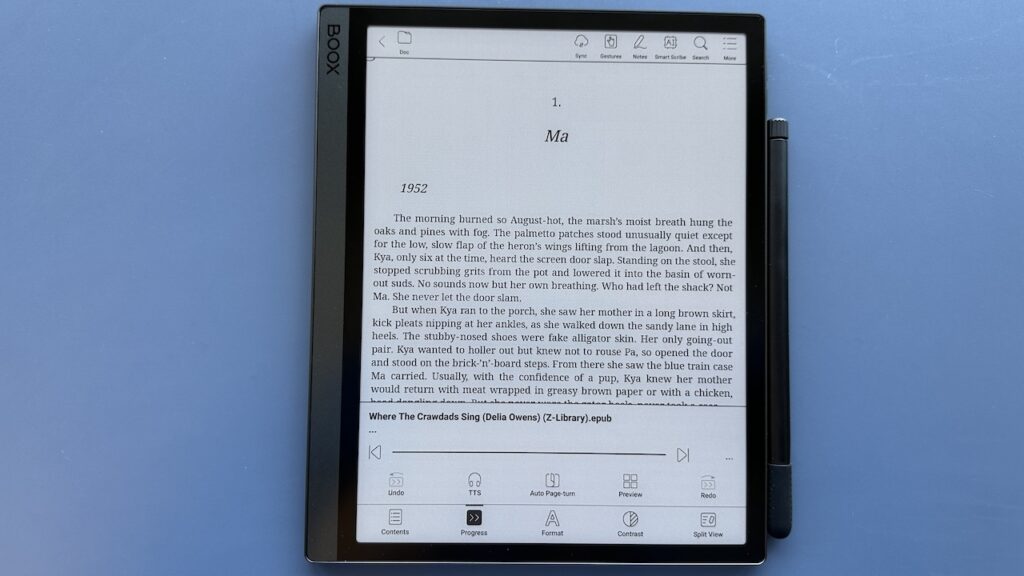
PDFs are unforgiving on small screens, and they demand fast rendering when a reader is scrolling through a long report. The Boox Tab Ultra C Pro pairs a 10.3-inch Kaleido 3 color display with an 8-core processor rated up to 2.8 GHz, along with four refresh-rate modes that let readers choose between rich detail and fast scrolling. A magnetic keyboard cover with a trackpad turns it into a compact PDF workstation.
Why it wins here:
- Multiple refresh modes balance PDF detail against scrolling speed
- Optional keyboard and trackpad support side-by-side document work
- Wide format support, including PDF, DOCX, and DJVU
Where it falls short:
- Heavy day-long PDF markup drains the battery faster than reading alone
- Color adds cost without meaningfully sharpening black-and-white text
Best for: Professionals and researchers who annotate long PDFs regularly and want a keyboard nearby.
Best for Academic Reading
Supernote Manta A5 X2 — $459–$505 (device only)
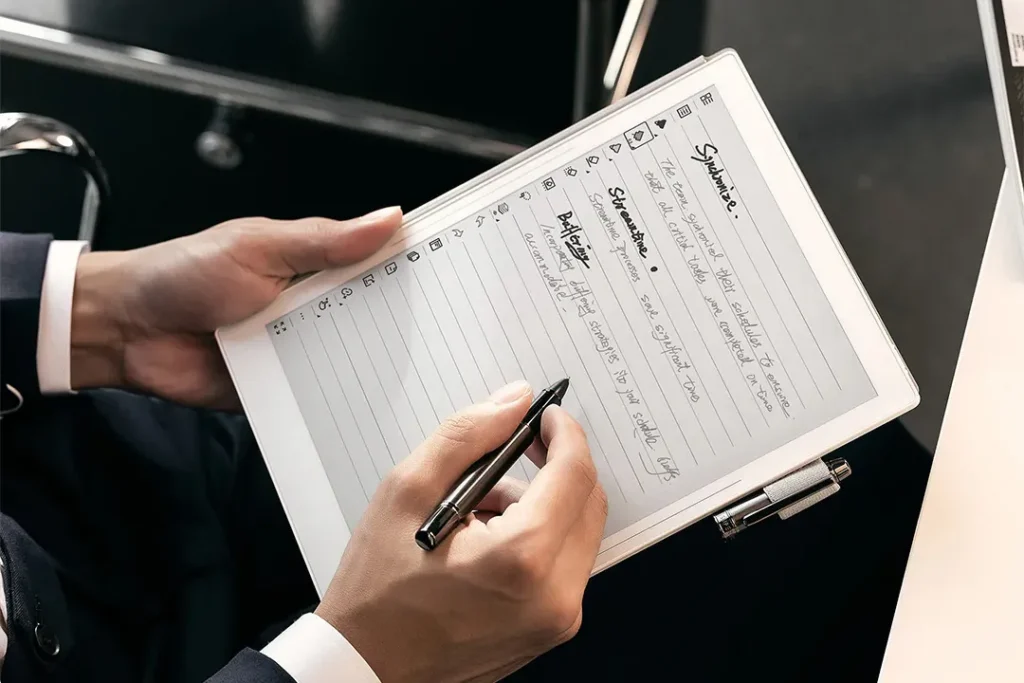
Academic reading rewards focus, and the Supernote Manta A5 X2 is built around that idea. Its 10.7-inch, 300 PPI monochrome display uses a flexible Carta panel with a textured FeelWrite 2 surface, so a stylus glides across it with a paper-like resistance. There is no app store and no browser, which keeps the device locked onto the paper or textbook in front of the reader.
Why it wins here:
- Text sharpness rivals or beats every other device in this guide
- Modular, repairable design lets owners replace the battery or motherboard later
- Excellent pen feel for marking up dense academic text
Where it falls short:
- No front light, so it needs an external light source at night
- No access to library apps or an ebook store
Best for: Graduate students, researchers, and anyone who reads and annotates long academic texts without wanting Android distractions nearby.
Best for Students
Kobo Elipsa 2E — $399.99
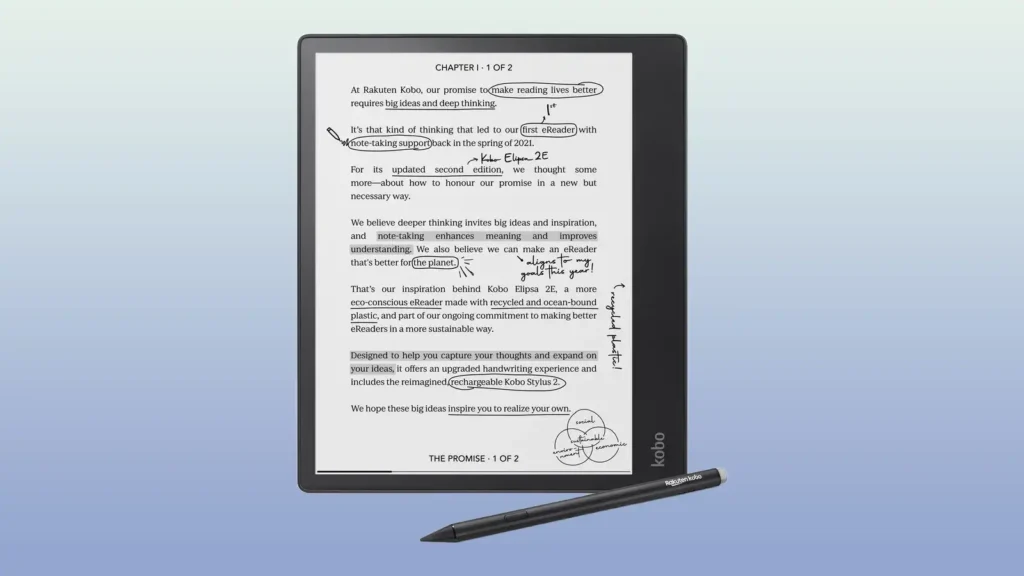
Students juggle textbooks, library e-books, and handwritten notes all at once, and the Kobo Elipsa 2E covers all three without a steep price tag. Its 10.3-inch, 227 PPI Carta display comes with the Kobo Stylus 2 included, so students can underline, highlight, and jot notes directly onto ebooks or PDFs. Kobo’s native OverDrive integration also means students can borrow library e-books straight from the device.
Why it wins here:
- Included stylus means no extra purchase before taking notes
- Built-in library lending saves money on textbooks and novels alike
- ComfortLight PRO adjusts warmth for long study sessions
Where it falls short:
- 227 PPI is softer than the 300 PPI panels found on rival devices
- No Android apps or Google Play Store
Best for: Students who want one affordable device for textbooks, library books, and handwritten notes.
Check Latest Price of Kobo Elipsa 2E on Amazon
Best for Research Papers
Kindle Scribe — from $499.99
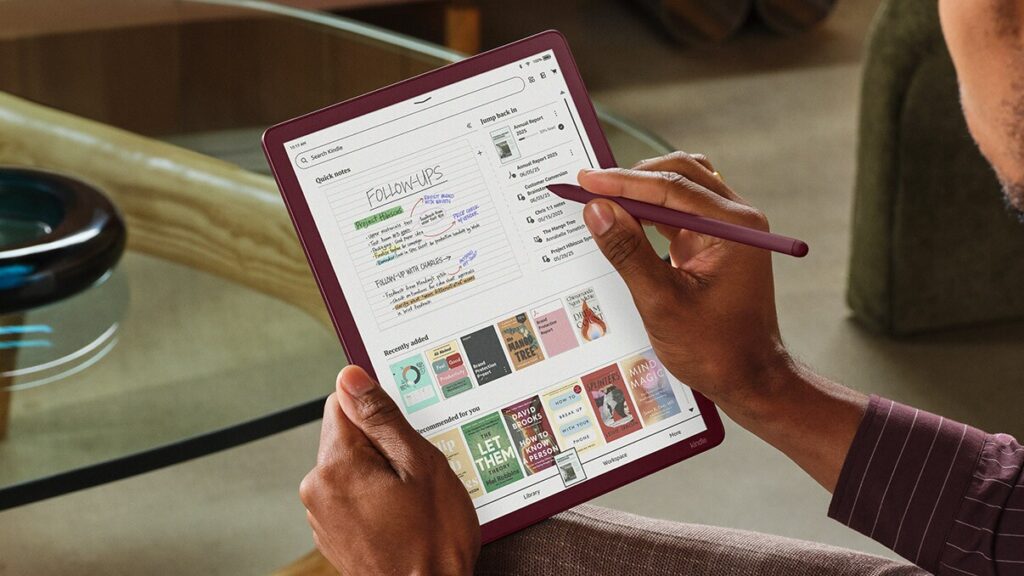
Research work often means reading dozens of PDFs and cross-referencing handwritten notes across all of them. The 2026 Kindle Scribe redesign moved to an 11-inch glare-free display, a thinner 5.4mm body, and a new quad-core chip that Amazon rates about 40 percent faster for page turns and pen strokes. The standout feature for researchers is AI-powered notebook search, which can locate and summarize handwritten notes across an entire library of annotated papers.
Why it wins here:
- AI notebook search makes it realistic to find one handwritten note among hundreds of pages
- Magnetic pen never needs charging
- Syncs with Google Drive, OneDrive, and OneNote for exporting notes
Where it falls short:
- Works best with Kindle-friendly formats; independent PDFs sometimes need conversion
- No open app store for third-party research tools
Best for: Researchers who annotate a high volume of papers and need to find old notes quickly.
Check Latest Price of Kindle Scribe on Amazon
Best for Manga
Boox Go Color 7 (Gen II) — $279.99
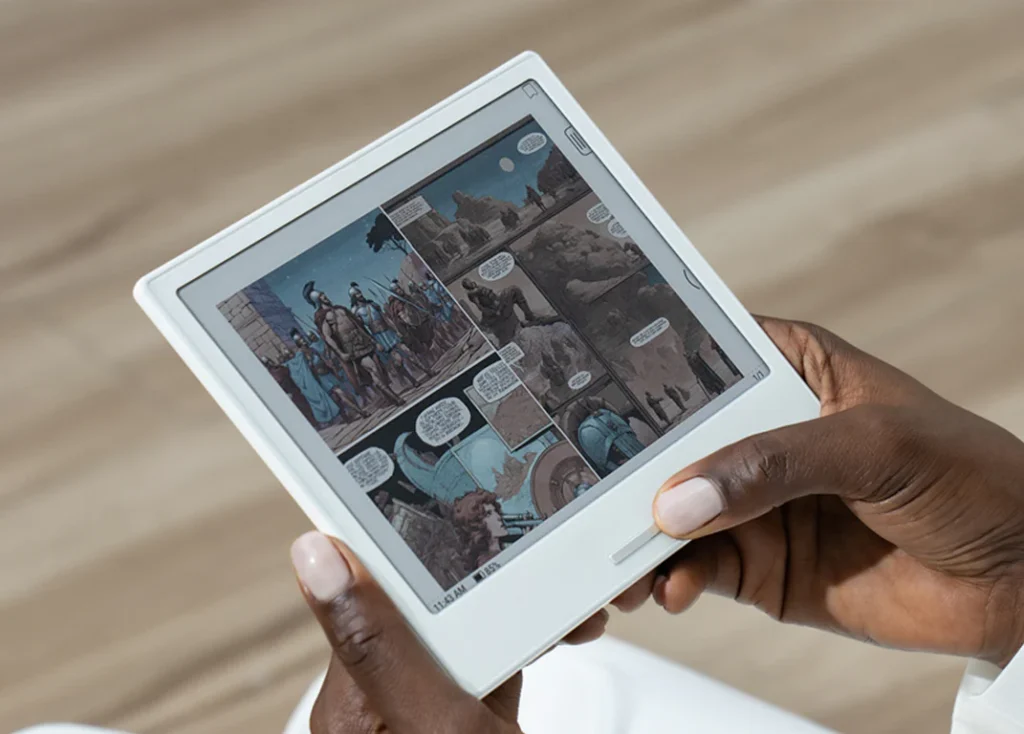
Manga is usually read in black and white, which makes portability more important than color depth. The Boox Go Color 7 keeps things pocketable at 7 inches while still offering a Kaleido 3 color panel for manga with color covers or color editions. It runs Android 13 with full Google Play access, so readers can pull manga from Kindle, Kobo, or ComiXology-style apps on the same device.
Why it wins here:
- Small, light body is easy to hold one-handed for long manga sessions
- Physical page-turn button speeds up rapid panel-by-panel reading
- Full Android support opens up every major manga and comics app
Where it falls short:
- Color resolution drops to about 150 PPI, which is soft for detailed color art
- Stylus is a separate purchase
Best for: Manga readers who want portability and app flexibility over a large display.
Check Latest Price of Boox Go Color 7 (Gen II) on Amazon
Best for Comics
Boox Tab Ultra C Pro — around $549.99
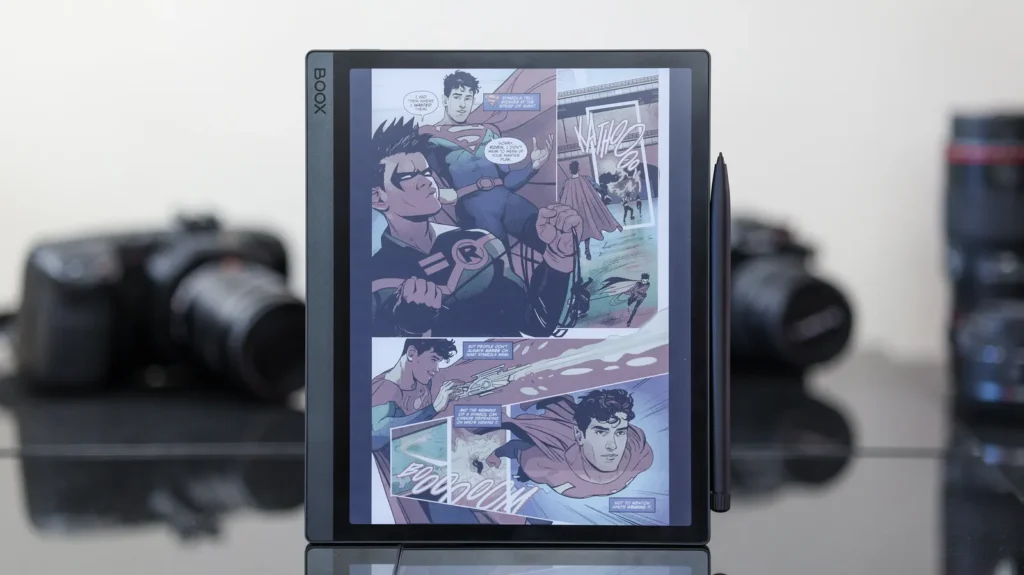
Western comics and full-color graphic novels benefit from a bigger canvas than manga typically needs, since full-bleed color panels lose impact on a small screen. The same Boox Tab Ultra C Pro recommended earlier for PDFs does double duty here, thanks to its larger 10.3-inch Kaleido 3 display and strong processor, which keeps colorful panels rendering quickly instead of lagging behind a page turn.
Why it wins here:
- Larger screen gives full-page comic panels room to breathe
- Fast refresh modes prevent ghosting on detailed artwork
- Supports CBR and CBZ files natively, alongside comics apps from the Play Store
Where it falls short:
- Color depth still can’t match an LCD or OLED tablet
- Pricier than most comics readers strictly need
Best for: Comic and graphic novel readers who want a bigger color canvas and don’t mind paying a premium for it.
Color vs. Monochrome: When Does Color Actually Help?
Color E Ink has improved substantially, but it still is not a like-for-like replacement for an LCD screen. A color panel genuinely helps with manga covers, comic panels, textbook diagrams, magazine layouts, and color-coded highlighting. It adds little value for novels, academic papers, or dense black-and-white text, where a monochrome panel is sharper and often has a longer battery life.
Readers who mostly read fiction or plain-text documents are usually better served by a monochrome device. Readers who regularly deal with comics, manga, illustrated textbooks, or color-coded notes will get real, everyday benefit from a color screen.
Best Color E Ink Tablet for Reading
Kindle Scribe Colorsoft — from $629.99
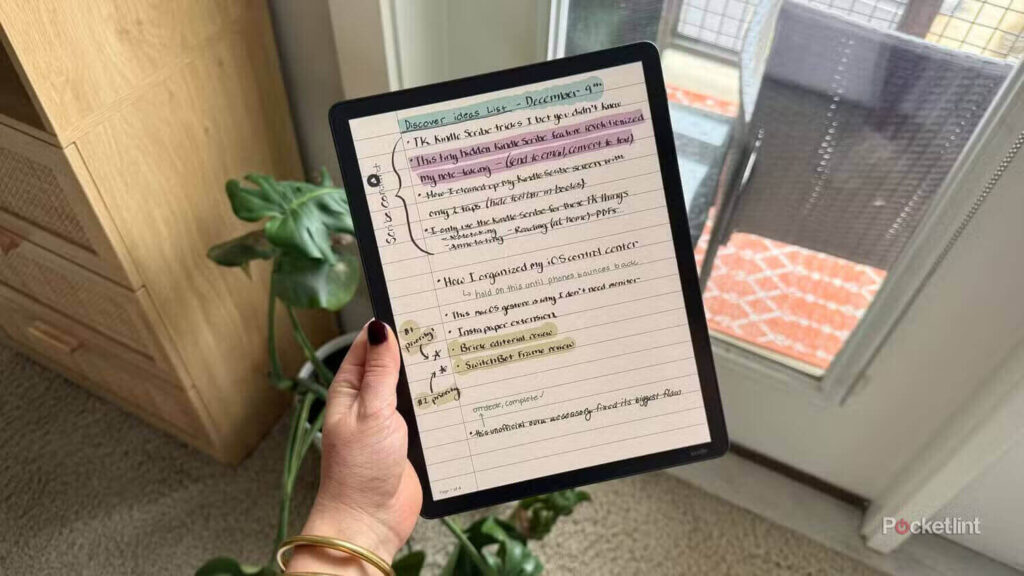
For readers deeply invested in the Kindle library who still want color, the Kindle Scribe Colorsoft is the strongest option. It shares the same redesigned 11-inch body, faster quad-core chip, and magnetic pen as the standard 2026 Scribe, but adds a color panel for book covers, comics, and highlighted notes. Because it stays inside the Kindle ecosystem, setup and syncing stay simple for existing Kindle owners.
Why it wins here:
- Color panel brings covers and illustrations to life without leaving the Kindle app
- Same speed improvements as the rest of the 2026 Scribe lineup
- Handwriting and highlighting work the same way as the monochrome Scribe
Where it falls short:
- The most expensive Kindle currently sold
- No access to apps or ebook stores outside Amazon’s ecosystem
Best for: Loyal Kindle readers who want color without switching away from Amazon’s library and syncing.
Check Latest Price of Kindle Scribe Colorsoft on Amazon
Best Compact Reader
Supernote Nomad (A6 X2) — $329
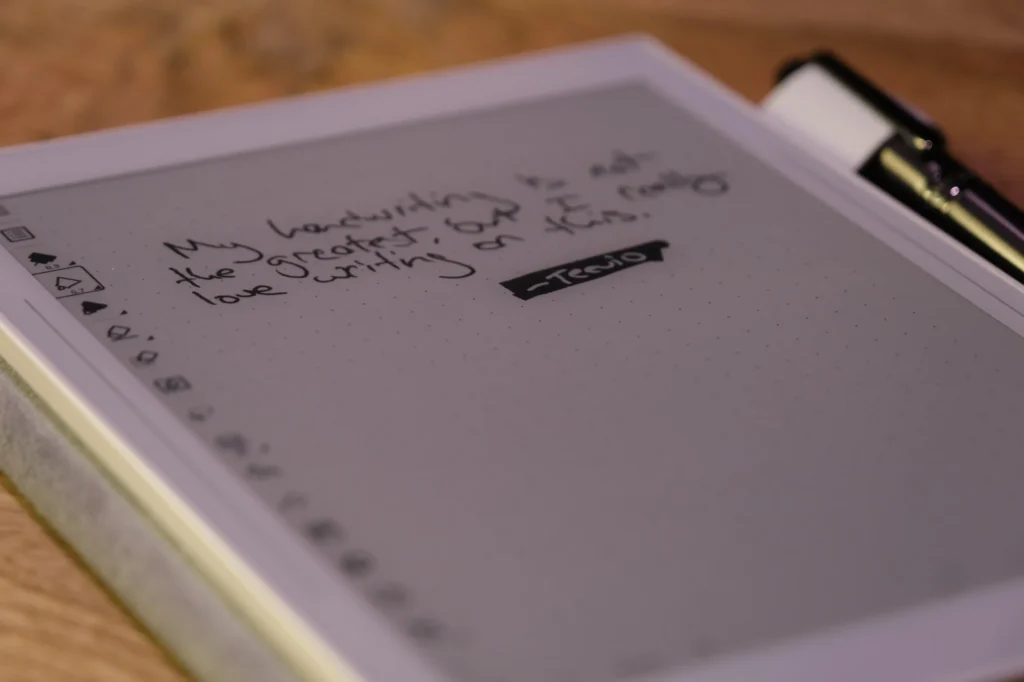
Not every reader wants a large tablet. The Supernote Nomad shrinks the Manta’s philosophy down to a 7.8-inch monochrome screen that fits easily in one hand or a jacket pocket. It shares the same distraction-free software, repairable design, and ceramic-nib pen feel as its larger sibling, just in a smaller, lighter body.
Why it wins here:
- Genuinely pocketable while still supporting handwriting and annotation
- Repairable design, including a replaceable battery and microSD slot
- Distraction-free interface with no notifications or app clutter
Where it falls short:
- Screen feels cramped for full-page PDFs
- Pen is sold separately, adding to the total cost
Best for: Readers and note-takers who want maximum portability without giving up handwriting support.
Best Budget Option
Kobo Clara BW / Kobo Clara Colour — $149.99–$179.99
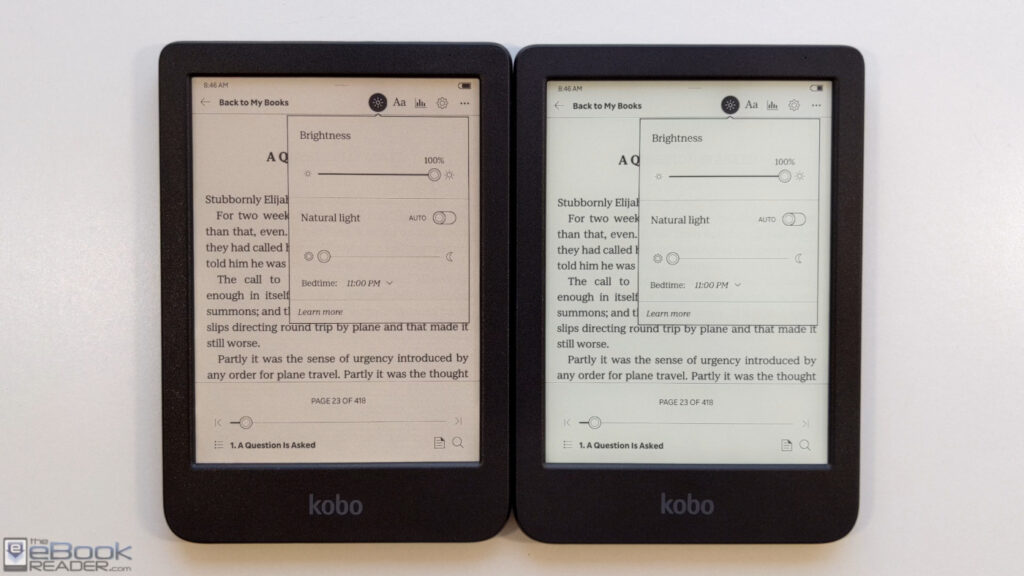
Not every reader needs notes, color, or a large screen. The Kobo Clara line keeps things simple with a 6-inch display, available in monochrome (Clara BW) or Kaleido 3 color (Clara Colour), both starting under $180. Both models are waterproof, support library lending through OverDrive, and skip the lock-screen advertising found on entry-level Kindles.
Why it wins here:
- Lowest price point in this guide for a genuinely well-built reader
- No ads cluttering the lock screen
- Waterproof design suits reading by the pool or in the bath
Where it falls short:
- Small 6-inch screen isn’t ideal for PDFs or textbooks
- Storage is limited compared to larger, pricier models
Best for: Casual readers who mainly want novels and don’t need notes, color depth, or a big screen.
Check Latest Price of Kobo Clara BW on Amazon
Check Latest Price of Kobo Libra Colour on Amazon
Best Android-Based Reader
Boox Palma 2 Pro — $379.99
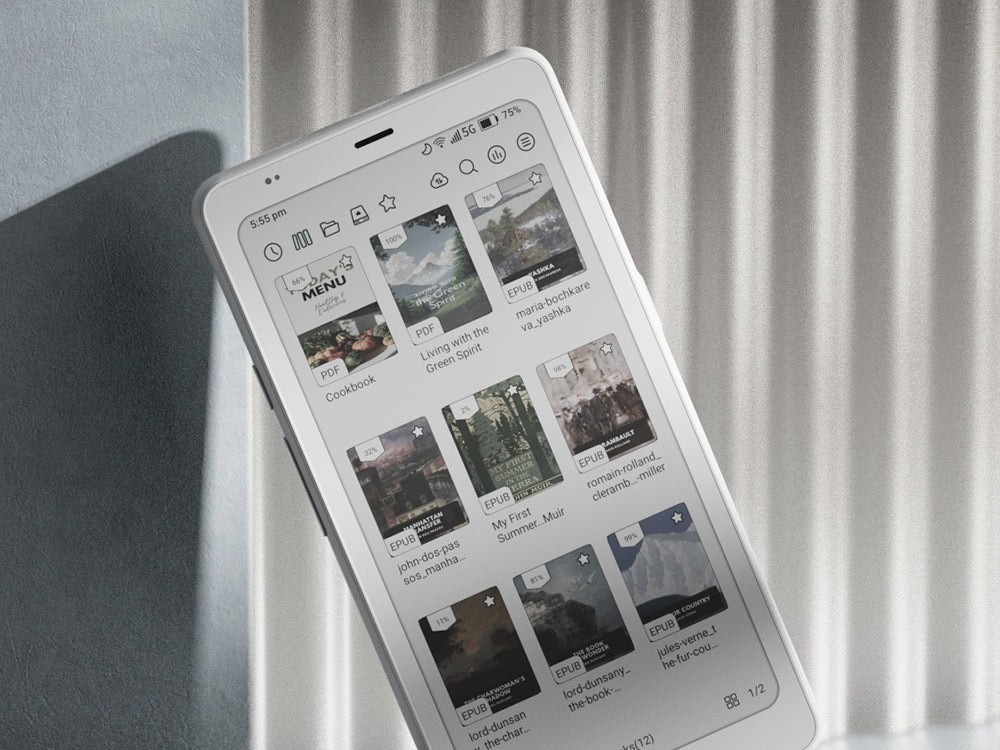
For readers who want the openness of Android in the smallest possible body, the Boox Palma 2 Pro packs a full Android experience and a Kaleido 3 color screen into a phone-sized device. Its SIM tray doubles as a microSD card slot for extra storage, and it supports the InkSense Plus stylus for quick highlights.
Why it wins here:
- Full Android and Google Play access in a phone-sized body
- Easy to carry everywhere, including a pocket or small bag
- Doubles as a distraction-light alternative to scrolling on a phone
Where it falls short:
- Too small and cramped for serious PDF or textbook reading
- Battery life is shorter than dedicated e-readers of similar size
Best for: Readers who want an always-with-them, phone-sized device that still runs full Android apps.
Check Latest Price of Boox Palma 2 Pro on Amazon
Best Kindle Alternative
Kobo Libra Colour — $219.99–$259.99
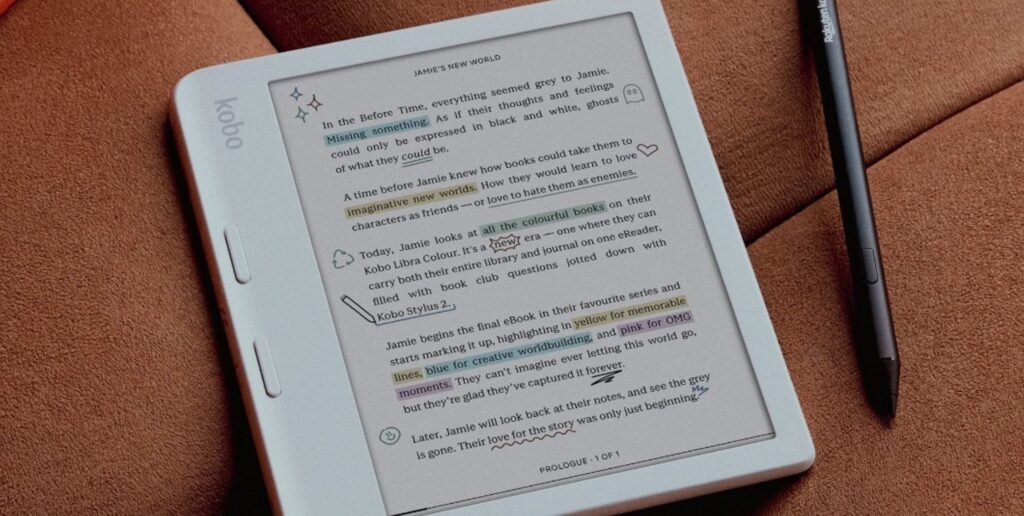
Kobo has spent years building a genuine alternative to Kindle hardware, and the Libra Colour is the clearest example. It matches the ergonomics Kindle owners already know, with physical page-turn buttons, while adding a 7-inch Kaleido 3 color screen, built-in library lending, and no advertising on the lock screen. An optional Kobo Stylus 2 adds handwriting support for readers who want it.
Why it wins here:
- Physical page-turn buttons feel familiar to long-time Kindle owners
- Library lending and Google Drive/Dropbox support built in
- No lock-screen ads, unlike the entry-level Kindle
Where it falls short:
- The stylus is a separate purchase, not included
- Kindle’s ebook selection and reading app remain larger and more polished
Best for: Kindle owners who want the same reading comfort with color, page buttons, and no advertising.
Check Latest Price of Kobo Libra Colour on Amazon
Best for Note-Taking While Reading
reMarkable Paper Pro Move — $449–$499
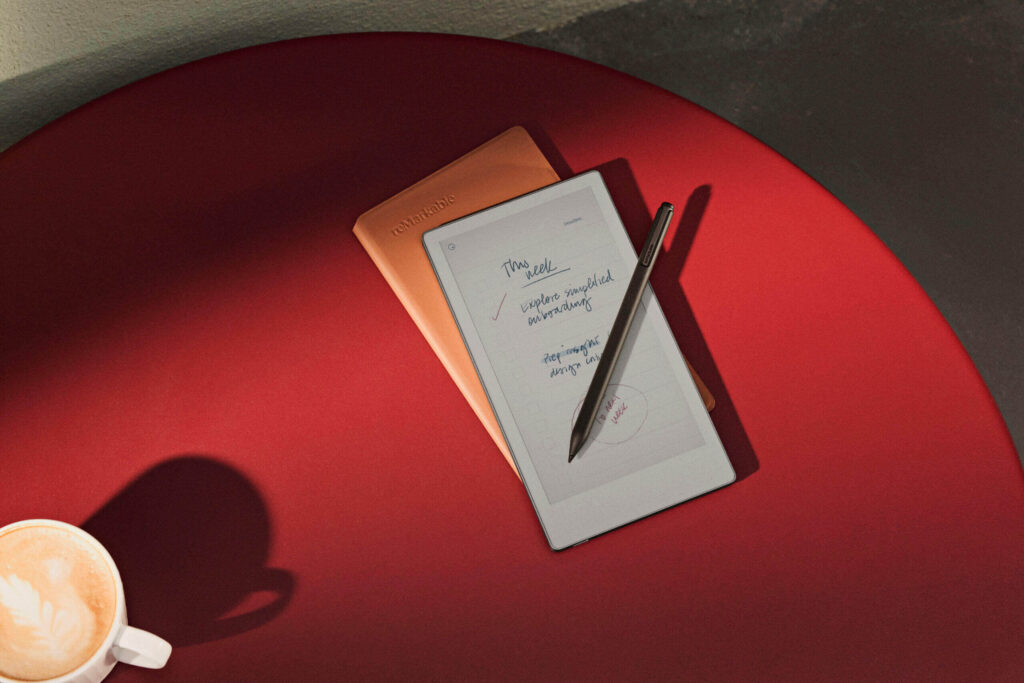
Taking notes directly on top of what you’re reading works best with a device built specifically for handwriting, and the reMarkable Paper Pro Move brings that experience into a pocketable 7.3-inch body. It uses the same Canvas Color panel and Codex software as the full-size Paper Pro, so switching between the two devices feels seamless for existing reMarkable owners.
Why it wins here:
- Same excellent writing latency as the full-size Paper Pro, in a smaller body
- Canvas Color panel adds richer color for annotated diagrams and sketches
- Roughly nine days of battery life with the front light off
Where it falls short:
- Smaller canvas makes full-page PDF annotation more cramped
- No apps, browser, or ebook store, same as the rest of the reMarkable lineup
Best for: Existing reMarkable users, or anyone who wants a pocket-sized companion built purely for handwritten notes.
Check Latest Price of reMarkable Paper Pro Move on Amazon
What Makes a Great Reading Tablet?
Display Technology
Most E Ink tablets use one of three underlying display families. Carta panels are monochrome and currently the sharpest option, topping out around 300 PPI on the latest generation (Carta 1300). Kaleido 3 adds a color filter layer on top of a Carta panel, which brings color to the screen but cuts the effective color resolution to roughly 150 PPI. Gallery-based color panels, marketed by reMarkable as Canvas Color, use a different pigment-based approach that produces richer, more natural color with a slightly more textured, printed look.
For text-heavy reading, monochrome Carta panels remain the sharpest choice. For manga, comics, and diagrams, Kaleido 3 and Gallery-based panels bring real value, with Gallery-based screens currently offering the more vivid color of the two.
Screen Size
- 7-inch to 7.8-inch: Best for portability and one-handed reading. Ideal for commuting readers and manga fans.
- 8-inch: A comfortable middle ground between portability and page space.
- 10.3-inch to 10.7-inch: The sweet spot for PDFs, textbooks, and note-taking without feeling oversized.
- 10.65-inch: Similar benefits to the 10.3-inch class, with a bit more room for split-screen work.
- 13.3-inch: Matches a real sheet of paper, ideal for engineering drawings, sheet music, and dense PDFs.
Resolution
Resolution is usually described in PPI, or pixels per inch. A 300 PPI monochrome screen renders text about as sharp as a printed paperback. Dropping to 227 PPI, as seen on the Kobo Elipsa 2E, still reads comfortably but shows slightly softer edges on small fonts. Color resolution on Kaleido 3 panels typically halves to around 150 PPI, which is why color text can look softer than color images on the same screen.
Frontlight
A good frontlight adjusts from cool white light for daytime reading to warm amber light for nighttime sessions, reducing blue light exposure before bed. Even brightness across the panel matters more than raw maximum brightness. Devices without a frontlight, like the Supernote Manta A5 X2, rely entirely on ambient room light.
Battery Life
Dedicated e-readers and writing-focused tablets from Kindle, Kobo, reMarkable, and Supernote typically last one to several weeks between charges. Android-powered tablets from Boox tend to drain faster, often landing in the range of several days to about two weeks, because background app processes keep drawing power even during idle time.
Weight
Lighter devices get picked up more often and put down less. Anything under about 400 grams tends to feel comfortable for long one-handed reading sessions, while devices over 500 grams start to feel more like a small laptop than a book.
Software
Three software approaches dominate this category. Android, used by Boox, gives full access to the Google Play Store and virtually any reading or note-taking app. Linux-based proprietary systems, used by Kindle, Kobo, reMarkable, and Supernote, trade flexibility for a simpler, more focused experience tailored to reading and writing. Readers who want maximum app flexibility should lean toward Android-based devices, while readers who want a calmer, distraction-free device should lean toward proprietary systems.
File Format Support
A genuinely useful reading tablet should open:
- EPUB – the standard format for most ebooks outside Amazon
- PDF – used for papers, manuals, and scanned documents
- MOBI and AZW3 – older and current Kindle-native formats
- CBZ and CBR – comic and manga archive formats
- DOCX – Word documents for reviewing drafts or contracts
- TXT and HTML – plain text and web-based content
Broad format support matters because it prevents a reader from being locked into a single bookstore or file type for the life of the device.
Annotation Features
Strong annotation tools typically include handwriting directly on the page, text highlighting, bookmarking, split-screen note-taking next to a PDF, and handwriting-to-text conversion for turning scribbled notes into searchable, typed text. The best implementations, found on devices like the Kindle Scribe and Boox Note Air 5C, let readers search their own handwriting later without retyping anything.
Best E Ink Tablet for Different Reading Scenarios
- Novels: Kobo Clara BW or Kobo Libra Colour, for compact, distraction-free reading
- Textbooks: Boox Note Max or Boox Tab Ultra C Pro, for large pages and annotation
- Academic papers: Supernote Manta A5 X2, for focused, distraction-free markup
- Legal documents: Boox Tab Ultra C Pro, for split-screen review and keyboard support
- Engineering PDFs: Boox Note Max, for the largest available page size
- Magazines: Boox Note Air 5C or Boox Tab Ultra C Pro, for color layouts
- Newspapers: Boox Go 10.3, for a large, affordable black-and-white page
- Comics: Boox Tab Ultra C Pro, for color depth and screen size
- Manga: Boox Go Color 7, for portability and app support
- Technical documentation: Kindle Scribe, for searchable handwritten notes across many documents
Screen Size Guide
Small (6–7 inches): Best for readers who want a pocketable device for novels, commuting, or manga on the go. Devices like the Kobo Clara Colour and Kobo Libra Colour fit this category well.
Medium (7.8–8 inches): A slightly larger canvas for readers who want a bit more page space without losing portability, such as the Supernote Nomad.
Large (10.3–10.7 inches): The most versatile size for PDFs, textbooks, and note-taking, covered by devices like the Boox Note Air 5C and Supernote Manta A5 X2.
Extra-large (13.3 inches): Best reserved for readers who regularly work with oversized PDFs, sheet music, or technical drawings, where the Boox Note Max excels.
E Ink Tablet vs. Kindle
| Category | E Ink Tablets | Kindle |
|---|---|---|
| Display | Often larger, sometimes color | Reliable, sharp, mostly monochrome |
| Software | Android or open Linux systems | Closed, Amazon-only ecosystem |
| Apps | Wide app support (Android models) | No third-party apps |
| Annotation | Full handwriting on most models | Handwriting only on Scribe models |
| PDF support | Strong, especially on larger screens | Basic, better on Scribe models |
| Speed | Varies by chip; flagship models are fast | Consistently smooth for reading |
| Note-taking | Core feature on most tablets | Limited to Scribe line |
| Flexibility | High, especially with Android | Low, but very polished |
| Battery | Days to weeks, depending on OS | Weeks on standard Kindles |
| Price | $150 to $650+ | $99 to $629.99 |
A standard Kindle remains the simpler, more polished choice for readers who only want ebooks and nothing else. An E Ink tablet makes more sense for anyone who also wants PDFs, notes, library apps, or a larger, more flexible display.
E Ink Tablet vs. iPad
E Ink tablets and iPads solve different problems, even though both can display a book. On eye comfort, E Ink wins clearly, since it reflects light rather than emitting it. On outdoor readability, E Ink also wins, since its matte, reflective screen stays visible even in direct sunlight, while an iPad’s glossy display washes out.
On battery life, E Ink tablets last days to weeks, while an iPad typically needs charging every day or two with regular use. On reading experience, an E Ink screen feels calmer and less fatiguing over a long session. On distractions, an iPad’s access to social media, video, and games makes it far easier to lose focus mid-chapter. On multitasking, the iPad is the clear winner, handling video calls, spreadsheets, and creative apps in ways no E Ink tablet can match.
Readers who want a distraction-light, eye-friendly reading and note-taking device should choose an E Ink tablet. Readers who want one device for everything, including entertainment and full productivity, should stick with an iPad or similar tablet.
Common Mistakes Buyers Make
- Buying solely based on screen size. A bigger screen means nothing if the software is slow or the ecosystem doesn’t support the reader’s favorite bookstore.
- Ignoring software support. A device that stops receiving updates after a year can fall behind quickly, especially Android-based models.
- Choosing color when monochrome would be better. Color adds cost and slightly softer text for readers who mainly read novels or plain-text documents.
- Overlooking PDF performance. Some devices technically open PDFs but render them slowly or without proper reflow, making long documents frustrating.
- Ignoring weight. A tablet that feels heavy after 20 minutes will get used less, no matter how impressive its specs look on paper.
- Paying for note-taking features they will never use. Note-taking flagships cost significantly more than pure reading devices, and that premium is wasted on someone who never plans to write on the screen.
Frequently Asked Questions
Are E Ink tablets better than Kindles? It depends on the need. E Ink tablets offer more flexibility, larger screens, and stronger note-taking, while Kindles offer a simpler, more polished reading experience at a lower price.
Can I read Kindle books on an E Ink tablet? Yes, on Android-based tablets like Boox devices, since the Kindle app can be installed directly from the Google Play Store.
Are color E Ink displays worth it? Color is worth it for manga, comics, and illustrated content. For novels and plain text, monochrome remains sharper and often cheaper.
Which size is best? Most readers do well with a 7 to 8-inch screen for novels, while PDFs and note-taking benefit from a 10.3-inch or larger display.
Can I install Android apps on an E Ink tablet? Only on Android-based devices, such as those made by Boox. Kindle, Kobo, reMarkable, and Supernote use closed or proprietary systems instead.
Are E Ink tablets good for PDFs? Yes, especially larger models like the Boox Note Max and Boox Tab Ultra C Pro, which give PDFs enough room to stay readable without constant zooming.
Can E Ink tablets replace an iPad? Only partially. They excel at reading and note-taking but cannot match an iPad for video, multitasking, or general productivity.
Do E Ink tablets support library books? Many do. Kobo devices connect natively to OverDrive and Libby, and Android-based tablets can install the Libby app directly.
Are E Ink tablets good for students? Yes. Devices like the Kobo Elipsa 2E and Kindle Scribe combine textbook reading, PDF annotation, and handwritten notes in one device.
Which device has the best battery life? Dedicated readers and writing tablets, such as the Supernote Manta A5 X2 and standard Kindle Scribe, typically outlast Android-based Boox tablets.
Can I read comics on an E Ink tablet? Yes, especially on color models like the Boox Tab Ultra C Pro and Boox Go Color 7, both of which support CBR and CBZ files directly.
Which one is best for eye strain? Any E Ink tablet helps compared to an LCD or OLED screen, since none of them emit light directly at the reader’s eyes.
Are E Ink tablets waterproof? Some are. Kobo’s Clara and Libra lines carry waterproof ratings, while most Boox, Supernote, and reMarkable devices do not.
How long do E Ink tablets last? With normal care, most E Ink tablets remain usable for four to six years, and modular devices like the Supernote line can last even longer thanks to replaceable parts.
Can I highlight and annotate books on these devices? Yes, on nearly every device in this guide, though the depth of annotation tools varies by manufacturer and software.
Do E Ink tablets support magazines and newspapers? Yes, particularly color models, which render magazine layouts and photos more clearly than monochrome screens.
Can I take notes while reading a PDF? Yes. Devices like the Kindle Scribe, Boox Note Air 5C, and Supernote Manta A5 X2 all support writing directly over an open PDF.
Do E Ink tablets need a case? A case is recommended for any device without a built-in cover, since E Ink panels can crack under pressure more easily than typical LCD glass.
Is a stylus always included? Not always. Some devices, like the Kindle Scribe and Kobo Elipsa 2E, include a pen, while others, like the Kobo Libra Colour, sell it separately.
Which brand offers the best long-term software support? Kindle and Kobo have the strongest track record for multi-year software updates, while Boox, reMarkable, and Supernote have improved significantly in recent years.
Final Verdict
There is no single best E Ink tablet for reading that fits every person, but there is a clear best choice for every type of reader.
- Best overall: Boox Note Air 5C
- Best value: Boox Go 10.3 (Gen II)
- Best premium: reMarkable Paper Pro
- Best student choice: Kobo Elipsa 2E
- Best PDF reader: Boox Tab Ultra C Pro
- Best comic reader: Boox Tab Ultra C Pro
- Best color device: Kindle Scribe Colorsoft
- Best large-screen device: Boox Note Max
- Best compact device: Supernote Nomad (A6 X2)
The right E Ink tablet ultimately comes down to how someone actually reads, not just what looks impressive on a spec sheet. A reader who lives in novels needs something different than a researcher buried in PDFs, and a manga fan has different priorities than a law student annotating contracts. Budget, preferred content, and whether note-taking or Android app support actually matter in daily use should guide the final decision more than any single rating or review.