
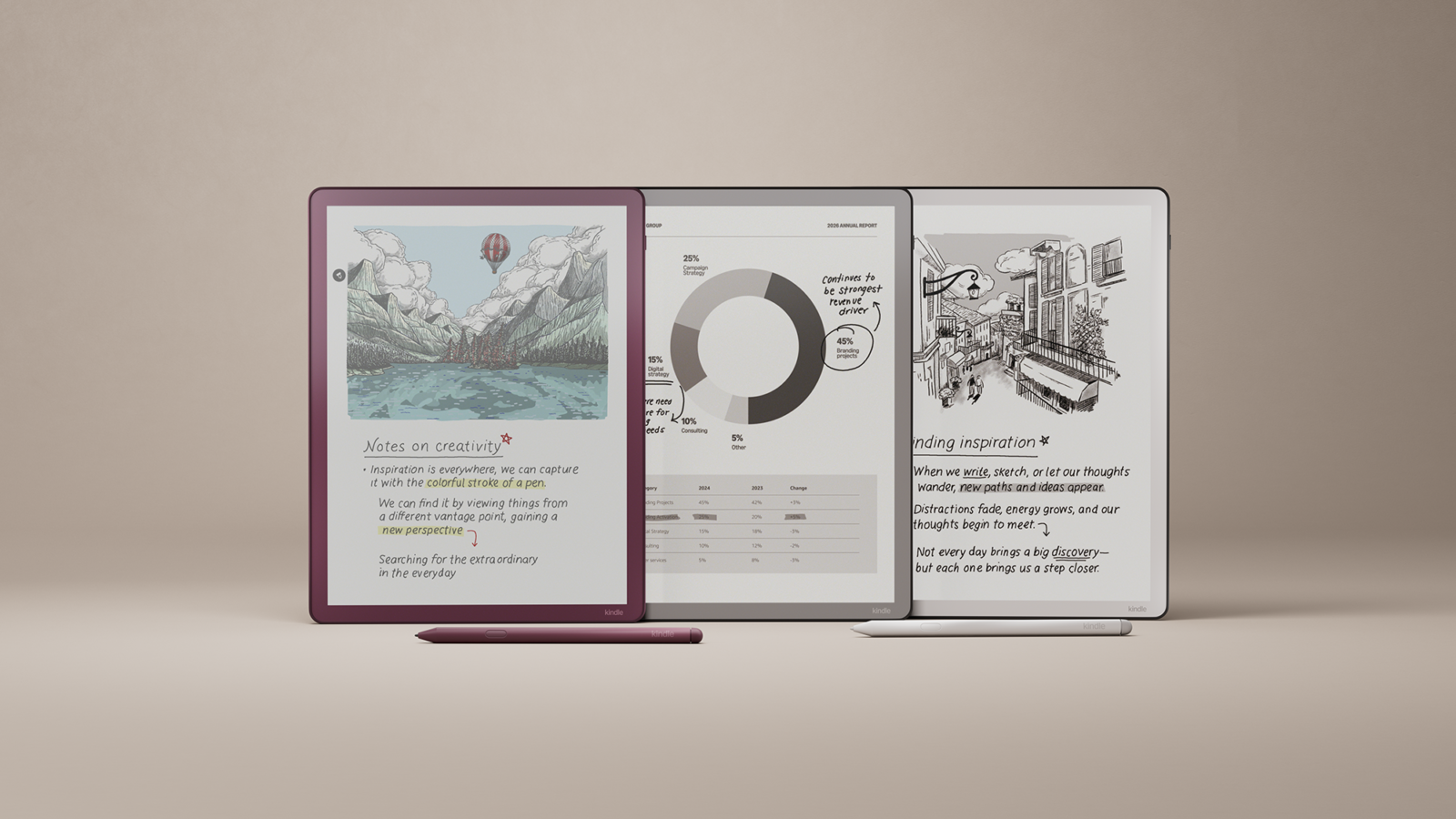
Technology moves fast, but not every upgrade is worth chasing. Some of the best E Ink tablets released in 2025 remain just as valuable in 2026—offering paper‑like comfort, distraction‑free focus, and reliable note‑taking without the eye strain of traditional screens. If you’re wondering whether last year’s models can still compete with the latest releases, this guide shows why they may be the smarter buy today.
Disclosure: This article contains affiliate links. If you buy through these links, I may earn a small commission at no extra cost to you. This helps support Einkopedia and allows us to continue publishing honest, in-depth reviews and guides. Here is how it works
If you want the closest thing to ‘paper’ for reading and writing, E-Ink tablets are among the most exciting categories to watch in 2026. What started as simple e-readers has now evolved into powerful digital tools — from distraction-free writing devices to full Android-powered productivity machines.
Quick tip: Prices and availability change frequently, so always check the latest deals before buying.
Quick Recommendations
- 👉 Best overall: Kindle Scribe
- 👉 Best for writing: reMarkable 2
- 👉 Best for productivity: Boox Note Air3
- 👉 Best budget option: TCL Nxtpaper
Why this guide?
E-Ink tablets (sometimes called ‘digital paper’ or ‘e-paper tablets’) combine matt, paper-like displays with stylus input so you can read long-form content comfortably and take notes by hand. In 2025, the category expanded in two important directions:
- Premium, distraction-free note devices that focus on writing feel and minimal software friction (reMarkable lineage).
- Versatile Android E-Ink tablets that run apps, support more file types, and offer better hardware flexibility (Onyx Boox family).
Additionally, late-2025 saw major updates from Amazon (a refreshed Kindle Scribe line, now including a color Scribe – Scribe Colorsoft – for the first time) and increased interest in matte ‘paper-like’ LCD alternatives (e.g., TCL Nxtpaper) that compete for budget-minded readers. Here is a compilation of the best E Ink tablets of 2025.
Looking for the latest models? Check out our updated 2026 guide here.
At a glance — Quick comparison table
| Best for / Device | Screen | Stylus | OS / Apps | Battery | Buy Now |
| Best all-round / Kindle Scribe (2025) | 11″ (grayscale + Colorsoft options) | Yes (improved pen) | Kindle OS (Amazon) | Multi-day to weeks (depends on color model) | View Deal |
| Best note-taking minimalist / reMarkable 2 | 10.3″ monochrome | Yes (Marker) | reMarkable OS | Up to ~2 weeks | View Deal |
| Best power user / Onyx Boox Note Air3 | 10.3″ (Carta / high refresh) | Yes; advanced | Android (third-party apps) | Good — single charge, varies with use | View Deal |
| Best budget / TCL Nxtpaper & matte LCDs | 8–11″ (matte LCD / Nxtpaper) | Some models support stylus | Android | Multi-day (but less than E-Ink) | View Deal |
(Prices and availability can vary by region)
Top picks — who each is for
1) Kindle Scribe (2025 lineup) — Best polished reading + note experience
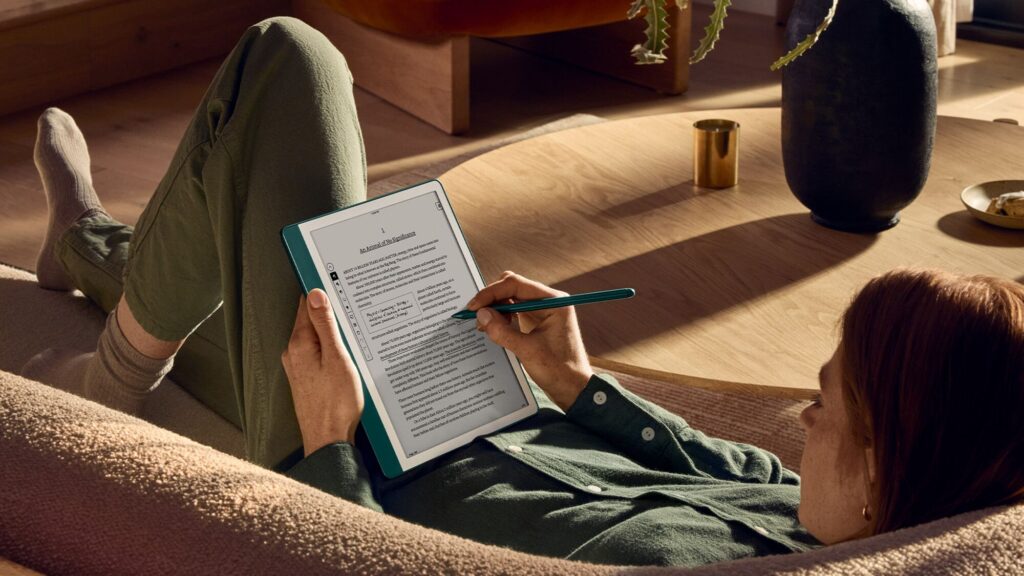
Amazon refreshed the new Kindle Scribe line in late 2025 (new thinner/lighter hardware and a Colorsoft Scribe option that brings color writing/reading), along with improved software features such as Workspaces, better cloud integration, and LLM-assisted search. If you live in the Amazon ecosystem, want great reading features plus handwriting, and value polished integration (Kindle store, notes-to-cloud), the Scribe family is now the most comprehensive mainstream offering and among the best E Ink tablets of 2025.
Pros:
- Excellent reading experience
- Tight Kindle integration
- New color option (for those who want it)
Cons:
- Amazon ecosystem can be limiting if you prefer open formats
- Color model is costlier
2) reMarkable 2 — Best minimalist writing experience
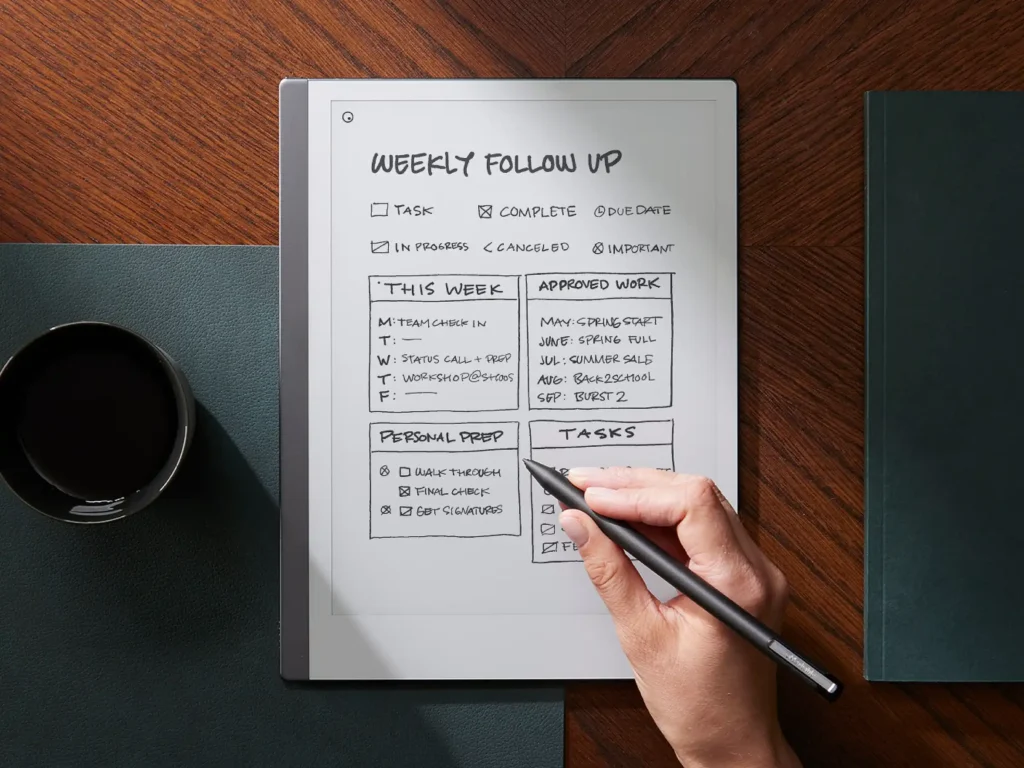
reMarkable focuses on the tactile writing experience and a paper-like feel. The software emphasizes notes, sketching, and document markup with a clean, distraction-free UX. If your priority is handwriting, low friction, and a premium pen feel, reMarkable remains the benchmark.
Pros:
- Superb pen latency/feel
- Thin and light design
- Great for academics and writers
Cons:
- Limited apps and ecosystem compared with Android-based E-Ink tablets
3) Onyx Boox Note Air3 (and siblings) — Best for power users and app flexibility
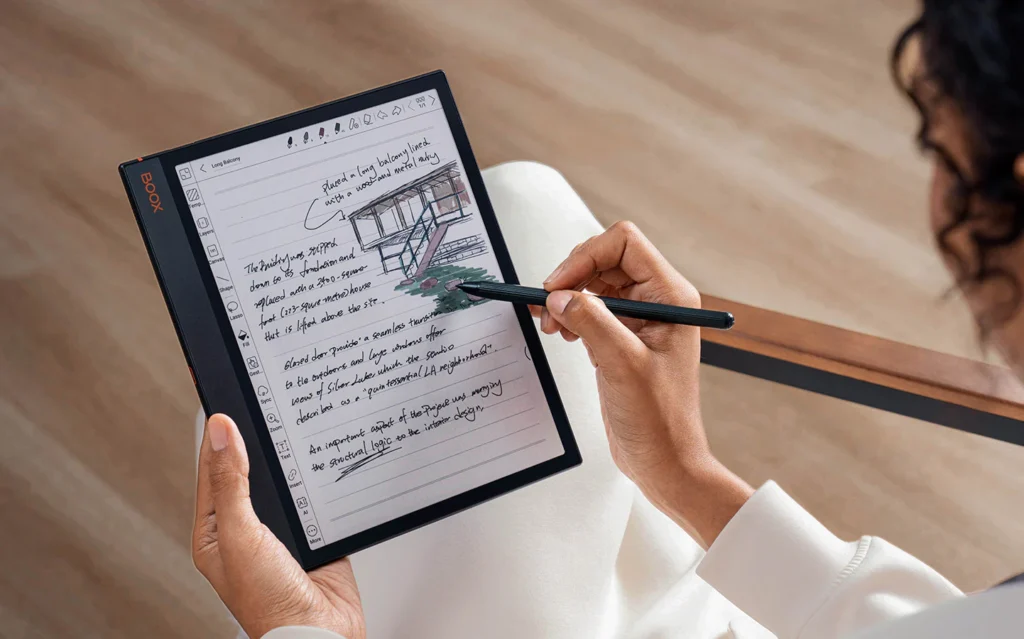
Onyx Boox devices run Android and allow third-party apps (PDF tools, note apps, even limited web browsing). The Note Air3 blends solid E-Ink hardware with the flexibility of Android, making it ideal for users who need advanced document workflows. Reviews praise the performance and feature set, though the learning curve and software complexity can be higher.
Pros:
- Flexible
- Powerful
- Supports many formats and apps
Cons:
- More complex UI
- Some readers report text rendering quirks versus pure e-reader displays.
4) TCL Nxtpaper / Matte LCD alternatives — Best budget-minded “paper feel” option
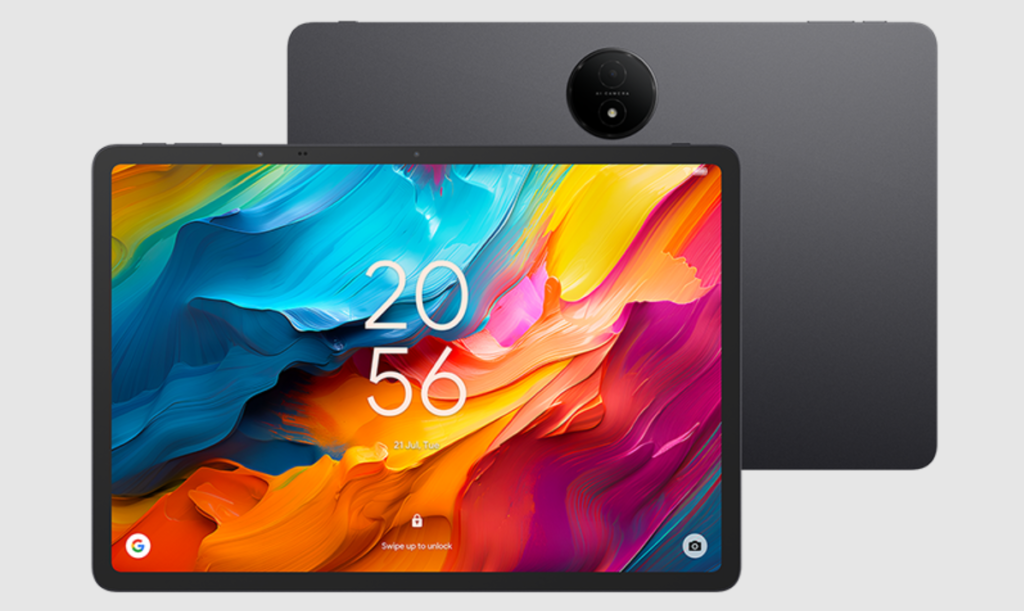
TCL’s Nxtpaper tablets and similar matte-LCD devices trade the long battery life of E-Ink for lower costs and full-color displays while offering a paper-like surface that reduces glare and blue light. These are great if you want a comfortable reading surface on a budget. A major positive is the high refresh rate, which makes it ideal for multimedia use. They’re not true E-Ink, but their price and color capability make them compelling alternatives.
Pros:
- Low price
- Color
- High refresh rate
- Runs full Android apps
Cons:
- Battery life and eye comfort don’t match E-Ink
- Experience differs from true e-paper
Buying guide — pick the right device for your use case
Screen size
- 7–8″ — Portable, great for one-hand reading.
- 10–11″ — The sweet spot for PDF reading and comfortable handwriting. Many e-paper note devices use ~10.3–11″.
- 13″+ — For designers, heavy PDF workflows, and landscape reading.
Writing & stylus
- If handwriting quality is the top priority, pen latency and the feel of the glass matter more than raw specs. reMarkable and many Boox devices invest heavily in pen tech.
Ecosystem & file compatibility
- Closed / Store-centric (Kindle): Great reading experience, easy purchase/management, limited native EPUB support without conversion.
- Open / Android (Boox): Supports many apps and file types — better for complex workflows.
Battery life
- True E-Ink devices can last days to weeks depending on brightness and use. Color or LCD devices generally require much more frequent charging.
Budget tiers
- Budget (~$150–$300): Nxtpaper/matte LCD tablets, older or smaller E-Ink models.
- Midrange (~$300–$500): Many Onyx Boox 10.3″ devices, reMarkable entry price points.
- Premium (~$500+): Larger E-Ink devices, color E-Ink models, or large-format Boox Max/Lumi devices.
Short buying recommendations
- For most people who read & annotate: Kindle Scribe (2025) — best integrated reading + note experience, now with a color option for those who need it.
- For writers and note purists: reMarkable 2 — best paper-like pen experience.
- For power users who want apps: Onyx Boox Note Air3 (or other Boox models) — Android + E-Ink flexibility.
- For budget / color + reading: TCL Nxtpaper (and similar matte LCDs) — low cost and usable “paper” feel.
Why E Ink Tablets Are Better Than Ever in 2026
E Ink tablets (also called digital paper devices) combine:
- Paper-like displays
- Stylus-based handwriting
- Extremely long battery life
In 2026, the category has matured in three major ways:
Better performance & smoother experience: Newer devices feel faster, with improved refresh rates and reduced lag.
Color E Ink is finally usable: Color displays are no longer experimental — they’re now practical for:
- PDFs
- Comics
- Note highlighting
Clear segmentation (good for buyers): You now have three distinct choices:
- ✍️ Minimalist writing devices
- 📱 Android-based flexible tablets
- 🎨 Color & budget alternatives
FAQs
Q — Are color E-Ink tablets worth it?
Color E-Ink is useful for magazines, comics, or textbooks where color matters. In 2025, color options (including Kindle’s Colorsoft variant) make the space more interesting, but color models are pricier and may trade off battery life or color fidelity compared with monochrome devices.
Q — Can I read PDFs well on E-Ink tablets?
Yes — larger E-Ink tablets (10.3″ and above) are especially good for PDFs. If you read a lot of PDFs, prioritize screen size, annotation tools, and good PDF software (Onyx Boox is strong here).
Q — Are E-Ink tablets better than iPads for reading?
For long reading sessions and eye comfort, yes — E-Ink wins. For multimedia, app variety, and color/refresh speed, an iPad is better. Choose the tool that matches the use case.
FAQs (Updated for 2026)
❓ Are color E Ink tablets worth it now?
Yes — especially for:
- Comics
- Study materials
- Annotated PDFs
But they are still:
- More expensive
- Slightly less sharp than black & white
❓ Are E Ink tablets better than iPads?
- For reading & writing → YES
- For apps & media → NO
Choose based on your use case.
❓ Are older 2024–2025 models still worth buying?
👉 Yes — especially if:
- You want to save money. They often sell for a discount.
- Core display technology hasn’t changed much from last year.
- You don’t need the latest features
Final Verdict — Should You Buy an E Ink Tablet in 2026?
E Ink tablets are no longer niche devices.
In 2026, they are:
- More powerful
- More versatile
- More accessible than ever
If you value:
- Eye comfort
- Focus
- Paper-like writing
👉 Then an E Ink tablet is absolutely worth it.

First off I would like to say great blog! I had a quick question in which I’d like to ask if you
don’t mind. I was interested to find out how
you center yourself and clear your head prior to writing.
I have had difficulty clearing my thoughts in getting my thoughts out.
I do take pleasure in writing however it
just seems like the first 10 to 15 minutes tend to be lost just trying to figure
out how to begin. Any ideas or tips? Thank you!
I am not sure where you are getting your info, but good topic.
I needs to spend some time learning more or understanding more.
Thanks for great info I was looking for this information for my mission.
What’s up to all, how is all, I think every one is getting more
from this web site, and your views are pleasant in favor of new viewers.
I am really loving the theme/design of your site. Do you ever run into any browser compatibility problems?
A handful of my blog visitors have complained about my site not operating correctly in Explorer but
looks great in Opera. Do you have any suggestions to help fix this issue?
Heya just wanted to give you a brief heads up and let you know a
few of the images aren’t loading properly. I’m not sure why but I think its a linking issue.
I’ve tried it in two different web browsers and both show the same outcome.