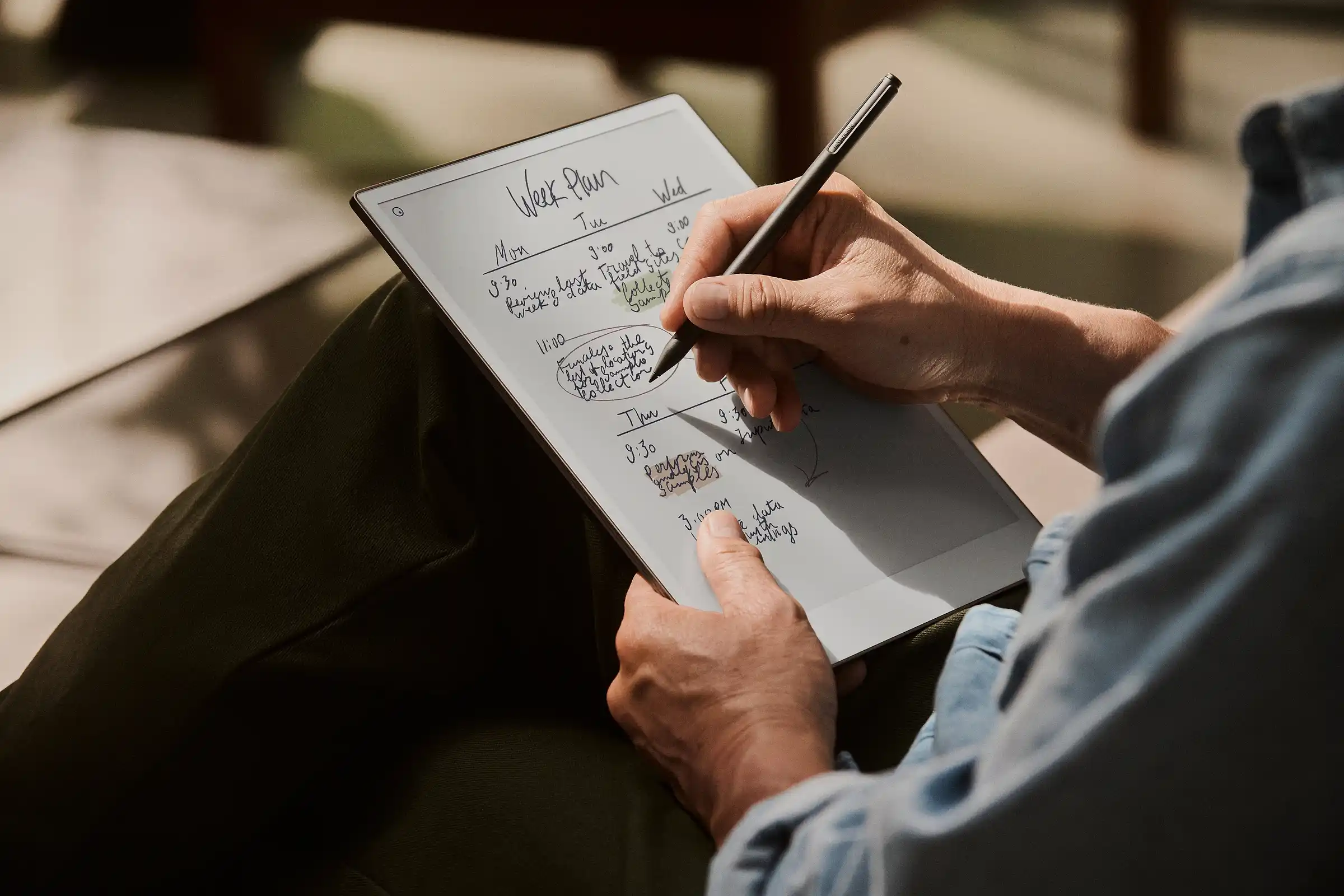
Picture this: you’re cramming for finals. On an iPad, you’re juggling lecture videos, coding apps, and endless notifications. On an E Ink tablet, the screen feels like paper, the distractions fade, and your notes flow naturally. Two devices, two study worlds—which one helps you learn better?
Disclosure: This article contains affiliate links. If you buy through these links, I may earn a small commission at no extra cost to you. This helps support Einkopedia and allows us to continue publishing honest, in-depth reviews and guides. Here is how it works
Both iPads and E Ink tablets can be excellent learning tools for students. However, the right choice depends heavily on how you study, what subjects you pursue, and the kind of learning environment you prefer.
This is no longer a simple “tablet vs e-reader” debate.
In 2026, iPads are powerful enough to replace laptops for many students, while modern E Ink tablets like the reMarkable Paper Pro, BOOX Note Air4 C, and Kindle Scribe now support advanced handwriting, PDF annotation, cloud syncing, and distraction-free studying.
The real question is not “Which is better?” but rather:
Which device helps you study better?
For some students, the iPad is the ultimate all-in-one academic machine. For others, an E Ink tablet creates a calmer and more focused study environment that improves concentration and reading endurance.
This guide compares the real-world student experience of using both devices in 2026.
iPad vs E Ink Tablet: The Core Difference
At the most basic level:
- An iPad is a full-featured tablet computer built for productivity, multitasking, entertainment, and creative work.
- An E Ink tablet is a digital notebook device with a paper-like display and is designed primarily for reading, handwriting, annotation, and focused study.
That difference affects nearly every part of the experience:
- battery life
- eye comfort
- distractions
- handwriting feel
- multitasking
- app support
- reading endurance
An iPad tries to do everything.
An E Ink tablet intentionally does less.
For many students, that trade-off – iPad vs E Ink Tablet for Students – matters more than raw specifications.
Quick Verdict for Students
| Student Type | Better Choice |
| Engineering, medical, or computer science students | iPad |
| Students needing multitasking and productivity apps | iPad |
| Students replacing a laptop | iPad |
| Students focused on reading and handwritten notes | E Ink tablet |
| Students easily distracted by social media | E Ink tablet |
| Students with eye strain or migraines | E Ink tablet |
| Creative students (design, animation, media) | iPad |
| Students wanting entertainment + academics on one device | iPad |
| Deep readers and heavy annotators | E Ink tablet |
| Students wanting the closest experience to paper notebooks | E Ink tablet |
In simple terms:
- The iPad is the more versatile device
- The E Ink tablet is the more focused device
The better option for you depends largely on your study habits.
Popular Student Devices in 2026
iPad Air M3 (13-inch)
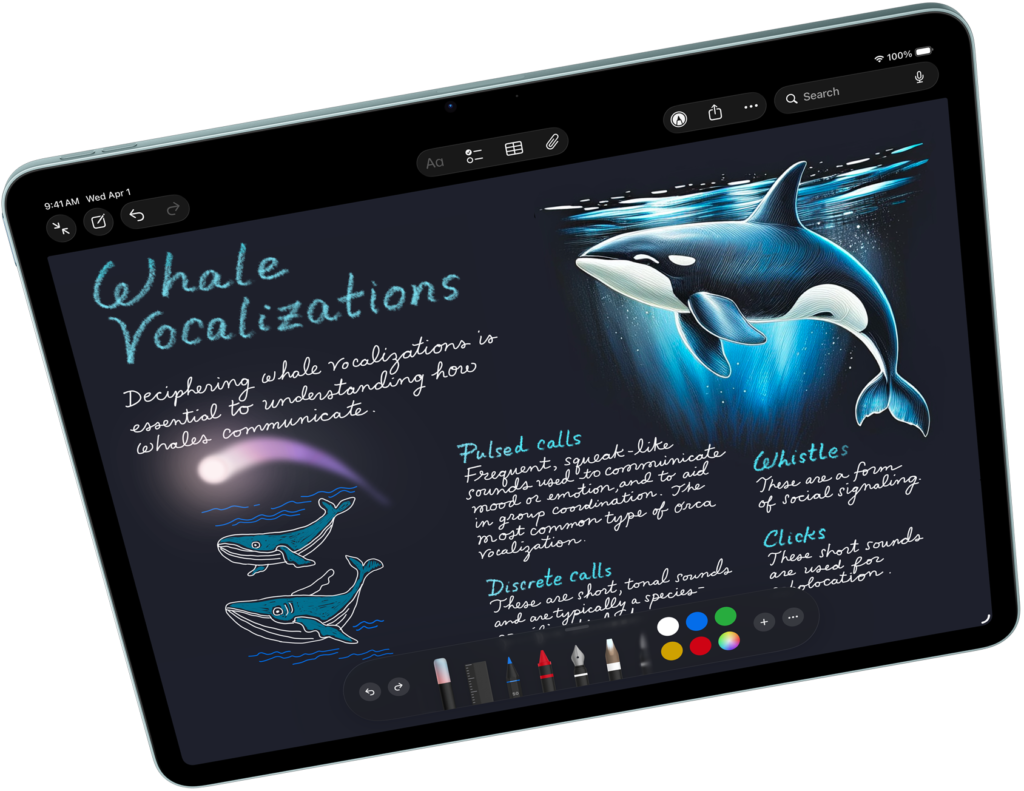
A powerful all-purpose student tablet with excellent multitasking, Apple Pencil support, and long-term software support.
Best for:
- productivity
- multitasking
- creative work
- video-based learning
Check Latest Price of 2025 Apple iPad Air with Apple M3 Chip (13-inch) on Amazon
reMarkable Paper Pro
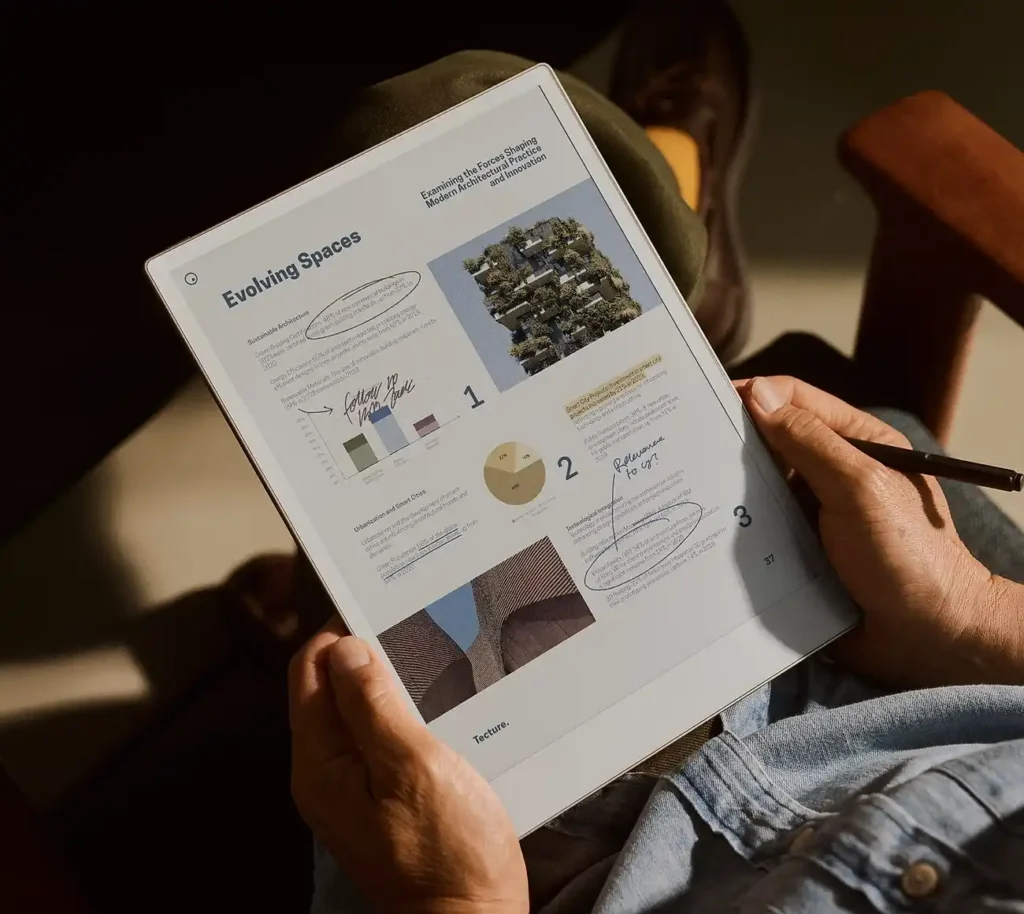
Offers the most paper-like digital writing experiences available today.
Best for:
- distraction-free note-taking
- handwriting
- reading and annotation
Check Latest Price of reMarkable Paper Pro Bundle on Amazon
BOOX Note Air4 C
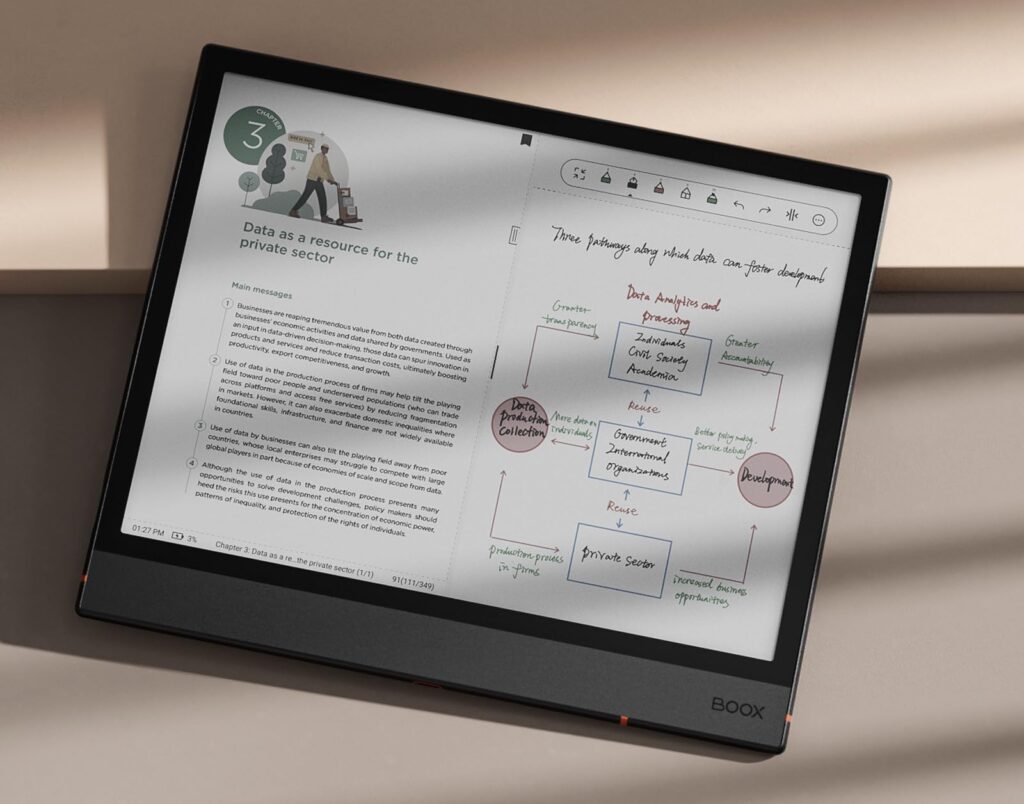
An Android-powered E Ink tablet that combines E Ink readability with broader app support.
Best for:
- hybrid workflows
- PDF-heavy study
- students wanting E Ink with more flexibility
Check Latest Price of BOOX Note Air 4C on Amazon
Kindle Scribe
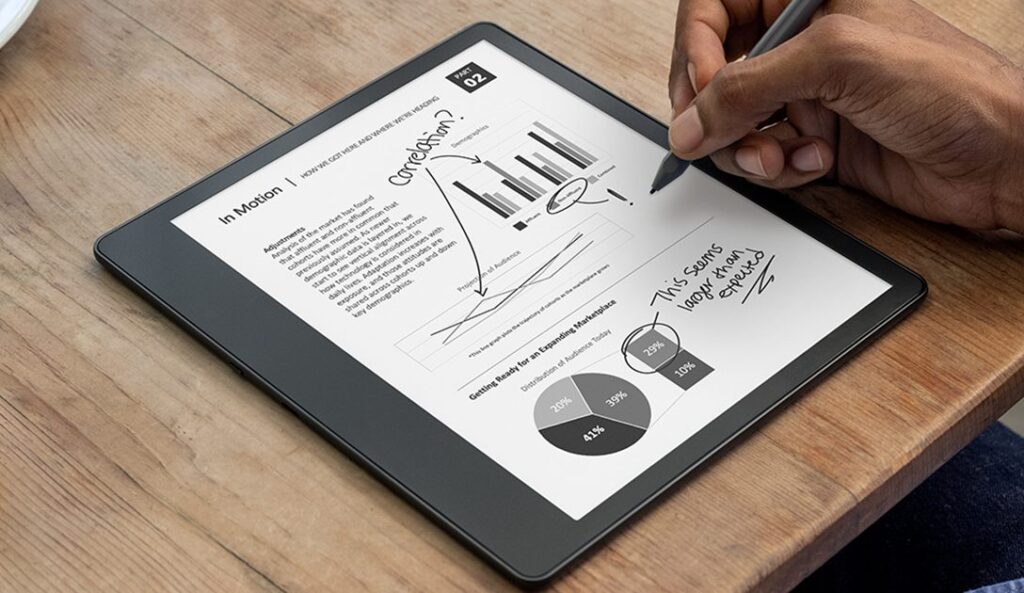
A reading-first E Ink device with basic note-taking support.
Best for:
- textbook reading
- highlighting
- casual handwritten notes
Check Latest Price of Kindle Scribe on Amazon
Comparison Table
| Feature | iPad Air M3 (13-inch) | reMarkable Paper Pro | BOOX Note Air4 C | Kindle Scribe |
| Display Type | LCD / Retina | Color E Ink | Color E Ink | E Ink |
| Eye Comfort | Moderate | Excellent | Excellent | Excellent |
| Writing Feel | Smooth glass | Closest to paper | Paper-like | Paper-like |
| App Support | Excellent | Very limited | Android apps | Limited |
| Multitasking | Excellent | Minimal | Moderate | Minimal |
| Battery Life | 1–2 days | ~2 weeks | ~1 week | ~3 weeks |
| PDF Reading | Excellent | Excellent | Excellent | Good |
| Video Lectures | Excellent | Poor | Limited | Poor |
| Distraction Level | High | Very low | Medium | Very low |
| Entertainment | Excellent | None | Limited | None |
| Handwriting Performance | Excellent | Exceptional | Good | Good |
| Best For | All-purpose students | Deep focus note-taking | Hybrid workflows | Reading-heavy study |
| Price Category | Premium | Premium | Premium-mid | Mid-range |
The Biggest Difference: Study Environment
The thing to keep in mind here is that the real battle is not hardware. The more important difference is cognitive environment.
Why Many Students Prefer iPads
The iPad is one of the most versatile academic devices available. It has a lot going for it.
Productivity & Multitasking
The iPad handles complex student workflows extremely well.
Students can:
- attend Zoom or Teams classes
- use split-screen multitasking
- edit documents while researching
- create presentations
- collaborate in real time
For many students, the iPad can function as a lightweight laptop replacement.
Note-Taking & Study Tools
Combined with the Apple Pencil, the iPad offers an excellent digital note-taking experience.
Apps like GoodNotes, Notability, and OneNote support:
- handwritten notes
- PDF annotation
- handwriting search
- audio recording sync
- cloud backup
- AI-assisted organization
This is especially useful for students managing large volumes of lecture notes and research material.
Multimedia & Technical Learning
The iPad is particularly strong for multimedia-heavy learning.
Students can:
- watch tutorials and recorded lectures
- review color diagrams and illustrations
- run coding apps and technical software
- use AI-powered study tools
- access digital textbooks and journals
This makes the iPad especially valuable for fields like:
- medicine
- engineering
- architecture
- business
- computer science
Creative Work
Unlike most E Ink tablets, the iPad also supports creative applications such as:
- illustration
- video editing
- music production
- graphic design
The Biggest iPad Weakness
The iPad’s biggest strength is also its biggest weakness. The same device used for studying also provides:
- social media
- gaming
- messaging
- endless notifications
- Netflix screen
- YouTube machine
So, what is evident is that having productivity apps alone do not solve distraction problems. For students who struggle with distractions, this can negatively affect focus and long-form reading.
This is where E Ink tablets shine.
Why E Ink Tablets Feel Different
E Ink devices are intentionally slower, calmer, and simpler.
Many students describe them as:
- calmer
- less distracting
- easier on concentration
- more comfortable for long reading sessions
As many students have expressed on Reddit, the reduced visual stimulation can make a meaningful difference during extended study sessions.
This is one reason E Ink devices have become increasingly popular among graduate students, researchers, and heavy readers.
Eye Strain and Reading Comfort
If you study for many hours every day, display technology matters.
iPad Displays
iPads use traditional display technologies such as LCD, mini-LED, or OLED.
These displays are bright, colorful, and excellent for video and multimedia.
However, some students experience:
- eye fatigue
- dry eyes
- headaches
- visual overstimulation
- Sleep disruption during late-night use
Not every student experiences this equally, but long reading sessions on bright screens can become tiring.
E Ink Displays
E Ink displays mimic paper more closely than traditional screens.
They:
- have markedly reduced glare, given that they lack backlight
- have slow screen refresh rates
- feel more natural for long reading sessions
For students whose workflow revolves around:
- reading textbooks
- reviewing PDFs
- annotating research papers
- handwriting notes
E Ink can feel substantially more comfortable over long periods.
Handwriting Experience
iPad Writing Experience
The Apple Pencil is extremely responsive and precise.
Advantages include:
- low latency
- excellent palm rejection
- pressure sensitivity
- fast ink rendering
However, many students still find the glass surface less natural than paper.
E Ink Writing Experience
Modern E Ink tablets use textured surfaces and stylus tips designed to mimic paper.
Devices like the reMarkable Paper Pro offer one of the closest digital approximations to handwriting on paper currently available.
For students who handwrite extensively, this tactile difference matters.
Reading Academic PDFs
Where the iPad Excels
The iPad performs exceptionally well with:
- fast scrolling
- zooming
- split-screen reference work
- color diagrams
- complex textbooks
Students studying subjects like:
- medicine
- engineering
- architecture
- design
will generally benefit more from the iPad’s display and processing power.
Where E Ink Excels
E Ink devices are often better for:
- long reading sessions
- annotation-heavy workflows
- reviewing dense academic papers
- distraction-free reading
However, E Ink devices still have limitations:
- slower refresh rates
- less fluid zooming
- weaker color reproduction
BOOX devices narrow this gap considerably thanks to Android app support and stronger PDF tools.
Battery Life
Battery life is one of the clearest advantages of E Ink devices.
iPad
Most students can expect roughly one to two days of use, depending on workload.
Heavy multitasking, video streaming, and continuous note-taking drain the battery relatively quickly.
E Ink Tablets
Most E Ink tablets last between one and three weeks on a single full charge.
Battery life varies depending on:
- PDF usage
- front-light usage
- Wi-Fi connectivity
- annotation frequency
- color rendering
For students spending long days in libraries or classrooms, this can be surprisingly valuable.
App Ecosystem
This is one area where the iPad clearly dominates.
Students gain access to:
- GoodNotes
- Notability
- OneNote
- Obsidian
- Zoom
- Microsoft Office
- coding tools
- AI study apps
- creative software
E Ink tablets are improving, especially Android-based BOOX devices, but they remain more limited overall.
Not All E Ink Tablets Are the Same
reMarkable: Focus First
The reMarkable philosophy is simplicity.
Strengths:
- exceptional writing feel
- minimal distractions
- clean interface
- focused workflow
Weaknesses:
- limited app ecosystem
- reduced flexibility
- premium pricing
Best for:
- note-taking
- reading
- focused academic work
BOOX: Flexible E Ink
BOOX tablets are basically Android-powered E Ink computers.
Strengths:
- app support
- multitasking
- flexible workflows
- strong PDF handling
Weaknesses:
- more technical interface
- less polished experience
- shorter battery life than simpler E Ink devices
Best for students wanting E Ink benefits without sacrificing too much functionality.
Kindle Scribe: Reading First
The Kindle Scribe works best as a reading-focused E Ink device with basic note-taking. Think of it as a Kindle with note-taking functionality.
Best suited for:
- textbook reading
- highlighting
- casual note-taking
Less suited for:
- advanced organization
- productivity-heavy workflows
- multitasking
Performance and Responsiveness
iPads still feel dramatically faster than E Ink devices.
They are:
- fluid
- responsive
- instant
E Ink devices, even modern ones, still experience:
- ghosting
- slower refresh rates
- occasional lag
- slower navigation
Students sensitive to interface speed may find E Ink frustrating.
Which Device Fits Different Majors?
Medical Students
Usually better served by an iPad.
Reasons include:
- anatomy apps
- video lectures
- flashcards
- color diagrams
- multitasking
Law Students
E Ink devices are often excellent for:
- case reading
- annotation
- long reading sessions
Literature & Humanities Students
E Ink tablets work particularly well for:
- essay planning
- reading
- annotation
- focused writing
Engineering Students
The iPad is usually the better fit due to:
- technical software
- color diagrams
- multitasking
- advanced workflows
Computer Science Students
The iPad is generally more practical for coding-heavy workflows.
Graduate Researchers
Many researchers eventually use both:
- iPad for productivity
- E Ink for reading and annotation
Cost Considerations
iPad Setup
The total cost of an iPad setup often includes:
- Apple Pencil
- keyboard
- storage upgrades
- apps
- accessories
E Ink Setup
E Ink tablets generally require fewer accessories.
However, premium devices like the reMarkable Paper Pro and BOOX Note Air4 C are no longer inexpensive.
In many cases, pricing overlaps heavily with iPads.
Can an E Ink Tablet Replace a Laptop?
Usually not.
For most students:
- an E Ink tablet works best as a companion device
- an iPad can sometimes replace a laptop
If you only plan to own one major academic device besides your phone, the iPad is usually the safer choice.
Should Students Buy Both?
For some students, using both devices creates the ideal workflow.
A common setup in 2026 is:
- iPad or laptop for productivity
- E Ink tablet for focused reading and note-taking
Many students find that the two devices complement each other rather than compete directly.
However, for budget-conscious students, prioritization becomes necessary.
Who Should Buy an iPad?
Choose an iPad if you:
- want one device for everything
- multitask heavily
- rely on apps and cloud services
- watch many video lectures
- need strong performance
- want entertainment and academics on one device
- use creative or technical software
- may replace your laptop
For most students, the iPad remains the more practical and versatile purchase.
Who Should Buy an E Ink Tablet?
Choose an E Ink tablet if you:
- mainly read and write
- value focus over features
- are sensitive to eye strain
- are easily distracted
- prefer handwriting
- want a paper-like experience
- study for long sessions
- prefer minimalist workflows
E Ink tablets are not trying to outperform iPads at everything.
Their primary goal is to create a calmer and more focused learning environment.
Final Verdict
There is no universal winner.
The iPad is the more powerful and versatile device.
The E Ink tablet is the more focused and distraction-free device.
If you prioritize:
- multitasking
- performance
- apps
- entertainment
- flexibility
…the iPad is the better choice.
If you prioritize:
- focus
- long reading sessions
- paper-like writing
- lower visual fatigue
- distraction-free studying
…an E Ink tablet may improve your overall study experience more than raw specifications suggest.
Ironically, the best learning device is not always the most powerful one.
That is exactly why this debate – iPad vs E Ink Tablet for Students – still matters in 2026.