
Does E Ink emit blue light? The short answer is, sometimes. The long answer explains why that single word changes everything about how a Kindle, Kobo, or BOOX tablet affects the eyes. The truth is more complicated than a marketing slogan, and it depends entirely on one setting most readers never think about.
You’ve probably heard that Kindles and other E Ink readers don’t emit blue light. That claim shows up almost everywhere, from product listings to forum threads. The real answer is more complicated. It’s both true and false, depending on how the device is being used.
Blue light has become one of the most talked-about topics when it comes to eye health. Search the term online and you’ll find alarming headlines, glasses marketed as protective eyewear, and conflicting advice from different sources. Some of it is accurate. Much of it is not.
This matters because so many buying decisions get built on shaky assumptions. Someone switching from a phone to a Kindle to “protect their eyes” deserves to know what’s actually changing and what isn’t. Someone choosing between a Kobo, a BOOX tablet, or a reMarkable for late-night reading deserves an answer based on evidence rather than a slogan on a product page.
This guide breaks down exactly what blue light is, where it comes from, and how E Ink displays compare to LCD and OLED screens. It also explains what happens when a front light is turned on, and whether devices like the Kindle, Kobo, BOOX, and reMarkable are really “blue-light free.” By the end, readers will understand the science well enough to filter out the marketing noise and make their own informed decision.
What Is Blue Light?
Blue light is simply one part of the visible light spectrum. It is not a special or artificial type of light. It is the same kind of light that comes from the sun.
Visible light is made up of a range of wavelengths, measured in nanometers (nm). Each wavelength corresponds to a color:
- Red light sits at the longer end of the spectrum, around 620-700 nm
- Green and yellow lights sit in the middle
- Blue light sits at the shorter end, roughly 415-495 nm
The full visible spectrum runs from roughly 380 nm to 700 nm. Blue light occupies a meaningful slice of that range, and shorter wavelengths carry more energy than longer ones. This is why blue light is sometimes called high-energy visible (HEV) light. The most energetic portion of the blue spectrum, generally cited as falling between 400 and 450 nm, is the range researchers focus on most when studying potential effects on the eyes.
A simple way to think about it: visible light is like a piano keyboard. Red sits at one end, violet sits at the other, and blue sits close to violet. Every color of light people see, including blue, is a normal note on that keyboard. None of it is inherently dangerous just because of where it falls.
It also helps to remember that “blue light” isn’t a single, uniform thing. It covers a range of wavelengths, and different sources produce different mixes of them. Sunlight contains the full range plus every other visible wavelength. A screen’s LEDs typically produce a narrower band centered closer to that 450-470 nm zone. The two are related, but they aren’t identical in composition or intensity.
Where Does Blue Light Come From?
Blue light is everywhere, not just on screens. Reducing exposure to zero is neither realistic nor necessary.
Natural sources
- Sunlight is by far the largest source of blue light most people encounter
- The blue color of the sky itself comes from blue light scattering in the atmosphere
- Outdoor daylight contains far more blue light than any screen
Artificial sources
- LED light bulbs, now standard in most homes and offices
- Fluorescent lighting used in many workplaces
- Smartphones and tablets
- Laptop and desktop monitors
- Televisions
- LCD and OLED screens of all kinds
The important point is that a smartphone or laptop screen is a minor blue light source compared to a walk outside on a sunny day. Daytime sunlight delivers far more blue light to the eyes than an evening spent on a tablet device.
Is Blue Light Bad?
This is the question most people actually want answered, and the honest response is: it depends on the timing and amount. Blue light is not simply good or bad. It plays different roles depending on when it reaches the eyes.
Benefits of blue light
Blue light plays a useful role in daily biology. During daylight hours, it helps with:
- Regulating the body’s circadian rhythm, the internal clock that governs sleep and wake cycles
- Maintaining alertness during the day
- Supporting mood and cognitive performance
- Reinforcing a healthy sleep-wake schedule when received earlier in the day
Humans evolved under blue-rich daylight for the entirety of human history. The body uses blue light as one of its main cues for knowing when it is daytime. Without it, the internal clock has a harder time staying on schedule.
Specialized cells in the retina, called intrinsically photosensitive retinal ganglion cells, are especially responsive to blue wavelengths. Their main job isn’t forming the images people see. It’s signaling to the brain’s internal clock that it’s daytime. This is separate from the rods and cones used for normal vision, which is part of why blue light’s effects on alertness and sleep are treated as a distinct topic from its effects on eyesight.
Potential downsides
The concerns about blue light mostly relate to timing, not the light itself. Downsides include:
- Exposure late at night can interfere with the body’s ability to wind down
- Bright screens close to bedtime may delay the feeling of sleepiness
- Glare from screens can cause visual discomfort during use
- Excessive brightness in dark rooms can contribute to eye fatigue
Harvard Health Publishing has described how exposure to blue light in the evening can suppress the release of melatonin, the hormone that helps regulate sleep, more strongly than other colors of light. In one frequently cited Harvard-affiliated study, participants exposed to blue light for several hours had melatonin suppressed for roughly twice as long as those exposed to green light of similar brightness, and their circadian rhythms shifted further as a result.
This is why sleep researchers generally recommend limiting bright screen use in the hour or two before bed, particularly for people who already struggle with sleep. It is more a timing issue than a blue light issue specifically.
Does Blue Light Damage the Eyes?
This is where a lot of online misinformation has its origins. The short version: current evidence does not show that blue light from screens causes permanent eye damage in humans under normal use.
The American Academy of Ophthalmology (AAO) has stated there is no scientific evidence that blue light from digital devices causes damage to the eye. The organization does not recommend blue light-blocking glasses for computer use, noting that the discomfort people feel after screen time is more likely digital eye strain than blue light exposure itself.
Some laboratory studies have shown that blue light can cause damage to retinal cells in controlled settings. However, those experiments typically use isolated cells or animal models exposed to intensities and durations far beyond anything a person would experience from a phone, tablet, or computer screen. The AAO and other eye health organizations point out that these lab conditions do not reflect real-world screen use.
It’s worth being precise about what the evidence does and does not show:
- What’s well established: normal screen brightness levels are far below the intensities used in laboratory studies that showed cellular damage.
- What’s not established: that everyday screen use, at typical distances and brightness levels, causes measurable long-term eye damage in healthy people.
- What remains an open question: the effects of blue light exposure over an entire lifetime, since large-scale, long-term studies on this specific question are still limited.
Because research is ongoing, it makes sense to practice reasonable screen habits without assuming catastrophic harm is happening every time a screen is turned on.
What Actually Causes Digital Eye Strain?
Blue light gets blamed for digital eye strain more often than the evidence supports. The American Optometric Association (AOA) defines digital eye strain, also called computer vision syndrome, as a group of problems tied to prolonged use of computers, tablets, e-readers, and phones. Blue light is rarely the primary driver.
The more likely causes include:
- Reduced blinking. People blink significantly less often when focused on a screen, which dries out the surface of the eye.
- Dry eyes. Less blinking combined with air conditioning or heating can leave eyes feeling gritty or irritated.
- Glare. Reflections from windows, overhead lighting, or a screen’s own brightness can cause squinting and fatigue.
- Prolonged near-focus. Holding focus on close text for long stretches tires the eye’s focusing muscles.
- Poor posture. Awkward neck or shoulder positions while looking at a screen add physical strain.
- Improper lighting. A screen that’s much brighter or dimmer than the surrounding room forces the eyes to work harder.
- Screen brightness and contrast. Settings that don’t match the room’s ambient light contribute to fatigue.
Blaming blue light alone oversimplifies a condition with several contributing factors. Addressing blinking habits, lighting, posture, and breaks tends to help far more than switching light color alone.
Digital eye strain is common. Surveys have found that a majority of adults who use screens regularly report at least one symptom, whether that’s dryness, blurred vision, or headaches after long sessions. That prevalence is often used to suggest blue light must be the culprit, since screens are the common thread. But the same symptoms show up in people who spend long hours reading printed material under poor lighting or in an uncomfortable position, which points back to habits and environment rather than the light itself.
How LCD and OLED Screens Produce Blue Light
To understand why E Ink is different, it helps to understand how conventional screens work. Both LCD and OLED displays are emissive, meaning they generate their own light to create an image.
LCD screens
LCD (liquid crystal display) panels rely on a backlight, typically made from white LEDs. These LEDs are usually built from a blue LED chip paired with a yellow phosphor coating, which combines to approximate white light. That backlight then passes through a layer of liquid crystals and color filters to produce the image seen on screen. Because the backlight itself is built from blue LEDs, LCD screens inherently emit a meaningful amount of blue light at all times the screen is on.
OLED screens
OLED (organic light-emitting diode) displays work differently. Each pixel emits its own light rather than relying on a backlight. OLED panels use red, green, and blue subpixels, with the blue subpixel directly emitting blue light. Because there’s no shared backlight, OLED can produce deeper blacks, but the same principle applies: blue light is generated directly by the panel.
Both technologies emit blue light because their fundamental method of creating an image requires it. It is not a flaw. It is simply how emissive displays produce white light and full-color images.
How E Ink Displays Work
E Ink displays work on a completely different principle. Where LCD and OLED emit light, E Ink reflects it.
The technology is called electrophoretic display, or EPD. Here’s the basic process:
- Millions of tiny microcapsules, each roughly the width of a human hair, are embedded in the screen
- Each microcapsule contains negatively charged black particles and positively charged white particles suspended in a clear fluid
- When an electrical charge is applied, the particles move to the top or bottom of the capsule
- Depending on which particles rise to the surface, that portion of the screen appears black, white, or a shade of gray
Because these particles draw power only when they move and hence, when the page changes, the display uses very little power. Once an image is set, it stays in place without requiring any electricity at all. This property is called bistability, and it’s why an E Ink reader can last for weeks on a single charge, unlike a phone or tablet that has to redraw its screen dozens of times per second just to stay on.
This also explains why E Ink devices show a static image even when powered off, and why turning a page requires a brief flash or refresh on many models. The screen is physically rearranging particles rather than continuously refreshing a backlit image, which is a fundamentally different process from how LCD and OLED panels operate.
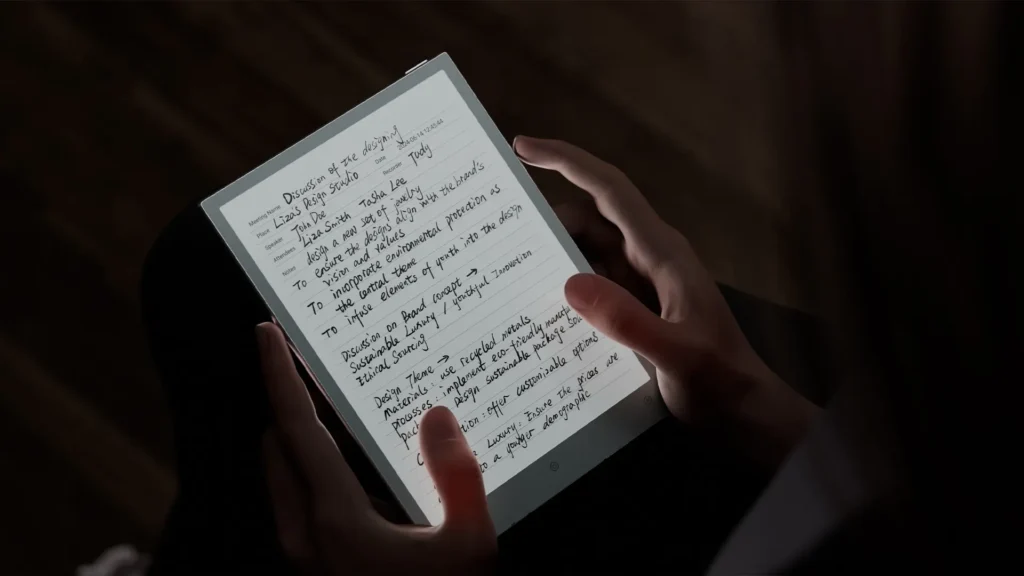
The simplest way to understand E Ink is to compare it to a printed page. A book doesn’t generate its own light. It reflects the light already in the room. E Ink works the same way. The screen itself has no light source. It relies entirely on ambient light bouncing off the display and into the reader’s eyes, just like ink on paper.
Does E Ink Emit Blue Light?
This is the central question, and the honest answer splits into two distinct scenarios. But before anything else, the point to keep in mind is that E Ink does not emit any light at all. It is purely reflective in nature.
E Ink without the front light
When the front light is turned off, or on a device that has no front light at all, the display does not generate any light of its own. There is no backlight. There are no self-emitting pixels. The screen is purely reflective.
In this mode:
- The display does not emit blue light, or any light, on its own
- Any blue light reaching the reader’s eyes comes entirely from the surrounding environment, such as a lamp or daylight
- The experience is functionally identical to reading a printed book under the same lighting
This is the scenario where the “E Ink doesn’t emit blue light” claim is accurate. Without a front light, there is genuinely no light source built into the screen.
E Ink with the front light turned on
Most modern E Ink readers, including the Kindle Paperwhite, Kobo Libra and Clara series, BOOX tablets, and current reMarkable devices, include a front light for reading in dim or dark conditions. This changes the picture.
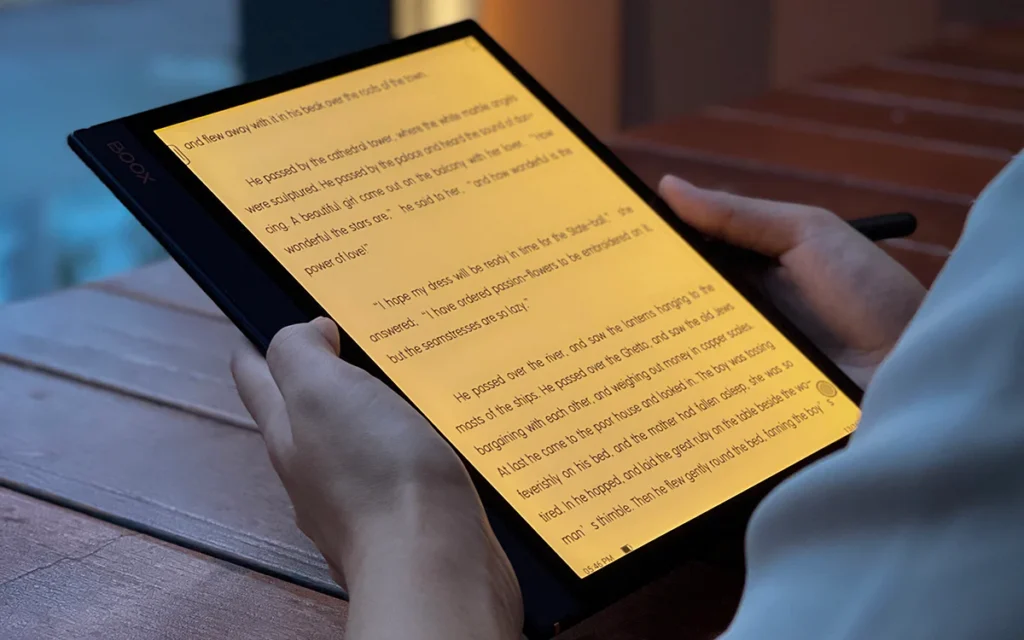
Front lights work differently from a backlight. Instead of shining through the display like an LCD panel, small LEDs are positioned along the edge of the screen. A thin light guide layer spreads that light evenly across the surface, then directs it downward onto the reflective E Ink layer. The light illuminates the page the same way a reading lamp would, rather than beaming directly into the reader’s eyes.
Many devices use a combination of cool white LEDs and warm amber LEDs, letting the reader blend the two:
- Cool white LEDs produce a brighter, bluer light suited to daytime reading
- Warm amber LEDs shift the color temperature toward orange, reducing the blue content
- Most current devices let readers adjust this blend manually or set it to change automatically with the time of day
Because these front lights use LEDs, and white LEDs are typically built around a blue LED chip, a front-lit E Ink device does emit some blue light when the light is turned on. This is a straightforward fact, not a marketing failure. Where E Ink still holds an advantage is in how much less blue light it produces and how much control the reader has over it:
- Front light brightness is far lower than a typical LCD tablet or phone backlight
- Many devices allow the color temperature to be shifted almost entirely to warm amber, cutting blue content substantially
- The light is indirect, bouncing off the reflective layer rather than shining straight into the eyes
- The light doesn’t need to run at full brightness in most indoor settings, unlike an LCD screen that has to overpower ambient light to stay visible
Is Kindle Really Blue-Light Free?
Blanket statements about Kindle and blue light tend to mislead readers in one direction or another. A more accurate breakdown looks like this:
- Without the front light on: essentially yes. The Kindle display itself emits no light of any kind, blue or otherwise.
- With the front light on: no, not entirely. The LEDs used for the front light contain some blue light, though newer Kindle Paperwhite models let readers shift the light toward warm amber tones, and the Signature Edition includes an auto-adjusting front light that responds to ambient conditions.
The same applies to Kobo, BOOX, and current reMarkable devices with a front light. None of them are perfectly blue-light-free the moment the light is switched on. All of them emit considerably less blue light than an LCD tablet or smartphone at comparable brightness, and most offer more control over color temperature than typical phones or tablets do.
Comparing Blue Light Across Different Display Technologies
| Display Type | Emits Its Own Light | Emits Blue Light | Reflective Surface | Adjustable Warmth | Reading Comfort | Night Reading Suitability |
|---|---|---|---|---|---|---|
| Printed paper | No | No | Yes | N/A | Excellent | Poor without external light |
| E Ink, no front light | No | No | Yes | N/A | Excellent | Poor without external light |
| E Ink, warm front light | Yes (low output) | Minimal | Yes | Yes | Very good | Very good |
| E Ink, cool front light | Yes (low output) | Some | Yes | Yes | Good | Fair |
| LCD | Yes | Yes | No | Limited or none | Fair | Fair with filters enabled |
| OLED | Yes | Yes | No | Limited or none | Fair | Fair with filters enabled |
| Mini-LED | Yes | Yes | No | Limited or none | Fair | Fair with filters enabled |
The table highlights a consistent pattern. E Ink displays sit closest to printed paper, especially without a front light. Even with the front light on, they emit noticeably less blue light than emissive LCD, OLED, or Mini-LED panels running at comparable brightness.
Why Many People Find E Ink More Comfortable
Comfort during long reading sessions comes down to more than blue light. Several factors work together:
- Paper-like appearance. The reflective, matte surface resembles a printed page rather than a glowing screen.
- No flicker in typical use. E Ink refreshes are far less frequent than an LCD or OLED refresh cycle, reducing one source of visual fatigue.
- Lower overall brightness. Because E Ink reflects ambient light rather than fighting to overpower it, front lights typically run at much lower output than phone or tablet backlights.
- Reduced glare. Many E Ink devices use matte layers that scatter reflections rather than bouncing them directly back at the reader.
- Reflective viewing. Reading in bright sunlight, where LCD and OLED screens often wash out, is where E Ink performs best.
- Longer comfortable reading sessions. Many users report being able to read for hours on E Ink without the same fatigue they associate with phone or tablet screens.
None of this means E Ink offers guaranteed medical benefits or eliminates eye strain outright. It means the combination of lower brightness, reduced flicker, and a reflective surface adds up to a more paper-like experience for many readers.
Warm Light vs Blue Light
Warm light and blue light are related but not identical concepts, and mixing them up leads to a lot of confusion.
- Color temperature describes where a light source falls on a scale from warm (orange, amber, lower Kelvin values) to cool (blue-white, higher Kelvin values).
- Warm LEDs shift the front light toward amber, which reduces the proportion of blue wavelengths reaching the eyes.
- Night modes on phones and tablets work on the same principle, shifting the display’s color balance toward warmer tones in the evening.
On Kindle devices with adjustable warm light, sliding the setting toward amber reduces blue content in the front light. Kobo’s ComfortLight PRO system works similarly, letting the color temperature shift from a cooler daylight tone down to a warm amber suited for nighttime reading, with an option to have it change automatically as the day progresses. BOOX devices offer comparable cold-to-warm front light controls under names like ComfortGaze.
It’s worth being clear about the limits here: warm light reduces blue content, it does not eliminate it entirely. A front light set to maximum warmth still produces some light output, and that output still contains a small blue component. The difference is one of degree, not an on/off switch.

Common Myths
Myth: All blue light is harmful. Blue light is a normal part of sunlight and plays a role in regulating alertness and circadian rhythm. The concern is mainly about timing and intensity, not blue light as a category.
Myth: E Ink emits no blue light under any circumstances. This is only true when the front light is off. Once the front light is switched on, the LEDs used to illuminate the screen do produce some blue light, even if less than a typical LCD or OLED device.
Myth: Blue-light glasses solve digital eye strain. A 2023 Cochrane review of 17 randomized controlled trials found that blue-light filtering lenses showed no clear benefit for reducing eye strain from computer use, and no evidence that they protect the retina. Digital eye strain is more closely tied to blinking habits, glare, and posture.
Myth: Reading on LCD always damages eyesight. The American Academy of Ophthalmology has stated there’s no scientific evidence that blue light from digital devices causes eye disease in healthy individuals. Discomfort from screen use is more often digital eye strain than lasting damage.
Myth: Blue light is the only reason screens feel tiring. Reduced blink rate, glare, poor posture, and prolonged close focus all contribute to fatigue. Blue light is one factor among several, not the sole cause.
Myth: Warmer screens completely eliminate blue light. Warm settings reduce the proportion of blue wavelengths but don’t remove them entirely. Some blue content remains even at the warmest available setting.
Frequently Asked Questions
Does E Ink emit blue light? Not when the front light is off. With the front light on, the LEDs used for illumination do emit some blue light, though far less than a typical LCD or OLED screen.
Does Kindle emit blue light? Without the front light, no. With the front light on, yes, though newer models let readers shift the light toward warm amber to reduce blue content.
Does Kobo emit blue light? The same pattern applies. Kobo’s ComfortLight PRO system reduces blue light substantially at warmer settings but doesn’t remove it completely.
Does BOOX emit blue light? BOOX tablets with a front light produce some blue light when it’s switched on, with adjustable warm and cool settings to control the balance.
Is E Ink better for migraines? Some people who experience migraines report fewer triggers with E Ink, likely due to lower brightness, less flicker, and reduced glare. This is based on individual reports rather than large clinical studies, so results vary by person.
Can E Ink help with eye strain? It may help some readers due to lower brightness and a paper-like reflective surface, but eye strain has multiple causes. Good lighting, regular breaks, and proper posture matter just as much.
Should I use warm light? Using warm light in the evening is a reasonable habit, particularly for readers sensitive to screens before bed. It reduces blue content without eliminating light output entirely.
Is reading on E Ink like reading paper? It’s closer to paper than any backlit or self-emitting screen. The reflective, non-emissive display technology is the main reason for the similarity, though it isn’t a perfect match.
Does E Ink reduce melatonin suppression? Using E Ink without a front light, or with a warm front light at low brightness, likely results in less blue light exposure than a phone or tablet, which may reduce melatonin suppression. Direct studies comparing E Ink specifically to melatonin levels are limited.
Can children safely use E Ink? E Ink devices generally involve lower brightness and less blue light than phones or tablets, which some parents and educators view favorably. As with any screen, moderation and good lighting habits still apply.
Should I turn off the front light during the day? It’s often unnecessary. E Ink relies on ambient light, so during the day the front light can typically be dimmed or turned off entirely while reading near a window or under normal indoor lighting.
Is E Ink better for your eyes than LCD? Many readers find E Ink more comfortable for long sessions due to lower brightness and a paper-like surface. This doesn’t mean LCD screens cause lasting eye damage; the difference is mainly one of comfort, not documented health risk.
Does E Ink cause eye strain? Any screen, including E Ink, can contribute to eye strain during long sessions without breaks. E Ink’s lower brightness and reflective surface tend to reduce some contributing factors compared to backlit screens.
Are E Ink displays better for your eyes? E Ink displays offer lower brightness, less flicker, and a paper-like reflective surface, which many people find more comfortable. Current evidence doesn’t show that other display types cause eye damage, so “better for your eyes” is mainly a comfort claim rather than a medical one.
What’s the difference between a front light and a backlight? A backlight, used in LCD screens, shines through the display from behind. A front light, used in E Ink devices, shines down onto the reflective surface from the edges, similar to a reading lamp.
Do all E Ink readers have a front light? No. Some entry-level and specialty models skip the front light entirely to keep the reflective, screen-off experience as close to paper as possible. Most mainstream Kindle, Kobo, and BOOX models include one.
Does turning off the front light save battery? Yes. The front light is one of the larger power draws on an E Ink device, so leaving it off in well-lit conditions extends battery life significantly.
Is blue light from E Ink front lights the same as from a phone screen? Not exactly. Both use LEDs that produce some blue light, but E Ink front lights generally run at much lower brightness and offer more granular warmth control than most phone displays.
Why do some people still get headaches from E Ink devices? Headaches while reading on any device are more often tied to glare, small text, poor posture, or extended close focus than to blue light specifically. Adjusting font size, brightness, and reading angle usually helps more than switching devices.
Do color E Ink screens, like Kaleido panels, emit more blue light than black-and-white E Ink? Color E Ink panels still rely on a reflective, non-emissive layer, so the underlying display doesn’t emit light either way. Any blue light exposure still comes from the front light, not from the color filter layer itself.
Practical Tips
A few simple habits go a long way toward comfortable reading, regardless of which device is being used:
- Use natural daylight whenever possible instead of relying on artificial lighting
- Lower screen brightness to match the room rather than defaulting to maximum
- Switch to warm front-light settings in the evening
- Follow the 20-20-20 rule: every 20 minutes, look at something 20 feet away for 20 seconds
- Blink more frequently during long reading or screen sessions
- Maintain a reasonable reading distance rather than holding a device too close
- Take regular breaks during extended reading sessions
- Avoid using an extremely bright screen in an otherwise dark room
Key Takeaways
- Blue light is a natural part of visible light and comes primarily from the sun, not screens.
- Not all blue light is harmful. Its effects depend heavily on timing and intensity.
- E Ink displays themselves do not emit blue light, or any light, when the front light is off.
- Turning on a front light introduces some blue light, though far less than a typical LCD or OLED screen, and usually with more control over color temperature.
- Reading comfort depends on brightness, glare, posture, and blinking habits, not blue light alone.
- E Ink remains one of the most comfortable display technologies for long-form reading, largely because of its reflective, paper-like design rather than any single blue-light claim.