
Reading a novel on a Kindle for hours at a stretch won’t hurt your eyes. The same book on a phone screen often starts to feel tiring after say, twenty minutes. Movies look stunning on an OLED television, with deep blacks and glowing colors. Yet a full day of spreadsheet work on an LCD monitor can leave eyes feeling dry and heavy by the afternoon.
All of these devices show text and images. So why do they feel so different to use?
The answer comes down to how each display technology actually works. E Ink, LCD, and OLED were built for different jobs. Each one puts an image in front of your eyes in a completely different way. Understanding those differences explains why a Kindle feels like paper, why an OLED phone dazzles in a dark room, and why an LCD monitor remains the default choice in offices everywhere.
This guide breaks down all three display technologies in plain language. It explains how each one works, how they affect visual comfort, and which one fits different habits and lifestyles best. There is no single “best” display for everyone. There is only the best display for what a person actually does with it.
In This Guide
This article covers:
- How E Ink, LCD, and OLED displays actually produce an image
- What causes digital eye strain, and what does not
- A detailed E Ink vs LCD vs OLED eye comfort comparison
- Whether blue light really damages your eyes
- How flicker and PWM dimming affect sensitive users
- Which display works best for reading, productivity, and entertainment
- Recommendations for students, professionals, gamers, and other specific groups
- A full comparison table and buying guide
- Answers to the most common questions about display technology and eye comfort

What Is E Ink?
E Ink is a type of electronic paper technology. It was designed to look and feel like a printed page rather than a glowing screen. This is why E Ink display technology is the foundation of nearly every dedicated e-reader on the market, including the Kindle, Kobo, and Nook.
Inside an E Ink screen are millions of tiny microcapsules, each one thinner than a human hair. Every microcapsule holds black and white pigment particles suspended in a clear fluid. When an electric charge is applied, the black particles move to the top and the white particles move to the bottom, or the other way around. That movement is what forms letters, images, and page layouts.
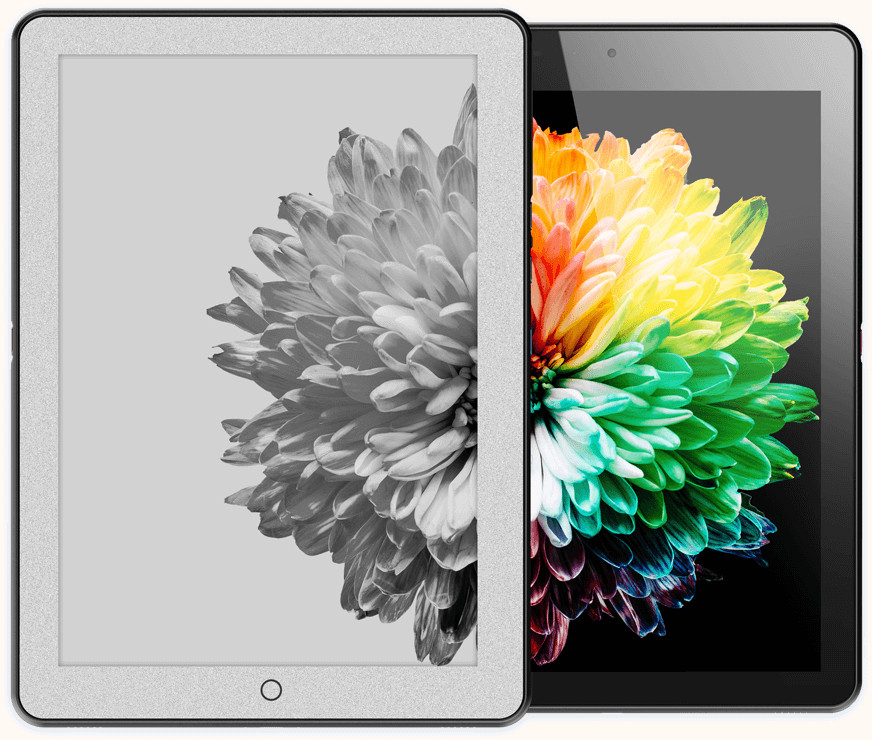
Color E Ink works on the same basic principle, with an added color filter layer placed on top of the black-and-white layer. Technologies like Kaleido, Gallery, and Spectra use this approach to display color images, though colors on these panels still look softer and less saturated than what you would see on an LCD or OLED screen.
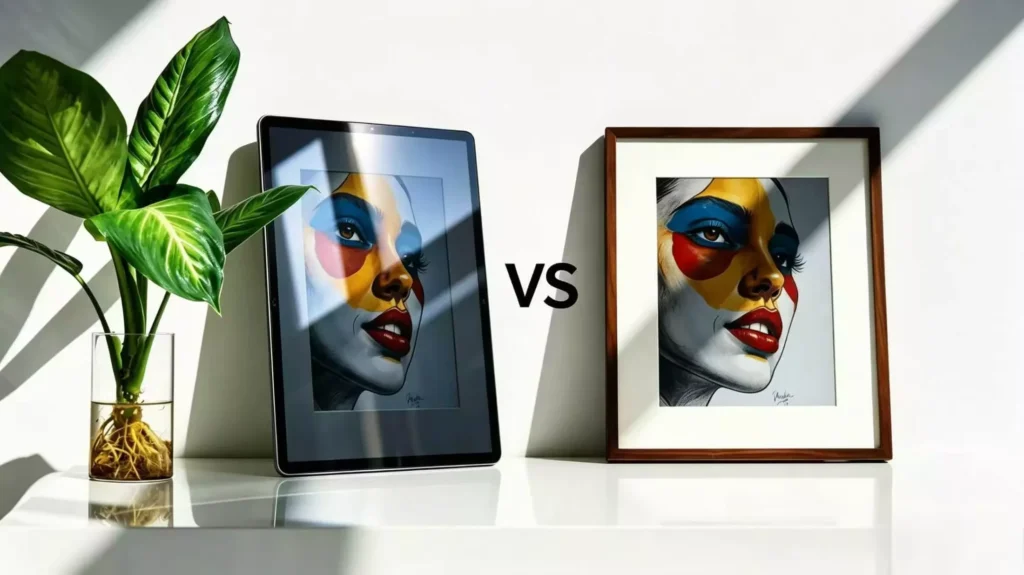
Another unique aspect of E Ink is that it is a reflective display. That means it does not produce its own light. Instead, it reflects ambient light from the room, just like a printed page does. This is the main reason E Ink looks so different from a tablet or phone screen sitting next to it.
Why E Ink Only Uses Power During Page Refreshes
One of the most unusual traits of E Ink is that it only draws power when the image changes. Once a page is displayed, the microcapsules stay in place. It does not need a continuous electric current to maintain its state. This is why an E Ink device can display a book cover for weeks while sitting in a drawer, and why E Ink readers often go days or even weeks between charges.
Why Refresh Rates Are Slow
Moving those physical pigment particles takes time, howsoever small it might be. That is why E Ink screens refresh much slower than LCD or OLED panels. A page turn on a Kindle takes a fraction of a second, but it is still far slower than the near-instant response of a phone or monitor. This makes E Ink a poor fit for video, animation, or fast scrolling, but it is rarely an issue for reading text.
Advantages of E Ink
- Looks similar to a printed page, especially in bright light
- Uses very little power, leading to exceptional battery life
- Produces no backlight glare in sunlight
- Since most E Ink devices are single-purpose readers, they offer a distraction-free experience
Limitations of E Ink
- Slow refresh rates make it unsuitable for video or fast-moving content
- Colors are muted compared to LCD and OLED
- Requires a front light for reading in the dark, which changes the experience slightly
- Not practical for general computing tasks
What Is LCD?
LCD stands for Liquid Crystal Display. It is the most widely used display technology in the world, found in monitors, laptops, tablets, televisions, and budget smartphones.
An LCD panel does not produce its own light. Instead, it relies on a backlight, usually a layer of LEDs, positioned behind the screen. That light passes through several layers, including polarizing filters and a layer of liquid crystals. The liquid crystals twist or untwist in response to an electric charge, which controls how much light passes through at each point on the screen. A layer of red, green, and blue subpixels then filters that light into color.
IPS panels, short for In-Plane Switching, are a common type of LCD known for better color accuracy and wider viewing angles than older LCD designs. Mini-LED LCDs take this a step further by using thousands of small LED zones behind the panel, allowing for better contrast and more precise brightness control across different parts of the screen.
Why LCD Became the Dominant Display Technology
LCD became the industry standard because it is affordable to manufacture, reliable, and versatile. It handles bright environments well, supports high refresh rates for smooth motion, and can be produced in nearly any size, from a smartwatch to a movie theater screen.
Key strengths of LCD include:
- Brightness. LCD panels can typically get very bright, which helps visibility outdoors.
- Color accuracy. High-end IPS panels offer accurate, consistent colors for design and photo work.
- Refresh rate. LCD panels are widely available in high refresh rate options, which benefits gaming and scrolling smoothness.
- Motion performance. Modern LCDs handle fast motion reasonably well, especially with higher refresh rates.
- Outdoor visibility. High peak brightness helps LCD screens remain readable in daylight, though glare can still be an issue.
LCD remains common in monitors, laptops, tablets, and budget phones because it delivers a solid, dependable experience at a lower price than OLED, without the risk of long-term image retention that can affect some OLED panels.
What Is OLED?
OLED stands for Organic Light Emitting Diode. Unlike LCD, OLED does not need a backlight at all. Each individual pixel in an OLED display is self-emissive, meaning it produces its own light and color when an electric current passes through it.
This has a major effect on picture quality. When an OLED pixel needs to display black, it simply turns off. No light escapes at all. That produces what is often called “infinite contrast,” along with some of the deepest blacks available on any consumer display.
Because OLED does not rely on a shared backlight, it also supports flexible and foldable displays, since the pixel layer itself can be built on thin, bendable materials.
Why OLED Dominates Premium Devices
OLED has become the display of choice for flagship phones, high-end televisions, and premium laptops for several reasons:
- HDR performance. The combination of high brightness and true black levels makes OLED excellent for high dynamic range content.
- Color accuracy. OLED panels can reproduce a wide color range with strong accuracy.
- Response times. OLED pixels can switch on and off almost instantly, which benefits fast motion and gaming.
- Flexible displays. OLED enables foldable phones and curved screens that are not possible with rigid LCD backlighting.
The trade-off is cost. OLED panels are generally more expensive to manufacture than LCD, which is why they remain exclusive to premium devices rather than budget electronics.
How These Displays Actually Produce Images
It helps to think about each display technology using a simple, everyday comparison.
E Ink works like a printed newspaper. It does not glow. It reflects the light already in the room, the same way ink on paper does. That is why E Ink looks best under a bright lamp or in sunlight, and why it can be hard to read in a dark room without a built-in front light.
LCD works like a flashlight shining through colored glass. A backlight sits behind the screen at all times, and the liquid crystal layer acts like a shutter, controlling how much of that light reaches your eyes at each pixel. The light is always on behind the panel, even when the screen shows black.
OLED works like millions of tiny light bulbs. Every pixel lights up on its own. There is no shared backlight to block or filter. When a pixel is not needed, it simply switches off completely.
These three approaches explain almost everything else in this guide, from battery life to glare to how each screen feels after a long session of use.
Why Do Some Screens Feel More Comfortable Than Others?
Many people experience some form of digital eye strain after long periods in front of a screen. Common symptoms include:
- Dry eyes
- Blurry vision
- Headaches
- General eye fatigue
- Neck and shoulder pain
It is tempting to blame a single cause, like blue light or a specific display type. In reality, digital eye strain usually comes from a combination of factors working together, including:
- Reduced blinking during focused screen use
- Long, uninterrupted viewing sessions without breaks
- A mismatch between screen brightness and room lighting
- Viewing distance that is too close or too far
- Small or poorly sized text
- Poor posture while using a device
- Glare and reflections on the screen surface
Display technology is only one piece of this puzzle. A perfectly designed screen can still cause discomfort if it is used in a dark room at full brightness for six hours straight without a break. Likewise, a less advanced display can feel comfortable if it is used in good lighting, at a reasonable distance, and with regular breaks.
That said, the type of display someone uses does influence how easily these problems show up, which is exactly what the rest of this guide explores.
E Ink vs LCD vs OLED: Eye Comfort Comparison
Reflective vs Emissive Displays
This is the most fundamental difference in the E Ink vs LCD vs OLED comparison. E Ink is reflective, meaning it uses ambient light the same way a book does. LCD and OLED are emissive, meaning they generate their own light and send it directly toward your eyes. Many readers find reflective displays more comfortable for long reading sessions, since the eyes are processing reflected light rather than a direct light source.
Brightness
LCD and OLED panels can reach high brightness levels, which is useful outdoors but can also contribute to eye fatigue if the brightness is set too high for the room. E Ink panels do not have a “brightness” in the traditional sense, since they rely on the room’s own lighting. E Ink devices with a front light add a soft, adjustable glow, which many users find gentler than a backlit or self-emissive panel.
Contrast
OLED offers the deepest blacks and highest contrast of the three technologies, since unused pixels turn off completely. LCD contrast varies by panel quality, with Mini-LED models coming closer to OLED-level contrast. E Ink contrast is generally lower, closer to newsprint, though it is stable and consistent, which some readers find easier on the eyes for text.
Indoor Reading and Outdoor Readability
E Ink tends to shine outdoors, since more ambient light actually makes the screen easier to read, just like a paperback in sunlight. LCD and OLED can struggle outdoors due to glare and reflections, though high peak brightness helps offset this on premium models.
Night-Time Reading
For reading in bed or in the dark, E Ink devices with an adjustable, often warm-toned front light are widely considered comfortable, since brightness and color temperature can be tuned low. OLED can also be dimmed effectively at night thanks to its per-pixel light control, while LCD backlights sometimes struggle to dim as smoothly at very low brightness levels.
Glare
E Ink has a matte, paper-like surface with very little glare in most lighting. LCD and OLED panels, especially glossy ones, can produce noticeable reflections under bright lights or sunlight, though anti-glare coatings help reduce this.
Blue Light Exposure
All three technologies emit some amount of blue light when producing white or cool-toned light, including E Ink devices with a front light. LCD and OLED, as constant light-emitting sources, generally produce more sustained blue light exposure during use than an E Ink panel operating with ambient light alone.
Flicker
Some LCD and OLED panels use a dimming method that can produce flicker, which is covered in detail in the next section. E Ink does not rely on constantly refreshing illuminated pixels the way LCD and OLED do, since the image stays physically in place between refreshes, which is part of why some users find it to cause significantly less fatigue, if at all, during long reading sessions.
Does Blue Light Actually Cause Eye Damage?
Blue light has become one of the most talked-about topics in display technology, and also one of the most misunderstood.
Here is what current evidence actually shows:
- Screens emit far less blue light than sunlight. A smartphone or monitor produces a small fraction of the blue light found in ordinary daylight.
- There is no strong evidence that normal screen use causes permanent eye damage in healthy individuals. Major eye health organizations have not found conclusive proof that screen-based blue light harms healthy eyes under typical use.
- Blue light can affect sleep. Because blue light influences the body’s circadian rhythm, using bright screens close to bedtime may make it harder to fall asleep for some people.
- Blue-light filters can improve comfort for some users, but they are not a universal fix. Warmer color settings or blue-light-filtering glasses may reduce perceived discomfort or improve sleep for some people, but they will not resolve eye strain caused by poor posture, dry eyes, or long uninterrupted screen sessions.
In short, blue light is worth being mindful of, particularly in the evening, but it should not be treated as a proven cause of eye damage. Reduced blinking, screen distance, and total time spent looking at any bright light source generally matter more for day-to-day comfort.
Understanding Flicker (PWM)
Pulse-width modulation, or PWM, is a common way that many LCD and OLED displays control brightness.
Instead of physically reducing the amount of light produced, a PWM-dimmed screen rapidly switches its backlight or pixels on and off, many times per second. To the average person, this switching happens far too fast to notice, and the screen simply appears dimmer.
However, some users report noticing this flicker, especially at lower brightness settings, which can contribute to eye strain, headaches, or general discomfort during long sessions.
Some key points on flicker:
- Why OLED often uses PWM. Because OLED pixels are self-emissive, PWM is one of the simplest ways manufacturers can control brightness, especially at low light levels.
- Why some LCDs also use PWM. Not all LCDs avoid PWM. Cheaper LCD backlights often use it too, particularly at reduced brightness.
- Why sensitivity varies. Flicker sensitivity differs from person to person. Some people never notice it, while others are highly sensitive, even at frequencies that are technically invisible to the naked eye.
- DC dimming. Some manufacturers use DC dimming instead, which reduces brightness by lowering voltage directly rather than flickering. This is often marketed as a more comfortable alternative for flicker-sensitive users.
- Flicker-free certifications. Some display makers submit panels for flicker-free certification from independent testing labs, which can help flicker-sensitive shoppers choose a more comfortable screen.
Readers who suspect they are sensitive to flicker may want to look specifically for DC-dimming or flicker-free certified devices when shopping for a new phone, monitor, or laptop.
Reading Experience Comparison
Different reading materials benefit from different displays.
Novels. E Ink is widely favored for novel-length reading, thanks to its paper-like appearance and long battery life. LCD and OLED both work, but many readers report more fatigue during multi-hour sessions on emissive screens.
PDFs and academic papers. Larger E Ink screens handle PDFs reasonably well, though dense layouts sometimes require zooming. LCD tablets often provide more flexibility for annotating and navigating complex documents.
Long reports. For lengthy business or research documents, a large LCD monitor is often the most practical option, offering ample screen space and easy scrolling alongside other software.
Comics and magazines. These formats rely heavily on color and detail, which favors LCD and OLED. Color E Ink devices exist, but color reproduction still lags behind traditional screens.
Web browsing and news articles. LCD and OLED devices handle the interactivity of modern websites more smoothly, including images, video, and fast scrolling. Some E Ink tablets can browse the web, but the experience feels noticeably slower.
Productivity Comparison
Writing. E Ink devices with keyboards offer a distraction-free, paper-like writing environment, though they lack the speed and flexibility of a full computer. LCD laptops remain the standard for most writing work.
Programming. LCD and OLED monitors dominate here, thanks to color syntax highlighting, high refresh rates, and multi-window support that E Ink cannot match.
Spreadsheets. Fast-moving data and color-coded cells make LCD the clear choice for spreadsheet work.
Email and office work. LCD remains the most practical option for day-to-day office tasks, thanks to its versatility across software.
Research. A mix of devices often works best. Some people research and read source material on E Ink, then write and organize notes on an LCD laptop.
E Ink shines specifically in note-taking devices and distraction-free writing tools, where its slower refresh rate and lack of color are not a drawback. For nearly everything else in a typical workday, LCD and OLED remain more practical.
Entertainment Comparison
Movies. OLED is widely regarded as the top choice for movie watching, thanks to its deep blacks, vivid colors, and strong HDR performance.
Gaming. Both LCD and OLED support high refresh rates suited to gaming, with OLED offering near-instant pixel response times that many competitive gamers prefer.
Video editing. Colorists and video editors often rely on high-end LCD or OLED monitors with accurate color calibration.
Photo editing. Accurate color reproduction is essential here, which is why photographers typically choose calibrated LCD or OLED monitors.
Streaming. OLED televisions and phones tend to make streamed content look more vibrant, particularly HDR titles.
Animation. Bright colors and smooth motion benefit from both LCD and OLED, with OLED often preferred for its contrast.
E Ink is not designed for any of these use cases. Its slow refresh rate and lack of color make it unsuitable for movies, gaming, or visual editing work.
Battery Life Comparison
- E Ink devices often last weeks on a single charge, since power is only used when the page changes.
- LCD devices usually last a few hours to a full day, depending on brightness, screen size, and usage.
- OLED battery life varies depending on brightness and displayed content. Because black pixels use no power on OLED, dark interfaces and dark mode settings tend to be more energy efficient than bright white backgrounds.
This is one of the clearest practical advantages of E Ink over LCD and OLED, particularly for people who read for hours at a time or travel frequently without easy access to a charger.

Outdoor Visibility Comparison
- Direct sunlight is where E Ink performs best, since ambient light actually improves readability rather than washing it out.
- Reflections can be a problem for glossy LCD and OLED screens, though matte and anti-glare coatings help reduce this.
- Matte coatings are common on E Ink devices and some laptop displays, scattering light to reduce harsh reflections.
- Brightness limitations affect LCD and OLED outdoors, since even high peak brightness can struggle to compete with direct sunlight.
For anyone who reads or works outdoors often, E Ink offers a distinct advantage, while LCD devices with high peak brightness are the more practical choice among emissive displays.
Which Display Is Best for Different People?
Students. A budget LCD laptop or tablet covers most coursework, while an E Ink device can help reduce screen fatigue during long reading assignments.
Book readers. E Ink remains the top choice for anyone who reads for pleasure regularly, thanks to comfort and battery life.
Office workers. A reliable LCD monitor remains the most practical option for spreadsheets, email, and everyday software.
Programmers. High refresh rate LCD or OLED monitors support the multi-window, color-coded workflow that coding requires.
Researchers. A combination often works well: E Ink for reading source material, LCD for writing and data work.
Authors. Many writers use E Ink devices for distraction-free drafting, paired with an LCD laptop for editing and formatting.
Journalists. Fast-moving, deadline-driven work benefits from LCD or OLED devices with strong multitasking support.
Travelers. E Ink’s long battery life makes it appealing for long flights or trips with limited access to charging.
Artists. Color-accurate LCD or OLED tablets are essential for digital art and illustration work.
Designers. High-resolution, color-accurate LCD or OLED monitors remain the standard for design work.
Photographers. Accurate color reproduction on a calibrated LCD or OLED display is important for editing images.
Video editors. OLED or high-end LCD monitors with strong contrast and color accuracy support professional editing work.
Gamers. High refresh rate LCD and OLED panels both perform well, with OLED often favored for its fast response times.
Older adults. Larger E Ink devices with adjustable, warm-toned front lighting can offer a comfortable reading experience with less glare.
People with dry eyes. Reflective E Ink displays may reduce some of the discomfort associated with staring at a bright, emissive screen for long periods.
People with migraines or light sensitivity. Some individuals report that flicker-free or DC-dimmed displays feel more comfortable, and reflective displays like E Ink may also help. Experiences vary widely from person to person, and anyone with persistent or severe symptoms should consider speaking with a medical professional rather than relying on display choice alone.
Common Myths
Myth: OLED destroys your eyesight. False. There is no reliable evidence that OLED displays cause permanent eye damage under normal use. Some users are sensitive to PWM flicker on certain OLED panels, which can cause discomfort, but this is different from eye damage.
Myth: E Ink has zero eye strain. Not quite true. E Ink significantly reduces several common causes of eye strain, but factors like poor lighting, small text, and long uninterrupted sessions can still cause fatigue on any display, including E Ink.
Myth: Blue light permanently damages eyes. Not supported by current evidence for normal screen use. Blue light exposure from screens is far lower than sunlight, and no conclusive link to permanent eye damage in healthy users has been established.
Myth: LCD is obsolete. False. LCD remains the most widely used display technology in the world and continues to improve, particularly with more recent innovations such as Mini-LED backlighting.
Myth: OLED is always better. Not necessarily. OLED excels at contrast and color, but LCD often wins on price, and E Ink wins decisively on reading comfort and battery life. “Better” depends entirely on the task.
Myth: Higher refresh rates automatically reduce eye strain. Not automatically true. Higher refresh rates can make motion look smoother, which helps some users, but refresh rate alone does not address brightness, glare, posture, or flicker, which are often bigger factors in eye strain.
Quick Comparison Table
| Category | E Ink | LCD | OLED |
|---|---|---|---|
| Reading comfort | Excellent | Good | Good |
| Outdoor visibility | Excellent | Good | Fair |
| Indoor visibility | Good | Excellent | Excellent |
| Movies | Poor | Good | Excellent |
| Gaming | Poor | Excellent | Excellent |
| Productivity | Fair | Excellent | Excellent |
| Battery life | Excellent | Fair | Good |
| Color quality | Fair | Good | Excellent |
| Contrast | Fair | Good | Excellent |
| Refresh rate | Poor | Excellent | Excellent |
| Glare | Very low | Moderate | Moderate |
| Blue light exposure | Low | Moderate | Moderate |
| Typical use cases | Reading, note-taking | Offices, laptops, budget devices | Phones, TVs, premium laptops |
| Cost | Low to moderate | Low to high | Moderate to high |
| Portability | High | High | High |
Decision Guide: Which Display Should You Buy?
Choose E Ink If…
- You primarily read books or documents
- You spend hours at a time reading text
- You want exceptional battery life
- You prefer a paper-like, low-glare experience
Choose LCD If…
- You need an affordable, all-purpose display
- You work regularly with productivity software
- You want versatility across many different tasks
Choose OLED If…
- You watch movies or stream video frequently
- You value vivid colors and deep blacks
- You game or consume multimedia often
- You want the best possible image quality
Many people do not need to choose just one. A common and practical setup is an E Ink device for long-form reading, paired with an LCD or OLED device for work and entertainment. This lets each display do what it does best, rather than asking one screen to handle every task equally well.
Frequently Asked Questions
Is E Ink healthier for your eyes? E Ink reduces several common contributors to eye strain, such as glare and constant emissive light, which is why many readers find it more comfortable for long sessions. However, “healthier” is a strong word, since no display has been conclusively proven to damage healthy eyes under normal use in the first place.
Is OLED worse than LCD for eye strain? Not necessarily. Eye strain depends more on brightness settings, flicker sensitivity, and usage habits than on the display type alone. Some OLED panels use PWM dimming, which bothers certain users, while some LCDs use PWM as well.
Is reading on a Kindle better than reading on a phone? For long reading sessions, many people find a Kindle or similar E Ink device more comfortable, thanks to its reflective display, larger dedicated reading surface, and distraction-free design.
Does OLED emit blue light? Yes, OLED panels emit blue light when displaying white or cool-toned content, similar to LCD. The amount is still far lower than natural sunlight.
Is LCD safer than OLED? There is no strong evidence that either display technology is inherently unsafe for healthy eyes during normal use. Comfort differences between the two usually come down to brightness, flicker, and glare rather than a fundamental safety gap.
Why does E Ink feel like paper? Because it works the same way paper does. E Ink reflects ambient light instead of emitting its own, which is the same principle behind how ink appears on a printed page.
Can OLED cause headaches? Some users report headaches linked to PWM flicker on certain OLED panels, particularly at low brightness. This does not affect everyone, and DC-dimmed or flicker-free OLED panels are increasingly available for sensitive users.
Does screen brightness matter more than display type? Brightness, along with viewing distance and lighting conditions, plays a major role in comfort, often as much as the underlying display technology itself.
Which display is best for students? A budget LCD laptop covers most schoolwork, while adding an E Ink device can help reduce fatigue during long textbook or PDF reading sessions.
Which display is best for reading all day? E Ink is generally considered the most comfortable option for extended, all-day reading, thanks to its paper-like appearance, low glare, and long battery life.
Conclusion
There is no universally “best” display among E Ink, LCD, and OLED. The right choice depends entirely on what someone does most with their device.
- E Ink delivers the most paper-like reading experience and remains ideal for long-form text.
- LCD remains the most versatile and affordable option for everyday computing, from offices to classrooms.
- OLED offers unmatched image quality for entertainment and creative work, though it may not suit everyone equally, especially those sensitive to characteristics like PWM flicker.
Rather than assuming one display technology is superior in every situation, it makes more sense to match the display to the habit. Heavy readers benefit most from E Ink. Everyday computer users are well served by LCD. Movie fans, gamers, and creative professionals tend to get the most out of OLED. For many people, the most comfortable setup is not a single “winner,” but a combination of devices, each one doing the job it was actually designed to do.