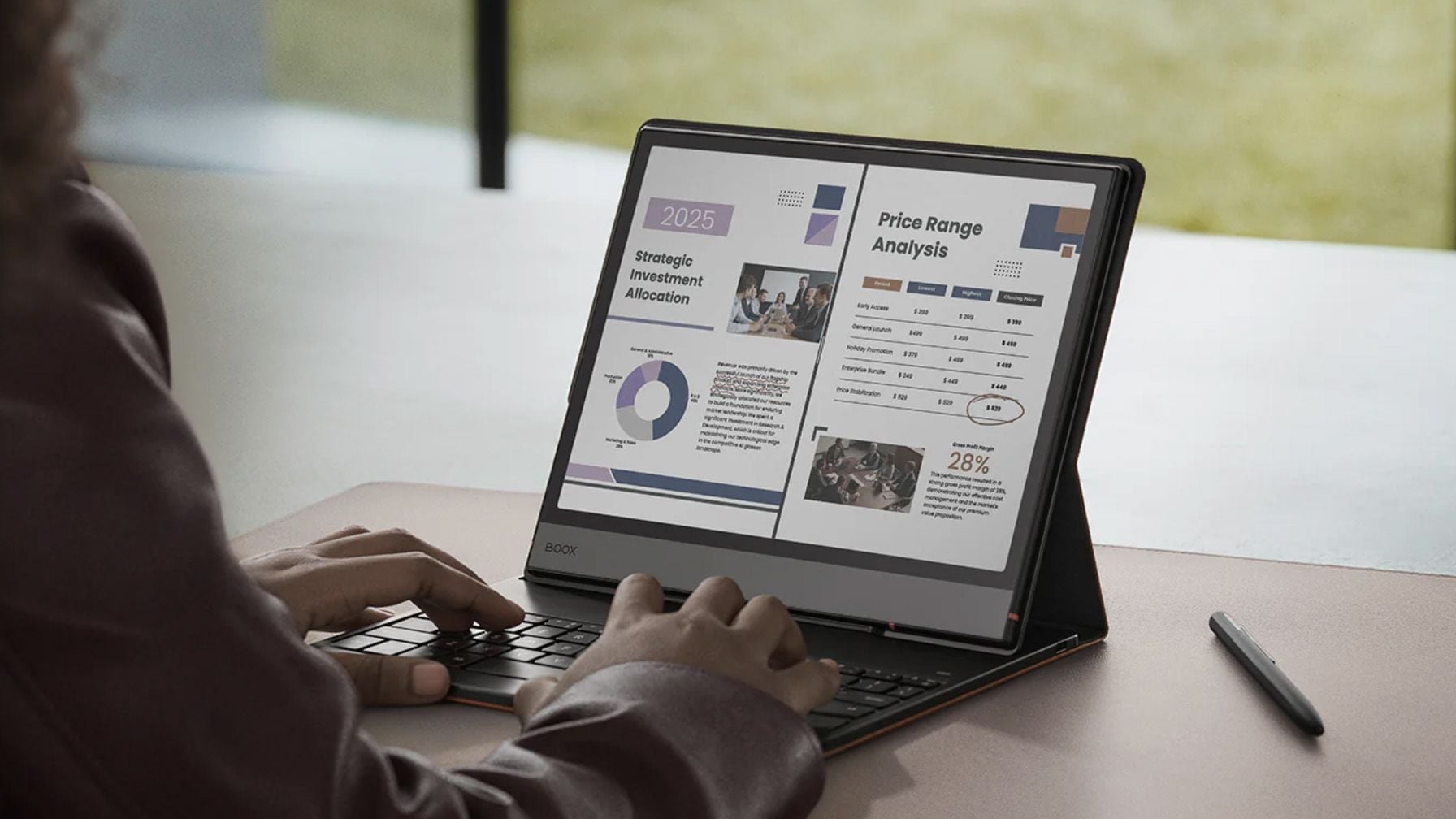
E Ink tablets are no longer niche devices for avid readers—they have become practical tools for professionals who want a focused, paper‑like digital workspace. Whether you need to annotate contracts, organize research, or manage projects without the distractions of a traditional tablet, the latest 2026 models offer larger screens, color options, and productivity features designed to fit modern workflows.
Disclosure: This article contains affiliate links. If you buy through these links, I may earn a small commission at no extra cost to you. This helps support Einkopedia and allows us to continue publishing honest, in-depth reviews and guides. Here is how it works
Many professionals spend hours every day reading documents, taking notes, reviewing reports, and organizing information. While traditional tablets and laptops can handle these tasks, they often come with distractions such as notifications, social media, and endless browser tabs.
This is where E Ink tablets come into the picture. These devices use electronic paper or E Ink displays that are easier on the eyes than conventional screens. They offer a paper-like writing experience, making them ideal for note-taking and reviewing documents.
Modern E Ink tablets have evolved far beyond what digital notebooks are capable of. Many now include handwriting recognition, cloud synchronization, advanced annotation tools, and AI-powered features. Some even run Android, giving users access to email, calendars, and productivity apps.
If you are looking for an E Ink tablet to improve focus and productivity, these are the best options available in 2026. In our previous article (How to Choose the Best E Ink Tablet for Business Use), we discussed what features and qualities are a must-have in an E Ink tablet for use by business professionals.
Best E Ink Tablets for Work and Productivity in 2026
Boox Note Air 5C – Best Overall Productivity Tablet
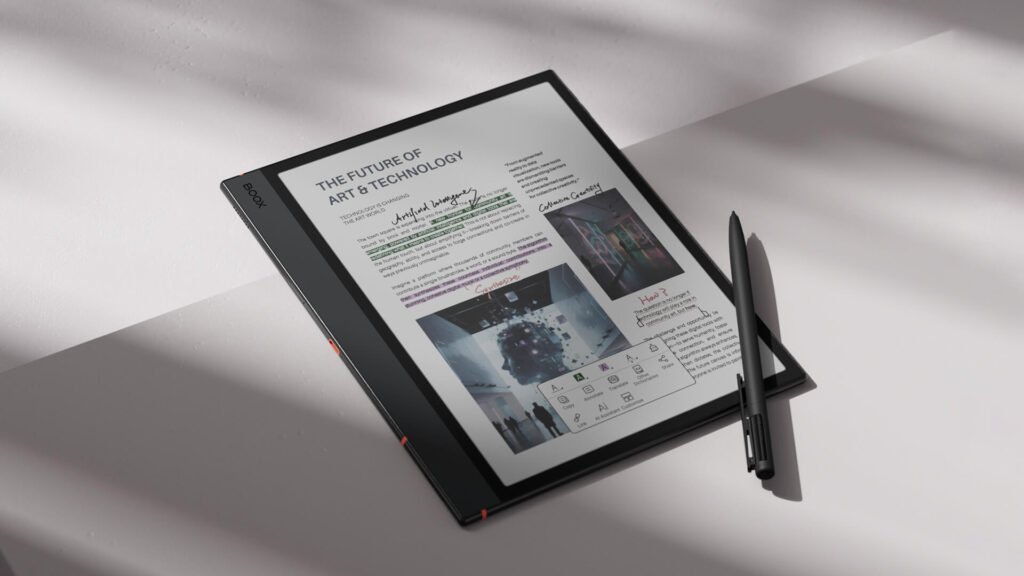
The Boox Note Air 5C strikes an excellent balance between flexibility and ease of use. It features a 10.3-inch Kaleido 3 color E Ink display that allows users to view highlights, charts, diagrams, and annotations in color. This can be particularly useful when reviewing reports, presentations, and study materials.
Unlike many dedicated digital paper devices, the Note Air 5C runs Android 15. This means users can install productivity apps, access cloud storage services, check email, and integrate the tablet into their existing workflow.
Another advantage is its portability. The device is light enough to carry between meetings while still providing enough screen space for serious work.
Pros
- Color E Ink display
- Android app support
- Strong PDF annotation tools
- Lightweight and portable
- Access to Google Play services
Cons
- More expensive than entry-level models
- Color displays have lower contrast than monochrome screens
Best For:
Professionals who want one device for reading, note-taking, document review, and productivity apps.
Check Latest Price of BOOX Note Air 5 C on Amazon
reMarkable Paper Pro – Best Writing Experience

The reMarkable Paper Pro is designed for users who want a distraction-free work environment. Instead of focusing on apps and multitasking, the device focuses almost exclusively on writing, note-taking, and document annotation.
Its large 11.8-inch color E Ink display provides plenty of room for meeting notes, sketches, diagrams, and presentations. The writing experience remains one of the closest to pen and paper currently available.
Many professionals appreciate the simplicity of the software. There are no social media apps competing for attention. Instead, the device encourages focused work and organized note-taking.
For users who spend most of their day writing rather than switching between apps, the Paper Pro remains one of the strongest options on the market.
Pros
- Excellent handwriting experience
- Large color display
- Premium design
- Powerful PDF annotation tools
- Minimal distractions
Cons
- Limited app ecosystem
- Higher price than many competitors
Best For:
Executives, consultants, managers, and professionals who prioritize focus.
Check Latest Price of the reMarkable Paper Pro Bundle C on Amazon
Boox Note Max – Best Large-Screen Android Tablet
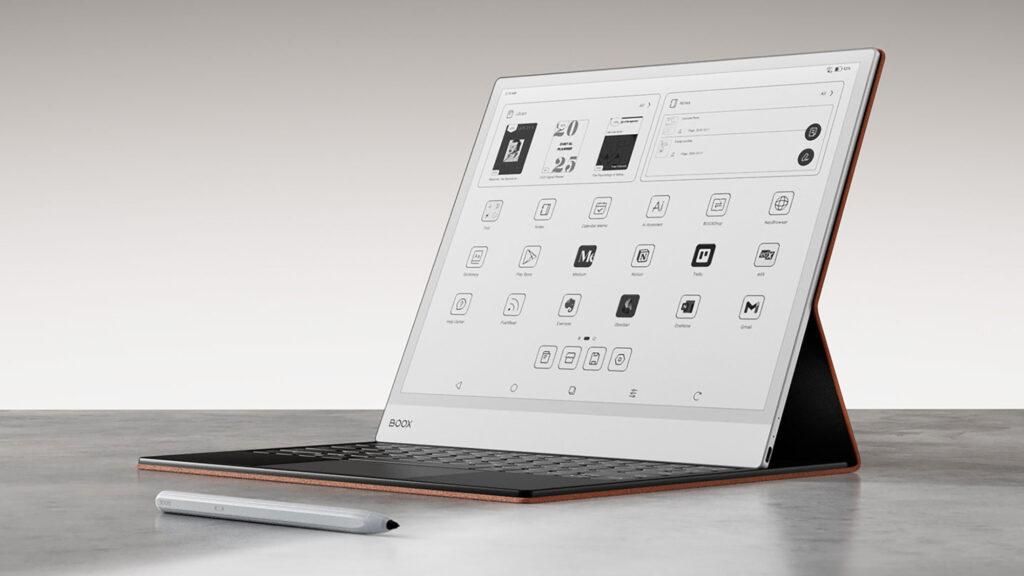
Some professionals need as much screen space as possible. The Boox Note Max is built specifically for those users.
Its large 13.3-inch E Ink display provides plenty of room for spreadsheets, contracts, research papers, and technical documents. Users can often view full-sized documents without excessive zooming or scrolling.
The device also runs Android, giving access to productivity apps and cloud services. This flexibility makes it suitable for professionals who want more than a simple digital notebook.
Additionally, the larger screen helps with multitasking and split-screen workflows. Users can view multiple documents at once or take notes while reading reports.
Pros
- Large 13.3-inch display
- Android support
- Excellent multitasking capabilities
- Strong PDF performance
- Access to productivity apps
Cons
- More complex than dedicated note-taking devices
- Premium pricing
Best For:
Analysts, researchers, engineers, academics, and project managers.
Check Latest Price of Boox Note Max on Amazon
Kindle Scribe Colorsoft – Best for Reading and Note-Taking
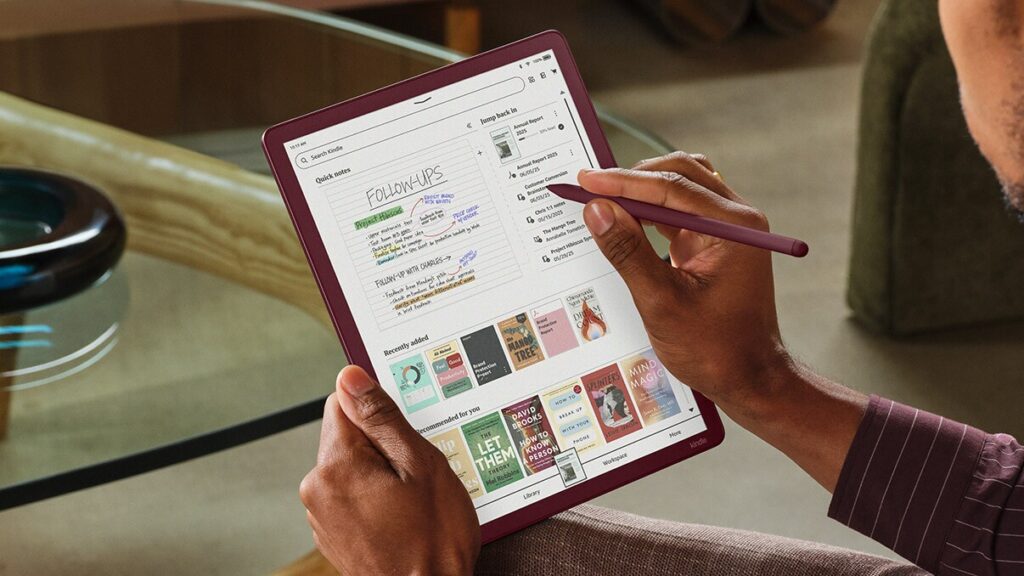
Amazon’s Kindle Scribe Colorsoft combines the company’s popular reading platform with digital note-taking features.
The device is particularly appealing for users who spend a significant amount of time reading books, reports, business documents, and PDFs. The E Ink screen remains comfortable to read for long periods, while note-taking features allow users to capture ideas and annotate documents.
Amazon has also introduced AI-powered notebook tools that help users organize and search handwritten notes more efficiently. Integration with services such as OneNote makes it easier to keep notes synchronized across multiple devices.
While it does not offer the flexibility of Android-based competitors, it remains one of the easiest E Ink tablets to use.
Pros
- Excellent reading experience
- AI-powered notebook features
- Long battery life
- Strong Amazon ecosystem
- Simple user interface
Cons
- Limited third-party app support
- Fewer productivity features than Android devices
Best For:
Readers, students, educators, and professionals who review large amounts of content.
Check Latest Price of Amazon Kindle Scribe Colorsoft 64 GB
Supernote Manta (A5X2)- Best for Note Organization
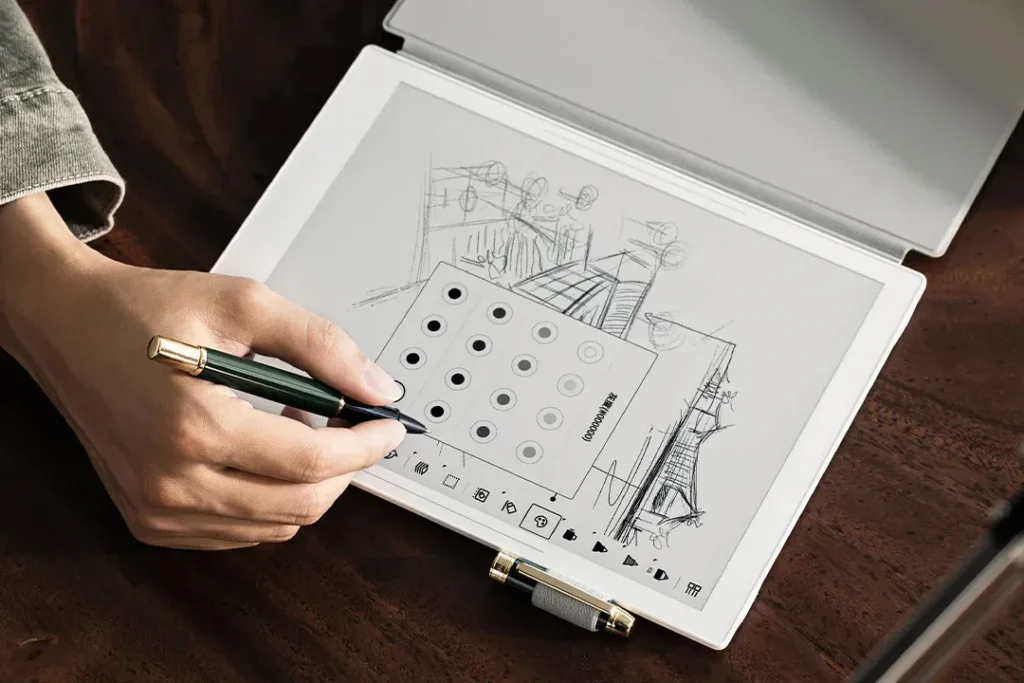
Many professionals create hundreds or even thousands of pages of notes every year. The Supernote Manta is designed specifically for this type of user.
Rather than focusing on apps and entertainment, the device emphasizes long-term note management. Users can organize notes, link information together, and quickly retrieve the notes that are needed.
The writing experience is another highlight. The included ceramic-nib stylus provides a unique feel that many users enjoy for extended writing sessions.
Additionally, Supernote continues to improve the software through regular updates. This has helped build a loyal community base comprising of researchers, consultants, lawyers, and other knowledge workers.
Pros
- Excellent note organization tools
- Comfortable writing experience
- Durable design
- Regular software updates
- Strong knowledge management features
Cons
- No frontlight
- Smaller app ecosystem
Best For:
Lawyers, researchers, consultants, and professionals who rely heavily on note-taking.
Boox Go 10.3 Gen II – Best Value Option
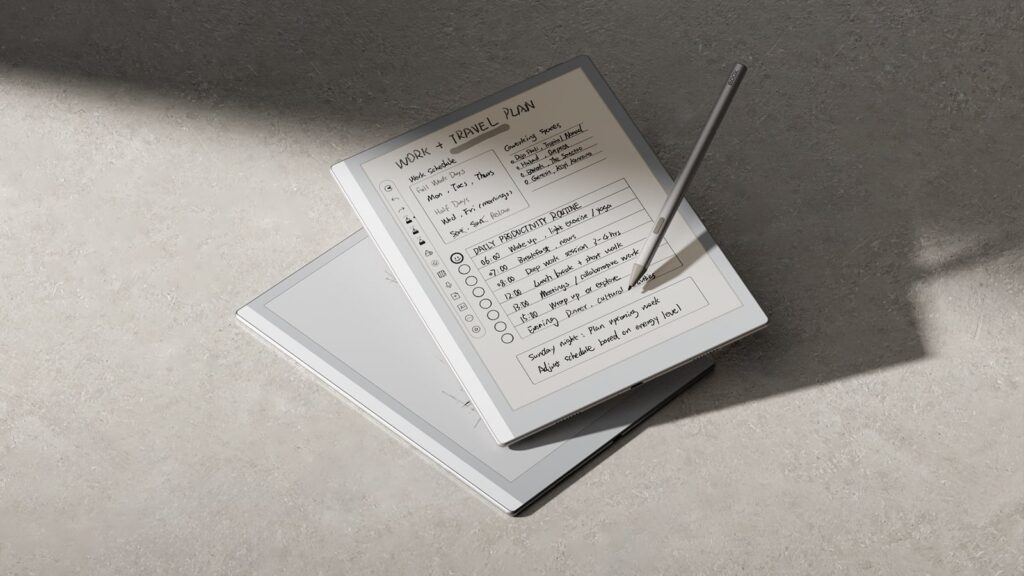
Not every professional needs a flagship device. The Boox Go 10.3 Gen II offers many productivity features at a more affordable price.
The tablet combines a sharp monochrome E Ink display with Android support, giving users access to note-taking apps, cloud storage services, and productivity tools. Despite its lower price, it still delivers a strong writing experience and good overall performance.
Its lightweight design also makes it easy to carry throughout the day. This makes it an attractive option for students, freelancers, and professionals who want a capable E Ink tablet without spending premium prices.
For many users, the Go 10.3 Gen II offers the best balance between cost and functionality.
Pros
- Competitive pricing
- Android support
- Good display quality
- Lightweight design
- Strong productivity features
Cons
- No color display
- Fewer premium features
Best For:
Freelancers, students, small business owners, and budget-conscious professionals.
Check Latest Price of BOOX Tablet Go 10.3 Gen II Lumi on Amazon
Fujitsu Quaderno A4 Gen 3 – Best Large-Screen PDF Device
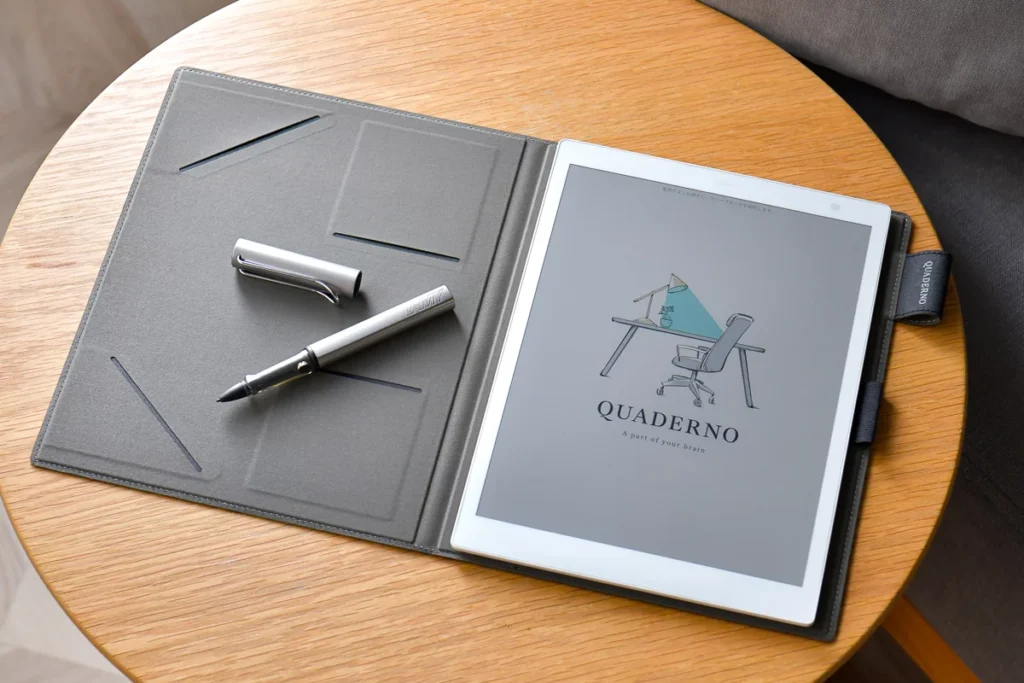
Professionals who regularly work with contracts, legal documents, technical drawings, and academic papers often need a larger display. The Fujitsu Quaderno A4 Gen 3 is designed specifically for these workflows.
Its 13.3-inch screen closely matches the size of a standard A4 sheet of paper. This allows users to review full-page documents without constant zooming and scrolling.
The device focuses heavily on annotation and document review. Users can highlight text, add handwritten notes, and mark-up PDFs with ease.
Unlike Android-based devices, the Quaderno prioritizes simplicity. As a result, it may not be the best choice for users who need productivity apps. However, it excels at document-focused work.
Pros
- Large A4-sized display
- Excellent PDF annotation tools
- Lightweight construction
- Comfortable reading experience
- Designed for professional documents
Cons
- Limited app ecosystem
- Focused on specialized workflows
Best For:
Lawyers, academics, engineers, architects, and professionals who work extensively with PDFs.
| Tablet | Best For | Screen Size | Color Display | Operating System |
|---|---|---|---|---|
| Boox Note Air 5C | Overall productivity | 10.3-inch | Yes | Android 15 |
| reMarkable Paper Pro | Writing focus | 11.8-inch | Yes | reMarkable OS |
| Boox Note Max | Power users | 13.3-inch | No | Android 13 |
| Kindle Scribe Colorsoft | Reading + notes | 11-inch | Yes | Kindle OS |
| Supernote Manta | Note organization | 10.7-inch | No | Chauvet OS |
| Boox Go 10.3 Gen II | Value for money | 10.3-inch | No | Android 15 |
| Fujitsu Quaderno A4 Gen 3 | Large PDF workflows | 13.3-inch | Yes | Proprietary OS |
What Should You Look for in an E Ink Tablet?
Choosing the right E Ink tablet depends on how you plan to use it. If you’re unsure which features matter most for business professionals, read our buying guide – “How to Choose the Best E Ink Tablet for Business Use” first.
Screen Size
Larger screens are better for PDFs, spreadsheets, technical documents, and multitasking. Smaller devices are easier to carry and use while traveling.
Operating System
Android tablets offer the most flexibility because users can install additional apps. Proprietary operating systems often provide a simpler and more focused experience.
Color vs. Monochrome
Color E Ink displays make charts, highlights, and presentations easier to view. Meanwhile, monochrome displays typically offer better contrast and longer battery life.
Writing Experience
Most users buy E Ink tablets for note-taking. A responsive stylus and natural writing feel can make a significant difference during daily use.
Battery Life
One of the biggest advantages of E Ink technology is battery life. Most devices can last days or even weeks on a single charge.
Final Thoughts
The best E Ink tablet ultimately depends on your workflow and priorities.
For most users, the Boox Note Air 5C offers the best combination of productivity features, app support, and portability. Users who want the most natural and focused writing experience should consider the reMarkable Paper Pro. Meanwhile, the Boox Note Max is an excellent choice for professionals who need a large screen and Android flexibility.
The Kindle Scribe Colorsoft remains a strong option for reading and note-taking, while the Supernote Manta stands out for organization and knowledge management. Users who work primarily with large documents may find the Fujitsu Quaderno A4 Gen 3 to be the best fit.
As E Ink technology continues to evolve, these devices are becoming increasingly capable alternatives to traditional tablets and laptops. For professionals who value focus, battery life, and a paper-like writing experience, an E Ink tablet can be a worthwhile investment.