Einkopedia

Sovan Mandal

Sovan Mandal has written about E Ink for nearly 17 years, most prominently for Good e-Reader, and has covered wider technology for publications including Windows Report and PC-Tablet. He runs Einkopedia, covering e-readers, E Ink tablets and the display technology behind them in depth. He has used a Kindle Paperwhite as his everyday reader since 2022.

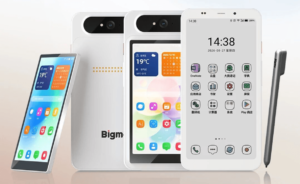
Bigme HiBreak Dual 3 Announced With 85Hz E Ink Display and a Detachable LCD

Bigme has announced the HiBreak Dual 3, its latest E Ink smartphone offering and the newest entry in a lineup the company has been building for several years. However, the company has adopted a different approach to its concept of a dual-screen phone this time. The new HiBreak Dual 3 now features a detachable color…

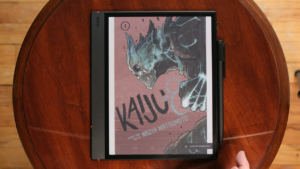
The Ultimate Guide to Choosing an E Ink Tablet for Manga (2026 Edition)

Most people assume that if an E Ink device can display a book, it can handle manga. Then they load a favorite volume onto a six-inch screen, zoom into a tiny dialogue bubble, and wonder why the experience feels so frustrating. Manga demands more from an E Ink reader than ordinary books do. Fine linework,…

reMarkable Paper Pure vs reMarkable 2: Is It Worth Upgrading?

The reMarkable 2 has been one of the most successful E Ink writing tablets ever released. It launched in 2020 with a simple pitch: a distraction-free digital notebook that feels like paper. Six years later, it was still selling well enough to build a loyal following among writers, students, and professionals who wanted to take…

Best E Ink Tablets for Reading (2026 Buyer’s Guide)

You probably spend hours reading every day—but are you doing it on the wrong screen? Whether it’s novels, PDFs, research papers, or manga, reading on an LCD or OLED display often means dealing with glare, eye fatigue, constant notifications, and shorter battery life. E Ink tablets promise a very different experience: a paper-like display that’s…

E Ink vs LCD vs OLED: Which Display Is Better for Your Eyes?

Reading a novel on a Kindle for hours at a stretch won’t hurt your eyes. The same book on a phone screen often starts to feel tiring after say, twenty minutes. Movies look stunning on an OLED television, with deep blacks and glowing colors. Yet a full day of spreadsheet work on an LCD monitor…

How E Ink Displays Work: The Science Behind Electronic Paper

Have you ever wondered how a Kindle can display text for weeks without draining its battery? Or why the screen looks like a printed page instead of a glowing tablet? The answer is electronic paper, better known as E Ink. Inside every E Ink screen are millions of microscopic capsules, each one smaller than the…

Typing vs Handwriting on E Ink: Which Is Better?

Picture two scenes. You’re sitting in a lecture hall, and the professor is moving fast through slides. Or you’re at the kitchen table at 9 p.m., trying to get your thoughts down before bed. In both cases, you’re holding an E Ink tablet. The question is the same: type it, or write it by hand?…