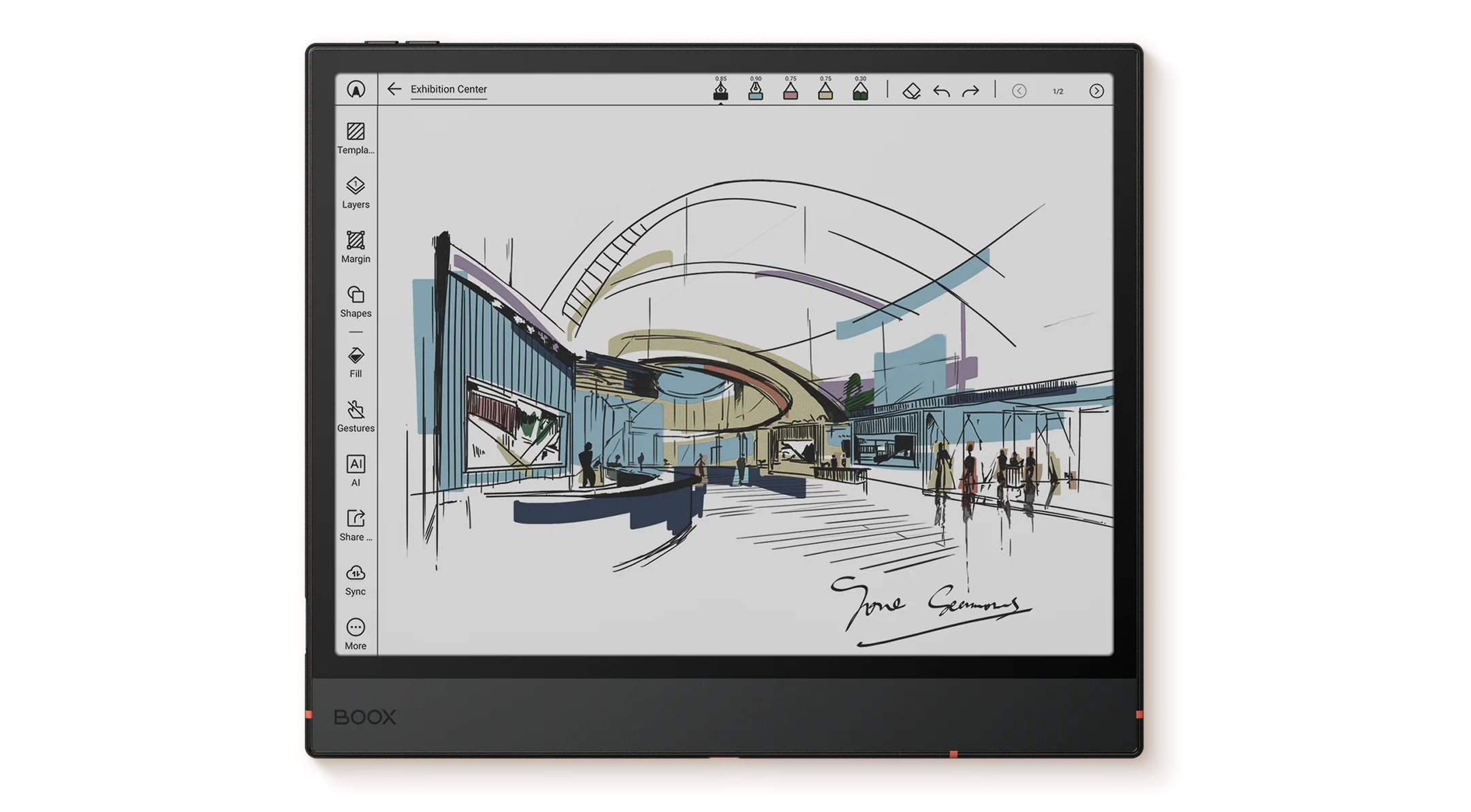
What if your notebook could think with you? In 2026, E Ink tablets and ChatGPT are finally merging—bringing the calm of paper with the power of AI. As artificial intelligence reshapes how we read, write, and study, E Ink tablets are evolving to keep pace. The real question is: which E Ink tablet lets ChatGPT truly come alive on paper?
Disclosure: This article contains affiliate links. If you buy through these links, I may earn a small commission at no extra cost to you. This helps support Einkopedia and allows us to continue publishing honest, in-depth reviews and guides. Here is how it works
Artificial intelligence is rapidly changing how people read, write, study, and work. What began as a technology primarily used by programmers and researchers has become part of everyday life. Students use AI to understand difficult concepts. Writers use it to brainstorm ideas. Professionals rely on it to summarize information, draft documents, and organize knowledge.
At the center of this shift is ChatGPT.
At the same time, E Ink tablets have evolved far beyond simple e-readers. Modern devices can function as digital notebooks, research tools, PDF workstations, and productivity hubs.
It’s only natural that these two trends would eventually intersect. Many people now wonder whether they can combine the distraction-free, paper-like experience of E Ink with the capabilities of ChatGPT.
The answer is yes—but some E Ink tablets do it far better than others.
In this guide, we’ll examine how ChatGPT works on E Ink devices, what features matter most, and which tablets offer the best overall experience in 2026. Rather than focusing on marketing claims, we’ll look at practical usability, software compatibility, writing workflows, note-taking capabilities, and long-term value.
Quick Answer: Which E Ink Tablet Is Best for ChatGPT?
If you’re short on time, here’s the simple answer:
Best Overall: BOOX Note Air 5C
Best for Writers: BOOX Go 10.3
Best for Students: BOOX Note Air 5C
Best for Researchers: BOOX Tab Ultra C Pro
Best Alternative to BOOX: Bigme InkNote Color+
Best Writing Experience: reMarkable Paper Pro
Best Reading-Focused Device: Kindle Scribe
For most users who want the smoothest ChatGPT experience, Android-based E Ink tablets remain the clear winners because they can install the ChatGPT app directly and support a broader ecosystem of AI tools.
However, choosing the right tablet depends heavily on how you intend to use AI.
Who This Guide Is For
This guide is designed for:
Writers
People who use ChatGPT for:
- Brainstorming
- Drafting articles
- Research assistance
- Editing support
- Outlining projects
Students
Those who need help with:
- Summaries
- Study notes
- Learning assistance
- Research projects
Researchers
Users working with:
- Academic papers
- Technical documents
- Extensive PDF libraries
- Literature reviews
Professionals
Including:
- Consultants
- Lawyers
- Managers
- Analysts
- Entrepreneurs
Knowledge Workers
Anyone who spends significant time reading, organizing, and processing information.
How We Evaluated These E Ink Tablets
Transparency matters. Unlike many review websites, we believe readers should understand how recommendations are made.
For this guide, our evaluations are based on:
- Manufacturer specifications
- Software capabilities
- Operating system flexibility
- AI application compatibility
- User reports
- Independent reviews
- Long-term ecosystem support
- Productivity-focused feature analysis
We pay particular attention to factors that directly affect ChatGPT usability, including:
- App support
- Android compatibility
- Processing power
- Screen size
- Writing experience
- Multitasking capabilities
Because ChatGPT itself evolves rapidly, software flexibility often matters more than raw hardware specifications.
Can You Use ChatGPT on an E Ink Tablet?
Yes.
But there are important differences between devices. Broadly speaking, E Ink tablets fall into three categories.
Category 1: Full ChatGPT Support
These devices usually run Android and allow the installation of third-party applications.
Users can install:
- ChatGPT
- Claude
- Gemini
- Perplexity
- Microsoft Copilot
Examples include:
- BOOX devices
- Bigme devices
This provides the most complete AI experience. For most people, these are the best choices.
Category 2: Browser-Based ChatGPT Access
Some devices don’t support native ChatGPT apps but can access ChatGPT through a web browser.
Examples include:
- Kindle Scribe
- reMarkable Paper Pro
This works, but the experience isn’t as seamless.
Category 3: Limited AI Compatibility
Entry-level e-readers often lack:
- Modern browsers
- App installation
- Productivity features
These devices are best suited for reading e-books, magazines, and such and are not ideal for ChatGPT workflows.
What Makes an E Ink Tablet Good for ChatGPT?
Buying an E Ink tablet for ChatGPT isn’t the same as buying one for reading novels or doing other productivity related tasks. Several factors become much more important.
Let’s examine them individually.
Operating System Flexibility
This is arguably the single most important factor. The best ChatGPT experience comes from tablets that allow installation of modern AI applications.
An open Android environment offers:
- Native ChatGPT support
- Gemini support
- Claude support
- Perplexity support
- Future AI compatibility
This flexibility protects your investment as AI tools evolve quickly. A device that supports app installation today is more likely to remain useful tomorrow.
Screen Size
ChatGPT interactions are often more complex than reading e-books.
Users frequently:
- Compare information
- Review long responses
- Analyze PDFs
- Take notes alongside AI conversations
Screen size affects all of these activities. Naturally, the bigger it is, the better.
Under 8 Inches
Best for portability.
Less suitable for serious productivity.
10–11 Inches
The sweet spot.
Provides enough space for:
- Note-taking
- Research
- Writing
- AI interactions
Without becoming cumbersome.
13 Inches and Larger
Ideal for:
- Academic work
- Professional research
- Large documents
- Split-screen workflows
Stylus Support
One of the major advantages of E Ink devices is handwriting.
Many users now combine:
Handwritten Notes → OCR Conversion → ChatGPT Processing
Example:
A student writes lecture notes.
The tablet converts the handwritten notes to text.
ChatGPT summarizes the information.
This workflow can save significant time.
Processing Power
Although ChatGPT itself runs primarily in the cloud, local performance still matters.
A faster processor improves:
- App launching
- Browser responsiveness
- PDF navigation
- Multitasking
The difference becomes noticeable during extended productivity sessions.
Color vs Monochrome E Ink
This decision depends on your workflow.
Color E Ink Advantages
Better for:
- Charts
- Graphs
- Research papers
- Web browsing
- Visual content
Monochrome Advantages
Better for:
- Text clarity
- Reading comfort
- Battery efficiency
Neither is objectively superior. All of it depends on your priorities.
Best E Ink Tablets for ChatGPT in 2026
Now let’s examine the devices themselves.
BOOX Note Air 5C
Best Overall E Ink Tablet for ChatGPT
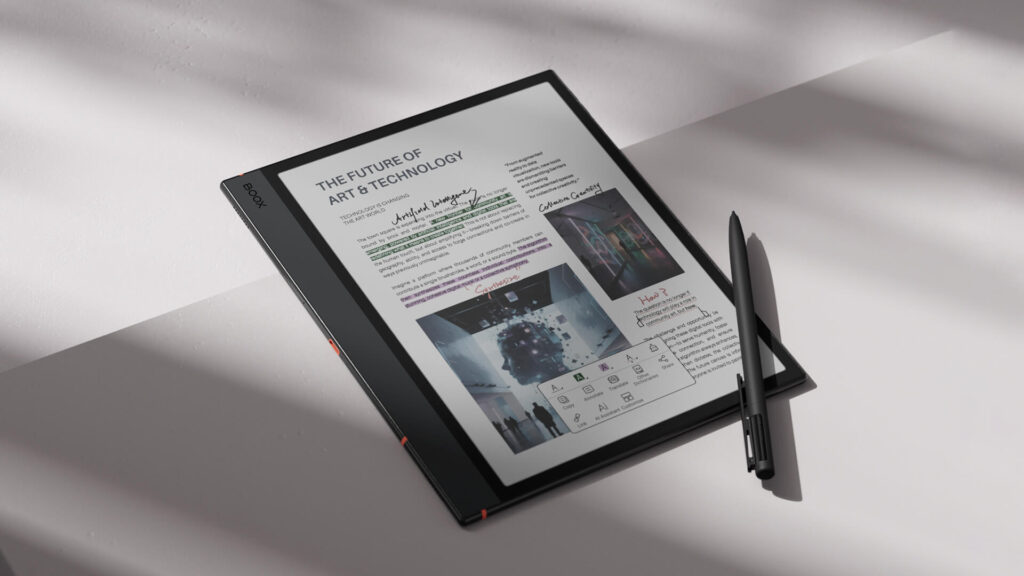
If you asked us to recommend a single E Ink tablet for ChatGPT users in 2026, the BOOX Note Air 5C would likely be our answer.
It successfully balances:
- Hardware performance
- Software flexibility
- Writing experience
- Display quality
- AI compatibility
Why It Works So Well with ChatGPT
The biggest advantage is its open Android operating system. Unlike closed ecosystems, BOOX allows users to install applications directly from the Google Play Store.
This means you can use:
- ChatGPT
- Claude
- Gemini
- Perplexity
- Copilot
Without relying on browser workarounds.
Productivity Strengths
The 10.3-inch display provides enough space for:
- Research
- Note-taking
- Writing
- AI-assisted learning
The color E Ink screen also helps when working with PDFs, charts, and web content.
Pros
- Full ChatGPT compatibility
- Google Play Store access
- Excellent writing experience
- Color E Ink display
- Strong multitasking capabilities
Cons
- Higher price than entry-level devices
- More complex than simpler notebooks
Best For
Most users. Particularly:
- Students
- Writers
- Professionals
- Researchers
Check Latest Price of Boox Note Air 5C on Amazon
BOOX Go 10.3
Best for Writers
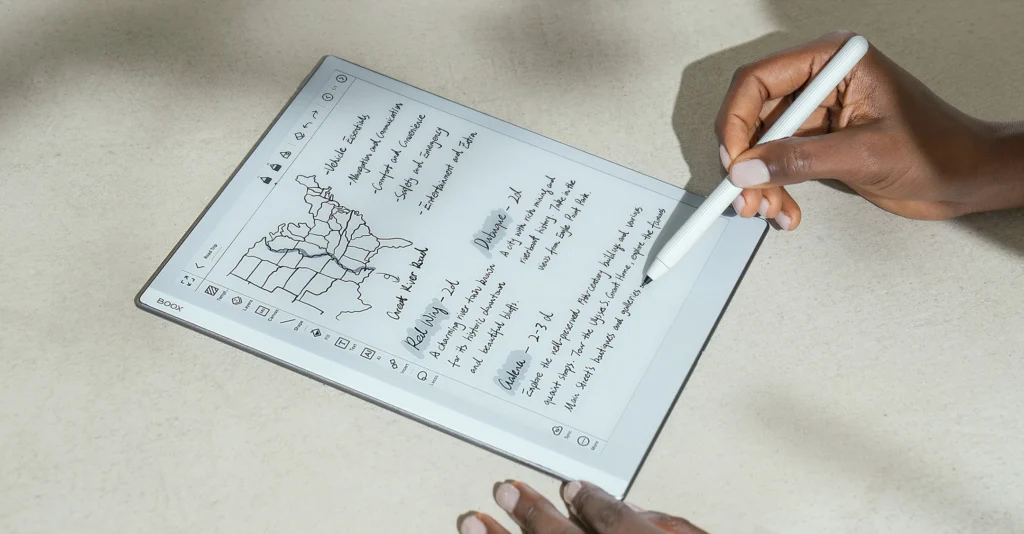
The BOOX Go 10.3 has become one of the most interesting E Ink tablets available today. It focuses less on flashy features and more on delivering an excellent writing experience.
Why Writers Love It
Many writers use ChatGPT for:
- Outlining
- Brainstorming
- Research
- Draft refinement
The Go 10.3 complements those activities well. Its minimalist design encourages focused work. At the same time, open Android support ensures access to modern AI tools.
Writing Experience
The writing feel is among the best available in its class. For users who spend hours taking notes or drafting content, this matters a lot.
Pros
- Lightweight
- Excellent handwriting experience
- Full ChatGPT support
- Clean, focused design
Cons
- No color display
- Less multimedia-oriented
Best For
- Authors
- Journalists
- Bloggers
- Students who write extensively
Check Latest Price of Boox Go 10.3 on Amazon
BOOX Tab Ultra C Pro
Best for Researchers and Power Users
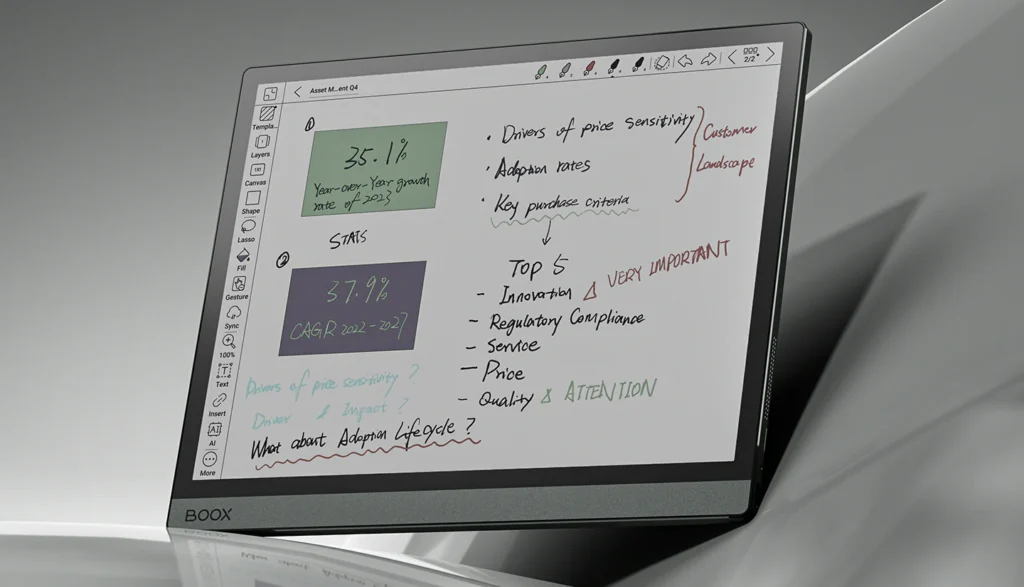
The BOOX Tab Ultra C Pro pushes E Ink productivity further than almost any competing device. This is not merely an E Ink notebook. It’s closer to a laptop replacement.
Why It Excels with AI
Research workflows often involve:
- PDFs
- Notes
- Browser tabs
- AI conversations
- Document annotation
The Tab Ultra C Pro handles these demands better than most E Ink tablets.
Keyboard Support
One major advantage is support for keyboard-focused workflows. This transforms ChatGPT from a casual assistant into a serious productivity tool.
Performance
The hardware is among the fastest available in the E Ink category. This ensures applications launch quickly, multitasking feels smoother, and large documents are easier to manage.
Pros
- Outstanding productivity potential
- Excellent hardware
- Color display
- Strong multitasking
Cons
- Premium pricing
- Less portable
Best For
- Researchers
- Academics
- Lawyers
- Consultants
- Heavy productivity users
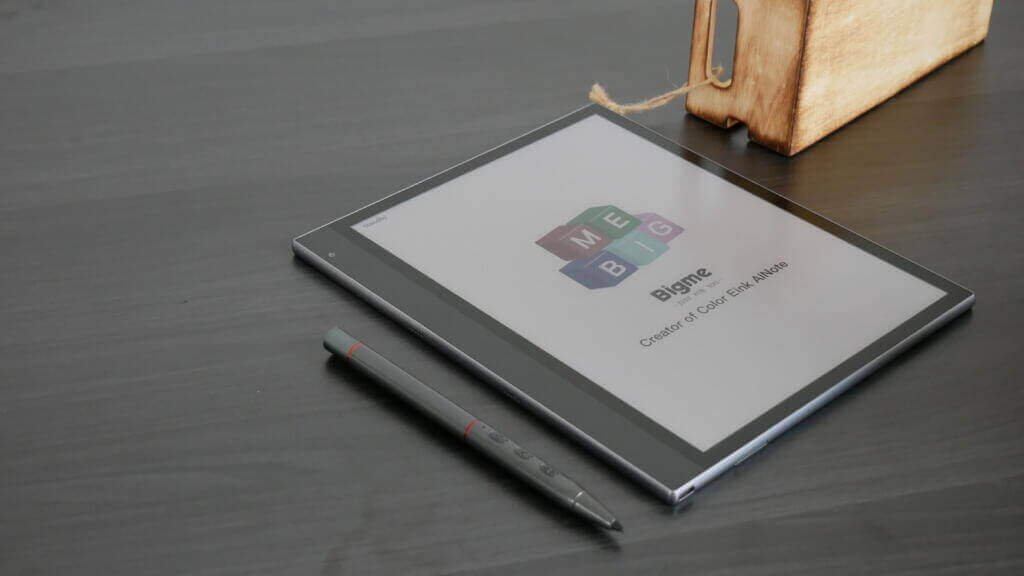
Bigme InkNote Color+
Best BOOX Alternative
BOOX currently dominates the Android E Ink space, but Bigme too deserves attention. The InkNote Color+ comes across as a compelling alternative.
AI-Focused Philosophy
Bigme has invested heavily in AI-related features.
Many of its devices include tools such as:
- Transcription
- Translation
- Summarization
These complement ChatGPT nicely.
Strengths
The combination of:
- Android
- Color E Ink
- Stylus support
Makes it highly versatile.
Pros
- Full app support
- Strong AI feature set
- Color display
- Competitive specifications
Cons
- Software can occasionally feel less polished
Best For
Users who want Android flexibility but prefer an alternative ecosystem.
Check Latest Price of Bigme inkNote Color + on Amazon
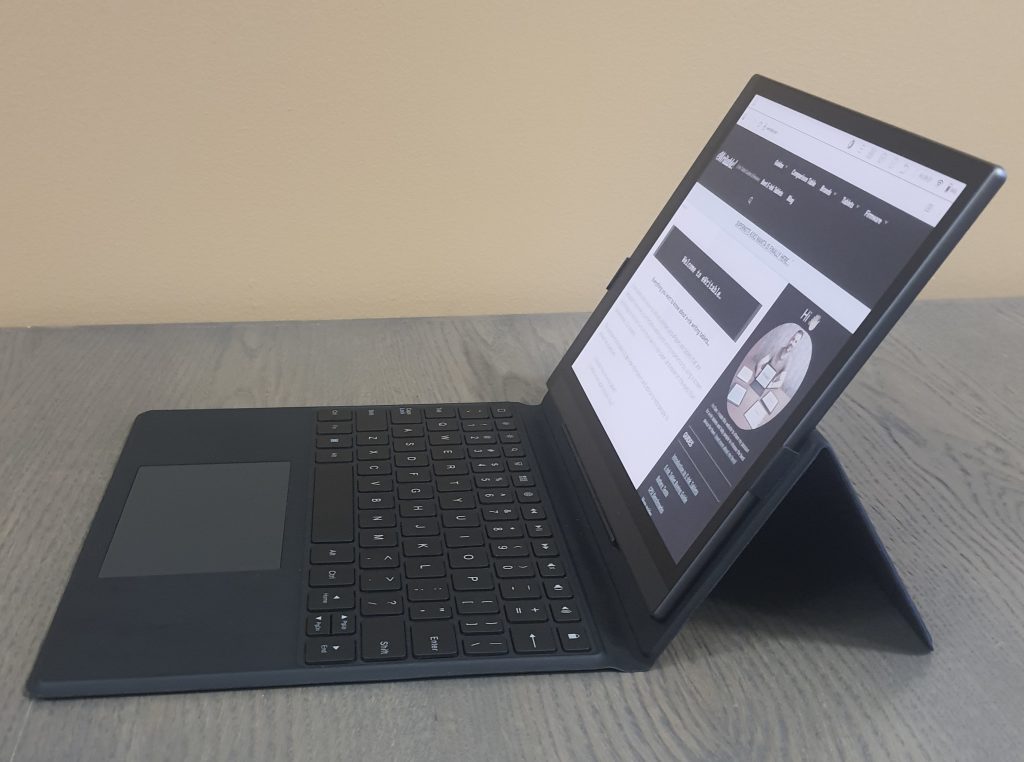
Bigme B1051C
Best for Business Productivity
The Bigme B1051C targets professionals who need more than basic note-taking. Its productivity-oriented features make it an interesting choice for AI-assisted workflows.
Key Advantages
Business users often need:
- Meeting notes
- Voice transcription
- Document review
- AI summaries
The B1051C is designed around these use cases.
Pros
- Productivity-focused
- Strong AI integrations
- Android flexibility
Cons
- Interface learning curve
Best For
Professionals and enterprise users.
Check Latest Price of Bigme B1051C Pro on Amazon
Popular E Ink Tablets That Are Poor Choices for ChatGPT
reMarkable Paper Pro

Best Premium Writing Experience
The reMarkable Paper Pro occupies a unique position in the E Ink market.
Unlike BOOX and Bigme devices, it is not trying to be a full Android tablet. It is designed primarily as a digital notebook—a device intended to replicate the simplicity and focus of pen and paper.
For some users, that philosophy is exactly what makes it appealing.
Can You Use ChatGPT on the reMarkable Paper Pro?
This is where things become more complicated. The reMarkable Paper Pro does not support installation of the ChatGPT app. Nor does it provide the open software ecosystem found on Android-based E Ink tablets. In practical terms, this means that ChatGPT is not a core part of the reMarkable experience.
Users who want AI integration will need to rely on external workflows, such as:
- Using ChatGPT on a separate device
- Exporting notes for AI processing
- Browser-based access where available
Where It Excels
The Paper Pro shines in areas such as:
- Handwriting
- Focused note-taking
- Brainstorming
- Sketching
- Reading and annotating documents
Many writers and professionals prefer it because it removes distractions rather than adding features.
Pros
- Outstanding writing feel
- Excellent note organization
- Minimal distractions
- Premium hardware design
- Color E Ink display
Cons
- No native ChatGPT support
- Closed ecosystem
- Limited flexibility compared with Android alternatives
Best For
- Writers who prioritize handwriting
- Professionals who value focus
- Users seeking a paper replacement
Check Latest Price of reMarkable Paper Pro Bundle on Amazon
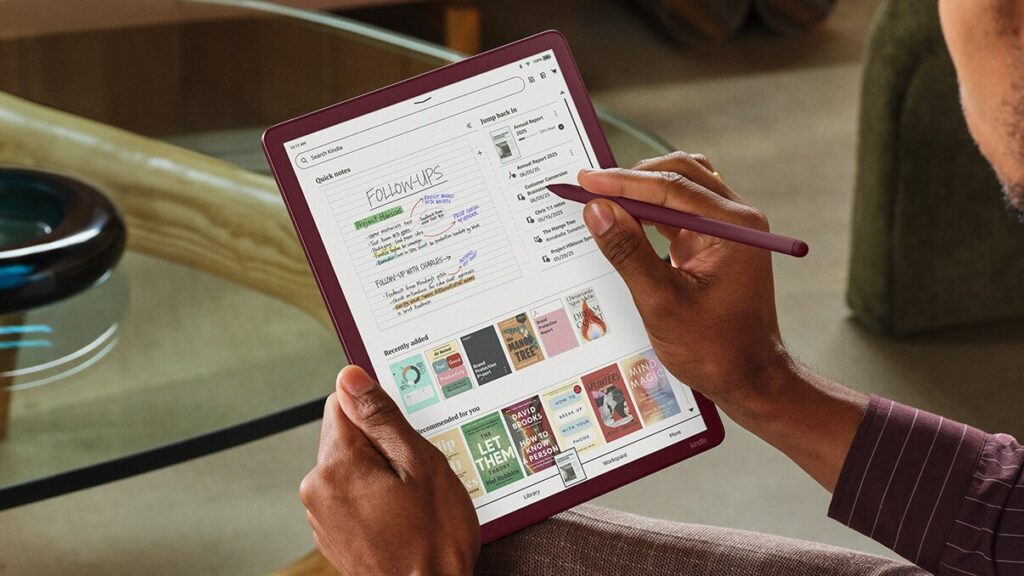
Kindle Scribe
Best Reading-Focused E Ink Device
The Kindle Scribe is one of the most recognizable E Ink tablets available today. Built around Amazon’s Kindle ecosystem, it combines e-book reading with note-taking capabilities.
Can It Run ChatGPT?
Not in the same way as Android-based tablets. Since it does not run Android, you can’t install ChatGPT right away. Instead, you are limited to having access to ChatGPT via the built-in browser. The Kindle Scribe is also not designed as an AI productivity platform. Users looking for heavy ChatGPT integration will likely find Android devices more suitable.
What the Kindle Scribe Does Well
The Kindle Scribe remains one of the best devices available for:
- Reading e-books
- Annotating documents
- Taking handwritten notes
- Consuming long-form content
If your primary goal is reading and occasional note-taking, it remains a strong option.
Pros
- Excellent reading experience
- Mature e-book ecosystem
- Long battery life
- Easy to use
Cons
- Limited AI flexibility
- No native ChatGPT app
- Fewer productivity features
Best For
- Dedicated readers
- Kindle ecosystem users
- Casual note-takers
Check Latest Price of Kindle Scribe Colorsoft on Amazon
Comparison Table
| Device | ChatGPT App | Android | Color E Ink | Stylus Support | Best For |
| BOOX Note Air 5C | Yes | Yes | Yes | Yes | Most Users |
| BOOX Go 10.3 | Yes | Yes | No | Yes | Writers |
| BOOX Tab Ultra C Pro | Yes | Yes | Yes | Yes | Researchers |
| Bigme InkNote Color+ | Yes | Yes | Yes | Yes | Productivity |
| Bigme B1051C | Yes | Yes | Yes | Yes | Business Users |
| reMarkable Paper Pro | Limited | No | Yes | Yes | Handwriting |
| Kindle Scribe | Limited | No | No | Yes | Reading |
How People Actually Use ChatGPT on E Ink Tablets
One of the biggest mistakes buyers make is assuming ChatGPT is simply another app. In reality, its usefulness depends on how it fits into your workflow. Let’s look at some common use cases.
ChatGPT for Writers
Writers are among the biggest beneficiaries of AI-powered workflows.
A typical process might look like this:
Step 1: Brainstorm Ideas
Use ChatGPT to generate:
- Article ideas
- Headlines
- Research angles
- Content structures
Step 2: Create an Outline
ChatGPT can help organize ideas into a logical structure.
Step 3: Draft Notes by Hand
Many writers prefer to think on paper. An E Ink tablet provides a distraction-free environment for this stage.
Step 4: Refine with AI
ChatGPT can then:
- Improve clarity
- Identify gaps
- Suggest examples
- Enhance readability
The result is a workflow that combines human creativity with AI assistance.
ChatGPT for Students
Students often use AI differently.
Typical tasks include:
- Summarizing lectures
- Explaining difficult concepts
- Creating flashcards
- Organizing study notes
For example:
A student takes handwritten lecture notes on an E Ink tablet. The notes are converted to text.
ChatGPT then creates:
- Study guides
- Practice questions
- Revision summaries
This can dramatically reduce study preparation time.
ChatGPT for Researchers
Researchers frequently deal with information overload.
A single project may involve:
- Hundreds of pages of PDFs
- Technical papers
- Reports
- Notes
ChatGPT can assist by:
- Summarizing papers
- Extracting key points
- Explaining terminology
- Organizing information
Large-screen E Ink devices are especially valuable in these workflows because they make extended reading sessions more comfortable.
ChatGPT for Professionals
Business users increasingly rely on AI for:
- Meeting preparation
- Report drafting
- Project planning
- Research assistance
A common workflow might look like:
Meeting Notes → AI Summary → Action Plan
The ability to combine handwritten notes with AI-generated insights can significantly improve productivity.
Advantages of Using ChatGPT on an E Ink Tablet
Why not simply use an iPad or laptop?
There are several reasons people increasingly choose E Ink.
Reduced Eye Strain
This remains the biggest advantage. Traditional displays, being backlit, emit light directly toward the user. E Ink, on the other hand, reflects ambient light much like paper. For people who spend hours reading AI-generated responses, this difference can be significant.
Better Focus
Most E Ink tablets are designed around productivity. They are not optimized for social media, gaming, or streaming. This can help users stay focused on their work.
Exceptional Battery Life
Battery life remains one of E Ink’s greatest strengths. Many devices can last several days, a week, or maybe even longer on a single charge depending on usage.
Superior Reading Experience
Long AI conversations often involve substantial amounts of text. E Ink displays are easily among the most comfortable screens for reading for an extended period of time without tiring your eyes.
Handwriting Integration
This is something traditional AI interfaces are often found lacking. With the ability to combine handwritten notes, digital organization, and AI assistance, E Ink tablets create a unique productivity experience.
Limitations of ChatGPT on E Ink Tablets
No technology is perfect. Understanding the limitations is important before making a purchase.
Slower Refresh Rates
Even the fastest E Ink displays remain slower than LCD or OLED screens. Users accustomed to smartphones and tablets with traditional displays may find the slow refreshing E Ink display quite frustrating.
Less Fluid Interfaces
Most AI applications are designed with conventional displays in mind. Some animations and interface elements may not feel as smooth on E Ink.
Voice Features Can Be Inconsistent
Certain AI workflows rely heavily on voice interactions. Not every E Ink tablet may have support for voice-enabled interactions.
Web Browsing Remains a Weakness
While modern E Ink tablets browse the web better than ever before, it still isn’t as fast and seamless as on traditional tablets which provide a smoother experience.
Cost
High-end E Ink tablets are not inexpensive. Many premium models cost as much as mid-range laptops. The value proposition depends on how much you appreciate the unique characteristics of E Ink.
ChatGPT vs Built-In AI Features
A growing number of E Ink manufacturers now include their own AI tools. This creates an important question: Do you still need ChatGPT?
The answer is usually yes. But the relationship is complementary rather than competitive.
What Built-In AI Usually Does Well
Many manufacturer AI tools focus on:
- Handwriting recognition
- Translation
- Voice transcription
- Summarization
- Note organization
These functions are often tightly integrated into the operating system.
What ChatGPT Does Better
ChatGPT excels at:
- Conversation
- Reasoning
- Brainstorming
- Writing assistance
- Research support
- Problem-solving
Its flexibility remains difficult to match.
The Best Setup
For many users, the ideal workflow combines both.
Example:
- Take notes by hand.
- Convert notes to text.
- Use built-in AI to organize them.
- Use ChatGPT to analyze and expand them.
This approach leverages the strengths of both systems.
Buying Guide: What to Consider Before Buying an E Ink Tablet for ChatGPT
Choosing the right device depends on more than simply asking whether it can run ChatGPT. Here are the most important factors.
Operating System
For maximum flexibility, choose Android.
Android allows installation of a host of AI applications. Those include:
- ChatGPT
- Claude
- Gemini
- Perplexity
- Future AI applications
This future-proofs your purchase.
Screen Size
Choose based on your workflow.
8 Inches or Smaller
Best for portability.
10–11 Inches
Best all-around option.
13 Inches and Larger
Best for serious research and professional work.
Stylus Quality
If note-taking matters, prioritize a good writing experience. A stylus is often just as important as the display itself.
Storage Capacity
AI workflows frequently involve:
- PDFs
- Notes
- Documents
- Research libraries
More storage provides greater flexibility.
Multitasking
Power users should prioritize devices that support:
- Split-screen views
- App switching
- Document management
These features become increasingly valuable over time.
Budget
As a general rule:
Under $400
Entry-level productivity.
$400–$700
Best value category.
$700+
Premium productivity tools.
The ideal choice depends on how central the device will be to your workflow.
Which E Ink Tablet Should You Buy?
If you’re still unsure, these recommendations may help.
Buy the BOOX Note Air 5C if:
You want the best overall balance of AI, note-taking, and productivity.
Buy the BOOX Go 10.3 if:
Writing is your primary focus.
Buy the BOOX Tab Ultra C Pro if:
You want the most capable productivity machine available.
Buy the Bigme InkNote Color+ if:
You want Android flexibility and strong AI features outside the BOOX ecosystem.
Buy the reMarkable Paper Pro if:
Your priority is handwriting, not apps.
Buy the Kindle Scribe if:
Reading remains your primary use case.
Frequently Asked Questions
Can I install ChatGPT directly on an E Ink tablet?
Yes, on Android-based devices such as BOOX and Bigme tablets.
Which E Ink tablet runs ChatGPT best?
For most users, the BOOX Note Air 5C offers the best overall combination of hardware, software flexibility, and writing experience.
Does Kindle Scribe support ChatGPT?
Not natively. It is primarily designed for reading and note-taking. You will have to rely on browser-based access to ChatGPT.
Can reMarkable Paper Pro run ChatGPT?
No. It runs a closed operating system that is focused on distraction‑free note‑taking. You cannot install third‑party AI apps directly. The best you can do is export your notes to external platforms (via the reMarkable Connect subscription or third‑party workflows) and then process them with ChatGPT on another device.
Is an E Ink tablet better than an iPad for ChatGPT?
That depends on your priorities. An iPad provides greater speed and versatility. An E Ink tablet, on the other hand offers better reading comfort, less eye strain, longer battery life, and fewer distractions.
Which E Ink tablet is best for AI writing?
The BOOX Go 10.3 and BOOX Note Air 5C are currently among the strongest options.
Can ChatGPT summarize handwritten notes?
Yes. If your notes can be converted into text through OCR, ChatGPT can analyze, summarize, and organize them.
Do E Ink tablets support other AI assistants?
Many Android-based devices support:
- Claude
- Gemini
- Perplexity
- Microsoft Copilot
In addition to ChatGPT.
Final Verdict
The best E Ink tablet for ChatGPT depends largely on how you plan to use AI.
If your goal is maximum flexibility, Android-based E Ink tablets remain the clear leaders. They support native ChatGPT installation, work with multiple AI assistants, and provide the software freedom necessary to adapt as AI technology evolves.
For most users, the BOOX Note Air 5C currently offers the strongest overall package. It combines a capable Android platform, a comfortable E Ink display, excellent note-taking tools, and broad AI compatibility in a well-balanced design.
Writers may prefer the focused simplicity of the BOOX Go 10.3. Researchers and power users will appreciate the performance of the BOOX Tab Ultra C Pro. Those who prioritize handwriting above all else may find the reMarkable Paper Pro more appealing despite its limited AI integration.
Ultimately, the most successful AI workflow isn’t about replacing human thinking. It’s about creating a system where reading, writing, note-taking, and AI assistance work together seamlessly. That is precisely where modern E Ink tablets are beginning to shine. As AI becomes increasingly integrated into everyday work, E Ink devices are evolving from simple reading tools into powerful knowledge-management platforms. And for many users, combining ChatGPT with an E Ink tablet may prove to be one of the most productive technology upgrades they make in 2026.