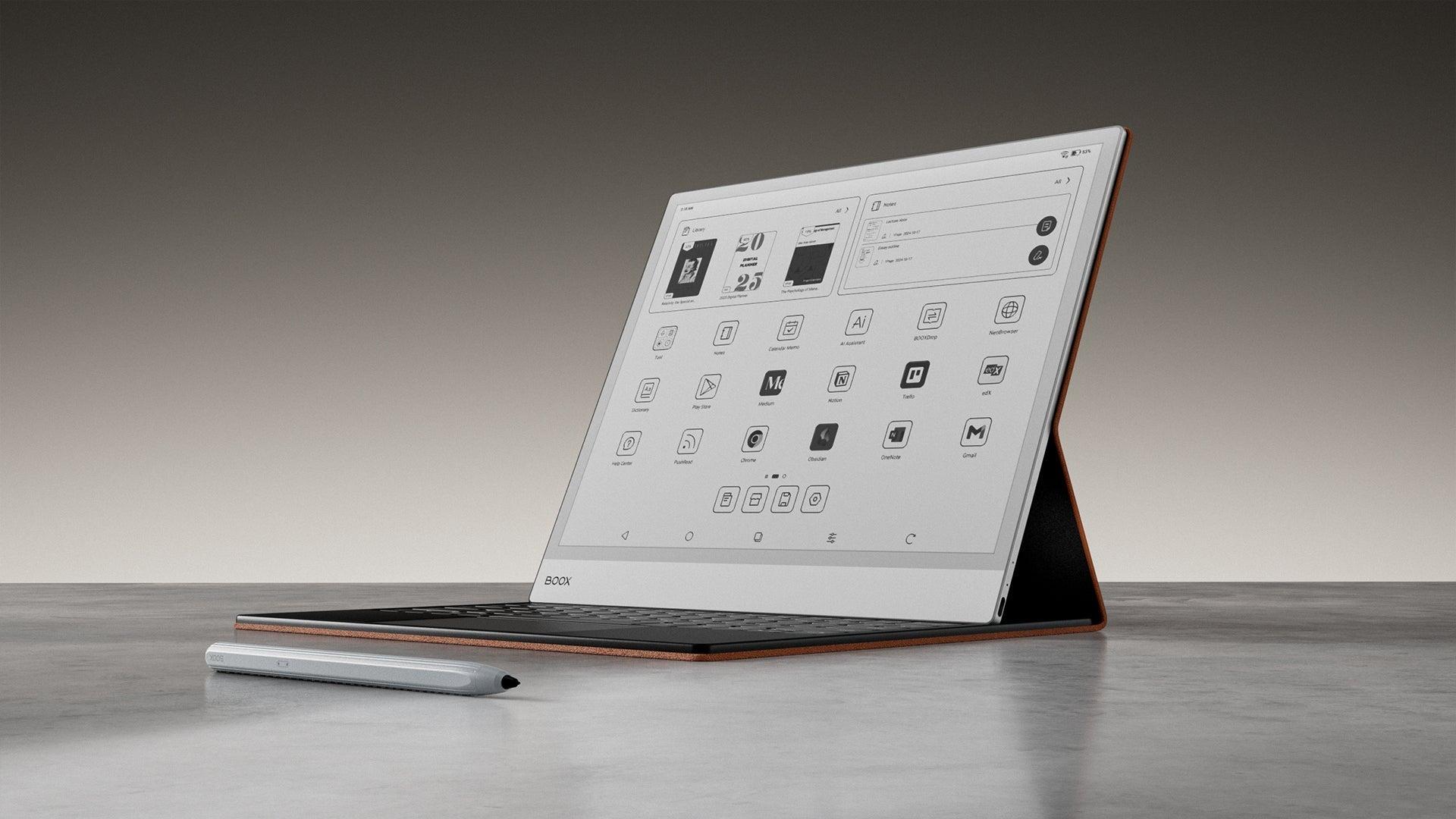
PDFs aren’t built to bend — they lock in every margin, chart, and diagram. That’s why the wrong E Ink tablet can turn a research paper into a squinting contest, or make a legal contract feel like a puzzle. The right device, however, transforms dense documents into something fluid, readable, and almost paper‑like. In 2026, choosing wisely means knowing which tablets truly master PDFs — and which ones still stumble. Here is your guide to choosing the best e-ink tablets for reading PDFs.
Disclosure: This article contains affiliate links. If you buy through these links, I may earn a small commission at no extra cost to you. This helps support Einkopedia and allows us to continue publishing honest, in-depth reviews and guides. Here is how it works
Reading PDFs on an E Ink device is very different from reading normal e-books. A standard e-book is reflowable. The text adjusts itself to the screen size. That’s not how PDFs behave. They preserve the original layout, page dimensions, charts, tables, graphs, annotations, and formatting. That makes them much harder to read comfortably on smaller screens.
This is also the reason why many people end up buying the wrong E Ink tablet.
Why PDFs behave differently across devices
Unlike e-books, PDFs, as already stated, are fixed‑layout documents. They keep the original page size, margins, charts, and formatting intact, which means they don’t automatically adapt to different screen sizes. As a result, a PDF that looks fine on a 13‑inch tablet may feel cramped and unreadable on a 7‑inch device. Performance also varies depending on how well each device’s software handles zooming, cropping, and annotation. This is why choosing the right screen size and PDF engine matters far more than raw specifications.
A device that feels excellent for novels may become frustrating for PDFs. This is due to the following reasons:
- Text may appear too small
- Zooming can feel slow
- Margins waste space
- Large academic papers become cumbersome
- Technical diagrams become unreadable
- Annotation tools may lag
- Split-screen multitasking may not exist
The good news is that modern E Ink tablets have improved dramatically. Large displays, faster processors, Android support, GPU acceleration, better note-taking systems, and smarter PDF rendering have made them genuinely useful for students, researchers, lawyers, engineers, academics, and professionals.
This guide – Best E Ink Tablets for Reading PDFs – focuses specifically on PDF reading performance — not general e-book reading.
This guide compares devices based on published specifications, long-term user feedback, software capabilities, professional reviews, and widely reported real-world PDF performance.
The result is a list that should help almost any type of PDF reader find the right device.
Quick Recommendations
| Use Case | Best Device |
| Best overall PDF tablet | Boox Note Max |
| Best for academics and researchers | reMarkable Paper Pro |
| Best portable PDF reader | Kindle Scribe |
| Best value for large PDFs | Kobo Elipsa 2E |
| Best Android flexibility | Boox Tab Ultra C Pro |
| Best for handwritten notes on PDFs | Supernote A5 X2 |
| Best color PDF experience | Boox Tab Mini C |
What Actually Matters for PDF Reading?
Before exploring specific devices, it’s crucial to know the difference between an E Ink tablet that handles PDFs well and one that doesn’t.
Screen Size Is Extremely Important
For PDFs, screen size matters more than almost anything else.
7–8 inch devices
Good for:
- Casual reading
- Cropped PDFs
- Simple documents
Bad for:
- Academic journals
- Two-column PDFs
- Technical diagrams
- Sheet music
- Legal files
10.3-inch devices
The sweet spot for most people.
Good balance between:
- Portability
- Readability
- Annotation space
- Battery life
13.3-inch devices
Best for:
- Full-page A4-sized PDFs
- Scientific papers
- Engineering drawings
- Legal contracts
- Research work
But:
- Expensive
- Less portable
- Heavier
If PDF reading is your primary use case, bigger is usually better.
Resolution and Contrast Matter More Than Specs Suggest
Most modern E Ink tablets now use 300 PPI panels, which are sharp enough for text-heavy PDFs.
However, contrast quality matters just as much:
- Darker blacks improve readability
- Better front lights reduce eye strain
- Carta 1300 panels improve perceived sharpness
- Kaleido color displays have less contrast compared to B/W displays
Black-and-white E Ink still looks noticeably cleaner than current color E Ink technology.
Software Is More Important Than Hardware
This is where many devices differ dramatically. A fast processor alone does not guarantee a good PDF experience. The software must be capable of handling efficiently:
- Cropping
- Reflow
- Annotation
- Search
- Hyperlinks
- Split view
- OCR
- Highlight export
- Large file indexing
Some devices feel smooth because their PDF software is well optimized. Others might feel unfinished despite having excellent hardware.
Annotation Experience Matters
If you only read PDFs, annotation may not matter much.
But if you:
- Study
- Research
- Review contracts
- Grade papers
- Edit manuscripts
- Mark textbooks
…then annotation quality becomes critical.
The best devices now offer:
- Near-paper writing feel
- Low-latency stylus input
- Shape tools
- Layer support
- OCR handwriting conversion
- Exportable notes
Best E Ink Tablets for Reading PDFs
Boox Note Max — Best Overall for PDFs
Why It Stands Out
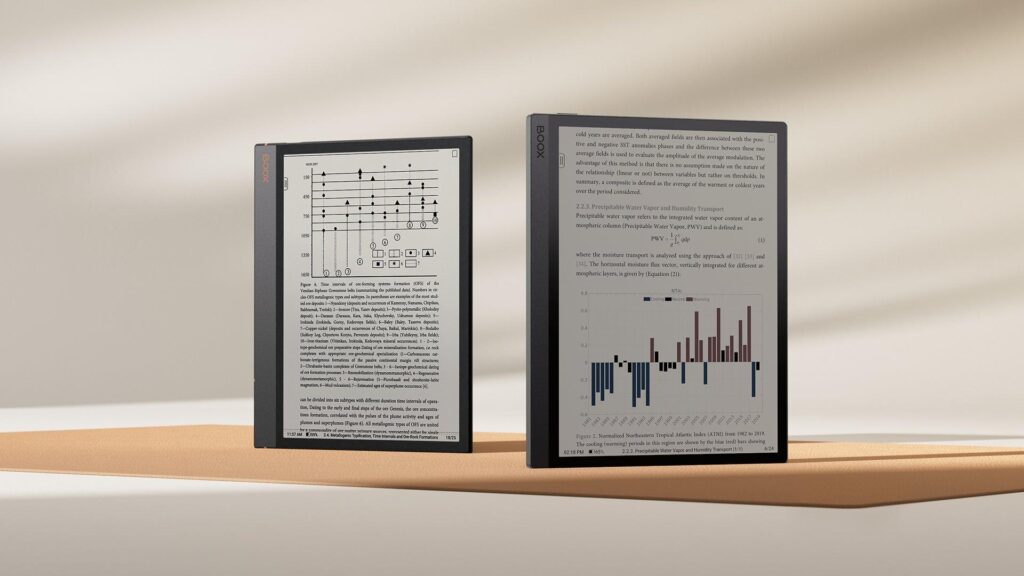
If your primary goal is serious PDF work, the Boox Note Max is currently one of the strongest options available.
The 13.3-inch display changes the entire experience:
- Full-page PDFs fit naturally
- There is minimal zooming required
- Scientific journals become readable
- Tables and charts remain usable
- Split-screen multitasking works well
Unlike smaller devices, it feels much closer to handling real paper.
The Android-based system is also a major advantage.
You can install a host of apps such as:
- Kindle
- Kobo
- Google Drive
- OneDrive
- Dropbox
- Zotero companion apps
- Research tools
- Academic platforms
That flexibility matters a lot for professionals.
Strengths
- Large display that is ideal for A4 documents
- Excellent PDF rendering speed
- Strong multitasking
- Flexible Android ecosystem
- Good stylus support
- Powerful note-taking features
- Better file management than most competitors
Weaknesses
- Expensive
- Bigger display means bigger proportions overall, and hence, less portable
- Android interface can feel complex
- Battery life lower than minimalist devices
Best For
- Researchers
- Academics
- Lawyers
- Engineers
- Students handling large PDFs daily
Check Latest Price of BOOX Tablet Note Max 13.3 on Amazon
reMarkable Paper Pro — Best Writing Experience
Why People Love It
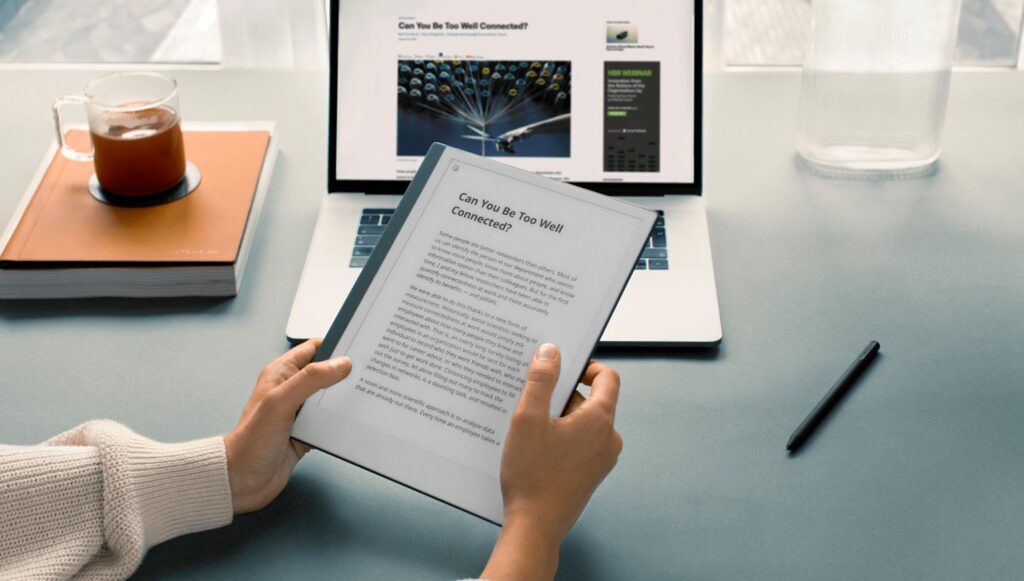
The reMarkable ecosystem focuses heavily on distraction-free reading and writing. And it succeeds remarkably well. The writing feel is among the closest to real paper currently available on any digital device.
For PDF annotation:
- Highlighting feels natural
- Margin notes are smooth
- Writing latency is excellent
- The interface is uncluttered
This simplicity is exactly why many professionals strongly prefer it. It allows you to focus almost entirely on reading rather than managing apps.
Where It Falls Short
The closed ecosystem can frustrate power users. Compared with Android-based Boox devices, you have:
- Fewer apps
- Less flexibility
- More limited customization
- Weaker multitasking
If you want maximum flexibility, this may not be ideal. But if you want focus and simplicity, it is clearly among the best out there.
Best For
- Writers
- Researchers
- Students
- Professionals who annotate heavily
Check Latest Price of reMarkable Paper Pro Bundle on Amazon
Kindle Scribe — Best Simple PDF Reader
The Biggest Advantage: Simplicity
The Kindle Scribe is not the most powerful PDF tablet. But it may be the easiest to live with. Much of it has to do with the Amazon ecosystem which remains extremely polished. It allows for:
- Reliable syncing
- Excellent battery life
- Clean interface
- Minimal learning curve
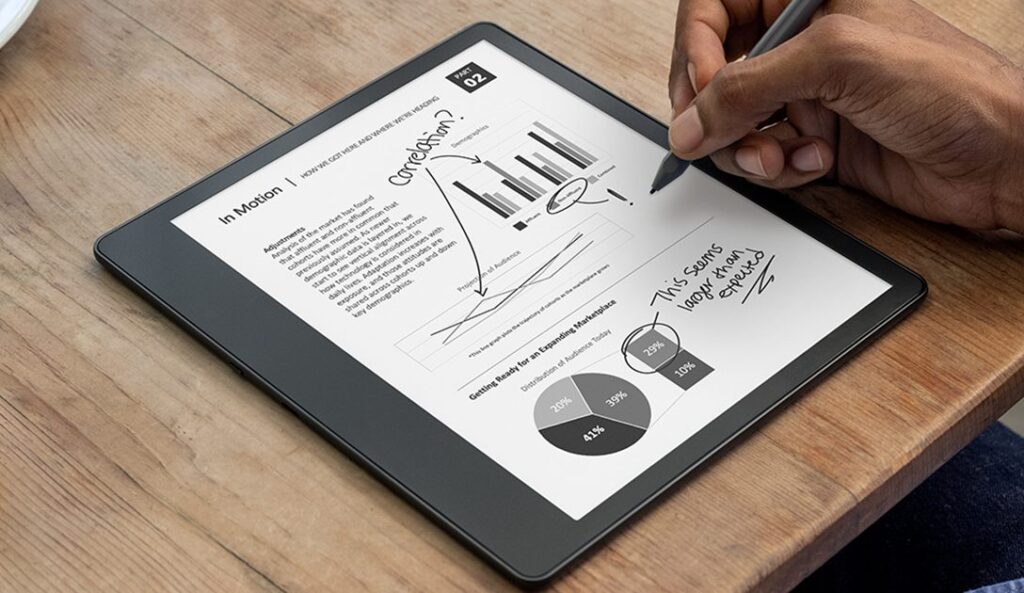
PDF support has improved substantially over time.
It now handles:
- Annotation
- Margin writing
- Basic notebook workflows
- Large documents reasonably well
Limitations
Compared with Boox, the Kindle Scribe is:
- Less flexible
- Has fewer export tools
- Weaker file organization
- Limited advanced PDF workflows
Still, many users simply want:
- A large screen
- Comfortable reading
- Occasional annotations
- Long battery life
For that, the Kindle Scribe works very well.
Best For
- Casual PDF readers
- Kindle ecosystem users
- Readers who value simplicity
Check Latest Price of Kindle Scribe on Amazon
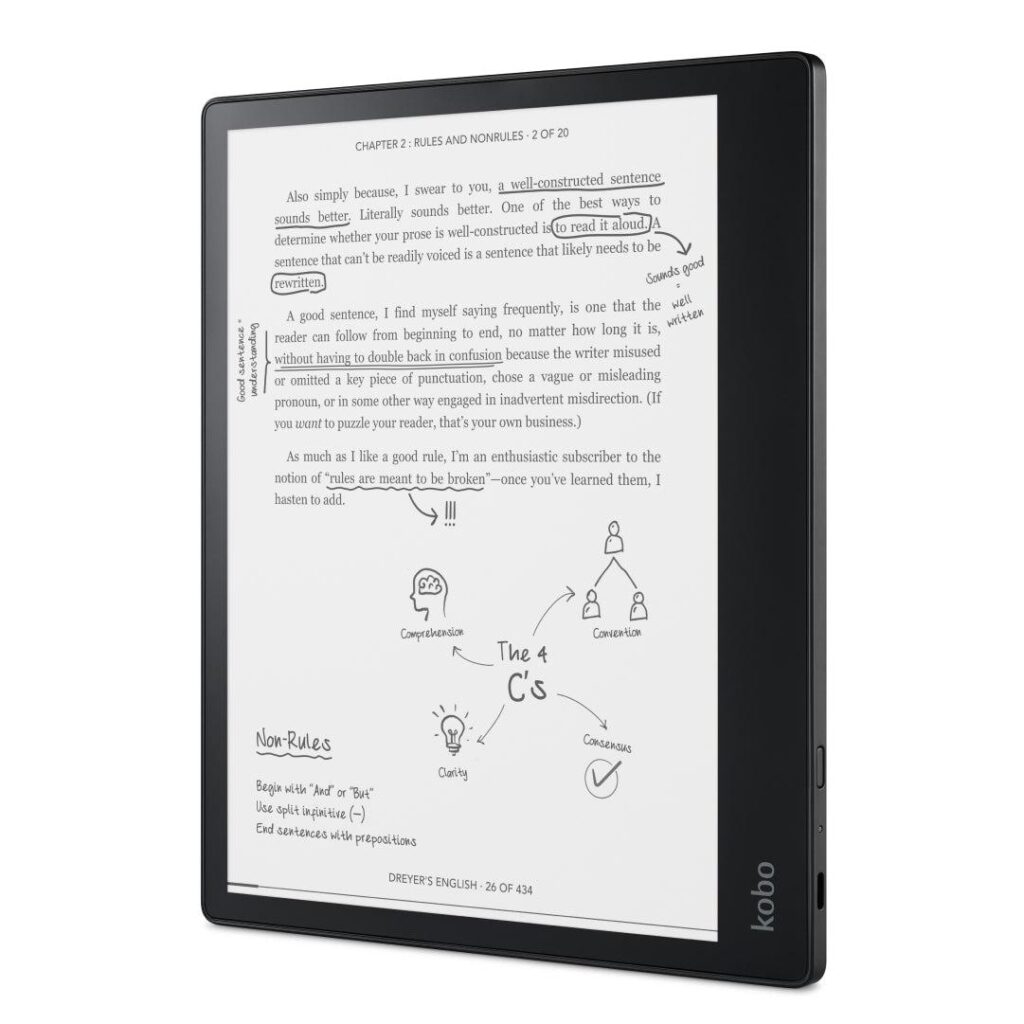
Kobo Elipsa 2E — Best Value
Why It Is a Strong Value Option
The Kobo Elipsa 2E occupies an interesting middle ground.
It gives users:
- A large 10.3-inch screen
- Stylus support
- PDF annotation
- Kobo ecosystem integration
…without reaching the very high prices of premium E Ink tablets.
Its software is also simpler than Boox, which some users actually prefer.
Downsides
Performance is not class-leading:
- Zooming can feel slower
- Heavy PDFs may lag
- Multitasking is limited
But for ordinary reading and note-taking, it performs well enough.
Best For
- Budget-conscious buyers
- Students
- Readers who want a large screen E Ink tablet having a simple user interface.
Check Latest Price of Kobo Elipsa 2E on Amazon
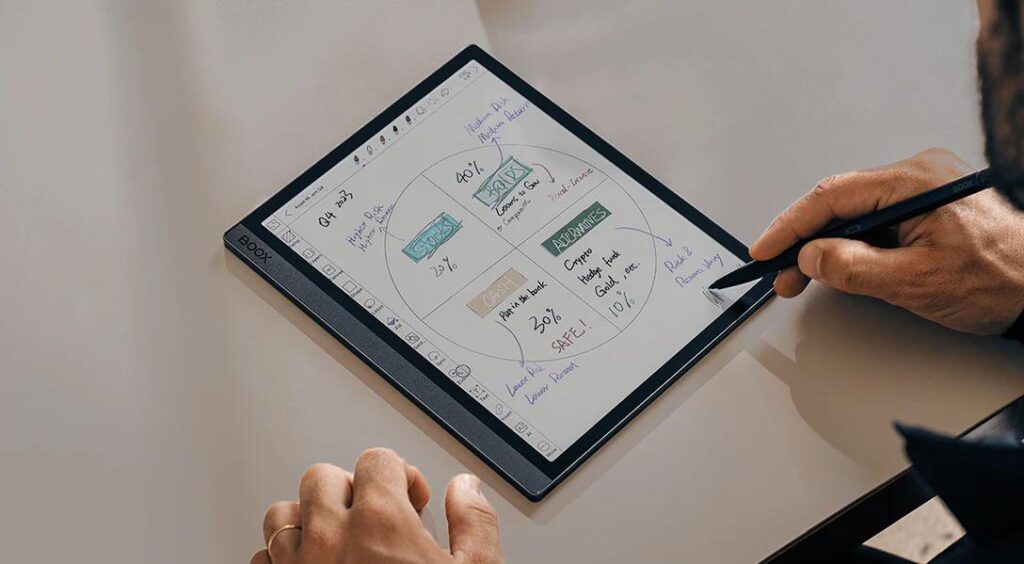
Boox Tab Ultra C Pro — Best Power User Option
Why It Is Unique
The Tab Ultra C Pro is closer to a full productivity tablet than a traditional e-reader.
You get:
- Android
- GPU-assisted refresh modes
- Color E Ink
- Keyboard support
- Split-screen multitasking
- App flexibility
For complex workflows, this matters enormously.
You can:
- Read PDFs
- Take notes
- Use cloud services
- Run productivity apps
- Handle research workflows
…all on one device.
The Trade-Offs
Color E Ink panels still have compromises:
- It offers lower contrast
- Background is darker
- Reduced text sharpness compared with monochrome E Ink
For pure text reading, black-and-white displays still look better.
Best For
- Productivity users
- Researchers
- Multitaskers
- Users needing Android flexibility
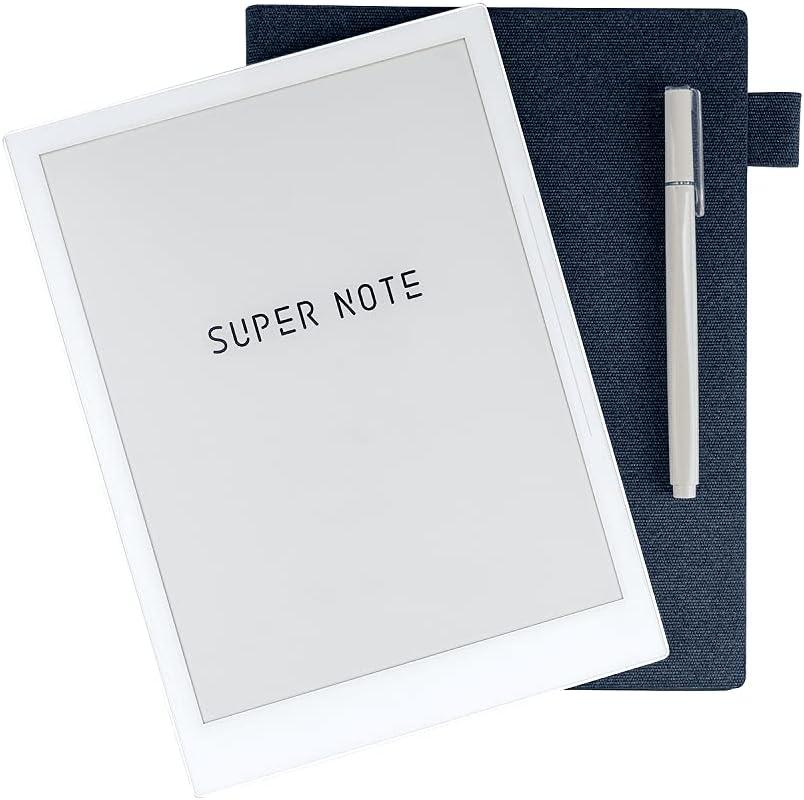
Supernote A5 X2 — Best for Note-Takers
Why Many Professionals Prefer It
Supernote devices have built a loyal following because they focus deeply on writing workflows.
Their strengths include:
- Excellent organization tools
- Thoughtful notebook systems
- Reliable handwriting features
- Good long-term software support
The experience feels refined and productivity-focused.
Weaknesses
Compared with Boox:
- Fewer apps
- Less flexibility
- Slower innovation pace
But many users consider the cleaner experience worth it.
Best For
- Heavy annotators
- Writers
- Long-form note-takers
- Professionals managing documents daily
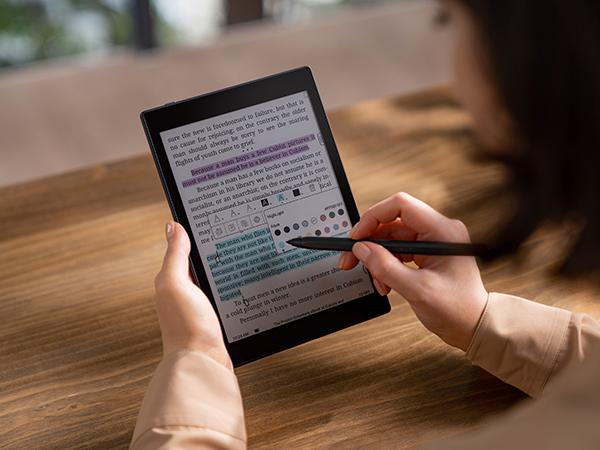
Boox Tab Mini C — Best Portable Color PDF Tablet
A Good Portable Compromise
The Tab Mini C proves that smaller devices can still work reasonably well for PDFs.
Its advantages:
- Portability
- Color support
- Android flexibility
- Better for comics and illustrated PDFs
But the smaller display inevitably limits:
- Full-page readability
- Academic PDF comfort
- Detailed diagrams
You will need to zoom more often.
Best For
- Portable workflows
- Manga/comics
- Illustrated PDFs
- Mixed media reading
Black-and-White vs Color E Ink for PDFs
This is an important decision.
Black-and-White E Ink
Advantages:
- Sharper text
- Better contrast
- Cleaner white backgrounds
- Better for long reading sessions
- Usually longer battery life
Best for:
- Academic papers
- Legal documents
- Research PDFs
- Technical manuals
Color E Ink
Advantages:
- Charts become clearer
- Highlighted textbooks look better
- Comics and magazines improve dramatically
- Diagrams are easier to interpret
Disadvantages:
- Lower contrast
- Grainier appearance
- Dimmer background
- Reduced text clarity
Best for:
- Textbooks
- Magazines
- Comics
- Visual learning
For pure reading comfort, monochrome E Ink still wins in 2026.
Are E Ink Tablets Better Than iPads for PDFs?
It depends entirely on your priorities.
E Ink Advantages
- Dramatically lower eye strain
- Better outdoor readability
- Longer battery life
- Paper-like experience
- Fewer distractions
iPad Advantages
- Faster performance
- Better zooming
- Full-color accuracy
- Better multitasking
- More powerful apps
- Superior web browsing
If you:
- Read for many hours daily
- Study extensively
- Annotate constantly
- Want paper-like focus
…E Ink can be transformative.
If you need:
- Speed
- Video
- Full desktop workflows
- Heavy multitasking
…an LCD or OLED tablet may still be better.
Who Should Buy a 13.3-Inch Device?
A large E Ink tablet is worth considering if you regularly read:
- Academic journals
- Legal contracts
- Sheet music
- Scientific papers
- Engineering diagrams
- Research documents
For ordinary PDFs and casual reading, 10.3 inches is often sufficient.
What Most Buyers Get Wrong
Mistake 1: Buying Too Small
Many people buy 7-inch readers for PDFs and regret it quickly.
PDFs are fundamentally different from e-books.
Mistake 2: Ignoring Software
Hardware specs alone do not determine usability.
PDF optimization quality matters enormously.
Mistake 3: Buying Color E Ink for Pure Text
Color E Ink sounds attractive, but monochrome displays still look better for text-heavy reading.
Mistake 4: Expecting iPad-Level Speed
Even modern E Ink tablets remain slower than traditional tablets.
Understanding that upfront prevents disappointment.
| Device | Price Tier (USD) | Weight (approx.) | Annotation Quality | Best For |
| Boox Note Max | Premium ($700–$800) | ~650–700 g | Excellent — low latency, full toolset, strong export | Researchers, academics, lawyers, engineers handling large A4 PDFs |
| reMarkable Paper Pro | Mid‑Premium ($500–$600) | ~420 g | Outstanding — closest to paper feel, uncluttered interface | Writers, students, professionals who annotate heavily |
| Kindle Scribe | Midrange ($340–$400) | ~430 g | Good — margin notes, simple tools, limited export | Casual PDF readers, Kindle ecosystem users, simplicity seekers |
| Kobo Elipsa 2E | Value ($350–$400) | ~390 g | Decent — stylus support, slower zoom, basic annotation | Budget‑conscious buyers, students, readers wanting large screen without Android complexity |
| Boox Tab Ultra C Pro | Premium ($600–$700) | ~480 g | Strong — Android flexibility, multitasking, but glassy feel | Productivity users, multitaskers, researchers needing app flexibility |
| Supernote A5 X2 | Midrange ($400–$450) | ~370 g | Very good — refined notebook system, reliable handwriting | Heavy annotators, long‑form note‑takers, professionals managing documents |
| Boox Tab Mini C | Midrange ($450–$500) | ~310 g | Fair — portable, color support, but cramped for heavy notes | Portable workflows, manga/comics, illustrated PDFs, mixed media readers |
Final Verdict
There is no universally perfect E Ink tablet for PDFs.
The right choice depends heavily on:
- Screen size needs
- Annotation habits
- Portability preferences
- Software expectations
- Budget
- Workflow complexity
For most serious PDF users, the current sweet spots are:
- Boox Note Max for maximum productivity and full-page readability
- reMarkable Paper Pro for the best paper-like annotation experience
- Kindle Scribe for simplicity and comfort
- Kobo Elipsa 2E for value
If possible, prioritize:
- Larger screens
- Good PDF software
- Comfortable annotation tools
- Long-term software support
Those factors usually matter far more than raw specifications.
And for heavy PDF readers, a well-chosen E Ink tablet can genuinely change the reading experience in a way traditional tablets often cannot.