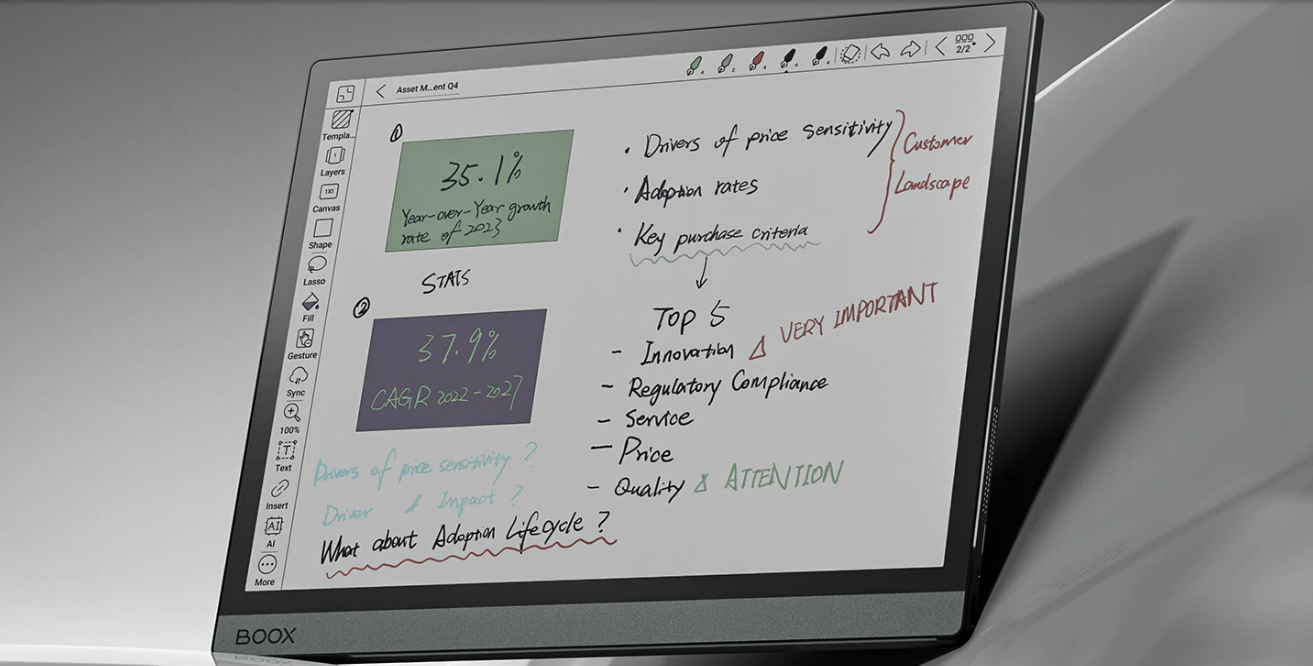
Screens today demand your attention; E Ink tablets give it back. In 2026, these paper‑like devices have matured into powerful tools for readers, writers, and professionals who crave focus without fatigue. Whether you’re annotating research, drafting ideas, or simply reading for hours, the right E Ink tablet can feel less like a gadget—and more like a companion built for deep work. This guide reveals the top picks that truly deliver.
Disclosure: This article contains affiliate links. If you buy through these links, I may earn a small commission at no extra cost to you. This helps support Einkopedia and allows us to continue publishing honest, in-depth reviews and guides. Here is how it works
E Ink tablets have quietly evolved into some of the most powerful tools for focused work and distraction-free reading. Unlike traditional screens, E Ink displays are designed to mimic paper—reducing eye strain and making long reading or writing sessions far more comfortable.
For students, professionals, writers, and researchers, this can be a game-changer.
But not all E Ink tablets are the same.
Some are built for deep note-taking. Others focus on reading. A few try to do everything—and don’t always succeed.
This guide cuts through the noise.
Presented here is a collection of the best E Ink tablets of 2026 that has been carefully selected based on:
- Display quality
- Writing experience
- Real-world usability
- Software and ecosystem
- Overall value
Whether you want a digital notebook, a powerful reading device, or a focused productivity tool, you’ll find the right option here.
Want to save money? These 2025 models are still great.
QUICK PICKS
- Best Overall: Onyx Boox Note Air 5C
- Best for Writing: reMarkable Paper Pro
- Best for Reading + Notes: Kindle Scribe
- Best for productivity: iFLYTEK AINOTE 2
- Best Compact Color Tablet: BOOX Go Color 7
- Best Kindle Alternative: Kobo Libra Colour
COMPARISON TABLE
| Device | Best For | Display | OS | Price Range | Buy Now |
| Boox Note Air 5C | Power users | Color E Ink | Android | Premium | View Deal |
| reMarkable Paper Pro | Writing | Color E Ink | Custom OS | Premium | View Deal |
| Kindle Scribe | Reading + notes | Monochrome | Kindle OS | Mid | View Deal |
| iFLYTEK AINOTE 2 | Productivity | Monochrome | Android | Mid | View Deal |
| Boox Go Color 7 | Portability | Color E Ink | Android | Budget | View Deal |
| Kobo Libra Colour | Reading | Color E Ink | Kobo OS | Budget | View Deal |
BEST E INK TABLETS OF 2026
Onyx Boox Note Air 5C — Best Overall
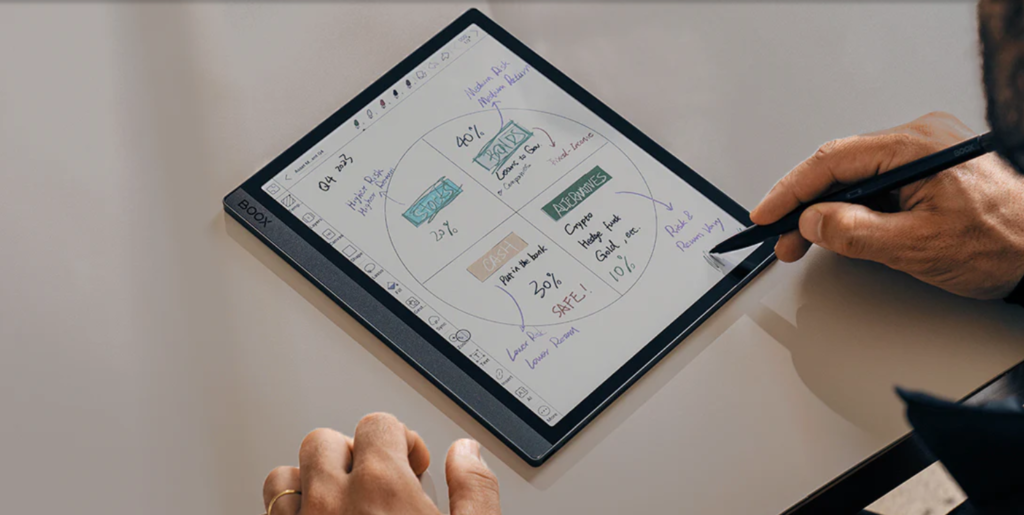
The Boox Note Air 5C is one of the most powerful E Ink tablets available today. It is a productivity device that seamlessly blends reading, writing, and light computing – something very few E Ink tablets manage well.
Why it stands out?
At its core, the appeal is simple: it tries to replace paper, not your laptop. As noted in a December 2025 Forbes review, the device is best understood as a “digital notebook” rather than a conventional tablet. That distinction matters. When you pick it up, the matte display, subtle resistance of the stylus, and near-silent interface create an experience that feels calm, focused, and distraction-free—something that glowing LCD or OLED screens rarely achieve.
For students, writers, and professionals, this is where the Note Air 5C shines. Multiple recent reviews—including Creative Bloq (Feb 2026) and Android Central (Mar 2026)—highlight its excellent note-taking system, PDF annotation tools, and paper-like writing feel. That includes the Pen3 stylus, which offers 4,096 pressure levels, making handwriting feel natural and precise.
What makes it worth buying:
- Full Android 15 with Google Play Store support
- Split-screen multitasking
- Stylus-based note-taking
- Optional keyboard case for typing
This combination makes it ideal for:
- Writers and bloggers
- Researchers handling PDFs
- Professionals who read and annotate extensively
- If your workflow is text-heavy, this device can replace multiple tools.
Where It Starts Falling Apart
The most immediate drawback is the display itself. Multiple reviews, including TechRadar (Mar 2026), point out that the screen appears darker than that of typical e-readers, often requiring the front light to stay on. This directly impacts battery life, which drops to a few days instead of the weeks many expect from E Ink devices.
Performance, while improved, still reminds you that this is not an iPad. Typing with a keyboard can feel laggy, and the interface—because it’s full Android—can be overwhelming for users who just want a simple reading or writing device.
There are also more subtle frustrations. The color display, while useful, lacks vibrancy. Some reviewers note awkward design quirks, like the stylus attachment and case magnets interfering with usability. More seriously, reports of Google Play integrity issues mean certain banking or security-sensitive apps may not work reliably.
And perhaps the biggest philosophical limitation: it doesn’t fully replace anything. As AppleInsider observed (Dec 2025), it’s “too big to be ultra-portable, but not powerful enough to replace an iPad.”
The reasons are structural:
- Expensive for what is, at its core, a specialized device
- The color E Ink screen appears darker than that of typical e-readers, often requiring the front light to be turned on even in well-lit environments.
- Because the front light is frequently used, battery life drops from weeks (as expected for E Ink) to just a few days in real-world use.
- While improved, it still lags behind traditional tablets; typing and app interactions can feel slow at times.
- Running full Android adds flexibility but also makes the interface more complicated and less intuitive for users who prefer simplicity.
So why buy it?
Because when it fits your workflow, it feels almost magical. It reduces eye strain and makes thinking, writing, sketching, and annotating feel intentional again. It’s not about speed or power. It’s about focus.
If your daily life revolves around reading, note-taking, and deep work, the Note Air 5C is one of the most compelling tools available today. But if you expect vibrant colors, long battery life, or tablet-like performance, it may leave you disappointed.
This is not a device you “casually” buy.
✔ Buy it if:
- You read, annotate, and write for hours daily
- You want Android flexibility on an E-Ink screen
- You value focus and low-distraction workflows
✖ Avoid it if:
- You expect tablet-level speed
- You consume video or rich media
- You want a polished, mainstream experience
Final Verdict
If you want the most powerful and versatile E Ink tablet available today, this can be it. It’s not for everyone. But for the right user, it’s not just useful—it’s quietly transformative.
Best for:
Professionals, multitaskers, power users
reMarkable Paper Pro — Best for Writing
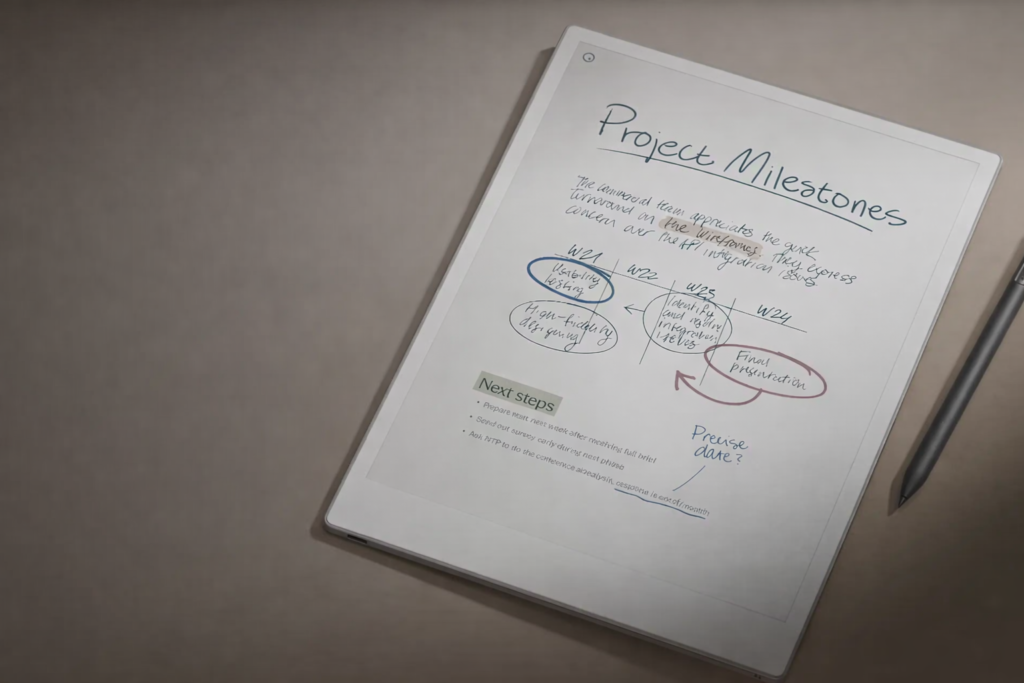
The reMarkable Paper Pro is not a tablet in the conventional sense—it is a deliberate rejection of what modern tablets have become. And that, paradoxically, is exactly why someone might want to buy it.
At its core, the Paper Pro is designed for focused thinking. It removes distractions entirely and focuses on one thing: writing. Also, unlike most other color E-Ink tablets that come with a Kaleido 3 display, the Paper Pro features a Gallery 3 panel. Compared to Kaleido 3, Gallery 3 delivers sharper text and richer, more natural colors. Kaleido 3, on the other hand, offers faster refresh but with lower resolution and washed‑out tones.
Why you might want to buy it
The biggest reason is simple: it feels like writing on paper—only better organized.
According to a Forbes review (Dec 11, 2024), the device delivers a “premium digital note-taking experience” with a writing feel that closely mimics real paper, enhanced by a larger 11.8-inch display and improved pen design.
This tactile realism is repeatedly praised across sources. A Good Housekeeping review (published ~late 2025) notes improvements like reduced pen latency (around 12ms), better storage (64 GB), and more refined organization tools such as searchable handwriting.
Another major upgrade is the addition of color E Ink and a front light, making it far more versatile than earlier models. TechRadar (Sept 4, 2024) emphasizes that the color display is among the best in its category, while finally enabling use in low-light conditions.
In practical terms, this means:
- You can annotate PDFs in color (useful for professionals and students)
- Read or write at night without external lighting
- Replace multiple notebooks with a single, searchable system
- Organize notes efficiently
For people who think best with a pen in hand — writers, researchers, students, lawyers — this device can genuinely improve workflow. Some users even report reduced paper usage and better organization of ideas (a common theme across long-term reviews and user feedback).
The philosophical appeal
The Paper Pro is also about intentional limitation.
NotebookCheck (Mar 25, 2025) describes it as a device that essentially only lets you read, write, and edit documents — nothing more.
That may sound like a weakness, but for the right user, that’s the entire point. It creates a distraction-free environment that encourages deep work—something increasingly rare in today’s digital ecosystem.
The pitfalls
It is extremely expensive. Prices typically start around $600–$700 and go higher with accessories.
There’s:
- No app ecosystem
- No web browser
- No email or media consumption features
- If you expect a multipurpose tablet, this will feel limiting
Plus, there are technical compromises:
Ghosting and refresh artifacts have been observed in real-world usage (Forbes, 2024). Apart from slow refresh for color content, there is noticeable flashing when pages change. A How-To Geek review (Dec 4, 2024) notes that color page transitions can take seconds and involve visible flashing.
The device is also larger and heavier than its predecessor
Further, ongoing costs and ecosystem lock-in matter.
Cloud syncing and extended features require a subscription (around $3/month), which may not appeal to everyone.
What you get without a subscription
- Basic note-taking
- File import/export
- Limited cloud sync (recent files only)
What the subscription unlocks
With Connect (around $2.99/month):
- Full cloud sync across devices
- Handwriting-to-text conversion on other devices
- Editing notes on phone/desktop
- Extended cloud storage and syncing features
Buy it if you want:
- The best writing experience available
- A distraction-free workflow
Avoid it if you want:
- Versatility or apps
Final verdict
In the end, the Paper Pro isn’t trying to compete with mainstream tablets—it’s trying to replace your notebook. And if that’s exactly what you want, it might be one of the best devices you can buy today.
Best for:
Writers, students, note-takers
Kindle Scribe Colorsoft — Best for Reading + Notes
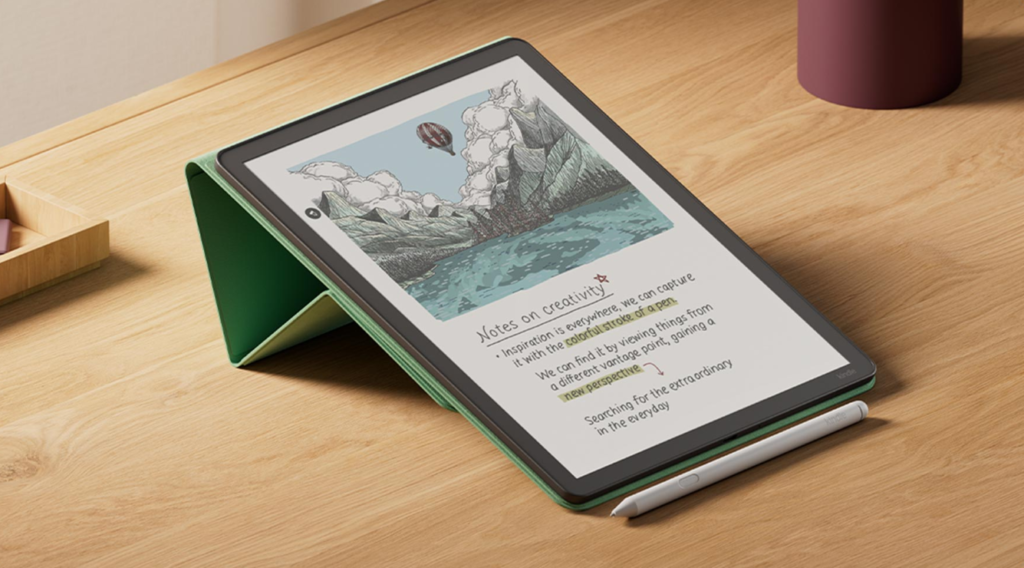
The Kindle Scribe Colorsoft is, at its core, a premium hybrid device—which is part e-reader, and part digital notebook. And for the right user, it can feel genuinely special.
Why would someone want to buy the Kindle Scribe Colorsoft
First, the 11-inch color E Ink display is its biggest selling point. According to Tom’s Guide (Dec 10, 2025), the large screen makes reading significantly easier than on smaller Kindles, especially for PDFs, comics, and academic material. The addition of color isn’t just cosmetic—it opens up new use cases like reading illustrated books, annotating documents with color-coded highlights, and sketching ideas more intuitively. WIRED (Dec 10, 2025) also notes that color adds “a lot of fun” for annotators and note-takers.
Second, the writing experience is one of the best in the Kindle lineup. The included premium stylus is widely praised for being comfortable and responsive, with features like an eraser tip and shortcut button. In practice, this makes the Scribe Colorsoft appealing for students, writers, and professionals who want a distraction-free workspace.
Third, there’s AI-assisted note handling, which can interpret handwriting and make notes searchable. Early impressions suggest this works reasonably well—Tom’s Guide (Dec 2025) reports reasonably accurate handwriting recognition ability. While still evolving, this is a meaningful productivity boost.
Finally, it retains classic Kindle strengths: weeks-long battery life, glare-free reading, and a focused, low-distraction environment—things traditional tablets still struggle to replicate.
👉 In short: if you want a paper-like reading and writing device with color, this is arguably the most advanced Kindle ever made.
The pitfalls
The biggest issue is simple: price vs value. At around $629, the Scribe Colorsoft is far from being affordable.
Second, the software limitations are still very real. Despite being a note-taking device, you still can’t freely write directly on eBooks, and annotation tools feel awkward. Both Tom’s Guide (Dec 2025) and WIRED (Dec 2025) highlight frustration with annotation workflows. For a device aimed at productivity, this feels like a missed opportunity.
Third, there are missing premium features. Notably:
- No waterproofing (unusual at this price)
- Limited export options (mainly PDF)
- Still somewhat constrained compared to dedicated digital notebooks
Lastly, it’s not a necessary upgrade. WIRED (Dec 2025) explicitly states that it’s “not a necessary upgrade” for existing Scribe users.
Buy it if:
- You read PDFs, comics, or illustrated material regularly
- You want a distraction-free writing + reading combo
- You value the paper-like feel over versatility
Avoid it if:
- You just want a better Kindle (Paperwhite is still a better value)
- You need a powerful note-taking system (reMarkable or tablets do more)
- You care about value for money
Final verdict
This is the best Kindle Amazon has ever made, but not the smartest purchase for most people. It’s a luxury tool—excellent in its lane, but hard to justify unless you know you need exactly what it offers.
Best for:
Readers who want light note-taking
iFLYTEK AINOTE 2 — Best Mid-Range Option
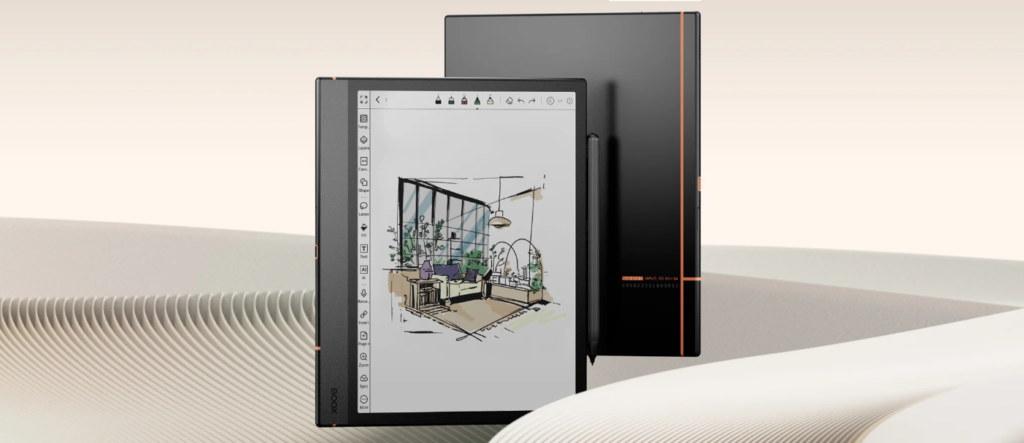
The iFLYTEK AINOTE 2 is not just another E-Ink tablet—it’s an ambitious attempt to redefine how we take notes, think, and even process information. But like many other devices of its class, it sits at the intersection of brilliance and compromise.
Why would someone want to buy it?
This is not just a note-taking device; it’s an AI-powered thinking companion. As a Forbes review revealed, it can record meetings, transcribe speech in multiple languages, translate in real time, and even generate summaries automatically. In practical terms, that means you can sit in a meeting, write casually, and later revisit a clean, structured summary—something professionals, students, and researchers will deeply appreciate.
The writing experience is another highlight. As a TechTimes review found out, the device offers a natural, paper-like feel with excellent tactile feedback, which is exactly what e-ink users crave.
There’s a certain calm that comes from writing on a distraction-free screen—no notifications, no glare, just thought flowing into ink.
Unlike more closed systems, it runs Android with Google Play, meaning you’re not locked into a limited ecosystem.
You can install apps, sync calendars, and integrate them into your workflow—bridging the gap between minimalism and functionality.
In short, the AINOTE 2 feels like a device built for deep work. It’s for people who want clarity, structure, and intelligence—all in one place.
Here are its main benefits:
- Runs Android 14, and hence can handle modern versions of Microsoft Office, Slack, and Trello smoothly.
- Has dedicated pogo-pin connector for a magnetic keyboard folio instead of relying on Bluetooth keyboard covers.
- Is the world’s thinnest and lightest E Ink tablet (Beebom review).
- With Chat-GPT 5 integration, offers superior AI capabilities.
The pitfalls
However, as the eWritable review has revealed, this is not a perfect device—and pretending otherwise would be misleading.
The biggest concern is software maturity. Even positive reviews highlight that while the hardware is excellent, the firmware still feels like a work in progress—especially in areas like handwriting recognition and responsiveness.
Then there’s the reality of e-ink itself. Despite improvements, users still report ghosting, slower refresh rates, and less-than-perfect text rendering compared to traditional tablets.
A more practical drawback is the lack of a frontlight. That means using it in dim environments—like flights or late-night reading—can be frustrating.
There are also ecosystem and compatibility issues. Some users report problems with enterprise apps and workflows, which can be a dealbreaker if you rely on corporate systems.
And then comes a deeper concern: privacy and cloud dependency. Many of its smartest features—like transcription and AI summaries—rely on cloud processing. While the company claims secure storage, it still requires a level of trust that not all users will be comfortable with.
Buy it if:
- You read and annotate PDFs daily
- You take extensive handwritten notes and need AI-assisted thinking
- You want a distraction-free digital workspace
Avoid it if:
- You expect a polished software experience
- You need full offline privacy
- You expect flawless performance
Final verdict
It feels like a quiet revolution. but also one that demands patience and the right expectations.
Best for:
Most users
BOOX Go Color 7 — Best Compact Color Tablet
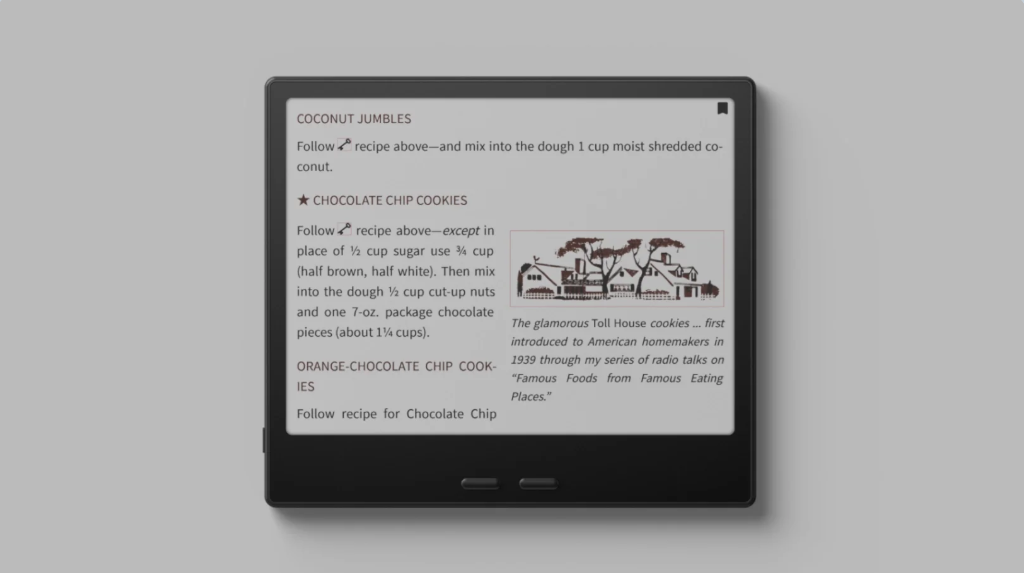
A small, portable device that brings color E Ink into a pocket-friendly format.
Why anyone would want to buy the BOOX Go Color 7
At first glance, the BOOX Go Color 7 feels like a dream device for a very specific kind of reader—the one who wants freedom, not just books.
The biggest reason to buy it is simple: it’s not just an e-reader—it’s an Android-powered reading tablet. Unlike Kindle or Kobo devices, it runs Android and gives you full access to the Google Play Store. That, as PhoneArena stated, means you can read Kindle books, Kobo books, PDFs, news apps, or even use apps like Gmail or Pocket—all on one device.
That flexibility changes how the device feels in daily use. You’re not locked into one ecosystem—you build your own.
Then there’s the color E Ink display (Kaleido 3). As a NewEdgeTimes review revealed, comics, manga, magazines, and even book covers feel more alive. For someone who reads illustrated content regularly, this alone can justify the purchase.
And in terms of physical experience, it gets a lot right:
- Lightweight (~195g) and very thin
- Physical page-turn buttons (rare but loved)
- Excellent battery life for an Android device
- Surprisingly smooth performance for an E Ink screen (TechRadar review)
Where it struggles (and why that matters)
Now for the uncomfortable truth: this device is not for everyone—and in some cases, not even for most readers.
The biggest issue is the display quality.
Despite using Kaleido 3, multiple reviews (Techradar) point out that:
- Black-and-white text lacks contrast and sharpness
- The overall page looks slightly grainy or “fuzzy”
This is not a minor flaw. Reading comfort is the core purpose of an e-reader—and here, the Go Color 7 can feel like a compromise compared to even cheaper monochrome devices.
Then comes the software experience. While Android brings freedom, it also introduces friction:
- Interface can feel cluttered and unintuitive
- Bugs and inconsistencies affect usability
- Optimization varies wildly across apps
- In real-world use, this means you sometimes spend more time tweaking than reading.
Other drawbacks include:
- No proper waterproof rating (only vague resistance)
- Plastic build that doesn’t feel premium
- Battery life that drops faster with heavy app usage or high refresh settings
- Higher price compared to better-optimized competitors
Buy it if:
- You want maximum flexibility (Android apps + multiple ecosystems)
- You read comics, PDFs, or mixed content
- You enjoy tinkering and customizing your device
Avoid it if:
- You primarily read plain text books
- You want a simple, polished, distraction-free experience
- You expect crisp, paper-like clarity
The honest verdict
The BOOX Go Color 7 is a brilliant idea that hasn’t been fully perfected yet.
In a very real sense, the Go Color 7 feels like a device for enthusiasts—not casual readers. It can be deeply rewarding, but only if you accept its compromises.
Best for:
Casual users, travel, light reading
Kobo Libra Colour — Best Kindle Alternative
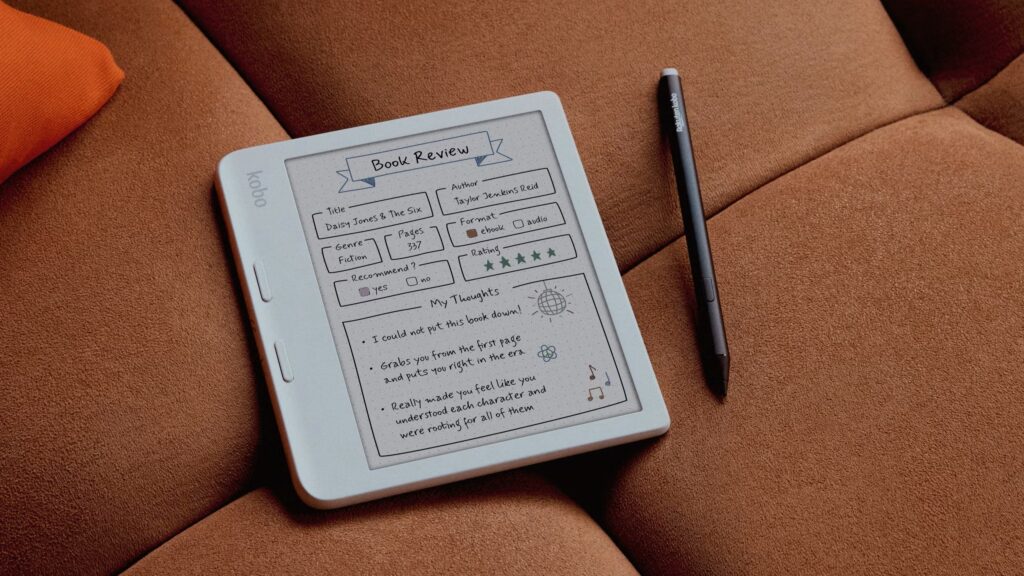
One of the core appeals of the Kobo Libra Colour is that it doesn’t try to replace your tablet; it tries to make reading feel richer without losing the calm, paper-like experience that e-readers are loved for.
Why would someone want to buy it?
The biggest reason is simple: colour, without sacrificing the essence of reading, TechRadar review revealed. The Kobo Libra Colour uses a Kaleido 3 E Ink display capable of showing 4096 colours. For readers of comics, children’s books, or even just people who enjoy seeing book covers and highlights in colour, this adds emotional depth. It feels closer to physical books—subtle, but meaningful.
Then there’s versatility. Unlike many competitors, this device isn’t locked into a single ecosystem. It supports EPUB and integrates with services like OverDrive and Pocket, making it ideal for readers who borrow library books or save articles to read later. If you’ve ever felt constrained by Amazon’s ecosystem, this freedom matters.
Another standout is the hybrid reading + writing experience. With the optional stylus, you can annotate books, highlight in colour, or maintain notebooks. Reviewers (GoodHousekeeping) have noted that this makes it especially appealing for students or thoughtful readers who engage deeply with texts.
Physically, it’s also one of the most comfortable e-readers to hold. The asymmetrical design with page-turn buttons makes one-handed reading effortless—a small but important detail that enhances daily use.
And finally, there’s balance. At 7 inches, it sits perfectly between portability and readability—large enough for comics, small enough to carry anywhere.
Limitations
The biggest drawback is reduced clarity in colour mode. Even for regular text reading, some users point out that contrast isn’t as crisp as traditional black-and-white e-readers. This is a fundamental trade-off of current colour E Ink technology—not a flaw unique to Kobo.
Then there’s the stylus situation. The writing feature is great, but the stylus is sold separately, increasing the real cost.
Performance-wise, while generally smooth, minor lag in writing and interface interactions has been noted in reviews.
Lastly, price. As Wired stated, it’s relatively expensive compared to standard e-readers, especially when you factor in accessories.
Buy it if:
Buy the Kobo Libra Colour if you:
- Want a freer, non-Amazon reading ecosystem
- Enjoy comics, illustrated books, or coloured highlights
- Value note-taking and annotation
- Care about ergonomics and long reading sessions
Avoid it if:
- Only read plain text novels and want maximum sharpness
- Expect tablet-level colour quality
- Don’t need writing features
Final thought
The Kobo Libra Colour feels like a glimpse into the future of reading—but a future still in progress. It’s not perfect, but it’s thoughtful, ambitious, and genuinely enjoyable in the right hands.
If you understand its limitations, it can feel less like a gadget—and more like a companion.
BUYING GUIDE
What to Look for in an E Ink Tablet
Display Type
- Monochrome → best for reading
- Color → better for comics, PDFs
Writing Experience
If you take notes, prioritize:
- Stylus latency
- Screen texture
Operating System
- Android → flexible (apps, browsing)
- Closed OS → simpler, distraction-free
Screen Size
- 7–8 inch → portable
- 10–11 inch → balanced
- 13 inch → professional use
SHOULD YOU BUY AN E INK TABLET?
E Ink tablets are perfect if you:
✔ Read for long hours
✔ Take handwritten notes
✔ Want fewer distractions
But they are not ideal if you:
❌ Watch videos
❌ Need fast performance
❌ Use heavy apps
FINAL VERDICT
If you want the best overall experience, go for the Onyx Boox Note Air 5C.
If writing is your priority, the reMarkable Paper Pro is unmatched.
And if you mainly read, the Kindle Scribe is still the safest choice.