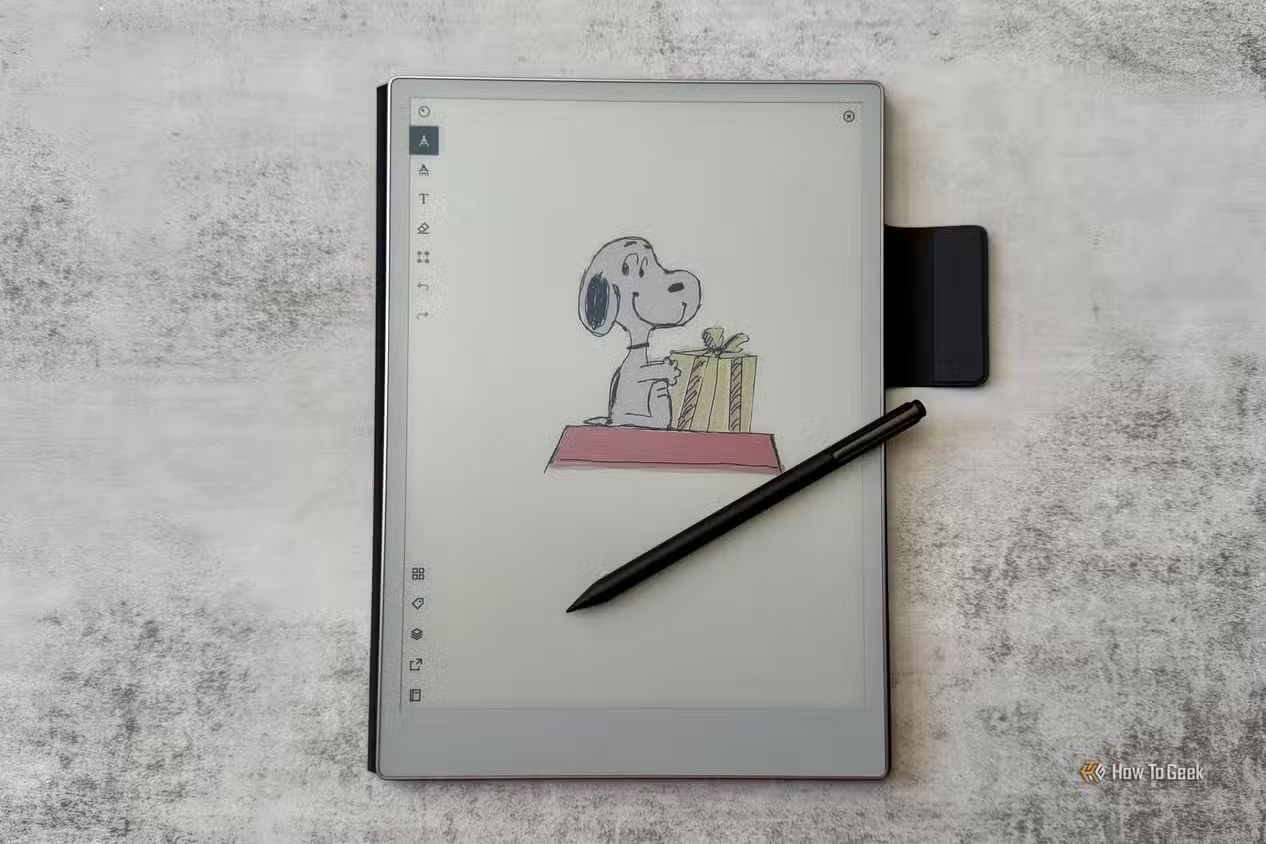
E Ink tablets make an inviting blank canvas. There are no notifications, social feeds or glowing displays demanding attention. A stylus touches the screen, a dark line appears, and the experience can feel remarkably close to sketching on paper. However, that does not automatically make an E Ink tablet a good digital-art tool.
Most E Ink tablets were designed for handwriting, not illustration. Pressure sensitivity can look impressive on a specification sheet while the drawing application offers weak brushes, limited layers or poor export options. Colour models create another trap: they can display colour, but they cannot reproduce it with the range or accuracy expected from an iPad or a professional drawing display.
The best E Ink tablet for drawing is not necessarily the model with the highest pressure rating or the brightest colour screen. It is the one that provides the right combination of canvas size, pen response, drawing software and export options for the artist’s actual workflow.
Quick Answer—The Best E Ink Drawing Tablets in 2026
Specifications come from manufacturer documentation, checked October 18, 2026. Prices change often, so the buttons link to current listings rather than quoting numbers.
| reMarkable Paper Pro | Supernote Manta | BOOX Note Air6 C | BOOX Note Max | Supernote Nomad | reMarkable Paper Pro Move | |
|---|---|---|---|---|---|---|
| Award | Best overall for color sketching | Best monochrome sketchbook | Best for Android flexibility | Best large drawing canvas | Best compact monochrome | Best portable color |
| Display | 11.8″ | 10.7″ | 10.3″ | 13.3″ | 7.8″ | 7.3″ |
| Type | Colour (Gallery 3-based) | Monochrome | Colour (Kaleido 3) | Monochrome | Monochrome | Colour (Gallery 3-based) |
| Resolution | 229 PPI | 300 PPI | 300 PPI mono / 150 PPI colour | 300 PPI | 300 PPI | 264 PPI |
| Pressure | 4,096 | 4,096 | 4,096 | 4,096 | 4,096 | 4,096 |
| Tilt | Yes | Yes (Atelier pencils) | Yes | Not listed | Yes (Atelier pencils) | Yes |
| Front light | Yes | No | Yes | No | No | Yes |
| Main drawing app | Built-in notebooks | Atelier | BOOX Notes + Android apps | BOOX Notes + Android apps | Atelier | Built-in notebooks |
| Export | PDF, PNG, SVG | PNG, PSD (Atelier) | PDF, PNG | PDF, PNG | PNG, PSD (Atelier) | PDF, PNG, SVG |
| Weight | ~525 g | ~375 g | ~440 g | ~615 g | ~266 g | ~230 g |
| Stylus | Included | Sold separately | Included | Included | Sold separately | Included |
| Biggest advantage | Large colour canvas, SVG export | Artist-focused Atelier app | App access | Full-page canvas | Pocketable, Atelier | Colour in a small body |
| Biggest limitation | Basic brushes, closed system | No colour, no light | App latency varies | Heavy, no light | Small canvas | Narrow canvas |
| CHECK CURRENT PRICE | CHECK CURRENT PRICE | CHECK CURRENT PRICE | CHECK CURRENT PRICE | CHECK CURRENT PRICE | CHECK CURRENT PRICE |
Specialist option: The Huion Ink EB1011 combines strong pen specifications with a PC graphics-tablet mode, but independent testing found its standalone performance weak. It is covered separately below rather than ranked.
For broader reading and productivity picks, see the best E Ink tablets overall.
Can an E Ink Tablet Really Work for Digital Art?
Yes, for specific kinds of art. An E Ink tablet can be an excellent digital sketchbook even though it is rarely a complete digital studio.
E Ink is strongest for:
- Digital sketchbooks and idea capture
- Line art, manga drafts and thumbnailing
- Storyboarding and wireframing
- Calligraphy practice
- Distraction-free drawing sessions that feed a larger creative workflow
It is a weak choice for colour-critical painting, photo editing, animation, rapid canvas rotation, large multilayer compositions, complex textured brush engines, RGB or CMYK proofing, 3D work, and any finished artwork that needs a wide colour gamut.
The reason is physical. An E Ink screen moves charged pigment particles to form an image, so it redraws more slowly than an LCD and reflects color rather than emitting it. For details, see how E Ink particles create an image.
How These Tablets Were Selected
Each device was judged on twenty criteria in four groups: pen (latency, stroke consistency, pressure, tilt, palm rejection, parallax, surface texture), software (drawing tools, layers, canvas controls, export formats, image resolution, maturity, third-party app performance), display (colour usefulness, screen size, front light) and ownership (portability, accessory cost, US availability).
Pressure sensitivity is only one part of the experience. A pen with excellent hardware can be undone by laggy software, a thin brush set, or inadequate export features that flatten the work.
Measurable facts come from manufacturer documentation. Practical observations come from independent artist reviews, cited where used. Einkopedia did not run hands-on drawing tests for this guide.
1. reMarkable Paper Pro—Best Overall E Ink Tablet for Colour Sketching
Verdict: The largest, most polished colour E Ink sketchbook, with a vector export path most rivals lack, held back by a deliberately simple toolset.
Why it suits artists: The 11.8-inch, 4:3 Canvas Color display (Gallery 3-based, 229 PPI) gives a generous page, and the app-free system stays a drawing surface.
Pen and surface: reMarkable documents 12 ms writing latency. Its Marker supports 4,096 pressure levels and up to 60 degrees of tilt, with palm rejection on a textured glass surface. An adjustable front light helps in dim rooms.
Drawing software and layers: Nine writing tools and nine blendable colours. Independent artist testing by 3dtotal found the pencil convincingly paper-like but no textured brushes, and up to five layers without blend modes or opacity controls.
Export: reMarkable’s official importing and exporting documentation confirms PDF, PNG and SVG export through the desktop app, email, cloud drives or USB. SVG matters for line artists: strokes arrive as editable vector paths, ready to clean up in Illustrator or Inkscape rather than retraced from a raster image.
Colour performance: Black strokes appear instantly. The same 3dtotal review found colour strokes take a second or two to settle, and exported color looked far more saturated than on screen.
Accessories and cost: A Marker is included; the Marker Plus and folio cost extra. A Connect subscription adds handwriting search and app editing, not drawing tools.
Limitations: A closed ecosystem, muted colour, a basic brush engine next to Procreate or Clip Studio Paint, and about 525 g of weight.
Buy it if you want a large, focused colour sketchbook and plan to finish work on a computer.
Skip it if you need textured brushes or accurate colour on the device.
Check Latest Price of reMarkable Paper Pro
To see how it stacks up for reading and writing too, see premium colour E Ink tablets compared.
2. Supernote Manta—Best Monochrome E Ink Tablet for Serious Sketching
Verdict: The most artist-focused native drawing environment on E Ink, provided you can work in grayscale and without a front light.
Why it suits artists: A 10.7-inch flexible 300 PPI screen, about 375 g, a replaceable battery, and microSD – what sets it apart is Supernote’s Atelier drawing app, built for drawing rather than note-taking.
Pen and surface: A textured FeelWrite film covers the screen. One artist review praised the low latency but found some rubber nibs bumpy until broken in. Supernote’s pens offer 4,096 pressure levels.
Drawing software: Atelier includes seven pencil grades from 4H to 8B, five ink pens (including a hatching brush), three markers, and a spray tool. Pencils respond to pressure, tilt and velocity. Supernote’s June 2026 update (Atelier 1.1.78) added paper types, adjustable reference-layer opacity, and a wider grayscale range.
Layers and canvas: Up to five layers with reordering and merging, transformable selections, and 50–150 percent zoom.
Export: PNG, plus a PSD export that one artist reported preserved layers at 300 DPI, though a white marker layer turned transparent. Supernote still labels Atelier as beta. Supernote also offers InkFlow, which turns the Manta into a pressure-sensitive graphics tablet for Windows and macOS.
Grayscale performance: Clean linework for manga drafts, pencil studies, character design, shading and calligraphy.
Accessories and limitations: The pen and folio are sold separately. There is no color, no front light, and no mainstream drawing apps, so exported work usually needs finishing elsewhere.
Buy it if you sketch in pencil or ink and want the deepest native tools.
Skip it if you need colour or draw in dim light.
Check Latest Price of Supernote Manta
3. BOOX Note Air6 C—Best for Android Drawing Flexibility
Verdict: The widest app choice of any tablet here, with the caveat that an installed app is not a tested one.
Why it suits artists: A 10.3-inch Kaleido 3 display (300 PPI grayscale, 150 PPI color), front light, Android 16, Google Play, microSD, and about 440 g.
Pen and software: The included Pen3 offers 4,096 pressure levels and tilt on a paper-textured screen. BOOX’s Notes app provides brushes, shapes and layers, with PDF and PNG export, and BOOX Super Refresh speeds up the screen.
The central advantage, and its limit: BOOX provides the broadest application access, but installing a drawing application does not guarantee that it will perform well on E Ink. Drawing apps fall into roughly four groups:
- Native Notes app: built for the pen and the most predictable.
- Apps that use BOOX’s optimised pen layer: draw a fast temporary stroke, then render the final line a moment later.
- Ordinary Android art apps: often usable for slow work, but not designed for E Ink refresh.
- Apps with unacceptable lag: fine on LCD, frustrating here.
Clip Studio Paint, Concepts and Infinite Painter may install, but no current device-specific testing confirms satisfactory performance on the Air6 C. Test any must-have app within the return window. Whether Android flexibility helps your work depends on whether E Ink genuinely improves productivity for your particular tasks.
Colour performance: Kaleido 3 shows 4,096 colours at half the grayscale resolution, with muted saturation and a darker-looking background. It is useful for colour-coding and planning, but not for proofing final colour.
Limitations: Variable app latency and Android distractions a tap away.
Buy it if you need a specific Android app or want colour notes and sketching in one device.
Skip it if you want a closed, drawing-first environment.
Check Latest Price of BOOX Note Air6 C
4. BOOX Note Max—Best Large Monochrome Canvas
Verdict: The largest drawing surface in this guide, at the cost of portability and lighting.
Why it suits artists: The 13.3-inch monochrome display has a resolution of 3200 × 2400 (300 PPI), close to a sheet of letter paper. That suits architectural sketches, detailed diagrams, storyboards, full manga pages, side-by-side references, and large line drawings. The same screen-space advantage drives Einkopedia’s picks for large-screen E Ink tablets.
Pen and software: The included Pen Plus offers 4,096 pressure levels. Android 13, 128 GB of storage (no microSD) and BOOX Super Refresh run Notes and third-party apps, with the Air6 C’s latency caveats.
Limitations: At about 615 g, it is heavy and more expensive than 10-inch models. There is no colour, no front light, and the glass screen needs careful handling.
Buy it if you need full-page compositions or plenty of room for reference.
Skip it if you sketch on the move.
Check Latest Price of BOOX Note Max
5. Supernote Nomad—Best Compact Monochrome Sketchbook
Verdict: Atelier in a 7.8-inch body small enough to carry everywhere.
Why it suits artists: The Nomad has a 300 PPI glass screen with a FeelWrite 2 film, weighs about 266 g, and keeps the replaceable battery and microSD expansion. It suits daily practice, travel sketching, thumbnails, character ideas, visual journaling, and quick compositions. A Develop3D review found its pressure response pencil-like.
Software and export: The same Atelier toolset and InkFlow PC mode as the Manta.
Limitations: The A6-sized canvas is cramped for full-page comics, detailed landscapes, large references, and arm-driven drawing. There is no front light, and the pen costs extra.
| Choose Nomad if… | Choose Manta if… |
|---|---|
| Portability matters most | Canvas space matters most |
| Work consists of thumbnails and quick ideas | Work includes detailed compositions |
| The device must fit in a small bag | The device usually stays on a desk |
Buy it if you want a sketchbook that comes with you every day.
Skip it if you mostly draw large.
Check Latest Price of Supernote Nomad
6. reMarkable Paper Pro Move—Best Portable Colour Sketchbook
Verdict: The only pocketable colour option here, with a canvas that is portable but not generous.
Why it suits artists: The Paper Pro Move fits a 7.3-inch Gallery 3-based Canvas Color display (264 PPI, 16:9) into about 230 g. It shares the Paper Pro’s 12 ms latency, Marker, nine tools, front light, and PDF, PNG, and SVG export, and suits urban sketching, visual notes, thumbnails, and quick storyboards.
Limitations: The narrow 7.3-inch canvas is portable, but it is not generous. Broad strokes and detailed compositions suit the Paper Pro or Manta better. It also shares the Paper Pro’s basic brushes and slow colour settling.
Buy it if you want colour sketching in a jacket pocket.
Skip it if your work needs more room.
Check Latest Price of reMarkable Paper Pro Move
Huion Ink EB1011—Interesting Artist Hardware, but a Conditional Recommendation
On paper, the Huion Ink looks like an artist’s tablet: a 10.3-inch monochrome screen, a battery-free EMR pen with 8,192 pressure levels and listed tilt, a front light, Android 11, microSD, an included folio and nibs, and a USB graphics-tablet mode for PCs.
The contradiction shows up in use. Teoh Yi Chie’s artist-focused Huion Ink review found a 2012-era processor that made the tablet sluggish and a native note app with very few features and no cloud backup. In third-party apps, latency was very poor in Concepts. OneNote performed better through Huion’s system-wide handwriting mode, but strokes appeared thin before snapping to full thickness. The review did not test the PC mode.
Huion Ink makes the most sense for someone who values its graphics-tablet mode and understands the limitations of its standalone Android experience. Supernote’s InkFlow now offers a similar PC mode on the Manta and Nomad.
Check Latest Price of Huion Ink EB1011
Side-by-Side Comparison for Artists
| Paper Pro | Manta | Note Air6 C | Note Max | Nomad | Paper Pro Move | |
|---|---|---|---|---|---|---|
| Screen | 11.8″ | 10.7″ | 10.3″ | 13.3″ | 7.8″ | 7.3″ |
| Color tech | Gallery 3-based | Mono | Kaleido 3 | Mono | Mono | Gallery 3-based |
| Resolution | 229 PPI | 300 PPI | 300/150 PPI | 300 PPI | 300 PPI | 264 PPI |
| Pressure | 4,096 | 4,096 | 4,096 | 4,096 | 4,096 | 4,096 |
| Tilt | Yes | Yes | Yes | Not listed | Yes | Yes |
| Front light | Yes | No | Yes | No | No | Yes |
| Native app | Notebooks | Atelier | Notes | Notes | Atelier | Notebooks |
| Layers | Up to 5 | Up to 5 | Yes | Yes | Up to 5 | Up to 5 |
| Export | PDF, PNG, SVG | PNG, PSD | PDF, PNG | PDF, PNG | PNG, PSD | PDF, PNG, SVG |
| Third-party apps | No | No | Google Play | Google Play | No | No |
| Weight | ~525 g | ~375 g | ~440 g | ~615 g | ~266 g | ~230 g |
| Pen included | Yes | No | Yes | Yes | No | Yes |
| Best use | Colour sketchbook | Pencil and ink | App flexibility | Full pages | Daily carry | Pocket colour |
| Biggest drawback | Basic brushes | No colour or light | App latency | Weight | Small canvas | Narrow canvas |
- Choose Paper Pro for colour sketching on a large page and vector export.
- Choose Manta for pencil, ink, and manga drafting with the best native tools.
- Choose Note Air6 C if a particular Android app is essential.
- Choose Note Max for full-page compositions and space for references.
- Choose Nomad for a sketchbook that always comes with you.
- Choose Paper Pro Move for colour in the smallest package.
What Artists Should Examine Before Buying
Screen size and drawing area
For many artists, 10.3 to 11.8 inches is the practical sweet spot. Wrist drawing works on 7 inches; arm drawing, toolbars, references, and landscape layouts all need room.
Pen latency and stroke rendering
The first line on screen is often a fast approximation, replaced by the fully rendered stroke. Ink appearance, final rendering, input latency, refresh latency, and third-party latency are separate things, and a 12 ms figure describes the native app only.
Pressure levels
8,192 levels do not automatically beat 4,096. Once the hardware is competent, the pressure curve, brush engine, and line rendering matter far more than the headline number.
Tilt support
Tilt helps with pencil shading, broad strokes, charcoal-style effects and calligraphy, but only when the software uses it. Atelier’s pencils do, and many Android apps may not.
Surface texture, nibs and friction
Hard nibs glide; soft nibs grip and wear faster. Glass feels firmer than flexible screens. Budget for nib and film wear, and remember that “paper-like” is partly taste.
Layers and canvas controls
Check layer count, visibility, reordering, merging, opacity, selection, zoom, rotation, reference images, and undo history. Five layers cover sketching, not compositing.
Export formats
- PNG and JPG: flat raster images, fine for references.
- PDF: easy to share, though often flattened.
- SVG: editable vector strokes.
- PSD: layers can survive, where supported.
- Proprietary notebook files: open only on the maker’s own software.
Expect layered drawings to be flattened unless the export format explicitly preserves layers.
Colour accuracy
Colour E Ink is useful for planning, highlighting and restrained colour sketches. It should not be trusted as the sole display for colour-critical finished artwork. Kaleido 3 lays a colour filter over a black-and-white panel, so colour appears at lower resolution and looks muted. Gallery 3 moves colored pigments directly, keeping full resolution but taking longer to settle each colour.
Front light
A front light matters on aircraft, in bed and in dim rooms, not outdoors or in bright studios. The Manta, Nomad and Note Max have no integrated front light.
Complete ownership cost
Budget for the stylus or a premium upgrade, a folio, replacement nibs, any subscription, the warranty, shipping, import charges, and return shipping.
[ACCESSORY BLOCK: Replacement nibs for the chosen tablet · Protective folio · Stable drawing stand · Compatible stylus. Include only items verified as compatible.]
A Practical E Ink-to-Desktop Art Workflow
- Capture the initial idea on E Ink.
- Create thumbnails.
- Refine composition and line work.
- Export as PNG, PDF, SVG or PSD.
- Transfer to a computer or conventional tablet.
- Finish colour, texture, and effects in professional software.
- Archive the E Ink draft with the finished project.
A manga artist might ink in Atelier and export a layered PSD for toning. An illustrator could colour Paper Pro SVG line art in Illustrator. An architect uses the Note Max for site sketches, a storyboard artist thumbnails on a Nomad, and a product designer iterates forms before CAD. The Supernotes and reMarkables handle this best because their exports carry the most forward.
Colour E Ink vs Monochrome E Ink for Artists
| Colour E Ink | Monochrome E Ink |
|---|---|
| Better for colour planning | Better contrast |
| Useful for colour-coded concepts | Sharper, cleaner line work |
| Muted palette | No colour preview |
| Usually darker background | Brighter paper appearance |
| More complex refresh behaviour | Often simpler and faster |
| Helpful for diagrams and storyboards | Strong for pencil, ink and manga |
Neither is universally better. Choose color when it changes decisions, and monochrome when line quality matters most.
Should Artists Wait for Kaleido 4 Tablets?
E Ink announced Kaleido 4 on October 15, 2026. Compared with the previous generation, E Ink claims double the colour gamut volume, 15 percent higher white reflectance, 50 percent better contrast, and video playback at up to 18 frames per second. None of these improvements apply to existing Kaleido 3 devices.
The first device, the Hanvon M10C II, is reportedly sold only in China, and first-generation quality still needs independent evaluation.
Artists who need a tablet now should buy for their current workflow. Buyers who care most about colour and can wait should watch the category over the coming months.
E Ink Tablet vs iPad vs Drawing Display
| E Ink tablet | iPad / Android tablet | Pen display | |
|---|---|---|---|
| Screen type | Reflective ePaper | LCD/OLED | LCD/OLED |
| Colour accuracy | Low | High | High |
| Brush apps | Limited | Extensive | Desktop software |
| Layers | Few | Many | Many |
| Animation | No | Yes | Yes |
| Distraction level | Low | High | Moderate |
| Outdoor visibility | Excellent | Fair | N/A |
| Battery life | Days to weeks | Hours | Mains-powered |
| Paper-like feel | Strong | With matte film | With matte film |
| Portability | High | High | Low |
| Finished-art capability | Limited | Strong | Strongest |
Choose E Ink for focused sketching, an iPad or Android tablet for portable finished artwork, and a pen display for desktop production. E Ink often works best alongside one of them. For the display differences, see E Ink compared with conventional displays.
E Ink Tablets Artists Should Not Buy for Drawing
- E-readers without proper stylus support
- Small color readers marketed mainly for reading
- Tablets with no reliable image export
- Devices whose pen works only in limited apps
- Old Android models with weak software support
- Any device bought solely for its pressure-sensitivity number
- Devices with uncertain warranty or import support
The Kindle Scribe and other reading-first devices handle handwriting and simple doodling well, but they are not artist-first tablets.
Frequently Asked Questions
What is the best E Ink tablet for drawing?
It depends on whether you need colour, grayscale or apps. For colour sketching, the reMarkable Paper Pro offers the largest polished canvas and SVG export. For pencil and ink work, the Supernote Manta’s Atelier app has the most artist-specific tools. If a particular Android app matters, the BOOX Note Air6 C provides access, but test performance before relying on it. Artists who need space should look at the Note Max, while those who need portability should look at the Nomad or Paper Pro Move.
Is reMarkable Paper Pro good for artists?
For sketching, yes. Its 11.8-inch colour canvas, textured surface, tilt-aware Marker and 12 ms documented latency make drawing pleasant, and SVG export gives line artists an editable vector path. The limits are real, though. Brushes are basic, there are only five layers with no opacity control, colour strokes take a moment to settle, and exported colour looks more saturated than the screen. Treat it as a sketchbook, not an illustration suite, and plan to finish colour work on a computer or iPad.
Is Supernote better than reMarkable for drawing?
For monochrome drawing, generally yes. Atelier offers graded pencils, ink pens, markers, spray, reference layers and PSD export, which is more drawing-specific than reMarkable’s toolset. reMarkable counters with colour, a front light, a larger canvas on the Paper Pro and SVG export. Pencil and ink artists usually prefer Supernote. Artists who plan in colour, or draw in dim light, usually prefer reMarkable. Both run closed systems without third-party drawing apps, so the native toolset is what you get.
Can Procreate run on an E Ink tablet?
No. Procreate is exclusive to Apple’s iPad and iPhone and does not run on Android-based E Ink tablets or on the closed systems used by reMarkable and Supernote. Artists who rely on Procreate often sketch on E Ink, export a PNG or PSD, and finish on an iPad, as one Supernote artist documented with a Manta-to-Procreate workflow. That split often plays to each device’s strengths: focused drafting on E Ink, colour and effects on the iPad.
Can Clip Studio Paint run on a BOOX tablet?
BOOX tablets run Android with Google Play, so the app may install, but installing an app is not the same as using it well. Pen latency, refresh behaviour and E Ink optimisation vary by app and firmware, and no current device-specific testing confirms satisfactory performance on the Note Air6 C or Note Max. Check recent user reports for your exact model and firmware, and test the app on your own work within the return window before treating it as part of a professional workflow.
Is colour E Ink accurate enough for professional art?
Not for colour-critical finished work. Kaleido 3 displays 4,096 colours at reduced resolution with muted saturation, and Gallery 3-based screens offer a limited palette that settles slowly. Exports may also look different from the screen. Colour E Ink is useful for colour-coding, roughs and planning palettes, but final colour should be judged on a calibrated LCD or OLED display. Treat what the E Ink screen shows as a colour plan, not a proof.
How many pressure levels does an artist need?
Beyond a competent baseline, the number matters less than how the software uses it. Every main recommendation in this guide offers 4,096 levels. The Huion Ink advertises 8,192, yet independent testing found its software experience weaker. A smooth pressure curve, consistent thin-to-thick transitions and a good brush engine make a bigger practical difference than doubling the specification. If possible, watch independent drawing demonstrations of light, fast strokes before buying.
Can E Ink drawings be exported to Photoshop or Illustrator?
Yes, with caveats. PNG and PDF exports open in Photoshop as flattened raster images, ready for painting over. reMarkable’s SVG export opens in Illustrator as vector strokes, which suits line cleanup. Supernote’s Atelier offers PSD export that can keep layers, though at least one artist reported quirks with white strokes. Check what your chosen format preserves before relying on it for client work, and keep the original notebook file as a backup.
Which E Ink tablet has the largest drawing screen?
Among the recommendations here, the BOOX Note Max, at 13.3 inches and 3200 × 2400. It fits full manga pages, storyboards and architectural sketches with room for reference. The trade-offs are about 615 g of weight, no front light, no colour and a higher price, so it suits desk-based work better than travel. Artists who want space and portability may find the 11.8-inch Paper Pro or 10.7-inch Manta a better compromise.
Is an E Ink tablet better than an iPad for sketching?
For distraction-free sketching, often yes: the reflective screen, long battery life and lack of notifications keep attention on the page. For almost everything else, the iPad wins, with Procreate and other professional apps, unlimited layers, accurate colour and animation. Many artists use both, drafting on E Ink and finishing on the iPad. If you can only buy one device and need finished colour work, the iPad is the safer choice.
Are E Ink tablets suitable for manga artists?
They suit drafting and planning very well. Monochrome screens handle panel layouts, thumbnails, pencils and inks cleanly and with good contrast, and the Manta’s Atelier app adds graded pencils, hatching brushes and layered PSD export. The Note Max fits full pages at once. Final toning, screentones and lettering usually happen in desktop software such as Clip Studio Paint. For reading manga rather than drawing it, see Einkopedia’s E Ink manga guide.
Should artists wait for Kaleido 4?
Only if colour is the main priority and the purchase can wait. Kaleido 4 was announced on October 15, 2026, with claimed gains in gamut, reflectance and contrast, but the only announced device is a Hanvon tablet reportedly sold in China. Artists who need a tablet now should buy for their current workflow and judge Kaleido 4 once independent reviews are available. Early panels often improve in later device generations.
The Best E Ink Drawing Tablet Depends on What Happens After the Sketch
Three conclusions hold across every device here. E Ink is strongest as a digital sketchbook. Drawing software and export options matter more than pressure-level marketing. And the right tablet depends on where the sketch goes next.
- reMarkable Paper Pro: Best large colour sketchbook
- Supernote Manta: Best focused monochrome drawing environment
- BOOX Note Air6 C: Best for users who need Android flexibility
- BOOX Note Max: Best for artists needing a large monochrome canvas
- Supernote Nomad: Best portable monochrome sketchbook
- reMarkable Paper Pro Move: Best portable colour option
The best E Ink tablet for drawing is the one whose exports fit the rest of your process. Readers who want a broader view of writing, reading and productivity features can compare the best current E Ink tablets in Einkopedia’s complete guide.