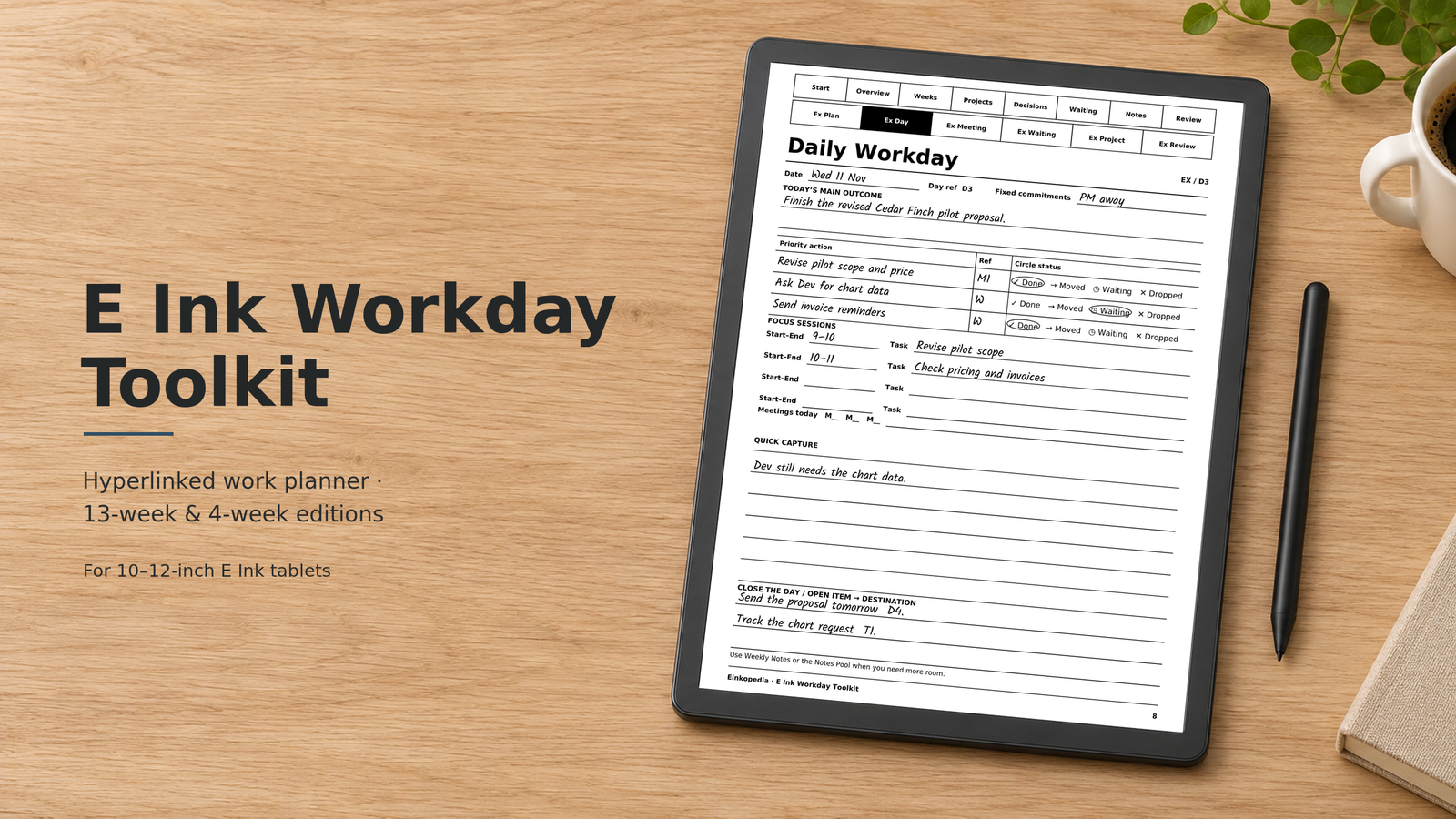
$9–$19
- Works on
- Kindle Scribe, reMarkable, BOOX Note Air, Supernote Manta
- Format
- PDF, 376 pages (13-week) or 148 pages (4-week)
What’s included
- Weekly Outcomes with a "done when" finish line
- Five Daily Workday pages a week
- Six Meeting-to-Action pages a week, each with an overflow notes page
- Meetings index, Weekly Notes and Weekly Review with checklist
- 8 Project Briefs with progress logs
- Decision Log, Waiting-On Tracker and Notes Pool
- Cycle Overview and Cycle Review
- A complete worked example week
- Two rows of tabs on every page, plus full PDF bookmarks
- Device setup guide
The E Ink Workday Toolkit is a hyperlinked PDF planner for people who use an E Ink tablet as their work notebook. It connects your weekly goals, daily priorities and meetings, so every decision, follow-up and open task has a place to go, and you can find it again on Friday.
Who it’s for
If you run meetings, juggle projects or work with clients, your notes are only useful if the actions in them get done. This planner gives every item a destination:
- Actions from meetings go straight onto a day.
- Things you’re waiting on go onto one running list, so nothing slips.
- Decisions are logged once, so you can find them later.
- Every Friday, a short review carries forward what matters.
The routine
- Monday (10 min): choose up to three outcomes for the week, each with a clear “done when”.
- Each morning (5 min): set one main outcome, three priorities and your focus sessions.
- After each meeting (2 min): send your actions to a day, delegated items to Waiting-On and decisions to the Decision Log.
- End of day (3 min): circle what’s done and give every open item a destination.
- Friday (20 min): review the week and carry forward what matters.
A look inside
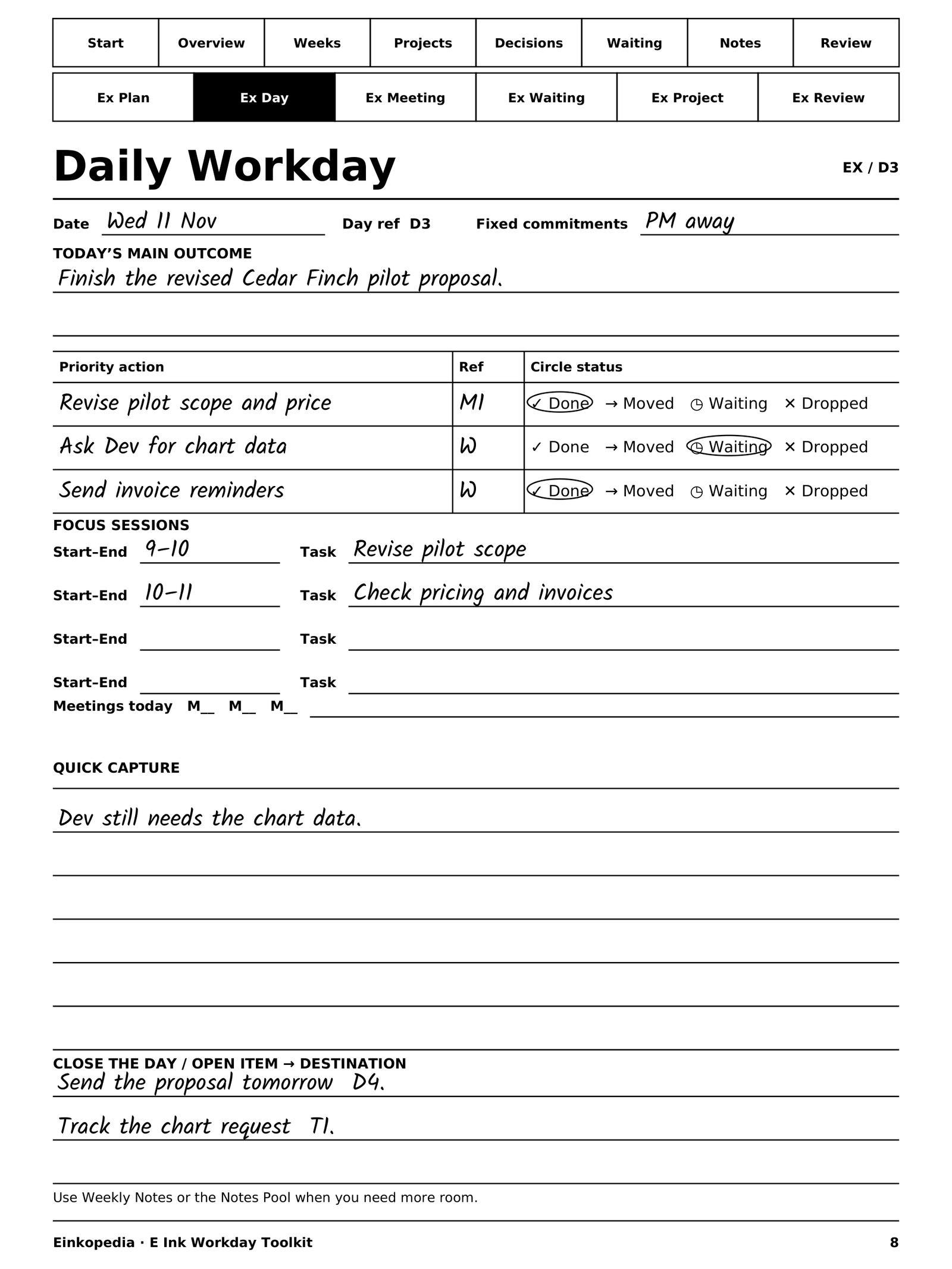
Daily Workday: main outcome, priorities with circle-the-status options, focus sessions and quick capture.
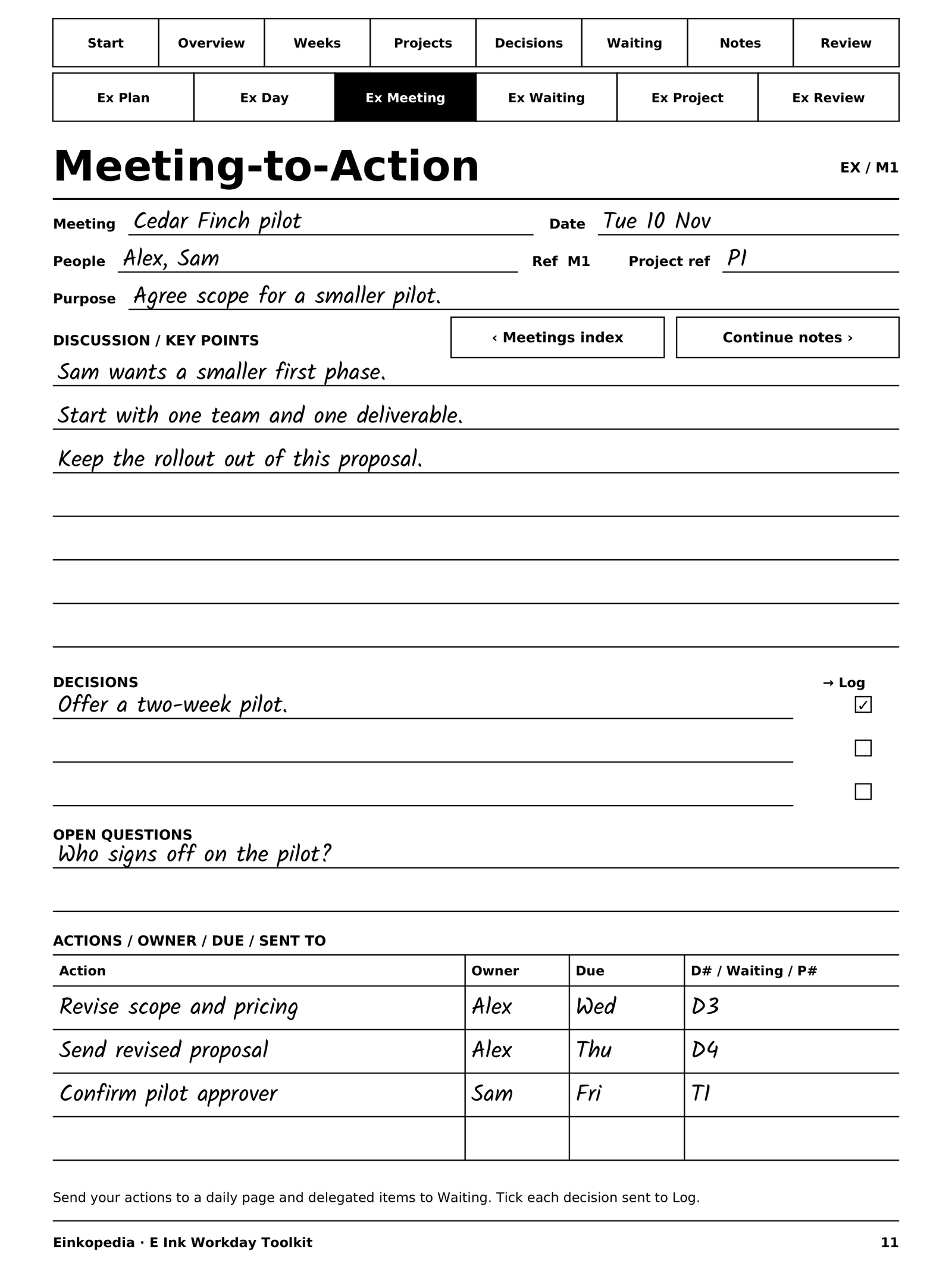
Meeting-to-Action: discussion, decisions, open questions and actions, each sent to a day or the Waiting-On list.
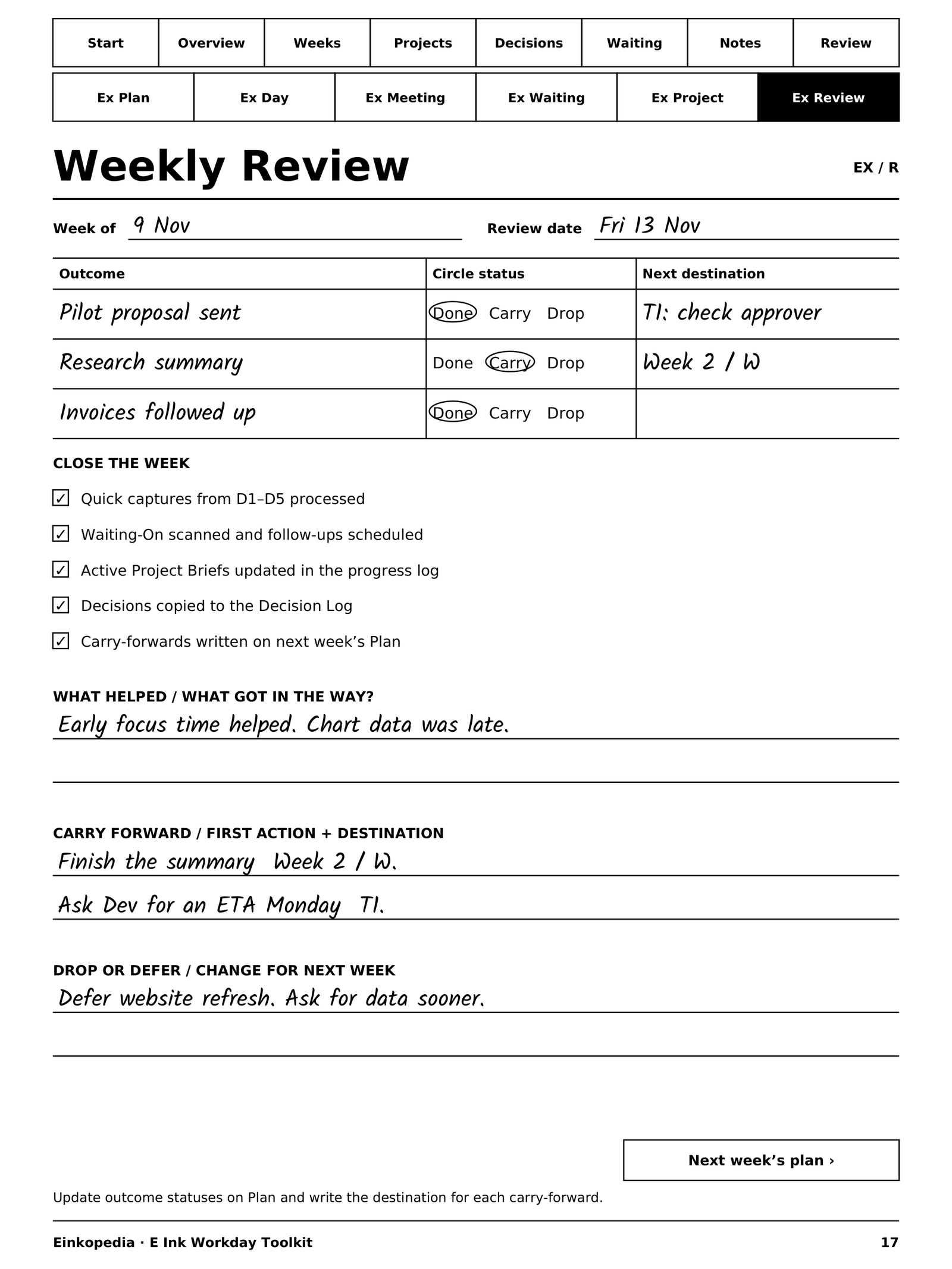
Weekly Review: a checklist, what helped, and what carries forward. Shown with the worked example; your copy is blank and undated.
Choose your edition
- 13-Week Edition, $19: a full quarter. 376 pages, 13 undated weeks. Best value.
- 4-Week Edition, $9: try the system for a month. 148 pages, 4 undated weeks.
You choose your edition at checkout. Payment is handled securely by Gumroad, which also takes care of sales tax and VAT.
Works with
Designed for 10–12-inch E Ink pen tablets that let you write on PDFs, including Kindle Scribe, reMarkable 2 and Paper Pro, the BOOX Note Air series and Supernote Manta. Whether tapping the tabs works depends on your tablet’s PDF reader. Where it doesn’t, the built-in bookmarks take you to any page. Not recommended for 7–8-inch tablets, where the pages are too small to write on comfortably.
30-day money-back guarantee
If the planner doesn’t work well on your tablet, email us within 30 days. We’ll help you get it working or refund you in full.
Questions
How do I get the planner?
Right after payment, you get an email with a download link. The PDF also stays in your Gumroad library, so you can download it again any time.
How do I put it on my tablet?
The same way as any PDF: Send to Kindle for Kindle Scribe, the reMarkable app, or your BOOX or Supernote transfer method. The Device Setup page inside the planner walks you through it.
Is it dated?
No. It’s undated, so you can start on any Monday. Keep the original file as a master copy and import a fresh copy for each new cycle.
Get the E Ink Workday Toolkit →
Kindle, reMarkable, BOOX and Supernote are trademarks of their respective owners. This product is not affiliated with or endorsed by them.